Seedream 5.5 Image Edit API

bytedance/seedream-v5.5/edit
1–10 references · 1K – 2K

Seedream 5.5 Image Edit API 结合 1–10 张参考图完成 1K 至 2K 图像编辑,支持 auto 比例与透明 PNG。它在保留主体结构与文字的同时自然替换背景与光影。

输入

拖拽文件、粘贴剪贴板素材,或输入 URL。 必填,1–10 张参考图片(每张加 1.6 积分)。

1/10 个素材

414/5000
输出

预估费用: 8.6 credits · $0.043

基础 4 积分(1K/1.5K)或 7 积分(2K)+ 每张参考图 1.6 积分。

继续使用

示例

s55-edit-winter-sunrise.png

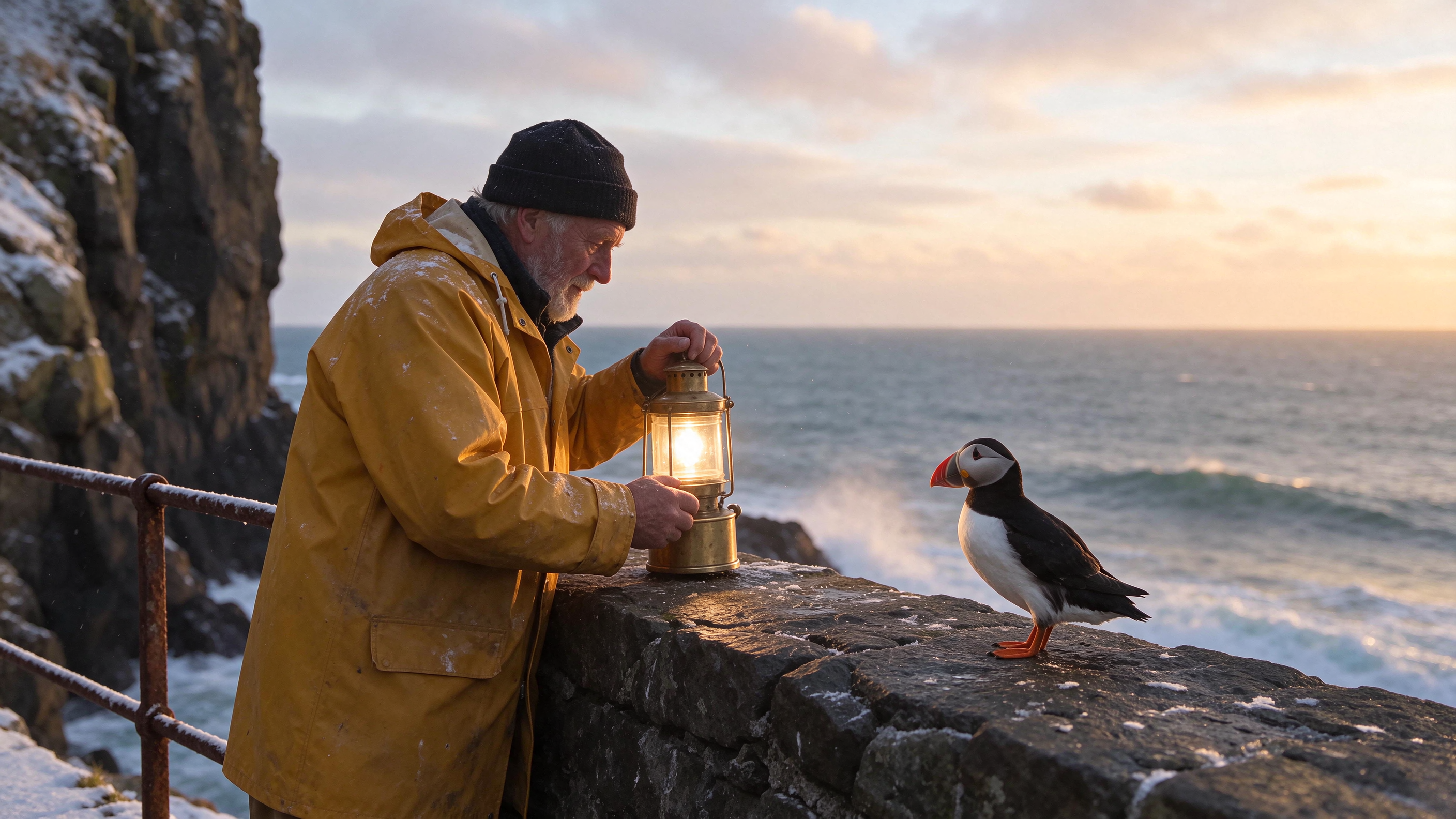
Transform the stormy blue-hour dusk into a crisp golden winter sunrise with pale pink clouds and fresh snow lightly dusting the basalt sea cliff, iron railing, and the keeper's shoulders. Keep the elderly lighthouse keeper's exact face, yellow coat, brass lantern, and the perched Atlantic puffin in the exact same positions and framing. Natural morning rim light, photorealistic. No text, no logos, no watermarks.
s55-edit-courtyard-panda.png

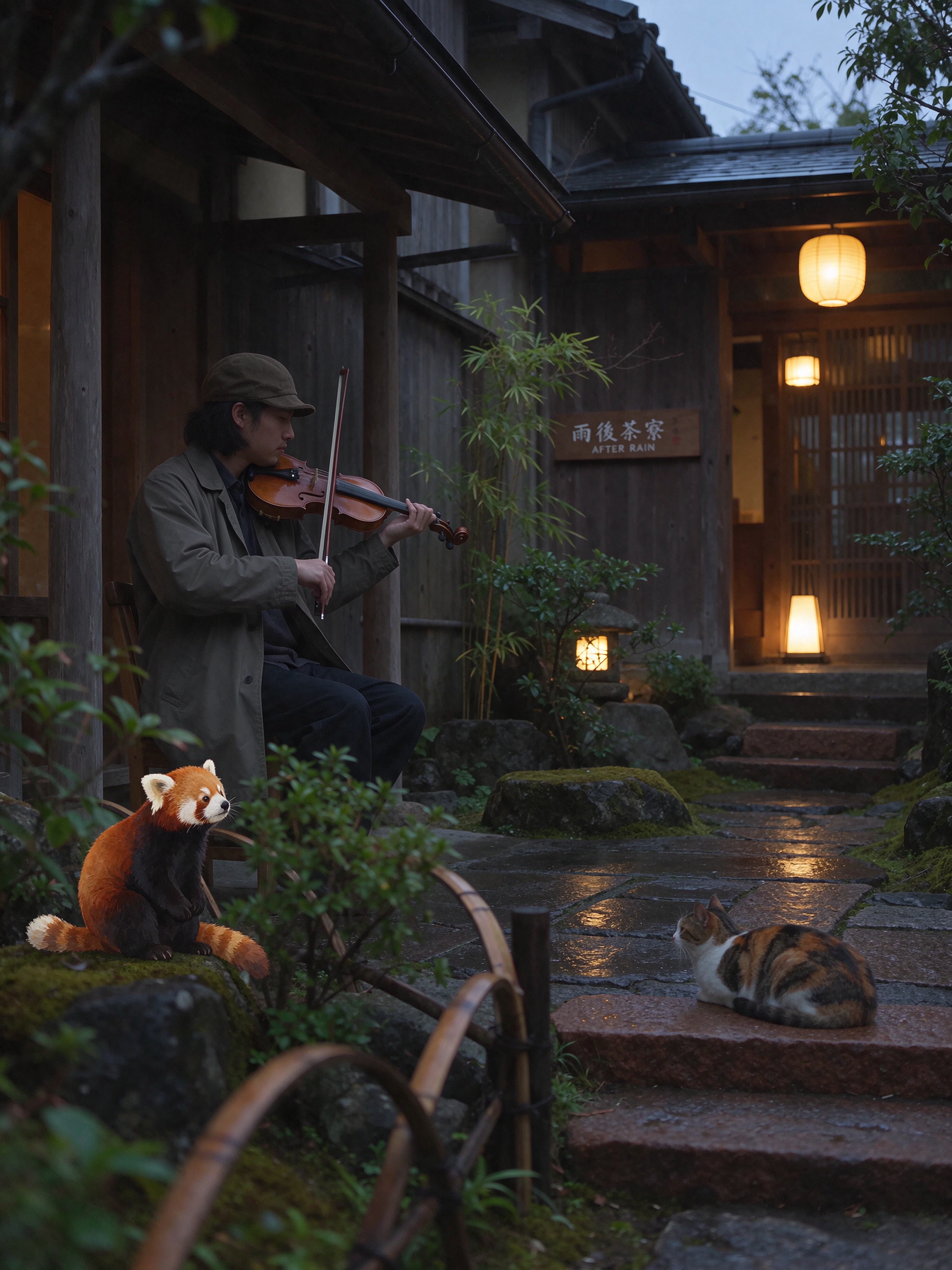
Place the red panda from the second image perched naturally on the mossy garden rock wall on the left side of the Kyoto courtyard from the first image, looking curiously toward the young violinist under the lantern eaves. Match the warm twilight lighting, soft rain sheen, and depth of field while keeping the violinist, calico cat, and wooden sign intact. No new text, no logos, no watermarks.

Seedream 5.5 Image Edit API 是什么?

Seedream 5.5 Image Edit 是字节跳动推出的多参考图编辑与合成模型,接收 1–10 张参考图和 5–5,000 字符编辑提示词。Seedream 5.5 Image Edit API 默认 size 为 auto 以贴合原图构图,并支持直接导出透明通道 PNG,适合电商换景与创意合成。

为什么选择 Seedream 5.5 Image Edit API?

本接口支持最多 10 张参考图融合、auto 构图匹配以及原生透明 PNG 导出。

  • 支持 1–10 张多图参考单次请求即可传入 1–10 张参考图,完成商品合成、换景与多图风格统一。

  • 支持 auto 比例与透明底 PNG默认自动跟随参考图比例,并可直接输出透明背景 PNG。

  • 清晰的分项计费支持在多图编辑后直接输出原生透明通道 PNG 素材。

参数说明

本接口必填 1–10 张 image_urls 与 5–5,000 字符 prompt,可选配置 size(默认 auto)、resolution 与透明背景。

参数要求说明
image_urls必填

1–10 张公开 HTTP(S) 参考图 URL。

默认值—
prompt必填

图像编辑说明(5–5,000 字符)。

默认值—
size可选

auto 或 1:1、4:3、3:4、16:9、9:16、3:2、2:3、21:9。

默认值auto
resolution可选

1K、1.5K 或 2K。

默认值2K
output_format可选

png 或 jpeg。

默认值png
background可选

auto、transparent(需 png)或 opaque。

默认值auto
enable_safety_checker可选

是否启用安全审核。

默认值true

如何调用 Seedream 5.5 Image Edit API?

调用步骤:上传 1–10 张参考图,编写编辑提示词并选择分辨率和格式,提交任务并轮询下载成图。

  1. 上传 1–10 张参考图在 image_urls 中添加待编辑主图和参考素材图。

  2. 填写编辑指令说明要修改的背景、材质、穿搭或风格及需要保留的内容。

  3. 提交生成任务保持 auto 或指定比例,选择 1K/1.5K/2K 及输出格式。

  4. 提交并获取结果轮询 task_id 直至 finished,下载成品图。

Seedream 5.5 Image Edit API 多少钱?

Seedream 5.5 Image Edit API 费用 = 4 积分(1K/1.5K)或 7 积分(2K)+ 每张参考图 1.6 积分($0.008);1 积分 = $0.005。

项目单价说明
1K / 1.5K 基础价4 积分 + 1.6/张参考图含 1 张参考图为 5.6 积分($0.028)。
2K 基础价7 积分 + 1.6/张参考图含 1 张参考图为 8.6 积分($0.043)。

适用场景

适合电商商品换景、多素材棚拍合成以及带透明背景的精修素材输出。

  • 电商商品换景通过单次请求即可完成多商品场景合成或透明主体导出。

  • 多素材创意合成组合最多 10 张模特、服饰与道具图生成统一光影成片。

  • 定向编辑并导出透明 PNG修改主体细节后一步导出带透明通道的 PNG。

进阶技巧

  • 保持 size 为 auto 可尽量延续主参考图的构图比例。
  • 希望保持主图原比例时直接保留 size 为 auto。

使用说明

  • 计费会按 image_urls 中每张输入参考图叠加 1.6 积分。
  • background 设为 transparent 时必须将 output_format 设为 png。

Seedream 5.5 Image Edit API 常见问题

Seedream 5.5 Image Edit API 是什么?

Seedream 5.5 Image Edit 是字节跳动推出的多参考图编辑与合成模型。Seedream 5.5 Image Edit API 接收 1–10 张参考图与 5–5,000 字符编辑指令,支持 1K–2K 输出和透明 PNG,按分辨率基础费加每张参考图 1.6 积分计费。它在保持主体结构与文字清晰的同时实现自然换景、光影重构与多图融合。你可以通过 API 进行程序化调用,也可以在上方体验区直接在线试用。

Seedream 5.5 Image Edit API 最多支持几张参考图?

单次请求支持传入 1–10 张参考图(image_urls)。

Seedream 5.5 Image Edit API 费用怎么计算?

1K/1.5K 基础 4 积分或 2K 基础 7 积分,另加每张参考图 1.6 积分($0.008)。

Seedream 5.5 Image Edit 可以输出透明背景吗?

可以,同时设置 background=transparent 与 output_format=png 即可。

size 设为 auto 在 Seedream 5.5 Image Edit 中有什么作用?

自动沿用参考图的画面比例,避免强行裁剪或拉伸主体。

Seedream 5.5 Image Edit 对提示词长度有什么要求?

去除首尾空白后须为 5–5,000 个字符。

Seedream 5.5 Image Edit 和 Layerize 有何不同?

Image Edit 根据多张参考图和提示词输出 1 张编辑成片;Layerize 则把 1 张成品图拆解成多个独立图层。