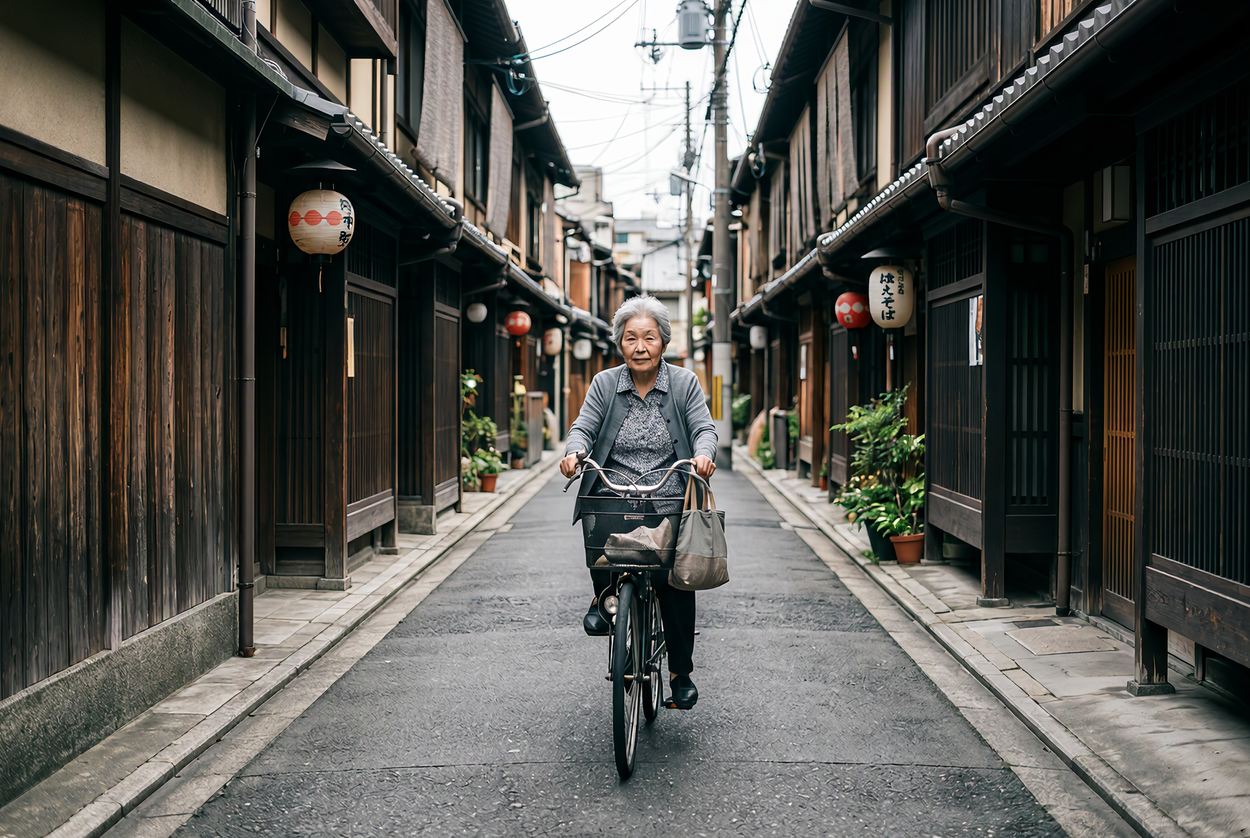
Remove the red delivery scooter and the orange traffic cone from the alley and fill the space with the wooden wall and street surface behind them. Keep the woman, her bicycle, the lanterns and the soft light unchanged.
microsoft/mai-image-2.7-flash/editMAI Image 2.7 Flash Edit API 以 Flash 的速度和价格按文字修改 1–5 张参考图:换季节和光线、移除物体、更新文字,或把草图变成商品照片,其余部分保持原样。单图 1K 编辑约 2.6 积分。
获取 API Key拖拽文件、粘贴剪贴板素材,或输入 URL。 按提示词中的顺序提供 1–5 个公开的 HTTP(S) JPEG、PNG 或 WebP 图片地址。每张图会缩放到约 100 万像素,最多计 1,024 个图片输入 Token。
1/5 个素材
最高预扣: 2.71215 credits · $0.01356
按实际 Token 计费,1K 方图约 2.0 积分,完成后返还差额。
Remove the red delivery scooter and the orange traffic cone from the alley and fill the space with the wooden wall and street surface behind them. Keep the woman, her bicycle, the lanterns and the soft light unchanged.
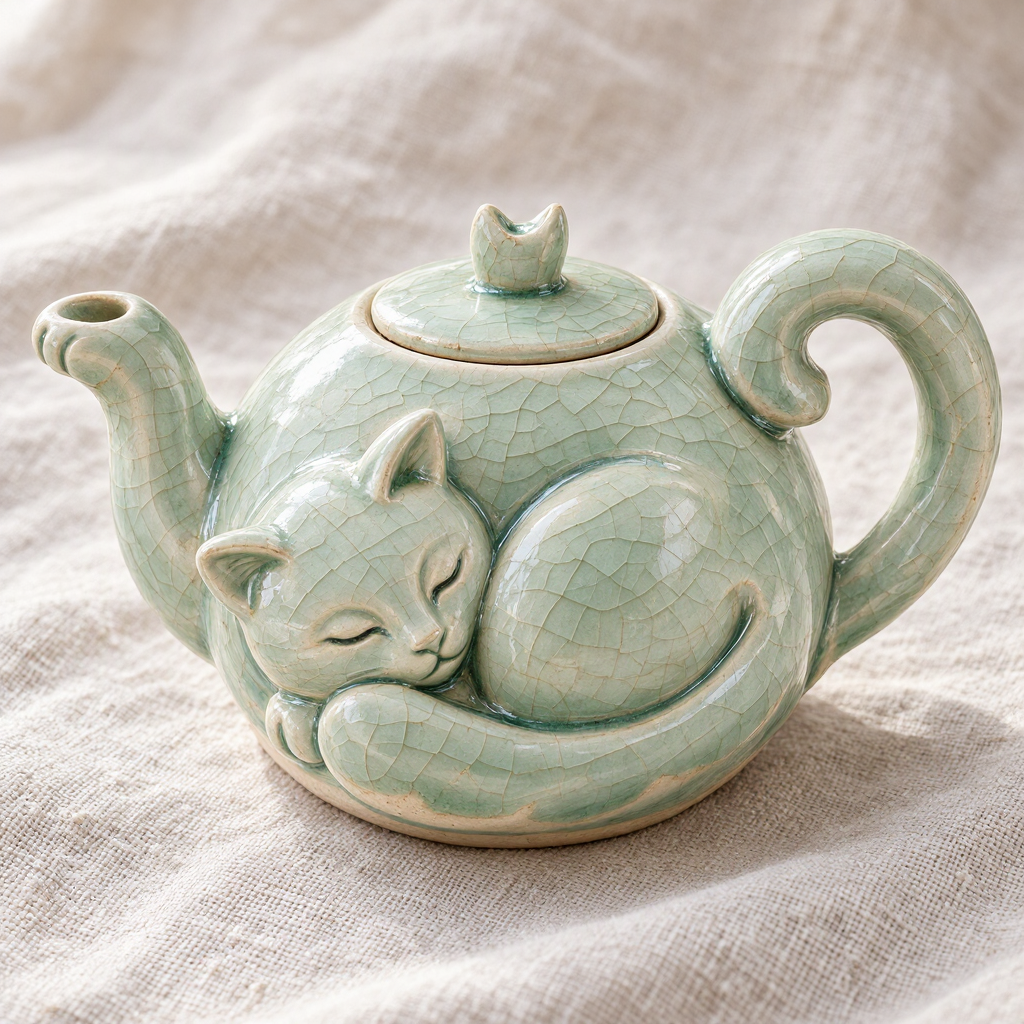
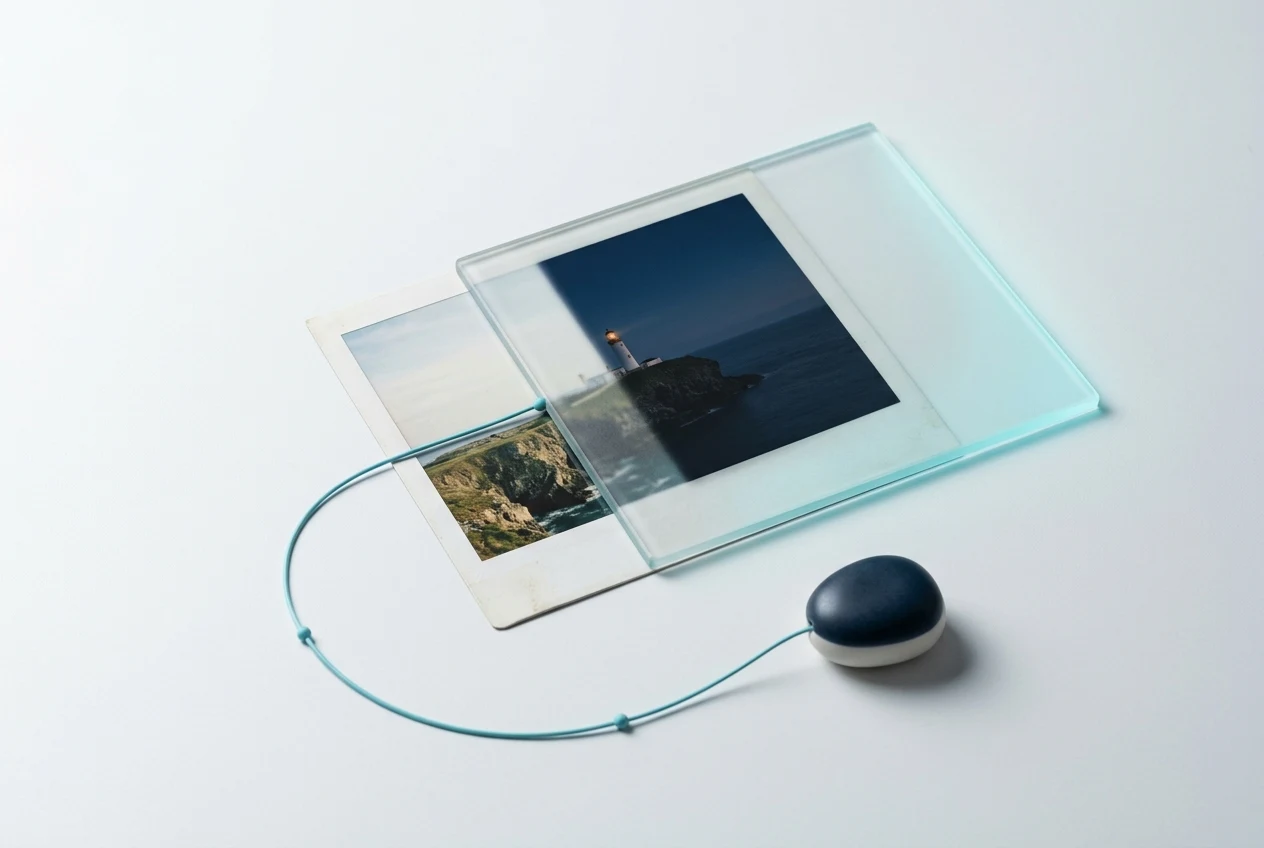
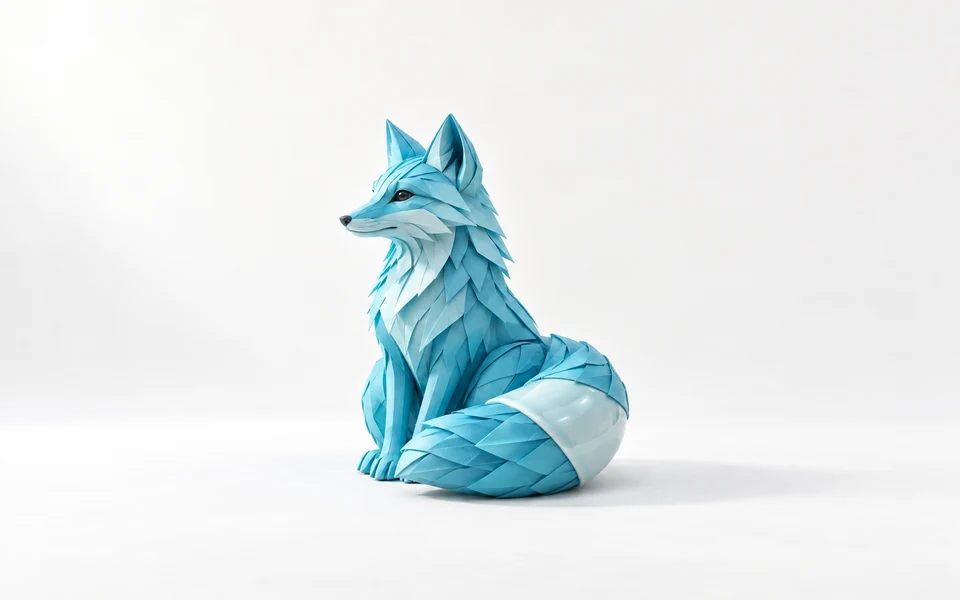
Turn the pencil teapot design in image 1 into a real handmade ceramic teapot glazed with the pale celadon crackle glaze from image 2, the glaze pooling darker in the carved details. Studio product photograph on light linen, soft daylight, three-quarter view.
REST API
以下流程提交一个合法的 MAI Image 2.7 Flash Edit 请求,取得 task_id,并在异步任务结束后读取图片 URL。
创建 API Key,仅保存在服务端,并通过 Authorization: Bearer VIDGO_API_KEY 发送。
https://api.vidgo.ai/api/generate/submit向统一提交端点发送当前模型 ID、提示词和有序图片 URL,示例只包含完成首次调用所需的字段。
curl --request POST \
  --url "https://api.vidgo.ai/api/generate/submit" \
  --header "Authorization: Bearer $VIDGO_API_KEY" \
  --header "Content-Type: application/json" \
  --data '{
  "model": "microsoft/mai-image-2.7-flash/edit",
  "input": {
    "prompt": "Replace the empty fountain with clear water and floating orange blossoms. Keep the tiles, plants and light unchanged.",
    "image_urls": [
      "https://example.com/courtyard.jpg"
    ],
    "resolution": "1K",
    "output_format": "png"
  }
}'读取 data.task_id,仅在 not_started 或 running 时继续轮询;finished 与 failed 都必须停止。
GET https://api.vidgo.ai/api/generate/status/{task_id}建议每 2–5 秒查询一次,并对 429/5xx 退避。也可在顶层提供 callback_url,在任务进入终态时接收回调。
not_startedrunningfinishedfailed{
"code": 200,
"data": {
"task_id": "task-example",
"status": "not_started",
"created_time": "2026-09-25T08:00:00"
}
}{
"code": 200,
"data": {
"task_id": "task-example",
"status": "finished",
"created_time": "2026-09-25T08:00:00",
"files": [
{
"file_url": "https://example.com/result.png",
"file_type": "image"
}
]
}
}展开后可查看同一 payload 的端到端脚本,包含业务 code、缺失 task_id、失败状态、异常状态和网络错误处理。
set -euo pipefail
: "${VIDGO_API_KEY:?Set VIDGO_API_KEY in your environment}"

REQUEST_BODY=$(cat <<'JSON'
{
  "model": "microsoft/mai-image-2.7-flash/edit",
  "input": {
    "prompt": "Replace the empty fountain with clear water and floating orange blossoms. Keep the tiles, plants and light unchanged.",
    "image_urls": [
      "https://example.com/courtyard.jpg"
    ],
    "resolution": "1K",
    "output_format": "png"
  }
}
JSON
)

SUBMIT_RESPONSE=$(curl --silent --show-error --fail-with-body \
  --request POST \
  --url "https://api.vidgo.ai/api/generate/submit" \
  --header "Authorization: Bearer $VIDGO_API_KEY" \
  --header "Content-Type: application/json" \
  --data "$REQUEST_BODY")

TASK_ID=$(printf '%s' "$SUBMIT_RESPONSE" | jq -r '.data.task_id // .task_id // empty')
if [ -z "$TASK_ID" ]; then
  printf 'Submit response did not include task_id:
%s
' "$SUBMIT_RESPONSE" >&2
  exit 1
fi

while true; do
  STATUS_RESPONSE=$(curl --silent --show-error --fail-with-body \
    --url "https://api.vidgo.ai/api/generate/status/$TASK_ID" \
    --header "Authorization: Bearer $VIDGO_API_KEY")
  STATUS=$(printf '%s' "$STATUS_RESPONSE" | jq -r '.data.status // .status // empty')

  case "$STATUS" in
    finished)
      printf '%s' "$STATUS_RESPONSE" | jq -r '(.data.files // .files // [])[]?.file_url'
      break
      ;;
    failed)
      printf '%s' "$STATUS_RESPONSE" | jq -r '.data.error_message // .error_message // "Generation failed"' >&2
      exit 1
      ;;
    not_started|running)
      sleep 2
      ;;
    *)
      printf 'Unexpected task status: %s
' "$STATUS" >&2
      exit 1
      ;;
  esac
done下表仅列出 input 对象内的公开字段。顶层 model 与可选 callback_url 请参考快速开始示例。
| 字段 | 类型 | 必填 | 默认值 | 说明 |
|---|---|---|---|---|
| input.prompt | string | 是 | – | 编辑指令,最多 32,000 个字符。写明改什么、保留什么,用“图 1”“图 2”指代参考图。 |
| input.image_urls | string[] | 是 | – | 1–5 个公开的 JPEG、PNG 或 WebP 图片地址。1 张时编辑该图,多张时按顺序合成。 |
| input.size | string | 否 | – | 留空时跟随第 1 张图,约 100 万像素。比例:1:1、4:3、3:4、3:2、2:3、16:9、9:16,或自定义 WIDTHxHEIGHT(两边为 16 的倍数、每边至少 768、总像素不超过 4,194,304),按给定尺寸输出。 |
| input.resolution | string | 否 | 1K | 比例尺寸时可选 1K 或 2K。1K 约 100 万像素(1:1 为 1024×1024),2K 约 400 万像素(16:9 为 2720×1536)。 1K, 2K. |
| input.background | string | 否 | opaque | opaque 或 transparent。transparent 搭配 png 或 webp 输出带 Alpha 通道的图片。 opaque, transparent. |
| input.output_format | string | 否 | png | png、jpeg 或 webp。 png, jpeg, webp. |
提交响应返回任务标识;状态响应在任务结束时提供图片文件或失败信息。
| 字段 | 类型 | 说明 |
|---|---|---|
| code | integer | 业务返回码,0 或 200 表示成功。 |
| message | string | 可选的人类可读响应信息。 |
| data.task_id | string | 提交成功后用于查询状态的唯一任务 ID。 |
| data.status | string | not_started、running、finished 或 failed。 |
| data.created_time | string | 任务创建时间。 |
| data.progress | integer | 状态响应中的 0–100 进度值。 |
| data.files[] | array | finished 时按返回顺序排列的生成文件。 |
| data.files[].file_url | string | 生成图片的直接 URL。 |
| data.files[].file_type | string | 图片结果应为 image。 |
| data.files[].watermark_url | string | null | 存在时为可选水印文件 URL。 |
| data.error_message | string | null | failed 状态的可读失败原因。 |
只有前两个状态可继续轮询;finished 与 failed 均为终态。
not_started已接收并排队,等待执行。
running正在生成图片,可以继续轮询。
finished成功终态,验证 files 并读取图片 URL。
failed失败终态,读取 error_message 并停止。
| 规格 | 取值 | 说明 |
|---|---|---|
| 模型 | microsoft/mai-image-2.7-flash/edit | 用文本指令编辑 1 张参考图,或合成 2–5 张参考图。 |
| size | 1:1 / 4:3 / 3:4 / 3:2 / 2:3 / 16:9 / 9:16 / WIDTHxHEIGHT | 省略时跟随第 1 张参考图的比例,约 100 万像素。 |
| resolution | 1K / 2K | 比例尺寸生效:1K 约 100 万像素(1:1 为 1024×1024),2K 约 400 万像素(16:9 为 2720×1536)。 |
| 输出 | 每次请求 1 张 · png / jpeg / webp | background 设为 transparent 并选 png 或 webp 可输出透明背景。 |
MAI Image 2.7 Flash Edit API 是 MAI Image 2.7 Flash 的编辑端点。MAI Image 2.7 Flash 是 Microsoft AI 于 2026 年 11 月 17 日发布的图像模型的更快、更省版本。它接收 1–5 张参考图和一条指令,编辑 1 张图或合成多张,并保留你指定的部分。你可以通过 API 调用,也可以在上方体验区直接试用。
可以。写明要移除的物体以及用什么补全位置。京都小巷示例移除了摩托车和路锥,骑车的人、灯笼和光线都保持原样。
image_urls 可传 1–5 个公开的 JPEG、PNG 或 WebP 地址,用“图 1”“图 2”依次指代。每张缩放到约 100 万像素,最多计 1,024 个图片输入 Token。
两者字段相同。MAI Image 2.7 Flash Edit API 的输出 Token 单价约为三分之一,适合预览和批量;MAI Image 2.7 适合细节要求最高的定稿编辑。
size 留空时跟随第 1 张图,约 100 万像素。也可设定比例搭配 1K 或 2K,或自定义 WIDTHxHEIGHT(两边为 16 的倍数、每边至少 768、总像素不超过 4,194,304)。