Qwen Image 3.0 Image Edit API

alibaba/qwen-image-3.0/edit
1–3 images · Standard/Pro · 1K/2K

Qwen Image 3.0 Standard Image Edit API accepts a 1–5,000-character prompt and one to three ordered source-image URLs. Choose one of eight aspect ratios, 1K or 2K resolution, and PNG or JPEG output for the asynchronous image task.

Get API Key

Input

510/5000
1/3
Reference image 1: Reference 1

Output

Ready
Qwen Image 3.0 generated result 1
4.8 + (1 × 0.5) = 5.3 credits · $0.026

Continue with

Examples

standard-edit-01-output.jpg

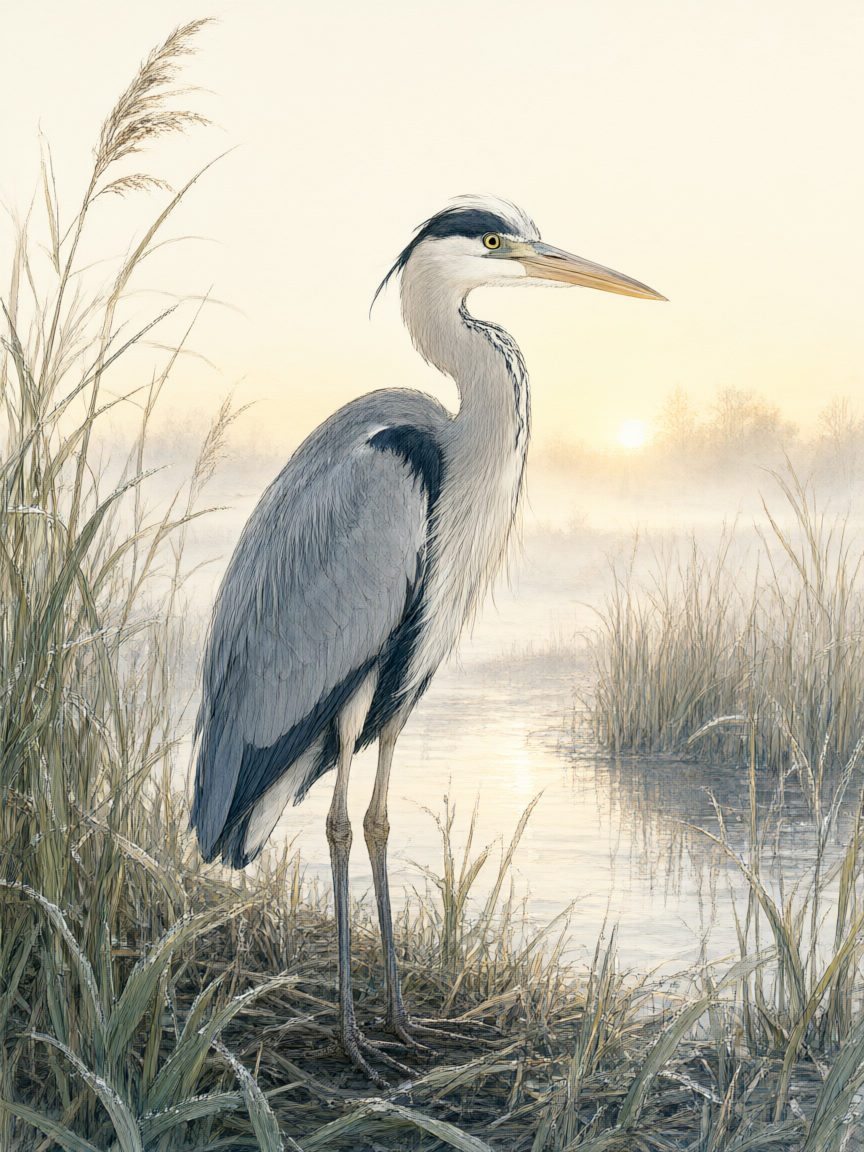
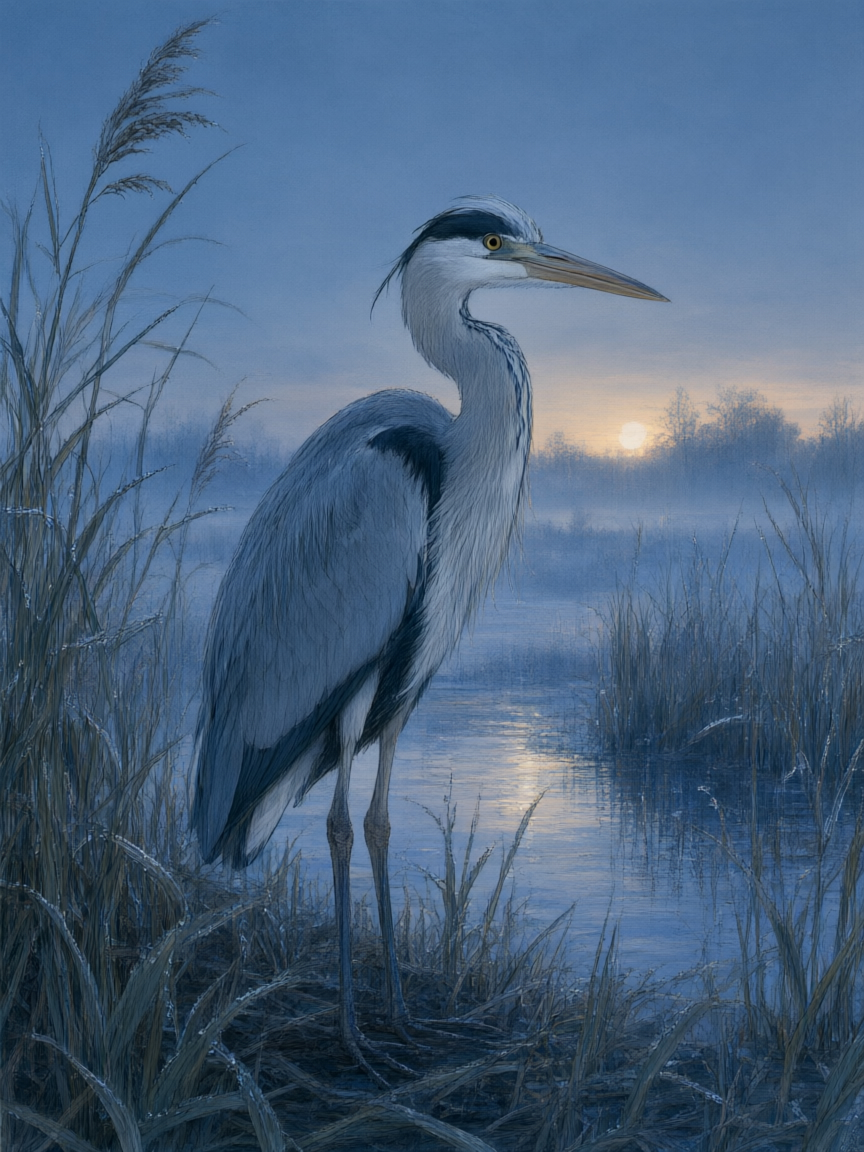
Use image 1 as the only source. Preserve the exact heron anatomy and pose, feather detail, reeds, waterline, distant horizon, framing, and observational illustration style. Change only the time and weather from sunrise to a quiet blue hour just after rain: cool indigo ambient light, faint warm light on the horizon, small droplets on the reeds, and physically believable reflections in the water. Do not add or remove animals, plants, structures, writing, logos, products, promotional elements, or watermarks.

standard-edit-02-output.jpg

Image 1 defines the subject, exact bronze vessel silhouette, four bilingual labels, scale ruler, thumbnail drawings, and layout. Image 2 defines only the soft paper-cut color rhythm and flowing blue-path visual language. Preserve all content and wording from image 1, but reinterpret its background dividers and annotation arrows using the layered paper texture, blue-to-moss palette, and gentle connecting rhythm from image 2. Keep the vessel photographic and materially realistic. Do not copy objects or wording from image 2. No logos, products, sales context, promotional marks, extra text, or watermark.

standard-edit-03-output.jpg

Create one wide natural-history observation composition from three ordered sources without any writing. Image 1 supplies the scientifically plausible heron, wetland subject, and fine observational linework. Image 2 supplies the precise museum-object lighting, neutral archival paper, and realistic material rendering. Image 3 supplies the three-part visual rhythm and continuous blue flow path. Build three seamlessly connected visual zones showing habitat, anatomical form, and water movement, using imagery only. Keep the heron natural and use the bronze patina solely as a restrained color reference, never as an object in the result. No text, logo, brand, promotion, or watermark.

Qwen Image 3.0 Standard Image Edit

Qwen Image 3.0 Standard Image Edit API requires a prompt and one to three ordered public HTTP(S) image URLs. Refer to each image by its array position in the prompt, describe the requested changes, and retrieve the edited image after the asynchronous task reaches finished.

Why Choose Qwen Image 3.0 Standard Image Edit API?

  • Direct the edit in plain language.State what should remain recognizable and what should change in the result.

  • Give each source a role.Combine a primary asset with distinct style, setting, or composition references.

  • Reframe for new placements.Adapt an existing creative to square, portrait, landscape, or ultrawide delivery.

  • Build practical variants.Create campaign, product, and localization versions from an established visual.

Parameters

ParameterRequirementDescription
promptRequired

Edit instruction containing 1–5,000 characters after trimming.

image_urlsRequired

Ordered array of 1–3 public HTTP(S) image URLs; each position maps to the role named in the prompt.

sizeOptional

Output aspect ratio.

Default1:13:22:34:33:416:99:1621:9
resolutionOptional

Output resolution.

Default1K2K
output_formatOptional

Output image encoding.

Defaultpngjpeg
prompt_extendOptional

Boolean that enables automatic prompt expansion.

negative_promptOptional

Content to avoid, up to 5,000 characters.

seedOptional

Integer from 0 through 2,147,483,647, inclusive.

enable_safety_checkerOptional

Boolean that controls content safety checking.

How to Use

  1. Order the source images.Place the main asset first, followed by images with distinct supporting roles.

  2. Name what to preserve.Identify the product, person, text, geometry, or material that should remain recognizable.

  3. Describe the change.Specify the new setting, composition, lighting, color, or copy after the preservation rules.

  4. Review the edited asset.Check both the requested transformation and the details that were meant to stay consistent.

Pricing

Standard Image Edit costs 4.8 credits plus 0.5 credit for each input image at either resolution. Credits convert at $0.005 each.

UsageRateDetails
One-image edit5.3 credits4.8 base credits plus 0.5 credit for one source image.
Three-image edit6.3 credits4.8 base credits plus 1.5 credits for three source images.

Best Use Cases

  • Product setting changesKeep the product recognizable while rebuilding its background, lighting, and props.

  • Poster revisionsRetain a visual system while changing campaign color, setting, or subject treatment.

  • Multi-source compositesAssign separate images to the main object, destination environment, and visual direction.

  • Localized creative variantsAdapt visible copy and framing while carrying the core asset into a new market.

Pro Tips

  • Refer to image 1, image 2, and image 3 explicitly; array order is preserved.
  • Place preservation requirements before the requested changes.
  • Use one source for each distinct role instead of repeating near-identical images.
  • Name exact materials, colors, and lighting changes rather than asking for a generic upgrade.
  • Remove unused sources before submission so each image contributes a clear purpose.

Notes

  • Qwen Image 3.0 Standard Image Edit API preserves image_urls array order in the submitted request.
  • The Playground accepts JPEG, PNG, or WebP uploads up to 30 MB per file and submits their public URLs.
  • Prompt extension and safety checking are enabled in the Playground and sent explicitly.
  • A finished task should contain a valid image file; failed is also a terminal state.

Frequently Asked Questions about Qwen Image 3.0 Image Edit

What is the Qwen Image 3.0 Image Edit API?

Qwen Image 3.0 Image Edit is Alibaba's Standard model for changing existing images with natural-language instructions. You provide one to three ordered source images and explain what to preserve or change; it returns a revised image for product, poster, scene, and localization updates.

How do I call Standard Image Edit?

Upload each source to a public HTTP(S) URL, submit the model and input object with a Bearer key, then track the returned task ID or use a callback.

How much does Standard Image Edit cost?

The total is 4.8 credits plus 0.5 credit per source image at either 1K or 2K. Representative totals appear above.

What inputs define an edit?

A prompt and one to three ordered image URLs are required. The parameter table lists the optional canvas, output, prompt, seed, and safety controls.

Where are edited images returned?

Read data.files[].file_url after finished. Stop on failed and surface the provided error_message.

Should I use Generate, Standard Edit, or Pro Edit?

Use Generate without source-image URLs and Edit with one to three ordered source-image URLs. Standard Edit has a 4.8-credit base rate at 1K or 2K; Pro Edit has a 6.4-credit base rate at 1K and 12-credit base rate at 2K. Both add 0.5 credit per source image.