GPT Image 2 API playground
Custom size uses WIDTHxHEIGHT and starts at 2K. 4K costs 4x credits only for 16:9, 9:16, 21:9, or custom sizes with a 3840 edge; other 4K selections are billed as 2K.

Highly cost-effective GPT Image 2 API
GPT Image 2 is OpenAI's next-generation image generation and editing model powering ChatGPT Images 2.0. It is built for advanced visual work, with stronger photorealism, cleaner image edits, more reliable text rendering, multilingual text support, structured layout control, product photography quality, and commercial creative workflows that need more than basic text-to-image output.
Vidgo API turns GPT Image 2 into a high-value production engine for teams that want premium OpenAI image quality without heavy integration work. Start with clear credit pricing, Bearer authentication, task IDs, status polling, callback support, and unified access to leading image models from one account. Generate with gpt-image-2, refine with gpt-image-2-edit, and launch advanced image generation features faster with a workflow built for real products, campaigns, and creative pipelines.
Available GPT Image 2 API Models on Vidgo API
GPT Image 2 (gpt-image-2)
Create one image per request from a prompt with explicit quality, size, and resolution controls. It works well for product campaigns, editorial visuals, social creatives, and text-heavy image generation.
GPT Image 2 Edit (gpt-image-2-edit)
Upload reference images, keep the direction you like, and iterate with natural-language edit prompts. This model fits product updates, creative revisions, style changes, and controlled image-to-image workflows.
Key Features of GPT Image 2 API
Built for teams that need text accuracy, visual realism, editing control, multilingual layouts, and production-ready value.
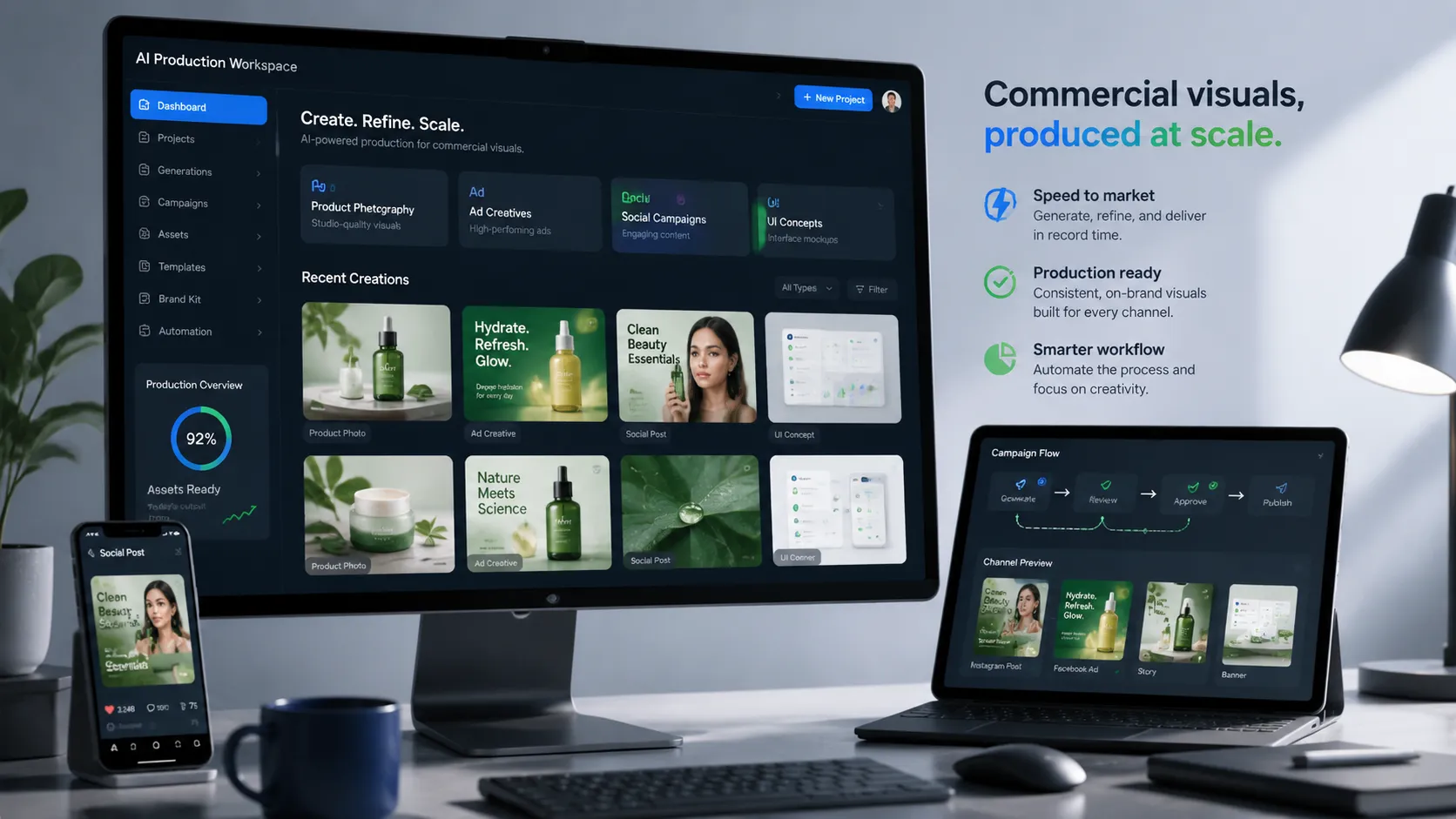
High-Value Visual Generation for Production
GPT Image 2 API gives teams a cost-effective path to advanced commercial visuals without treating every output like a one-off experiment. Use it for advertising images, product photography concepts, social media assets, UI concepts, campaign graphics, and structured creative output that needs to move from prompt to usable production asset faster.
- Cost-effective model access for production workloads
- Strong fit for ads, products, social assets, and UI concepts
- Useful when visual output needs structure and polish
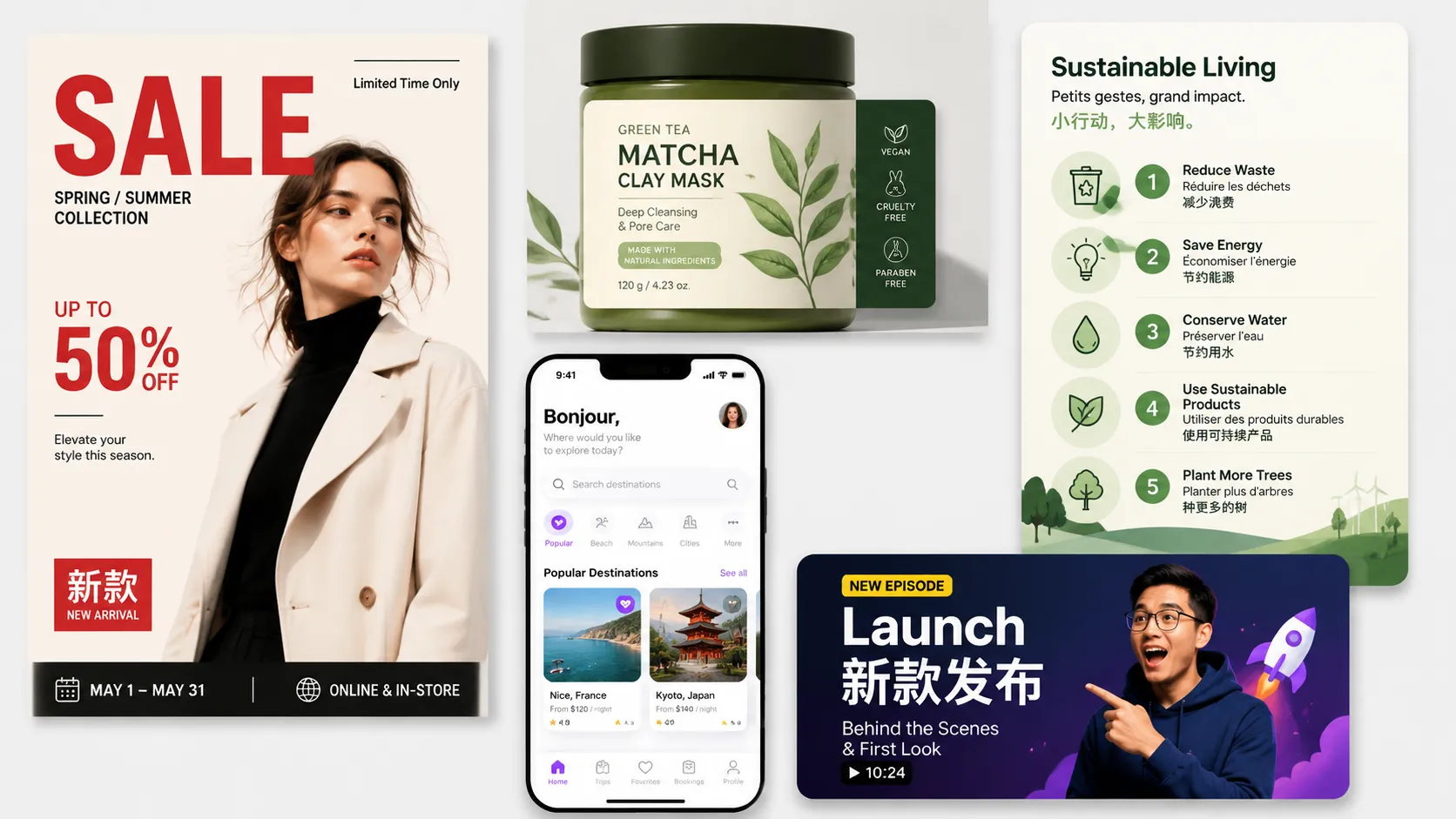
Clear Text, Multilingual Layouts, and Better Prompt Following
GPT Image 2 is especially valuable when the image must include readable words, labels, interface details, or information-rich composition. It improves text-heavy assets such as posters, packaging, thumbnails, UI mockups, and infographics while following more complex layout and multi-subject prompts with better consistency.
- More reliable text rendering for real creative assets
- Supports multilingual text and localized visual layouts
- Better prompt following for complex scenes and structure

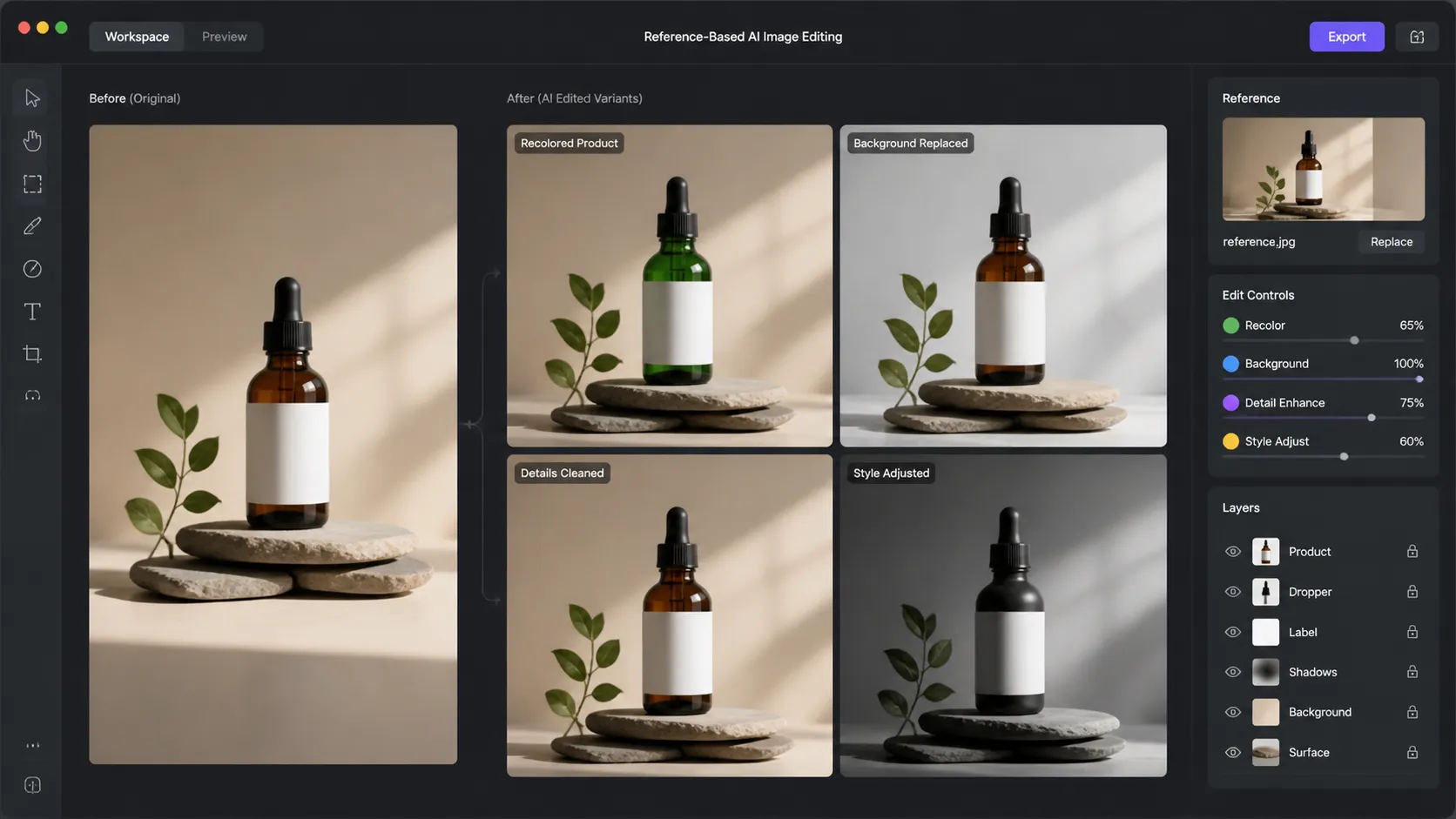
Reference-Based Editing with Stronger Visual Consistency
When you need controlled changes instead of a full restart, gpt-image-2-edit lets you guide the model with reference images. It fits product recoloring, background replacement, local cleanup, style changes, and creative variants where the original composition, lighting, texture, and visual direction should stay consistent.
- Supports reference images for controlled edits
- Useful for product updates, backgrounds, cleanup, and variants
- Helps preserve composition, lighting, texture, and style

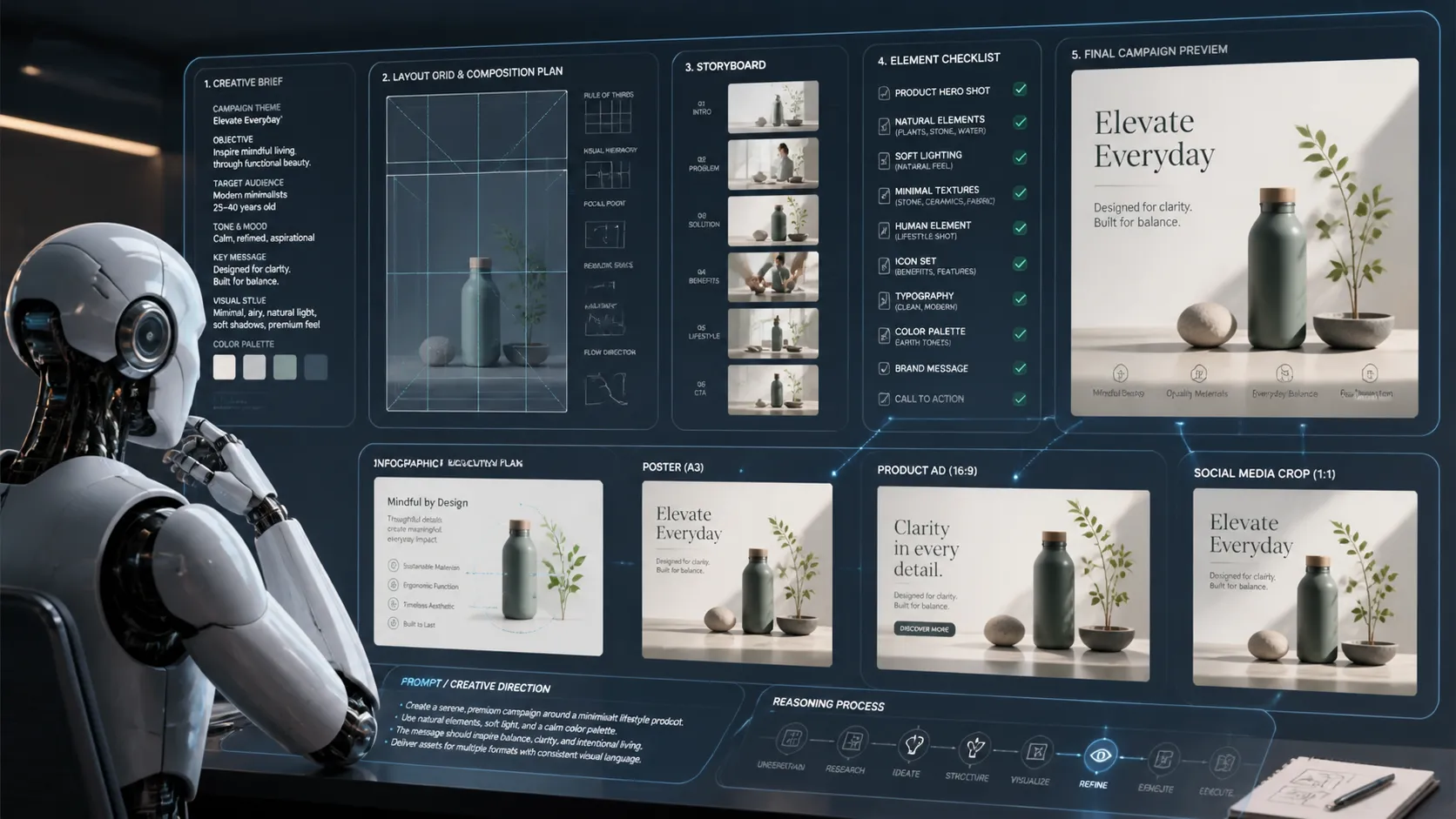
Reasoned Composition for Complex Creative Briefs
GPT Image 2 is built for briefs that need more planning than a simple subject and style. It can follow structured instructions for multi-element layouts, storyboards, infographics, campaign sets, product ads, and social crops where composition, hierarchy, and visual relationships need to work together.
- Better for multi-element creative briefs
- Useful for storyboards, infographics, ads, and campaign sets
- Helps turn structured prompts into organized visual output

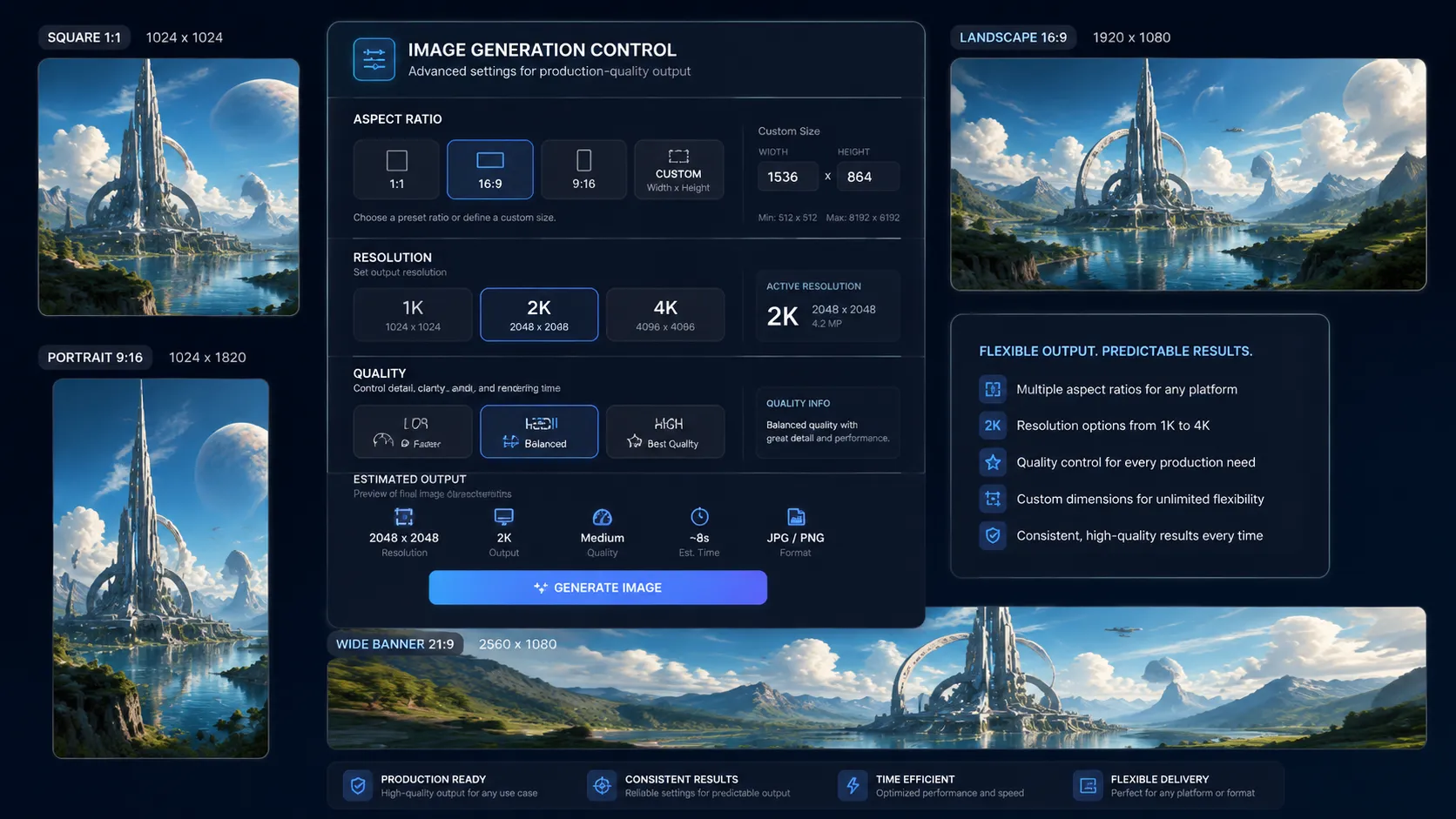
Flexible Sizes, Resolution, and Quality Controls
Use GPT Image 2 with explicit production controls instead of relying only on prompt wording. Choose low, medium, or high quality, work across 1K, 2K, and 4K resolution tiers, select common aspect ratios, or send custom WIDTHxHEIGHT sizing when your workflow needs predictable output formats.
- Low, medium, and high quality modes
- 1K, 2K, and 4K resolution tiers
- Aspect-ratio and custom-size controls for production delivery

Photorealistic Output for Branded Commercial Assets
GPT Image 2 is a strong fit for teams that need polished commercial imagery with less generic AI styling. Use it for product hero shots, lifestyle campaign visuals, packaging concepts, branded social graphics, and consistent creative sets that need realistic lighting, materials, and visual direction.
- Stronger photorealism for commercial image work
- Useful for product shots, packaging, and campaign assets
- Helps keep lighting, material, and brand mood consistent

Who Can Benefit from GPT Image 2 API?
E-Commerce and Product Teams
Create product hero images, seasonal variants, packaging concepts, and marketplace-ready visuals without scheduling a new shoot for every idea.
Marketing and Growth Teams
Ship ads, launch graphics, promos, and social media creatives faster, especially when the asset needs clear text, strong hierarchy, or multiple format variants.
YouTube and Social Creators
Generate cleaner thumbnails, bold announcement art, and channel visuals that need both expressive imagery and readable on-image text.
Design and Product Teams
Use it for interface concepts, feature visuals, onboarding graphics, and mockup-style assets that depend on layout control more than pure illustration style.
Editorial and Publishing Workflows
Produce article headers, explainers, newsletter images, and branded visual packages with fewer prompt retries and more consistent output.
Developers Building Image Features
Add OpenAI image generation and editing to your own app with one submit endpoint, async task handling, callback support, and predictable per-image pricing.
GPT Image 2 API vs GPT Image 1.5 vs GPT-4o Image
Choose GPT Image 2 when your team needs stronger text rendering, tighter control over size and resolution, and a cleaner path from prompt to production asset. GPT Image 1.5 remains useful for lighter OpenAI image work, while GPT-4o Image is still a good general-purpose option when you want a more flexible image generation and editing flow.
| Capability | GPT Image 2 | GPT Image 1.5 | GPT-4o Image |
|---|---|---|---|
| Best fit | Production assets with stronger text and layout needs | Faster OpenAI image generation for simpler workflows | General-purpose OpenAI image generation and editing |
| Text rendering | Best choice of the three for text-heavy visuals | Good, but less robust for dense layouts | Good for general prompts, less explicit than GPT Image 2 |
| Image editing | Yes, with gpt-image-2-edit and reference images | Yes, with gpt-image-1.5-edit | Yes, with gpt-4o-image-edit |
| Output count | One image per request | Multiple outputs supported | Multiple outputs supported |
| Resolution and size control | 1K, 2K, 4K with aspect-ratio and custom-size rules | Simpler size controls | Prompt-led generation and editing with fewer explicit controls |
Use GPT Image 2 when output quality needs to be easier to predict at the prompt, layout, and pricing level. Keep validating payload rules against the current API documentation.
How to Use GPT Image 2 API on Vidgo API
1. Sign Up & Get API Key: Create your Vidgo API account, generate a Bearer token, and start testing GPT Image 2 with the same async workflow you would use in production. Get API Key
2. Choose the Right GPT Image 2 Model: Use gpt-image-2 for prompt-based image generation, or switch to gpt-image-2-edit when you want to upload reference images and make controlled edits. Compare the modes, test prompts, and validate output settings in the playground. Explore Models
3. Submit, Poll, or Use Callback: Send your request to /api/generate/submit, capture the returned task ID, then poll status or pass a callback_url to receive the final image when rendering is complete. For payload examples and parameter rules, see GPT Image 2 API Docs
GPT Image 2 API Pricing on Vidgo API
GPT Image 2 API: $0.01 per image at the entry tier, which equals 2 credits per generation for Low 1K output.
Pricing Matrix: Low costs 2 / 4 / 8 credits across 1K, 2K, and 4K. Medium costs 3 / 6 / 12 credits. High costs 12 / 24 / 48 credits.
Features: One image per request, explicit low/medium/high quality tiers, flexible aspect ratios, custom WIDTHxHEIGHT sizing, async task handling, callback support, and production-ready OpenAI image editing with gpt-image-2-edit.
Resolution Rules: auto is billed as 1K. Custom WIDTHxHEIGHT sizes start at 2K, and 4K pricing only applies to true 4K-compatible ratios or custom sizes with a 3840 edge. Other 4K selections are billed at the effective 2K tier.
Enterprise: Volume pricing is available for larger image workloads. Contact sales
Frequently Asked Questions about GPT Image 2 API
Which model ID should I use for generation and editing?
Does GPT Image 2 API support multiple outputs with n?
When should I choose GPT Image 2 over GPT Image 1.5 or GPT-4o Image?
What happens when size is set to auto?
Can I send custom dimensions to GPT Image 2 API?
How do callbacks work on Vidgo API?
Why Choose Vidgo API for GPT Image 2 API Integration
Predictable Per-Image Pricing
Quality and resolution map to clear credit tiers, so teams can estimate budget before they roll a workflow into production.
Async Workflow Ready
You get task IDs, status polling, and callback support out of the box, which removes a lot of the glue work around image generation jobs.
Support for Real Production Inputs
Use text prompts for generation or upload reference images for editing, all through the same integration pattern.
Production-Friendly Controls
Use API key management, usage tracking, and consistent request patterns across image, video, audio, and other model families.
Unified Access to OpenAI Image Models
You can work with GPT Image 2, GPT Image 1.5, GPT-4o Image, and other image models under one API account instead of stitching together separate vendors.
Developer-First Integration
The goal is straightforward: less orchestration work, cleaner async handling, and faster time to a production image feature.