Seedream 5.5 Image Edit API

bytedance/seedream-v5.5/edit
1–10 references · 1K – 2K

Seedream 5.5 Image Edit API transforms or composites 1–10 reference images at 1K, 1.5K, or 2K with auto framing and transparent PNG output. It preserves product geometry and typography while cleanly editing backgrounds or lighting.

Input

Drag and drop files, paste from clipboard, or provide a URL. Required. 1–10 reference images (+1.6 credits per image).

1/10 files added

414/5000
Output

Estimated cost: 8.6 credits · $0.043

Base 4 (1K/1.5K) or 7 (2K) credits + 1.6 credits per reference image.

Continue with

Examples

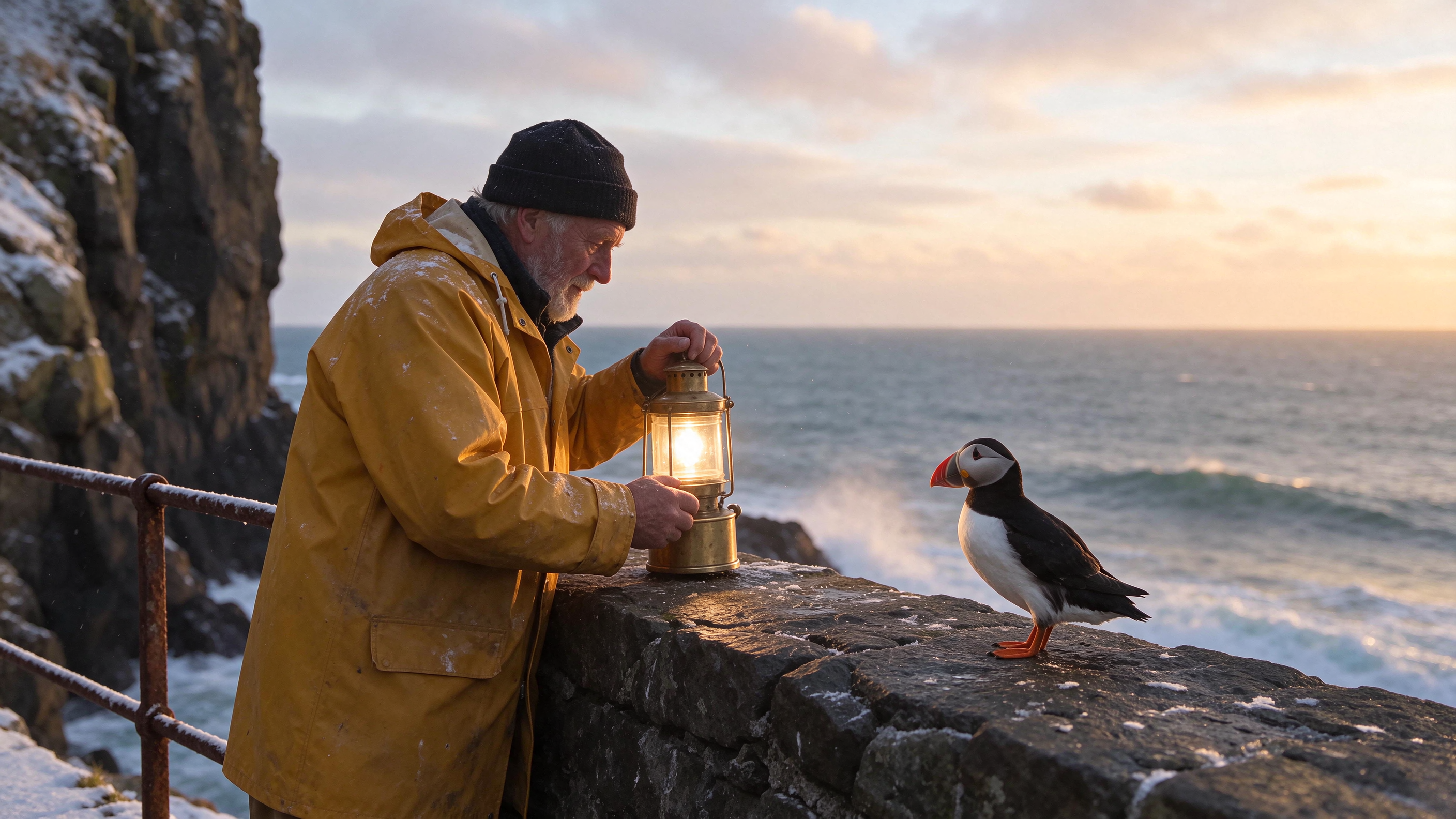
s55-edit-winter-sunrise.png

Transform the stormy blue-hour dusk into a crisp golden winter sunrise with pale pink clouds and fresh snow lightly dusting the basalt sea cliff, iron railing, and the keeper's shoulders. Keep the elderly lighthouse keeper's exact face, yellow coat, brass lantern, and the perched Atlantic puffin in the exact same positions and framing. Natural morning rim light, photorealistic. No text, no logos, no watermarks.
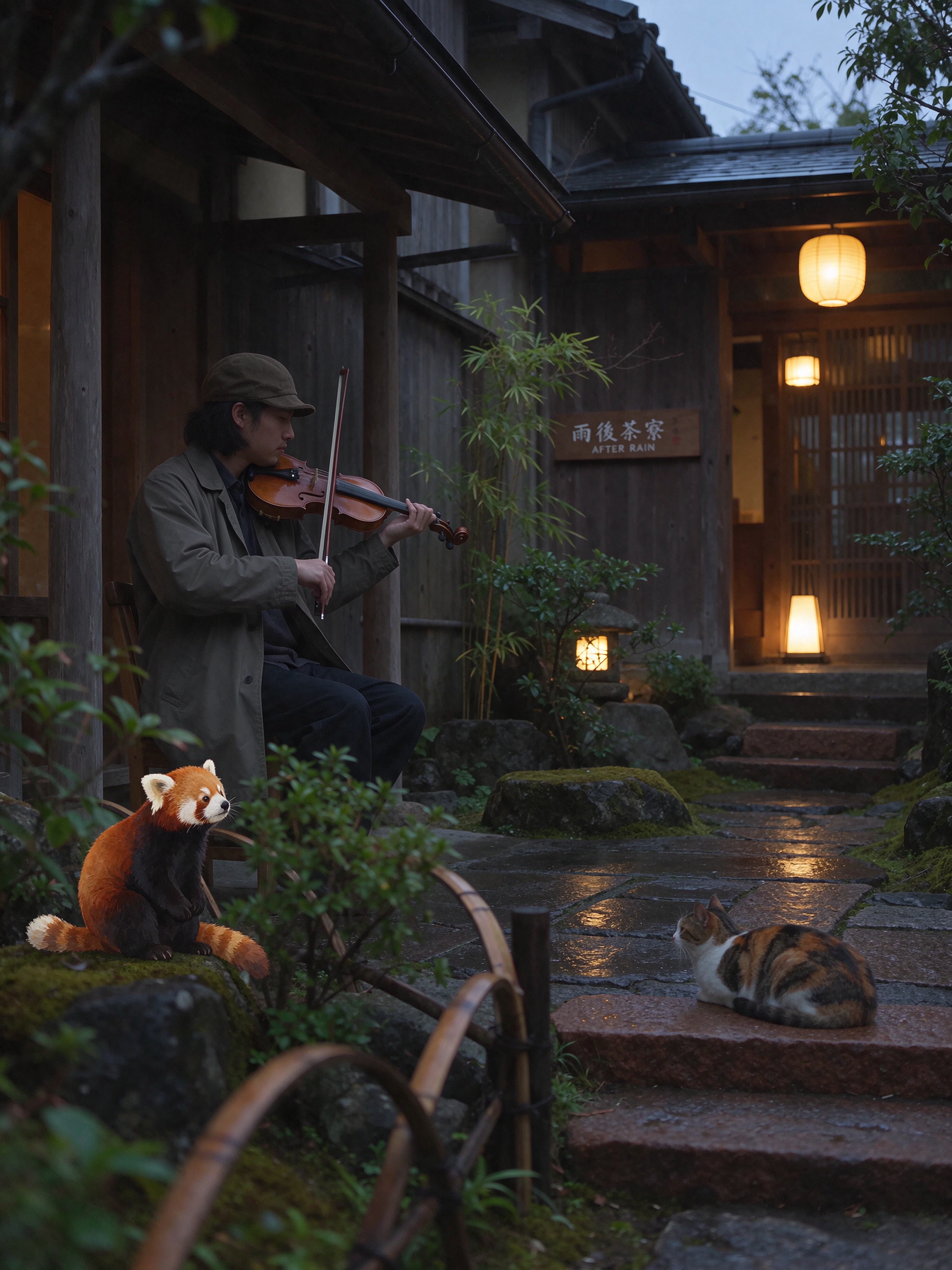

s55-edit-courtyard-panda.png

Place the red panda from the second image perched naturally on the mossy garden rock wall on the left side of the Kyoto courtyard from the first image, looking curiously toward the young violinist under the lantern eaves. Match the warm twilight lighting, soft rain sheen, and depth of field while keeping the violinist, calico cat, and wooden sign intact. No new text, no logos, no watermarks.

What is the Seedream 5.5 Image Edit API?

Seedream 5.5 Image Edit is ByteDance's multi-reference image editing model accepting 1 to 10 reference images alongside a 5–5,000 character prompt. The Seedream 5.5 Image Edit API defaults size to auto to preserve source framing and supports direct transparent PNG export for ecommerce compositing and creative retouching.

Why choose the Seedream 5.5 Image Edit API?

This API merges up to 10 reference images with auto aspect-ratio matching and transparent PNG export.

  • 1 to 10 reference imagesSend 1 to 10 source images in one call to swap backgrounds, combine products, or restyle scenes.

  • Auto aspect ratio + transparent PNGDefaults to size auto and supports alpha-channel PNG output directly.

  • Transparent per-reference pricingSupports native transparent PNG output directly from multi-image edits.

Parameters

This API requires 1–10 image_urls and a 5–5,000 character prompt, with optional size (default auto), resolution, format, and background (auto/transparent/opaque).

ParameterRequirementDescription
image_urlsRequired

1–10 public HTTP(S) reference image URLs.

Default—
promptRequired

Editing instructions (5–5,000 characters).

Default—
sizeOptional

auto or 1:1, 4:3, 3:4, 16:9, 9:16, 3:2, 2:3, 21:9.

Defaultauto
resolutionOptional

1K, 1.5K, or 2K.

Default2K
output_formatOptional

png or jpeg.

Defaultpng
backgroundOptional

auto, transparent (requires png), or opaque.

Defaultauto
enable_safety_checkerOptional

Toggle safety filtering.

Defaulttrue

How do you use the Seedream 5.5 Image Edit API?

Upload 1–10 reference images, write the editing instruction, pick resolution and format, then submit and poll for the edited output.

  1. Upload 1–10 reference imagesAdd the base image and any additional reference images in image_urls.

  2. Write the edit promptSpecify what to modify, swap, or combine while noting elements to preserve.

  3. Submit the taskKeep size auto or pick an explicit ratio, set 1K/1.5K/2K, and choose background.

  4. Submit and downloadPoll status with task_id until finished and download from data.files[].file_url.

How much does the Seedream 5.5 Image Edit API cost?

The Seedream 5.5 Image Edit API costs 4 credits (1K/1.5K) or 7 credits (2K) plus 1.6 credits ($0.008) per reference image. 1 credit = $0.005.

UsageRateDetails
1K / 1.5K base4 credits + 1.6 / refWith 1 reference image: 5.6 credits ($0.028).
2K base7 credits + 1.6 / refWith 1 reference image: 8.6 credits ($0.043).

Best Use Cases

This API fits ecommerce background swaps, multi-product scene compositing, and transparent asset retouching.

  • E-commerce scene replacementComposite products into studio scenes or isolated transparent cutouts in a single request.

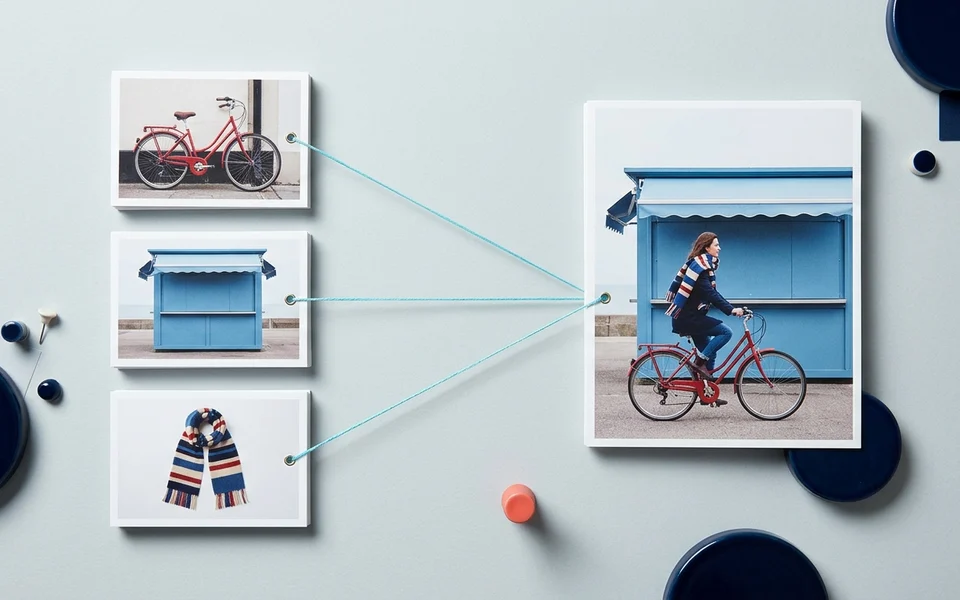
  • Multi-reference compositingCombine model portraits, garments, and props from up to 10 images.

  • Clean background extractionEdit and export with background set to transparent in PNG format.

Pro Tips

  • Keep size on auto when you want edits to preserve your primary image's framing.
  • Leave size on auto when you want the edited output to preserve the primary image's aspect ratio.

Notes

  • Billing adds 1.6 credits for each reference URL included in image_urls.
  • Setting background to transparent requires output_format png.

Seedream 5.5 Image Edit API FAQ

What is the Seedream 5.5 Image Edit API?

Seedream 5.5 Image Edit is a ByteDance multi-reference image editing model supporting 1K to 2K output and alpha transparency. The Seedream 5.5 Image Edit API combines 1–10 reference images with a 5–5,000 character instruction, billing a base resolution fee plus 1.6 credits per reference. Auto aspect-ratio matching preserves source geometry and typography while updating backgrounds, lighting, or visual style. You can call it programmatically or try it from the playground above.

How many reference images can the Seedream 5.5 Image Edit API accept?

It accepts 1 to 10 reference images in image_urls per request.

How is the Seedream 5.5 Image Edit API billed?

It costs 4 credits at 1K/1.5K or 7 credits at 2K, plus 1.6 credits ($0.008) per input reference image.

Can Seedream 5.5 Image Edit output transparent PNGs?

Yes. Choose background transparent together with output_format png.

What does size auto do in Seedream 5.5 Image Edit?

size auto lets the model match the framing of your reference image automatically instead of forcing a fixed ratio.

What prompt length does Seedream 5.5 Image Edit accept?

5 to 5,000 characters after trimming.

How does Seedream 5.5 Image Edit compare with Seedream 5.5 Layerize?

Image Edit outputs a single edited image from 1–10 references and a prompt, whereas Layerize decomposes 1 image into multiple separate editable layers.