A single uninterrupted five-second locked shot from inside the same polar research station. The solid rectangular steel door is hinged on its LEFT edge. It slowly swings inward toward the left wall from fully closed to fully open, revealing the same snowy plain, dark mountain ridge and green aurora seen in the final image. The frame, wall panels and floor never move. Cold blue outdoor light spreads across the threshold as the door opens; outside, the aurora shimmers very subtly. No people, no morphing or dissolves, no camera movement. Physically coherent rigid hinged door and continuous movement from the supplied first frame to the supplied last frame.
Kling 1.6 Pro Image to Video API
kwaivgi/kling-video/v1.6/pro/image-to-videoKling 1.6 Pro Image to Video animates still images into native 1080p cinematic video clips with precision start-and-end frame control or multi-image Elements consistency across 5-second and 10-second runtimes. It preserves exact character facial fidelity and atmospheric lighting while synthesizing sophisticated physical movements and seamless transitions toward the target end frame.
660/2500
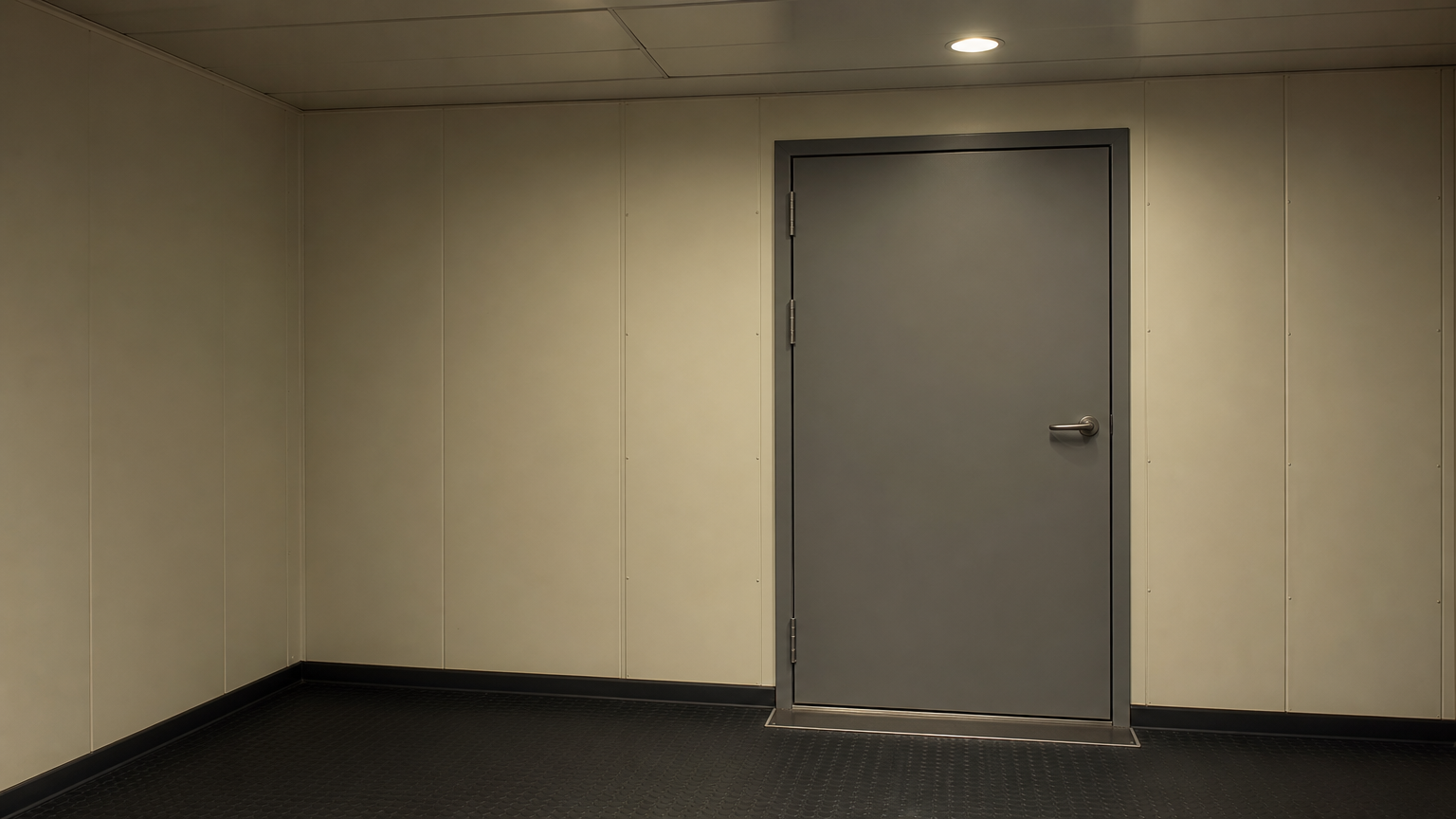
Playground uploads: JPG, PNG or WebP, up to 10 MiB per file. Use JSON mode for HTTP(S) URLs.
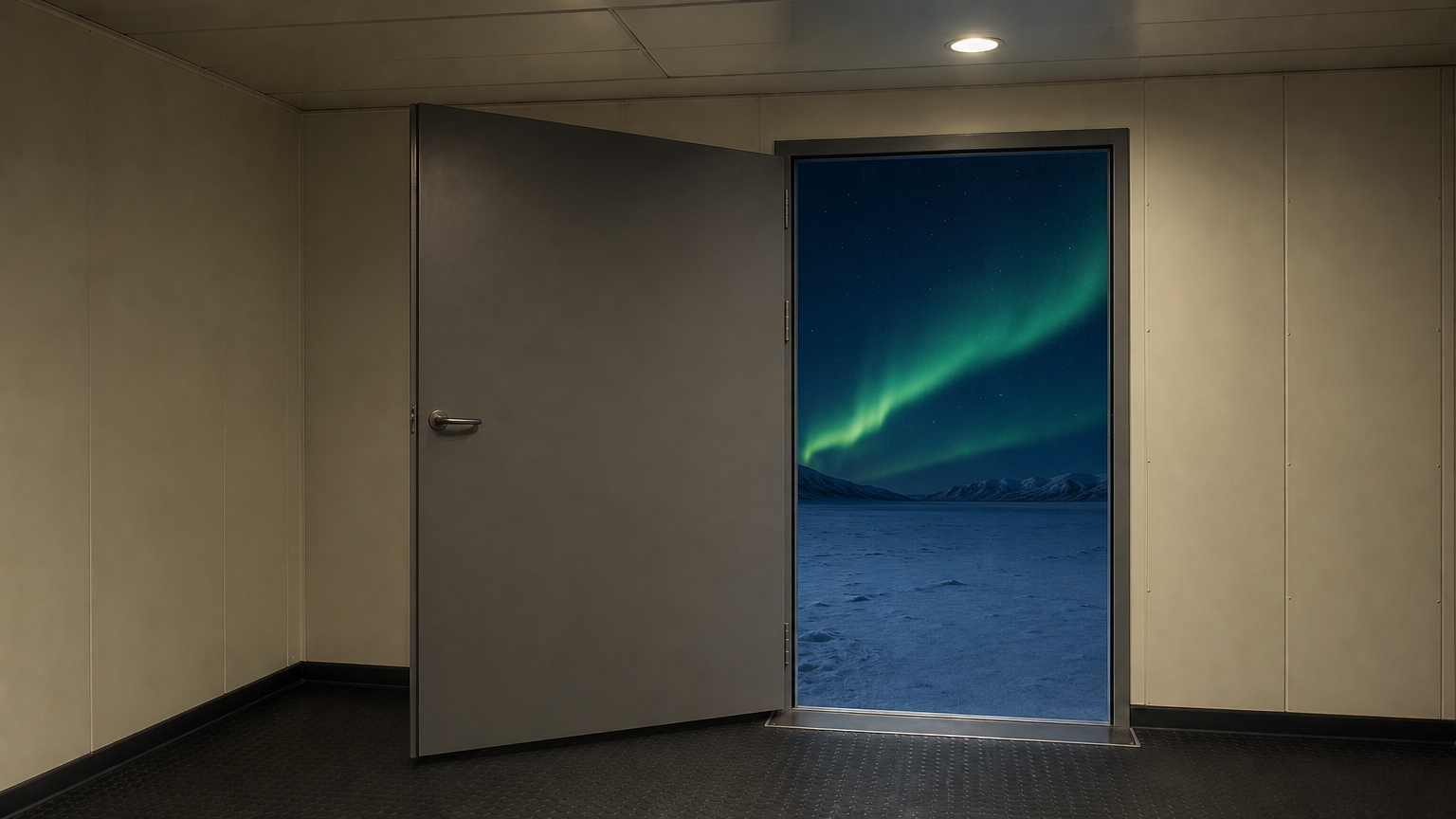
Playground uploads: JPG, PNG or WebP, up to 10 MiB per file. Use JSON mode for HTTP(S) URLs.
78/2500
OutputReady
Continue with
Examples
REST API Spec
Quick Start
Submit an endpoint request and poll for status. Replace example URLs with your accessible files.
01
Step 1: Configure API authentication
Obtain an API key from the dashboard and include Authorization: Bearer <API_KEY> in every request header.
- Submission Endpoint
- POST
https://api.vidgo.ai/api/generate/submit - Auth Header
- Authorization: Bearer VIDGO_API_KEY
02
Step 2: Submit a generation task
POST /api/generate/submit. Pass model and optional callback_url at the root level, with generation parameters inside input.
Request Payload
REQUEST_BODY=$(cat <<'JSON'
{
  "model": "kwaivgi/kling-video/v1.6/pro/image-to-video",
  "input": {
    "prompt": "A quiet forest in morning light, with a slow camera pan.",
    "duration": 5,
    "start_image_url": "https://example.com/start-frame.png"
  }
}
JSON
)

RESPONSE=$(curl --silent --show-error --fail-with-body \
  --request POST \
  --url "https://api.vidgo.ai/api/generate/submit" \
  --header "Authorization: Bearer $VIDGO_API_KEY" \
  --header "Content-Type: application/json" \
  --data "$REQUEST_BODY")

CODE=$(printf '%s' "$RESPONSE" | jq -r '.code // empty')
if [ "$CODE" != "0" ] && [ "$CODE" != "200" ]; then
  printf 'API error: %s
' "$RESPONSE" >&2
  exit 1
fi
printf '%s
' "$RESPONSE"
03
Step 3: Poll for task completion
Poll status with task_id; continue while not_started or running, and stop on finished or failed. Read video URLs from data.files[].file_url on success, or data.error_message on failure.
Status Endpoint
GET https://api.vidgo.ai/api/generate/status/{task_id}Poll status using task_id; continue while not_started or running, stop when finished or failed. On success, read data.files[].file_url; on failure, read data.error_message.
not_startedrunningfinishedfailedSubmission Response
{
  "code": 200,
  "data": {
    "task_id": "task-example",
    "status": "not_started",
    "created_time": "2026-09-23T08:00:00"
  }
}
Completed Response Data
{
  "code": 200,
  "data": {
    "task_id": "task-unified-...",
    "status": "finished",
    "files": [
      {
        "file_url": "https://storage.vidgo.ai/generated/video.mp4",
        "file_type": "video"
      }
    ],
    "created_time": "2026-08-22T10:00:00Z",
    "progress": 100,
    "error_message": null
  }
}
Complete end-to-end script example
Expand to view a production-ready script with retry logic, error handling, and timeout safeguards.
Complete end-to-end script example
set -euo pipefail
: "${VIDGO_API_KEY:?Set VIDGO_API_KEY in your environment}"

REQUEST_BODY=$(cat <<'JSON'
{
  "model": "kwaivgi/kling-video/v1.6/pro/image-to-video",
  "input": {
    "prompt": "A quiet forest in morning light, with a slow camera pan.",
    "duration": 5,
    "start_image_url": "https://example.com/start-frame.png"
  }
}
JSON
)

SUBMIT_RESPONSE=$(curl --silent --show-error --fail-with-body \
  --request POST \
  --url "https://api.vidgo.ai/api/generate/submit" \
  --header "Authorization: Bearer $VIDGO_API_KEY" \
  --header "Content-Type: application/json" \
  --data "$REQUEST_BODY")

TASK_ID=$(printf '%s' "$SUBMIT_RESPONSE" | jq -r '.data.task_id // .task_id // empty')
BUSINESS_CODE=$(printf '%s' "$SUBMIT_RESPONSE" | jq -r '.code // empty')
if [ "$BUSINESS_CODE" != "0" ] && [ "$BUSINESS_CODE" != "200" ]; then
  printf 'Submit failed:
%s
' "$SUBMIT_RESPONSE" >&2
  exit 1
fi
if [ -z "$TASK_ID" ]; then
  printf 'Submit response did not include task_id:
%s
' "$SUBMIT_RESPONSE" >&2
  exit 1
fi

START_TIME=$(date +%s)
POLL_DELAY=2
while true; do
  if [ $(( $(date +%s) - START_TIME )) -ge 600 ]; then
    printf 'Timed out after 600 seconds
' >&2
    exit 1
  fi
  STATUS_RESPONSE=$(curl --silent --show-error --fail-with-body \
    --url "https://api.vidgo.ai/api/generate/status/$TASK_ID" \
    --header "Authorization: Bearer $VIDGO_API_KEY")
  STATUS=$(printf '%s' "$STATUS_RESPONSE" | jq -r '.data.status // .status // empty')
  BUSINESS_CODE=$(printf '%s' "$STATUS_RESPONSE" | jq -r '.code // empty')
  if [ "$BUSINESS_CODE" != "0" ] && [ "$BUSINESS_CODE" != "200" ]; then
    printf 'Status request failed:
%s
' "$STATUS_RESPONSE" >&2
    exit 1
  fi

  case "$STATUS" in
    finished)
      printf '%s' "$STATUS_RESPONSE" | jq -r '(.data.files // .files // [])[]?.file_url'
      break
      ;;
    failed)
      printf '%s' "$STATUS_RESPONSE" | jq -r '.data.error_message // .error_message // "Generation failed"' >&2
      exit 1
      ;;
    not_started|running)
      sleep "$POLL_DELAY"
      if [ "$POLL_DELAY" -lt 10 ]; then POLL_DELAY=$((POLL_DELAY + 1)); fi
      ;;
    *)
      printf 'Unexpected task status: %s
' "$STATUS" >&2
      exit 1
      ;;
  esac
done
Request Parameters (input object)
Supported generation parameters inside the input object when submitting a POST request to /api/generate/submit:
| Field | Type | Required | Default | Description |
|---|---|---|---|---|
| prompt | string | Required | — | Required nonblank string, at most 2,500 Unicode characters after trimming. |
| duration | integer | Required | — | Required integer: 5 or 10 seconds. No strings, booleans or fractional durations. No API default; the playground starts at 5 seconds. |
| aspect_ratio | string | Optional | — | Optional: 1:1, 16:9 or 9:16. No default. |
| negative_prompt | string | Optional | — | Optional string, at most 2,500 Unicode characters. |
| cfg_scale | number | Optional | — | Optional finite number from 0 to 1. No default. Not supported in Elements. |
| start_image_url | string | Conditional | — | Required HTTP(S) first-frame image URL for frame animation; mutually exclusive with image_urls. |
| end_image_url | string | Optional | — | Optional Pro last-frame HTTP(S) image URL. Requires start_image_url; cannot be combined with image_urls. |
| image_urls | array | Conditional | — | Elements requires 1–4 HTTP(S) reference image URLs; mutually exclusive with first frame, last frame and cfg_scale. |
Response Fields (query result)
Task details returned when polling GET /api/generate/status/{task_id}:
| Field | Type | Description |
|---|---|---|
| code | integer | Business response code, 200 on success. |
| data.task_id | string | Globally unique asynchronous task identifier. |
| data.status | string | Execution status: not_started, running, finished, or failed. |
| data.files | array | Generated video files upon completion, each with file_url and file_type. |
| data.error_message | string | null | Error description if task fails. |
Task Lifecycle
Clients should inspect the status field and stop polling when reaching finished or failed:
not_startedTask received and queued for execution.
runningGeneration is in progress.
finishedGeneration complete; retrieve video URL from data.files.
failedGeneration failed; inspect data.error_message; deducted credits are refunded per standard policy.
Polling & Error Handling
- Recommended Polling IntervalStart polling every 2–3 seconds, increasing to 5 seconds as the task continues, to avoid excessive requests.
- Network Fluctuations & RetriesIf status polling encounters 5xx or timeouts, the task is still running; retry querying after a brief pause.
- Asynchronous Webhook CallbackProvide callback_url at the root of the request payload to receive the completed task result automatically via POST.
Specifications
| Specification | Value | Description |
|---|---|---|
| Model ID | kwaivgi/kling-video/v1.6/pro/image-to-video | Root-level model field. |
| Duration | 5 / 10s | Required integer: 5 or 10 seconds. No strings, booleans or fractional durations. No API default; the playground starts at 5 seconds. |
Kling 1.6 Pro Image to Video
Kling 1.6 Pro Image to Video is a flagship image-to-video generation model developed by Kwaivgi. Built for demanding film pre-visualization, commercial campaigns, and high-fidelity animation, it generates native 1080p full HD video with intricate textural clarity. A defining capability is dual-frame interpolation using start_image_url and end_image_url, allowing creators to dictate exact beginning and closing poses while the model synthesizes natural trajectories between them. It also fully supports the Elements workflow with 1–4 reference images for persistent character likeness across shots. With 5-second and 10-second durations at 15 credits per second, it sets a high benchmark for creative control.
Why Choose This?
Native 1080p Cinematic ClarityDelivers genuine full HD rendering with razor-sharp facial details, intricate fabric textures, and cinematic lighting depth.
Start & End Keyframe GuidanceDefine both start_image_url and end_image_url to lock in the beginning and destination poses for deterministic cinematic transitions.
Elements Multi-Image ConsistencySubmit 1 to 4 reference images to maintain character face structure, costume elements, and styling across complex action shots.
Custom Aspect Ratios & DurationsFreely configure 16:9 widescreen, 9:16 portrait, or 1:1 square aspect ratios for either 5-second concise clips or 10-second narrative scenes.
Competitive Commercial RatePriced at 15 credits per second ($0.075/s)—saving 20% compared to equivalent high-end video endpoints, with automatic refunds on failure.
Parameters
| Parameter | Requirement | Description |
|---|---|---|
| prompt | Required | Required nonblank string, at most 2,500 Unicode characters after trimming. |
| duration | Required | Required integer: 5 or 10 seconds. No strings, booleans or fractional durations. No API default; the playground starts at 5 seconds. |
| aspect_ratio | Optional | Optional: 1:1, 16:9 or 9:16. No default. |
| negative_prompt | Optional | Optional string, at most 2,500 Unicode characters. |
| cfg_scale | Optional | Optional finite number from 0 to 1. No default. Not supported in Elements. |
| start_image_url | Conditional | Required HTTP(S) first-frame image URL for frame animation; mutually exclusive with image_urls. |
| end_image_url | Optional | Optional Pro last-frame HTTP(S) image URL. Requires start_image_url; cannot be combined with image_urls. |
| image_urls | Conditional | Elements requires 1–4 HTTP(S) reference image URLs; mutually exclusive with first frame, last frame and cfg_scale. |
How to Use
Select Workflow and Upload ImagesChoose between single first-frame animation, start-and-end frame interpolation, or multi-image Elements character consistency (1–4 images).
Detail Motion PromptsSpecify exact physical movements, facial expressions, and camera moves, using negative_prompt to eliminate unnatural motion artifacts.
Configure Timing and Aspect RatioSelect a 5-second or 10-second runtime and set 16:9, 9:16, or 1:1 to suit your destination format.
Tune Guidance Scale (cfg_scale)In first-frame or dual-frame modes, adjust cfg_scale between 0 and 1 (around 0.5 recommended) for natural dynamics.
Submit Request and Retrieve OutputSubmit your payload to get a task_id, then poll until the task status is finished to download your 1080p video.
Pricing
15 credits / second · $0.075 / second. 1 credit = $0.005. Fal comparison: $0.094 / second; save 20%.
| Usage | Rate | Details |
|---|---|---|
| 5 seconds | 75 credits · $0.375 | 15 credits × 5 seconds |
| 10 seconds | 150 credits · $0.750 | 15 credits × 10 seconds |
Best Use Cases
Cinematic Scene Transitions & PosesDirect characters to move cleanly from a starting pose to a specific end state, such as standing up or changing expressions.
Luxury & Product CommercialsTurn high-resolution product photography into sweeping 3D camera pan videos highlighting reflections and material textures.
Episodic Character ConsistencyMaintain exact virtual human identity, hairstyle, and wardrobe across multiple sequential scenes using the Elements workflow.
Concept Art & Storyboard PrototypingAnimate static visual development art into living cinematic prototypes with authentic atmospheric particle and lighting effects.
Pro Tips
- Align Dual-Frame Logic: When using end_image_url, ensure both images feature consistent lighting, proportions, and subject scale for smooth interpolation.
- Describe the In-Between Motion: In start-and-end mode, write prompt instructions focusing on how the subject transitions from the first state to the second.
- Multi-Angle Elements Coverage: Supply front, 45-degree, and side profile images in Elements mode to give the model full 3D spatial awareness.
- Match Aspect Ratio to Source: Choose an aspect_ratio setting closely aligned with your source image dimensions to prevent unwanted framing crops.
- Balance cfg_scale for Fluidity: Keep cfg_scale around 0.4–0.6 for organic biological movement; increase towards 0.7 for precise alignment with prompt wording.
Notes
- Parameter Combinations & Exclusivity: end_image_url requires start_image_url; image_urls (Elements) cannot be combined with first/last frames or cfg_scale.
- 1080p Synthesis Time: High-definition 1080p frame synthesis and dual-frame alignment take slightly longer; polling intervals of 3–5 seconds are ideal.
- Per-Second Billing & Refund Guarantee: Tasks are billed at 15 credits per second upon initiation; any unexpected generation failure is automatically refunded.
Kling 1.6 Pro Image to Video API frequently asked questions
What is the Kling 1.6 Pro Image to Video API?
Kling 1.6 Pro Image to Video is a flagship image-to-video diffusion model developed by Kwaivgi. It converts static reference images into native 1080p cinematic video clips, supporting single-frame animation, dual-frame start-and-end interpolation, and 1–4 reference image Elements workflows. Driven by advanced spatial-temporal generative modeling and physics calculation, it faithfully retains character likeness, environment textures, and lighting balance while producing natural movements and camera paths. You can call it programmatically or try it from the playground above.
How does start and end frame control work in Kling 1.6 Pro Image to Video?
Pass both start_image_url and end_image_url in your API request. The model treats the first image as the starting frame and the second image as the destination frame, synthesizing a realistic, continuous physical motion and camera transition across the 5-second or 10-second duration.
What are the key differences between Pro Image to Video and Standard Image to Video?
Pro delivers native 1080p resolution (Standard is 720p), supports end_image_url for dual-frame motion constraints, and costs 15 credits per second (Standard is 9 credits per second), making Pro ideal for professional visual production where resolution and precise motion trajectories matter.
What is the purpose of the Elements workflow in Kling 1.6 Pro Image to Video?
The Elements workflow accepts 1 to 4 reference images via image_urls. By synthesizing features across multiple perspectives of the same subject, it prevents character deformation and visual drift during long movements and dynamic camera repositioning.
What aspect ratios are supported by Kling 1.6 Pro Image to Video?
You can explicitly specify 16:9, 9:16, or 1:1 via the aspect_ratio parameter. To minimize cropping, select an aspect ratio that matches the orientation of your source images.
How is Kling 1.6 Pro Image to Video priced?
Usage is billed at 15 credits per second ($0.075/s) regardless of whether you use first-frame, dual-frame, or Elements modes. A 5-second video costs 75 credits ($0.375), and a 10-second video costs 150 credits ($0.750). Any failed task is fully refunded.
What image formats and file limits apply to Kling 1.6 Pro Image to Video?
The playground supports JPG, PNG, and WebP uploads up to 10 MiB per file. When calling the REST API directly, supply publicly accessible HTTP(S) image URLs that return direct image assets.