MAI Image 2.7 Edit API

microsoft/mai-image-2.7/edit
image_urls · 1–5

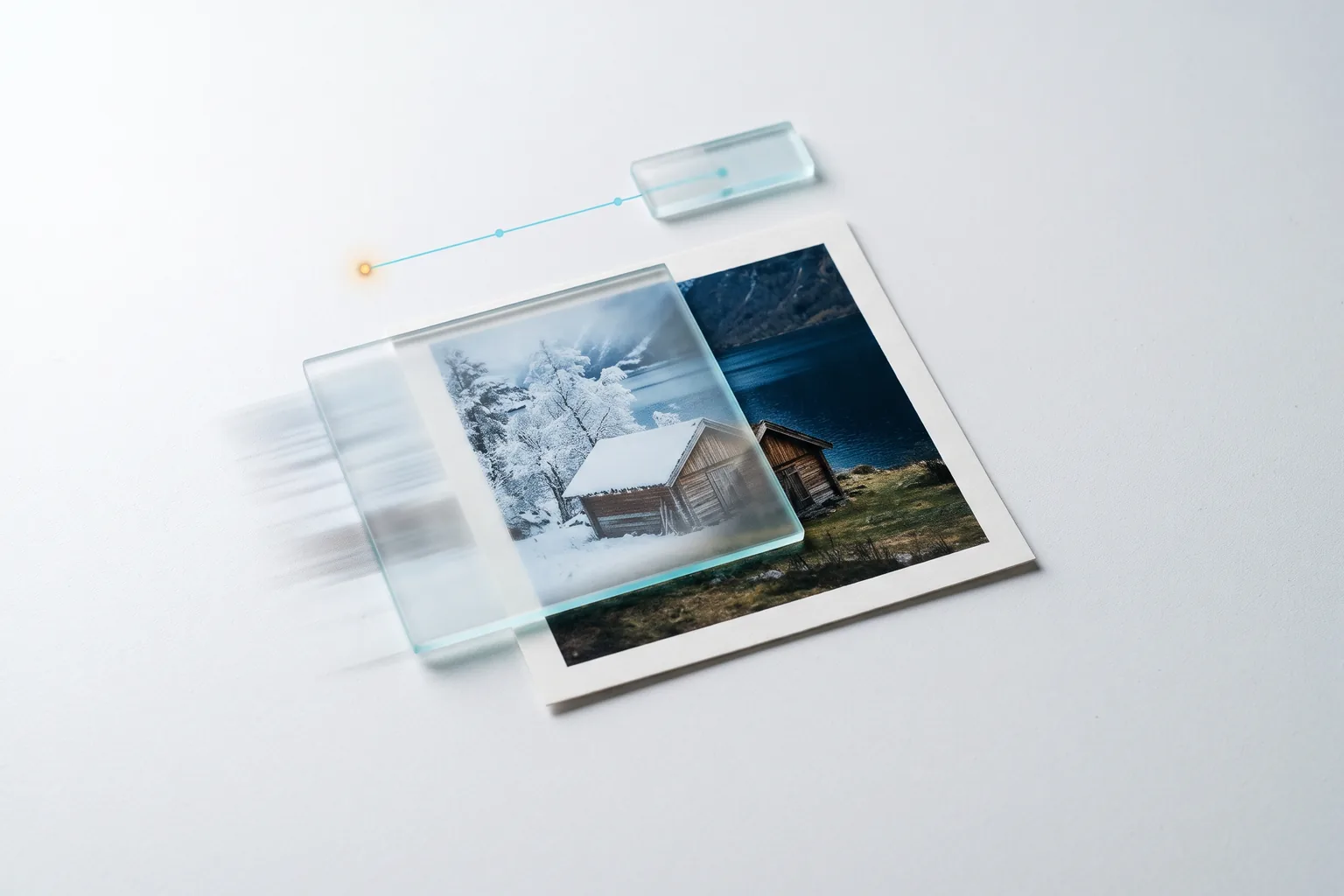
The MAI Image 2.7 Edit API changes objects, colors, light and in-image text from a written instruction while the rest of the photo stays in place, and combines up to 5 reference images into one scene. Microsoft's MAI Image 2.7 ranked No. 2 on the Artificial Analysis image editing leaderboard at its preview.

Get API Key
Input
Required269/32000
Required
Image Urls

Drag and drop files, paste from clipboard, or provide a URL. Provide 1–5 public HTTP(S) JPEG, PNG or WebP image URLs in the order the prompt refers to them. Each image is scaled to about 1 megapixel and adds up to 1,024 image input tokens.

1/5 files added

Optional
Optional
Optional
Optional
OutputReady

Maximum upfront charge: 9.1048 credits · $0.04552

Billed by actual tokens. A 1K square image costs about 7.0 credits; the difference is returned after completion.

Continue using

Examples

output-23b3681ddffc.png

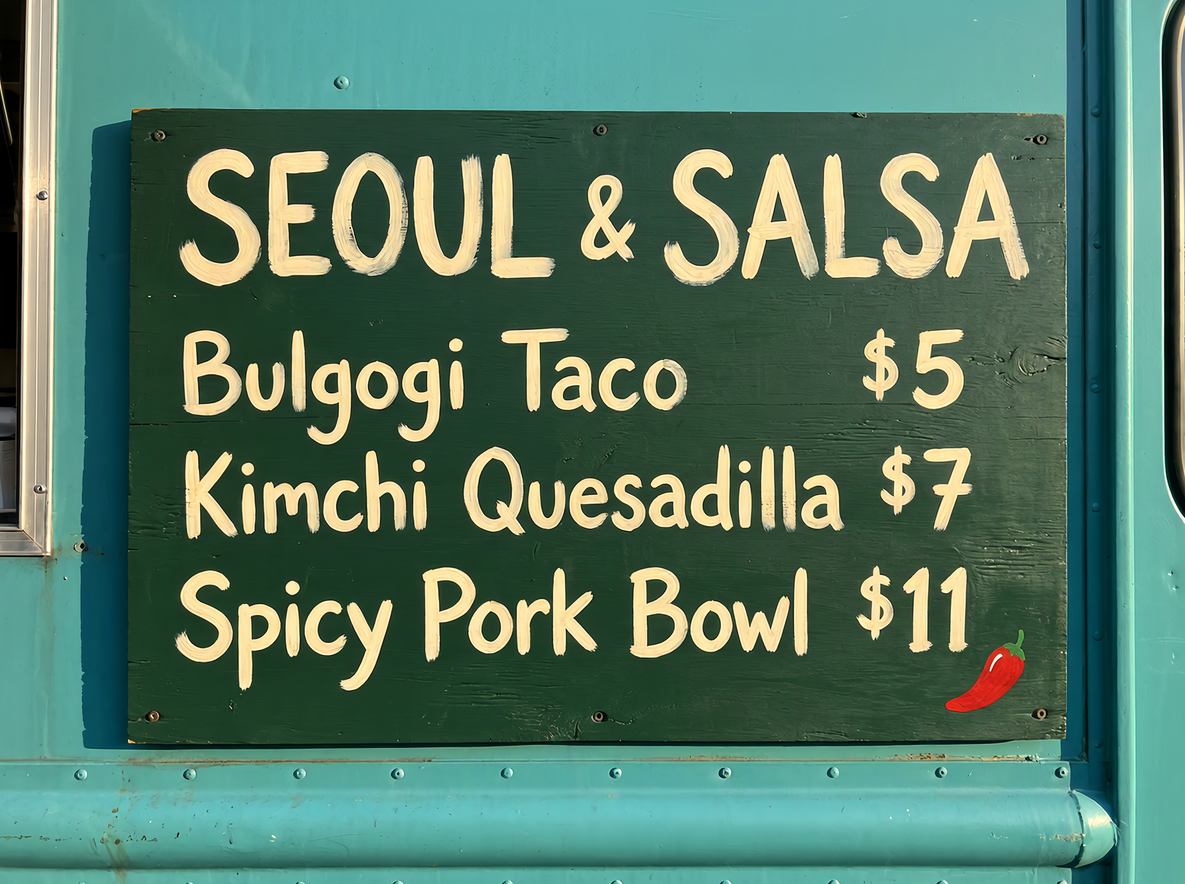
On the menu board, change "Bulgogi Taco $4" to "Bulgogi Taco $5" and replace the line "Gochujang Wings $9" with "Spicy Pork Bowl $11". Keep the title "SEOUL & SALSA", the brush lettering style, the chili icon, the truck paint and the lighting unchanged.
output-fe0d7c06e0f3.png

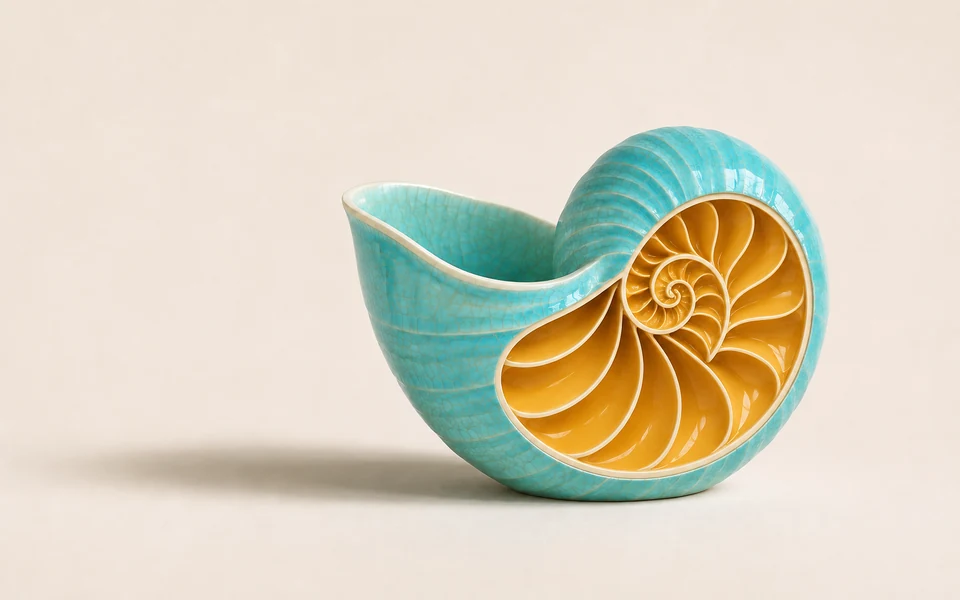
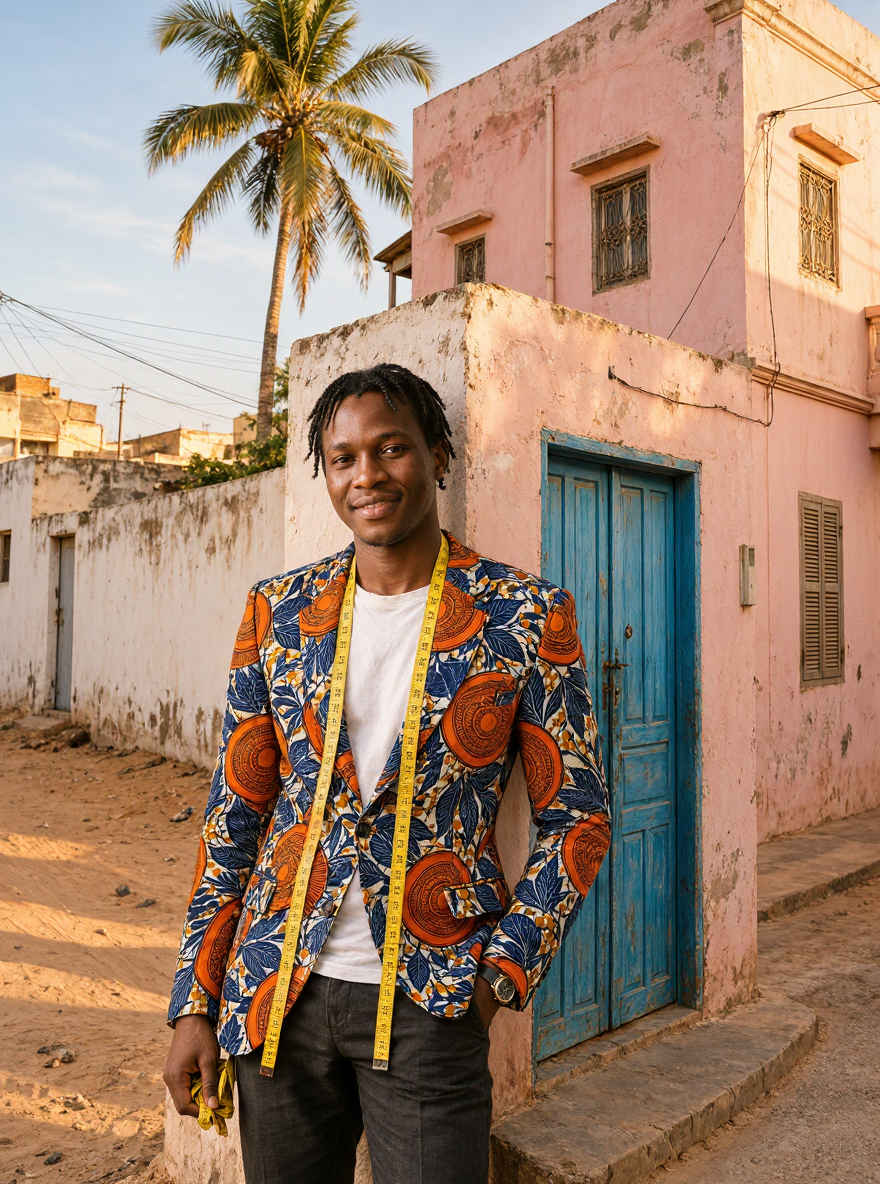
Place the tailor from image 1 at the street corner from image 3, standing in front of the blue door and smiling, wearing a tailored single-breasted jacket sewn from the wax-print fabric in image 2 over his white T-shirt, with the yellow measuring tape still around his neck. Match the warm afternoon light and shadows of image 3. Photorealistic, full body from the knees up.

What is the MAI Image 2.7 Edit API?

MAI Image 2.7 started as an editing model: Microsoft AI previewed it on October 27, 2026, where it scored 1,193 Elo on the Artificial Analysis image editing leaderboard, second overall, and released it on November 17. Microsoft reports gains over MAI Image 2.6 in all 10 use cases and all 7 editing actions in that benchmark, from object and color changes to text updates and cleanup. The MAI Image 2.7 Edit API edit endpoint takes 1–5 reference images and one instruction and returns one image.

Why choose the MAI Image 2.7 Edit API?

The MAI Image 2.7 Edit API changes exactly what your instruction names and keeps the rest of the photo in place, across 1–5 reference images.

  • Edits that keep the rest intactChange one element, such as a dry fountain filled with water, and the MAI Image 2.7 Edit API keeps the tiles, plants and light of the original.

  • In-image text updatesQuote the old and new wording to update prices, menus and signage in the same lettering style, as in the taco truck example.

  • Up to 5 references in one imageCombine a person, a fabric and a location into one scene; the Dakar tailor example merges three references at 1K.

  • Ranked for editing qualityAt its preview MAI Image 2.7 scored 1,193 Elo on the Artificial Analysis image editing leaderboard, second overall.

  • Output size under your controlLeave size empty to follow image 1 at about 1 megapixel, or set a ratio, 2K or an exact WIDTHxHEIGHT.

  • Token billing per editEach reference adds up to 1,024 image input tokens; a one-image 1K edit with the MAI Image 2.7 Edit API costs about 8.6 credits.

What parameters does the MAI Image 2.7 Edit API accept?

This API needs prompt and image_urls (1–5 images). Optional size, resolution, background and output_format set the result.

ParameterRequirementDescription
promptRequired

Edit instruction, up to 32,000 characters. Say what changes and what stays, and refer to references as image 1, image 2 and so on.

image_urlsRequired

1–5 public JPEG, PNG or WebP image URLs. One image is edited; several are combined in the order given.

sizeOptional

Follows image 1 at about 1 megapixel when empty. Ratios: 1:1, 4:3, 3:4, 3:2, 2:3, 16:9, 9:16, or custom WIDTHxHEIGHT with both sides multiples of 16, each side at least 768 and up to 4,194,304 pixels in total, used exactly.

resolutionOptional

1K or 2K for ratio sizes. 1K is about 1 megapixel (1024×1024 at 1:1); 2K is about 4 megapixels (2720×1536 at 16:9).

Default1K2K
backgroundOptional

opaque or transparent. transparent returns an alpha channel with png or webp.

Defaultopaquetransparent
output_formatOptional

png, jpeg or webp.

Defaultpngjpegwebp

How do you use the MAI Image 2.7 Edit API?

Add 1–5 images to the API, write what changes and what stays, then read the image URL once the task is finished.

  1. Add reference imagesUpload or paste 1–5 public JPEG, PNG or WebP URLs in the order your instruction refers to them.

  2. Write the instructionSay what changes and what stays, for example "keep the tiles and the light exactly as they are". Quote any text to replace.

  3. Choose the output sizeLeave size empty to match image 1, or pick a ratio with 1K or 2K, or a custom WIDTHxHEIGHT.

  4. Pick background and formatUse transparent with png or webp to cut a subject out, or jpeg for photo files.

  5. Run and collectSubmit the MAI Image 2.7 Edit API edit task and read the image URL once the status is finished.

How much does the MAI Image 2.7 Edit API cost?

A one-image 1K edit on the MAI Image 2.7 Edit API is billed by actual tokens: 1,000 credits per 1M text input, 1,600 per 1M image input and 6,800 per 1M image output tokens. 1 credit = $0.005.

Output tokens equal width × height ÷ 1024, so a 1K square image uses about 7.0 credits ($0.035) and a 2K square image about 27.9 credits ($0.14). At submission the MAI Image 2.7 Edit API holds a cap from the prompt length (UTF-8 bytes ÷ 4), 1,024 tokens per reference image, 1,088 output tokens for 1K or unsized edits, 4,096 for 2K and the exact count for custom sizes. On completion you pay the actual tokens and the rest returns to your balance; failed tasks are refunded in full.

How much does the MAI Image 2.7 Edit API cost?
UsageCredits / 1M tokensUSD / 1M tokens
Text input1,000$5.00
Image input1,600$8.00
Image output6,800$34.00

What is the MAI Image 2.7 Edit API best for?

This API fits product and room revisions, localized menus and signs, composite scenes and photo cleanup.

  • Product and room revisionsRecolor products, swap materials or restyle a room from one photo while layout and perspective stay the same.

  • Localized menus and signageUpdate prices, offers and languages on boards, packaging and posters in matching lettering.

  • Composite campaign scenesMerge a model, a product, a pattern and a location from separate shots into one image.

  • Cleanup and enhancementMicrosoft lists enhancement and artifact cleanup among MAI Image 2.7's editing actions for restoring existing photos.

Pro Tips

  • Name what stays: list the elements to keep, such as layout, faces, light and background.
  • Quote text exactly, old and new, as in "Bulgogi Taco $4" to "Bulgogi Taco $5".
  • Refer to references by position: image 1, image 2 and image 3, in the order of image_urls.
  • Set size for composites so the frame fits the scene, such as 3:4 for a full-length portrait.

Notes

  • image_urls takes 1–5 public JPEG, PNG or WebP URLs; each is scaled to about 1 megapixel before generation.
  • Each MAI Image 2.7 Edit API request returns one image; prompt accepts up to 32,000 characters.
  • When size is empty, the output follows image 1 at about 1 megapixel; resolution applies to ratio sizes.
  • Tasks run asynchronously: submission returns a task_id, and a callback_url can receive the finished result.

Sources

Model details on this page come from Microsoft AI's own publications:

“MAI Image 2.7, our latest image editing model, launches with even stronger control for edits that are hardest to get right.”

— Microsoft AI, MAI Image 2.7 debuts above GPT Image 2.5 Flare on Artificial Analysis and #3 on Arena,

“Built for high-quality image generation and precise, controllable editing.”

— Microsoft AI, MAI Image 2.7 | Microsoft AI

MAI Image 2.7 Edit API FAQ

What is the MAI Image 2.7 Edit API?

The MAI Image 2.7 Edit API is the editing endpoint of MAI Image 2.7, the image model Microsoft AI released on November 17, 2026. It takes 1–5 reference images and a written instruction, then changes objects, colors, light or in-image text while keeping the rest of the image, or combines the references into one scene. You can call it programmatically or try it from the playground above.

How many images can I send to the MAI Image 2.7 Edit API?

Send 1 to 5 public JPEG, PNG or WebP URLs in image_urls. One image is edited; several are combined, and you refer to them as image 1, image 2 and so on. Each is scaled to about 1 megapixel before generation.

Can the MAI Image 2.7 Edit API change text inside an image?

Yes. Quote the current and the new wording and name what to keep, such as the lettering style. Microsoft lists text updates among MAI Image 2.7's editing actions, and the menu-board example on this page updates two lines in the original brush lettering.

What size does an MAI Image 2.7 Edit API edit return?

With size empty, the output follows the aspect ratio of image 1 at about 1 megapixel. Set a ratio with 1K or 2K, or a custom WIDTHxHEIGHT with multiples of 16, at least 768 per side and up to 4,194,304 pixels, for a fixed frame.

Should I use MAI Image 2.7 or MAI Image 2.7 Flash for edits?

Both take the same fields. MAI Image 2.7 Flash costs about a third as much per output token and suits previews and batch edits; the MAI Image 2.7 Edit API suits final edits where detail matters most.