GPT Image 2.6 Sunburst Image Edit API

openai/gpt-image-2.6-sunburst/edit
image_urls · mask_url

GPT Image 2.6 Sunburst Image Edit turns 1–16 reference images and text instructions into a refined 1K–4K image, with masks, multi-image composites and quality up to max. Built for stronger consistency across edits, it keeps identity, materials and lighting steady while applying the requested change.

Get API Key
Input
Required649/32000
Required
Image Urls

Drag and drop files, paste from clipboard, or provide a URL. Provide 1–16 public HTTP(S) image URLs without embedded credentials, in the order the prompt refers to them. Each image adds 2.50 credits to the upfront cap.

2/16 files added

Optional
Optional
Optional
Optional
Optional
Optional
Optional
Optional
Mask Url

Drag and drop files, paste from clipboard, or provide a URL. Optional single public HTTP(S) mask image. Its fully transparent area marks the region of image 1 to change. Masks are free.

OutputReady

Maximum upfront charge: 14.50 credits · $0.07250

Billed by actual tokens. Any difference is refunded after completion.

Continue using

Examples

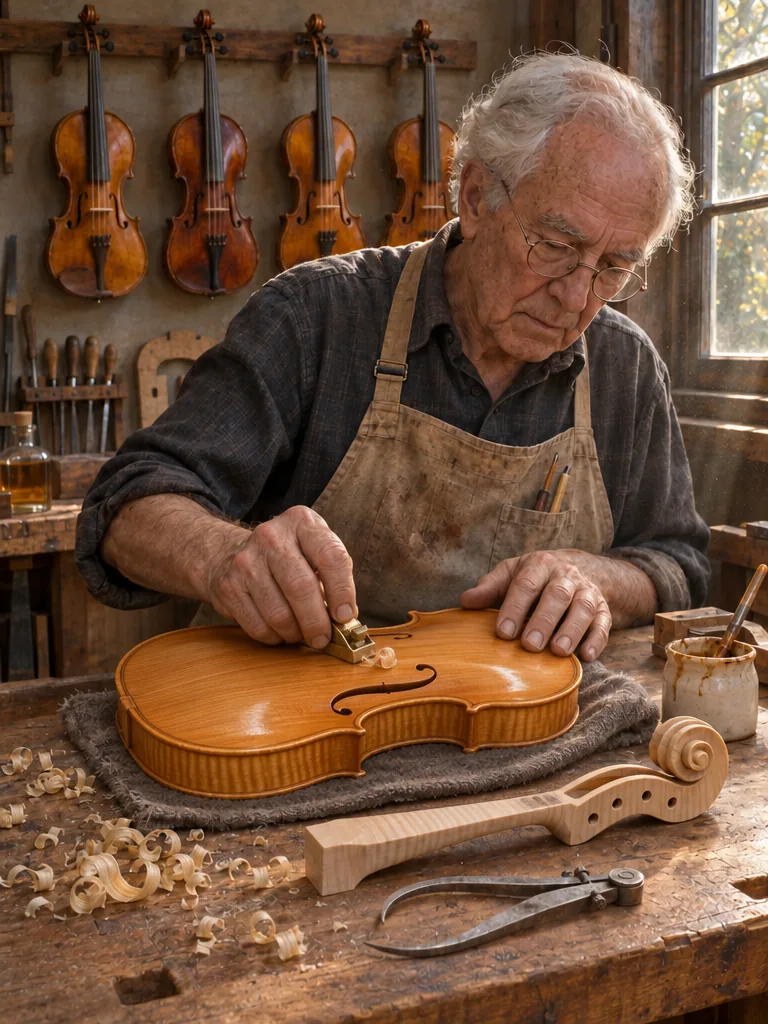
output-288e562875e5.png

Edit image 1 using the supplied mask. Inside the masked area, give the violin body its first coat of varnish: the spruce top and maple ribs become a translucent warm golden-amber with a soft wet sheen, while the flame figure in the maple and the fine spruce grain stay clearly visible through the varnish. Keep the luthier's hands, fingers and the small brass thumb plane exactly as they are, in the same positions. Keep the grey wool cloth, the workbench, shavings, the separate carved neck and scroll, the luthier, the hanging violins and the window light unchanged. No text, no logos, no watermark.

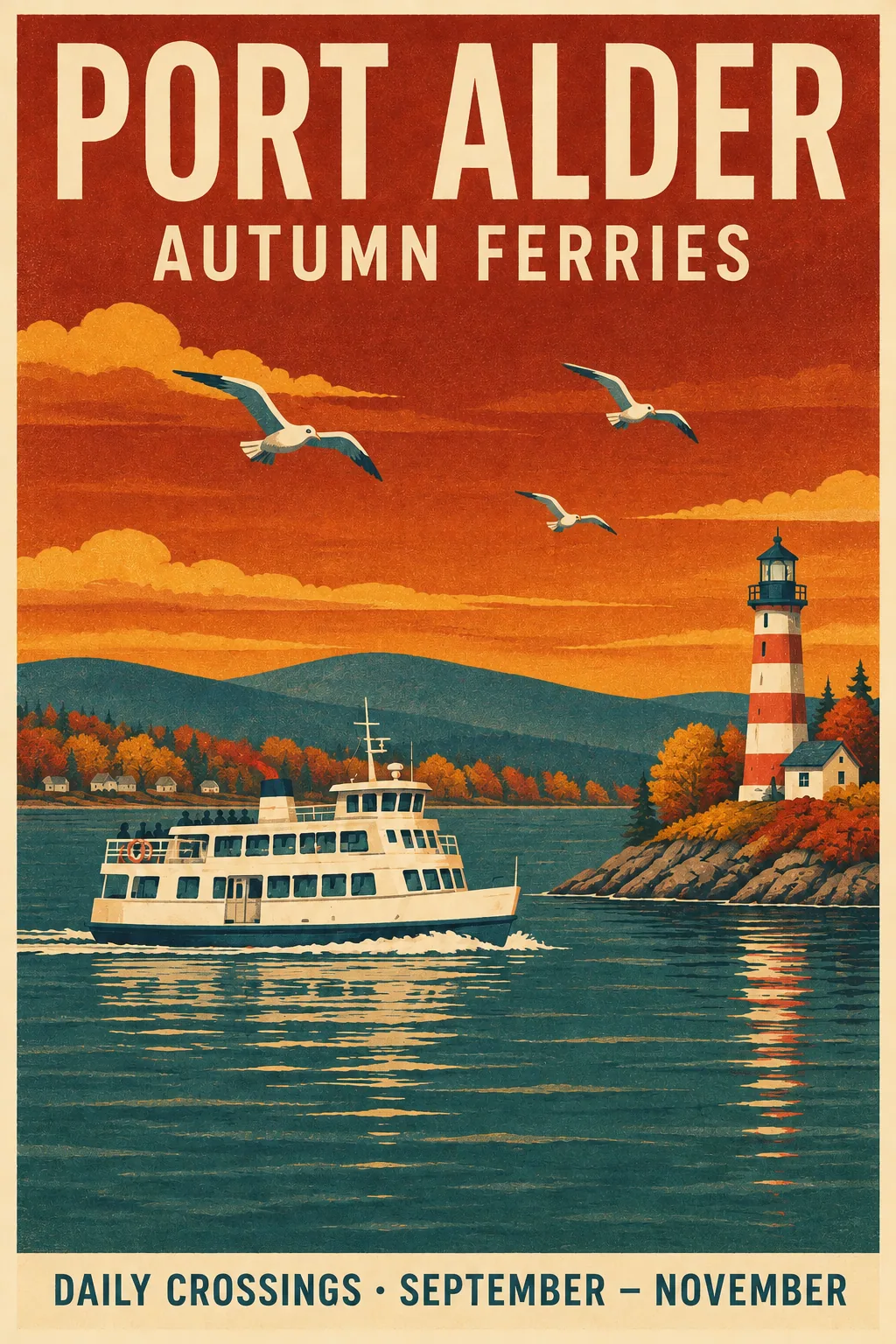
output-2b5da0fe8574.png

Use image 1, the screen-printed travel poster, as the only reference. Turn it into an autumn edition. Change the line under the headline to read exactly "AUTUMN FERRIES" and the bottom band to read exactly "DAILY CROSSINGS · SEPTEMBER – NOVEMBER". Keep the headline "PORT ALDER" exactly as it is. Shift the palette to autumn: deep amber and rust sky, golden and russet trees on the shore, slightly darker teal water. Keep the same typefaces, letter sizes, layout, ferry, lighthouse, gulls, hills, paper grain and print texture. These three lines remain the only text. No logos, no watermark.

GPT Image 2.6 Sunburst Image Edit

GPT Image 2.6 Sunburst Image Edit uses the precision editing model in OpenAI’s Images 2.6 release from November 2026. OpenAI states that at medium or high quality Sunburst delivers higher-quality edits and stronger consistency across edit rounds. It accepts up to 16 ordered references and an optional mask for retouching, product placement and text changes on existing artwork, and the output follows the first image’s aspect ratio unless you set size.

Why Choose GPT Image 2.6 Sunburst Image Edit?

  • Consistency across edit roundsOpenAI positions Sunburst for stronger consistency across edits at medium and high quality, keeping faces, materials and lighting steady over several passes.

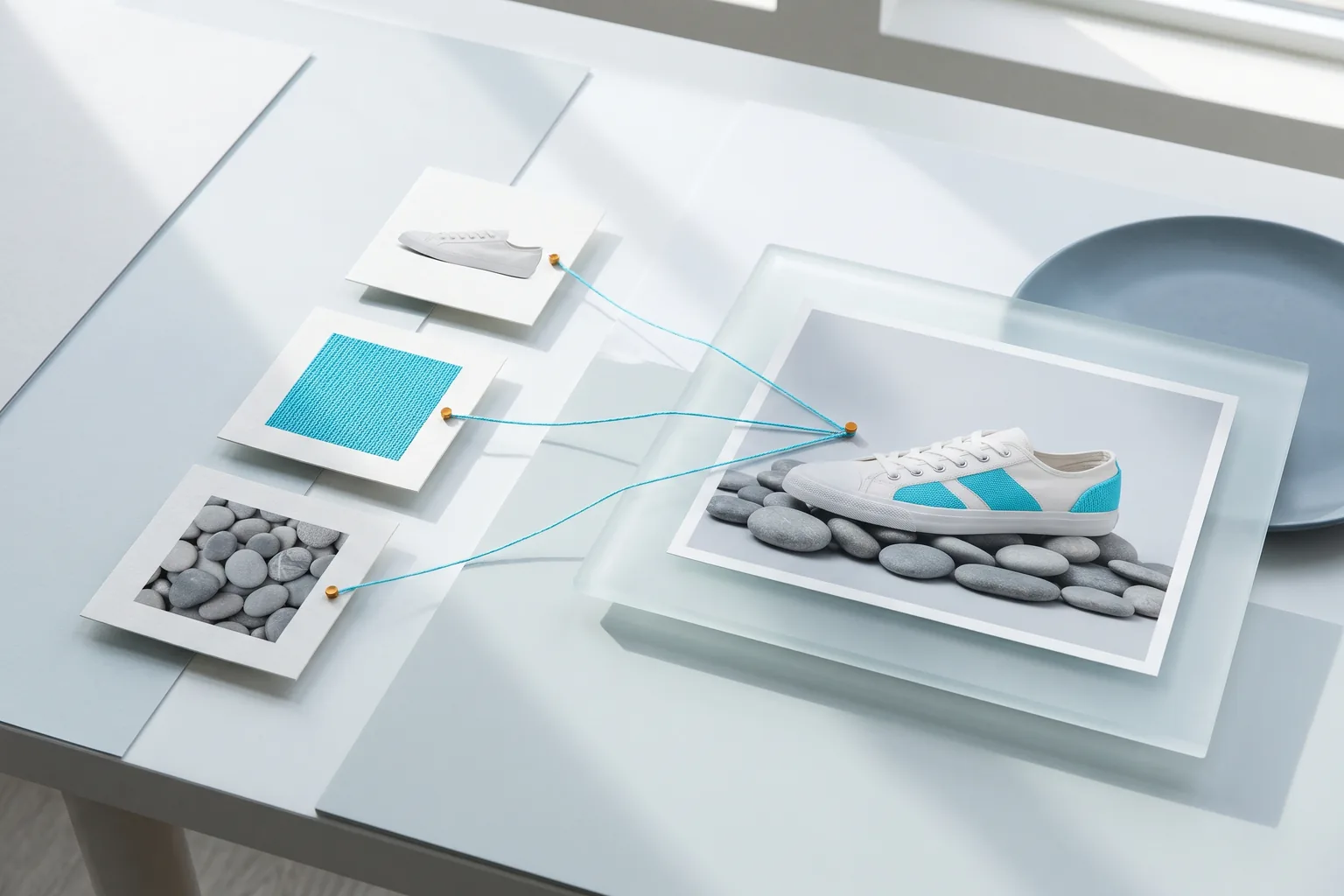
  • Composites from multiple referencesPlace a product or character from one image into the scene of another, matched to its light and scale.

  • Text changes on existing designsRewrite headlines or dates on posters and packaging while typefaces and layout carry over, as in the Port Alder autumn edition.

  • Masked finishing workConfine a change such as varnish, fabric or color to a masked region of the source image.

  • Aspect ratio follows image 1Leave size empty to keep the source frame, and set it only when you need a new one.

  • Planning and price controlcomplexity adjusts planning at the same price. The upfront cap adds 2.50 credits per reference, and the unused part is refunded.

Parameters

ParameterRequirementDescription
promptRequired

Edit instructions, non-blank, up to 32,000 characters. Refer to references by order, such as image 1.

image_urlsRequired

Provide 1–16 public HTTP(S) image URLs without embedded credentials, in the order the prompt refers to them. Each image adds 2.50 credits to the upfront cap.

sizeOptional

When omitted, the output follows the first reference image's aspect ratio. Ratios: auto, 1:1, 2:3, 3:2, 4:3, 3:4, 4:5, 5:4, 16:9, 9:16, 21:9, or custom WIDTHxHEIGHT. auto works at any resolution and is billed at 1K. Custom WIDTHxHEIGHT works at any resolution: positive multiples of 16, maximum edge 3840, ratio at most 3:1 and 655360–8294400 pixels, billed at the higher of the selected resolution and its pixel tier (up to 1,572,864 px 1K, up to 4,194,304 px 2K, above that 4K).

DefaultFollows image 1
resolutionOptional

1K, 2K or 4K. Default 1K.

Default1K2K4K
output_formatOptional

png, jpeg or webp. Default png.

Defaultpngjpegwebp
qualityOptional

low, medium, high, xhigh or max. Default high. Quality and the billing tier set the upfront cap; final billing uses actual tokens.

Defaulthighlowmediumxhighmax
backgroundOptional

auto, transparent or opaque. Default auto. transparent requires png or webp.

Defaultautotransparentopaque
output_compressionOptional

Integer from 0 to 100 for jpeg or webp output. Leave empty for the default compression.

moderationOptional

auto or low. Default auto; low applies less restrictive filtering. Does not change the price.

Defaultautolow
complexityOptional

low, medium or high. Default high. Sets how much the model plans before rendering and does not change the price; low suits most edits.

Defaulthighlowmedium
mask_urlOptional

Optional single public HTTP(S) mask image. Its fully transparent area marks the region of image 1 to change. Masks are free.

How to Use

  1. Order the referencesPut the image you are editing first, then any objects or style references, up to 16 in total.

  2. Describe the target stateSay what the result should look like and list what must stay: identity, pose, typefaces, lighting.

  3. Mask the region when neededAdd a mask whose transparent area covers the part to change.

  4. Pick quality and sizeUse medium or high quality for consistent results; leave size empty to keep image 1’s ratio.

  5. Run, review and continueRead the result when the task finishes and use it as image 1 for the next round.

Usage and Pricing

Billed by actual text input, image input and image output tokens. 1 credit = $0.005.

An upfront cap is held at submission from quality and billing tier, from 5.50 credits at low 1K to 142.34 credits at max 4K, plus 2.50 credits per reference image; masks are free. The cap is the most a task can cost: after completion, actual tokens are settled and the difference is refunded, and failed tasks are refunded in full.

Usage and Pricing
UsageCredits / 1M tokensUSD / 1M tokens
Text input800$4.00
Image input1,280$6.40
Image output4,800$24.00

Best Use Cases

  • Retouching and finishingApply varnish, fabric changes or color grading inside a mask, as in the luthier example.

  • Product and character placementInsert an object from one image into a scene from another, like the felt fox in the reading room.

  • Seasonal and localized design versionsSwap dates, taglines and palettes on posters and packaging while the layout stays.

  • Multi-round art directionRefine a hero image over several passes with one change per round.

Pro Tips

  • Describe the target state rather than the operation, for example “the spruce top becomes translucent golden amber”.
  • Quote replacement text exactly and name the words that stay unchanged.
  • When combining images, say which one supplies the scene and which supplies the object, and size the object against something in the scene.
  • Use medium or high quality when consistency across rounds matters, and reuse each accepted output as the next image 1.

Notes

  • image_urls takes 1–16 public HTTP(S) URLs; mask_url takes one.
  • Each request returns one image. Omit size to follow image 1’s aspect ratio.
  • For prompt-only generation, use GPT Image 2.6 Sunburst Text to Image.
  • Tasks run asynchronously: submission returns a task_id, and the finished status carries the image URL.

Related Models

GPT Image 2.6 Sunburst Image Edit API FAQ

What is the GPT Image 2.6 Sunburst Image Edit API?

GPT Image 2.6 Sunburst Image Edit is an OpenAI model for precise, instruction-based image editing. It takes 1–16 reference images and an optional mask and returns one 1K, 2K or 4K image, handling retouching, composites and text changes with quality up to max. As the precision model of OpenAI’s Images 2.6 release, it keeps stronger consistency across edit rounds at medium and high quality and follows the first image’s aspect ratio by default. You can call it programmatically or try it from the playground above.

Does GPT Image 2.6 Sunburst Image Edit stay consistent across rounds?

OpenAI states that at medium or high quality Sunburst keeps stronger consistency across edits. To build on that, feed each accepted result back as image 1, make one change per round and list what must stay the same.

Can GPT Image 2.6 Sunburst Image Edit change text in an image?

Yes. Quote the replacement words exactly and name the words that stay. The Port Alder example rewrote two lines and shifted the palette to autumn while the headline, typefaces and layout carried over, using complexity low at medium quality.

How do I combine two images with GPT Image 2.6 Sunburst Image Edit?

Send the scene as image 1 and the object as image 2, then say where the object goes and how large it is. The reading room example placed the felt fox from image 2 beside a lamp in image 1 and, with size left out, kept image 1’s 16:9 frame.

How do masks work in GPT Image 2.6 Sunburst Image Edit?

Send one mask image in mask_url. Its fully transparent area marks the region of image 1 to change, such as the violin body in the luthier example, and the prompt describes the new look. Masks add nothing to the price.

Which quality suits GPT Image 2.6 Sunburst Image Edit?

Medium or high for most edits, since OpenAI ties Sunburst’s edit consistency to those tiers, and xhigh or max for 4K finals. Lower complexity keeps simple edits focused at the same price.

How is GPT Image 2.6 Sunburst Image Edit billed?

By actual tokens: 800 credits per 1M text input tokens, 1,280 per 1M image input tokens and 4,800 per 1M image output tokens, with 1 credit = $0.005. The upfront cap is the quality-and-tier price plus 2.50 credits per reference, for example 12.00 credits for one image at medium 1K; unused credits are refunded.

Should I choose GPT Image 2.6 Sunburst or Flare Image Edit?

Choose Sunburst for final retouching, composites and multi-round edits where consistency matters. Choose Flare for fast recolors, cutouts and background swaps. Both accept the same fields at the same prices.