Text to Video AI Generator
Bring any text to life with Vidgo AI! Our AI video generator can create engaging videos of any style with just a simple text prompt. Describe your ideas with a few words, and our video AI can visualize it creatively.
Prompt: A stylish woman walks down a Tokyo street filled with warm glowing neon and animated city signage.
Simple Text Input Generation
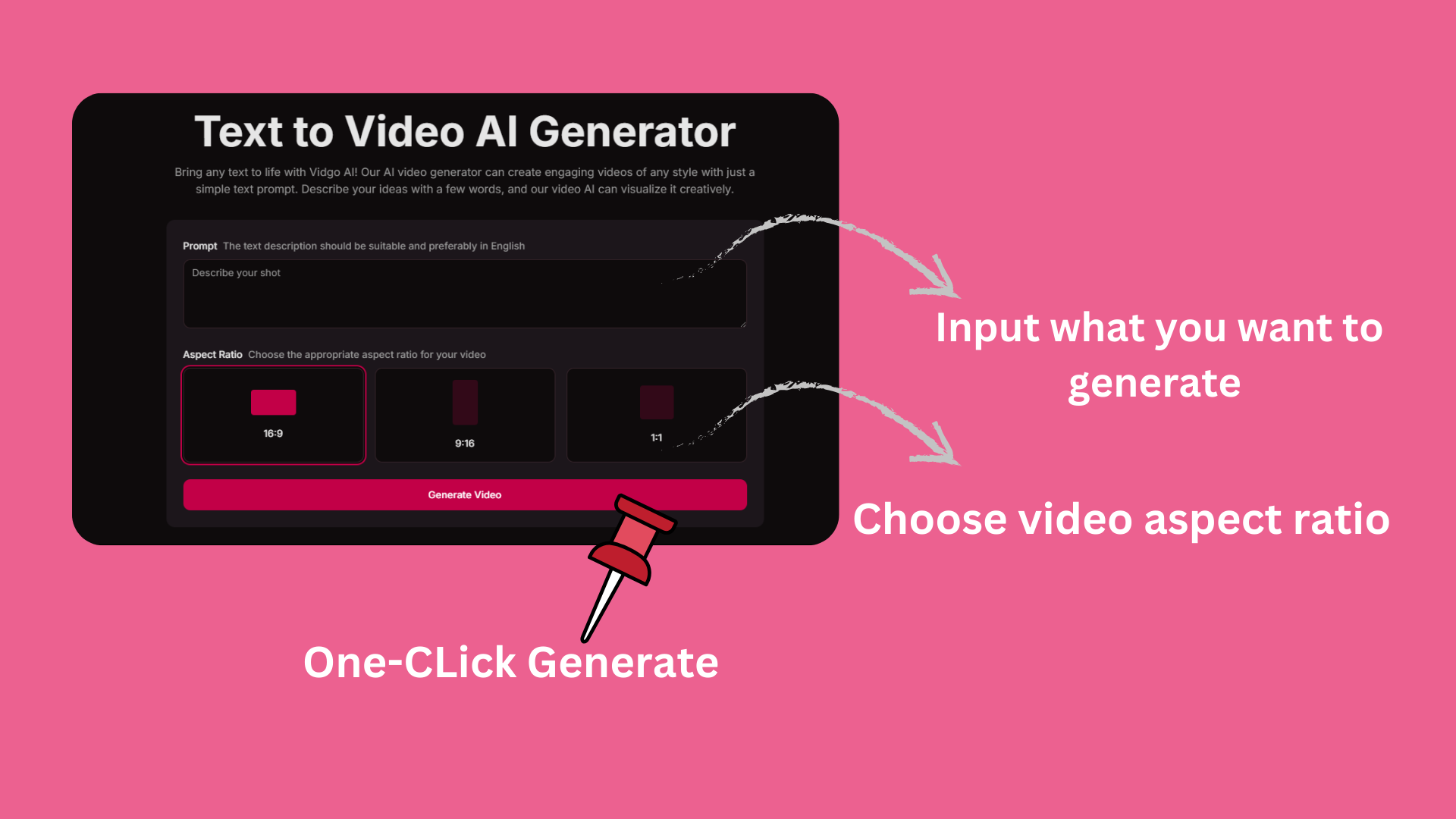
Just input your creative text description and choose your preferred video aspect ratio (16:9, 9:16, or 1:1). Our AI will transform your words into stunning visual content with one click.
Share and Earn Credits
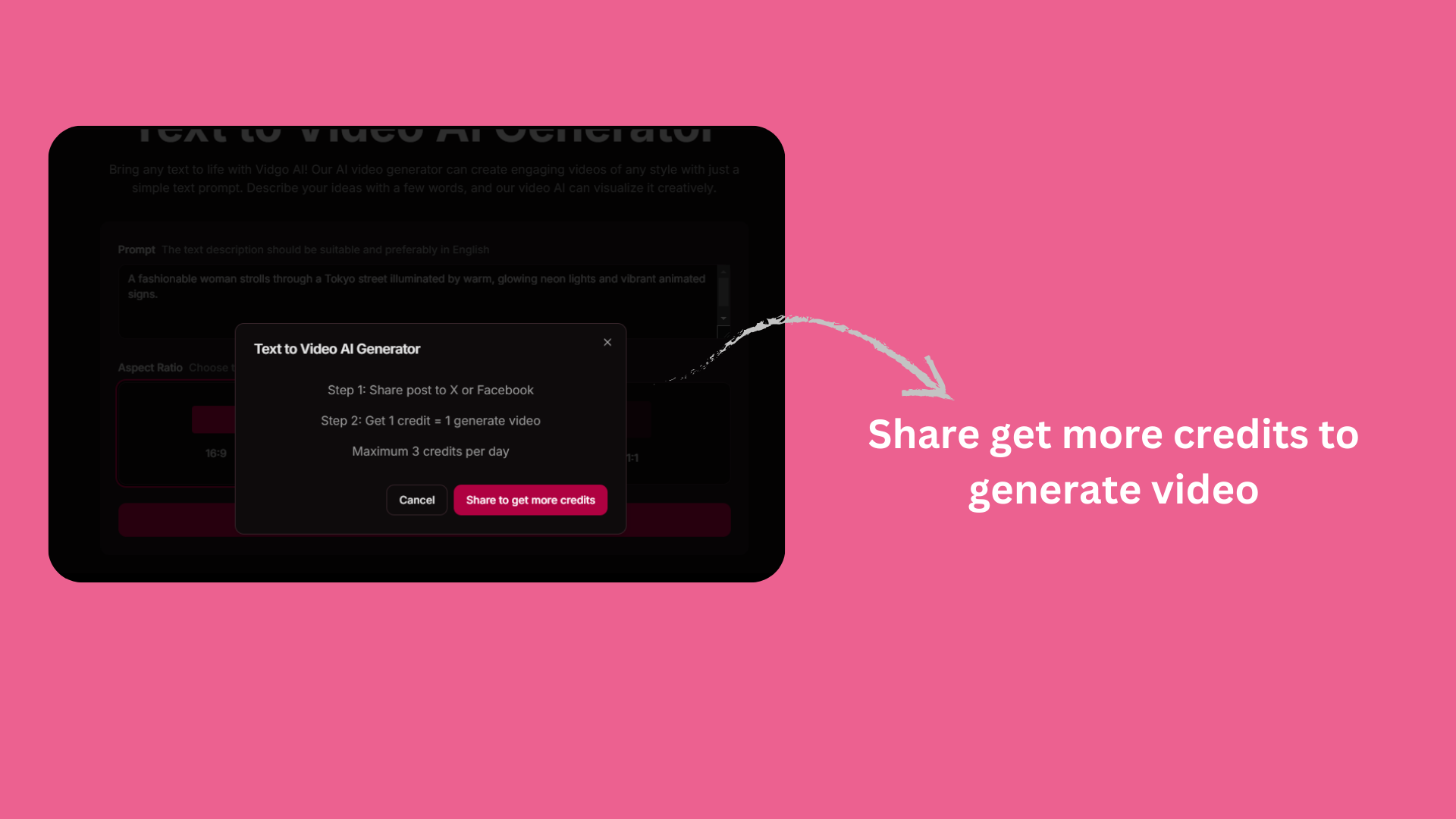
Share your creations on X or Facebook to earn more generation credits. Get 1 credit for each share, with a maximum of 3 credits per day to keep creating amazing videos.
Quick Video Generation
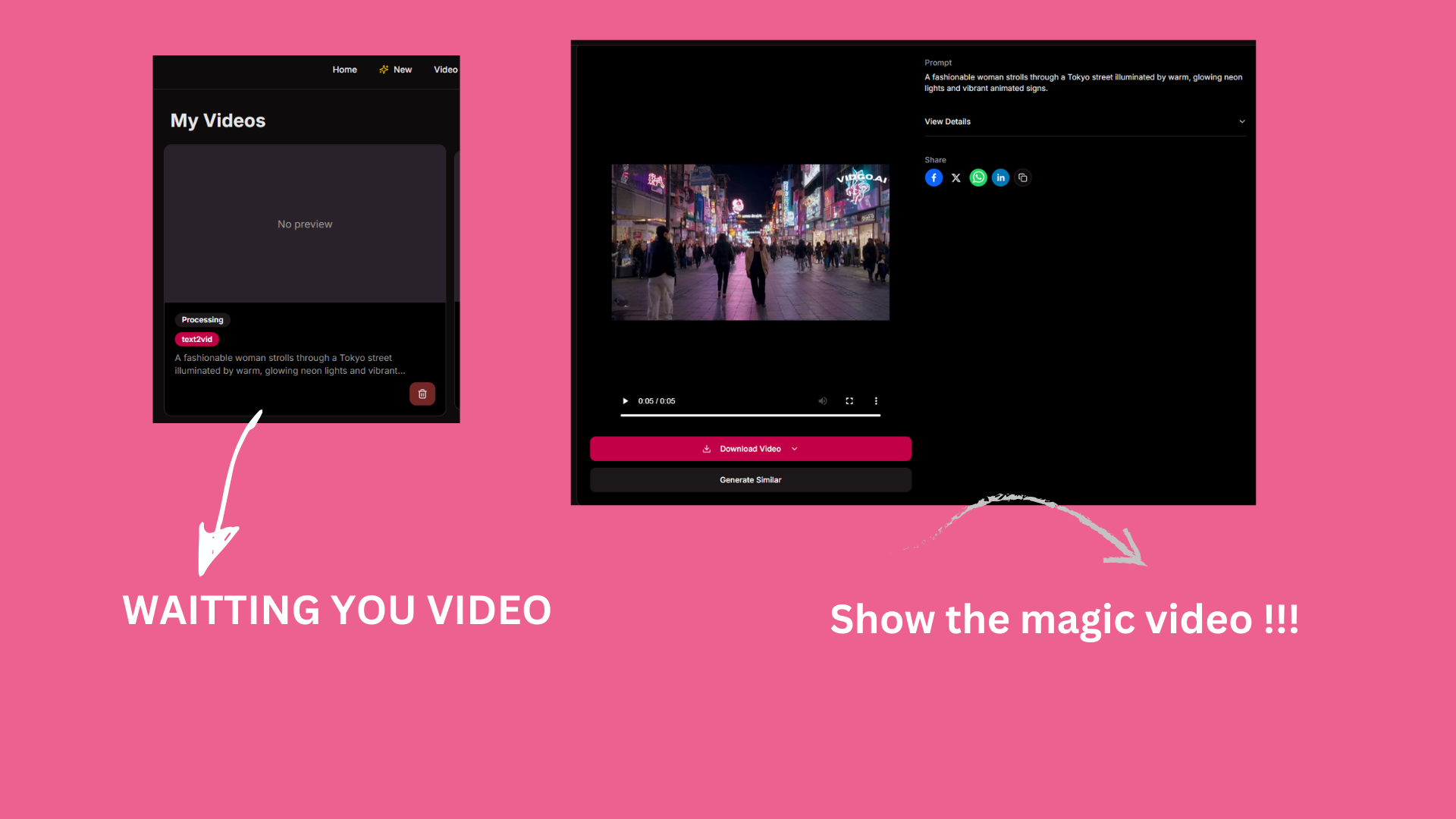
Watch as your text transforms into a high-quality video in our processing queue. Once complete, you can preview, download, and share your AI-generated masterpiece with various social platforms.
How to Use the AI Text to Video Generator of Vidgo AI
Step 1
Type your text prompt and configure the customization options.
Step 2
Start our text to video generator.
Step 3
View and share the generated video.
FAQ
An AI text to video generator is a cutting-edge technology that uses artificial intelligence to transform written descriptions into dynamic video content. It analyzes your text input and creates corresponding visual scenes, movements, and transitions to bring your words to life in video format.
While there are several AI video generators available, Vidgo AI stands out for its user-friendly interface, high-quality output, and versatile features. Our platform offers multiple aspect ratios, quick generation times, and the ability to create videos from simple text descriptions, making it an excellent choice for both beginners and professionals.
Vidgo AI's text to video generator is an innovative tool that converts text descriptions into professional-quality videos using advanced AI technology. It supports multiple video formats (16:9, 9:16, 1:1), offers customization options, and provides an easy-to-use interface for creating engaging video content quickly.
Using Vidgo AI is simple: First, enter your text description of the video you want to create. Then, select your preferred aspect ratio (16:9, 9:16, or 1:1). Finally, click the generate button and wait for your video to be created. You can preview the result and download or share it once it's ready.
Yes, Vidgo AI offers a free tier that includes a set number of video generations per day. You can earn additional free credits by sharing your creations on social media platforms like X or Facebook, with up to 3 extra credits available daily. Premium plans are available for users who need more generations or advanced features.
The generation time typically takes a few minutes, depending on the complexity of your text prompt and current server load. We currently support generating videos up to 5 seconds in length, optimized for social media and short-form content.
Yes, you can delete any videos you've generated from your account dashboard. Once deleted, the videos will be permanently removed from our servers. However, if you've already shared or downloaded the videos, those copies will remain in their respective locations.
Vidgo AI offers a freemium model. You get free daily credits to generate videos, and can earn more credits through social sharing. While the free tier has some limitations, it provides full access to core features. Premium subscriptions are available for users who need additional generations or advanced features.
For optimal results, write clear and specific text prompts that describe the visual elements, movement, and atmosphere you want. Use descriptive language but keep sentences concise. Consider including details about the setting, characters, actions, and mood. Test different variations of your prompt to find what works best for your desired outcome.
Yes, once your video is generated, you can easily download it in high quality. The downloaded video can be used for personal or commercial purposes according to our terms of service. You can also directly share it to various social media platforms from within the Vidgo AI platform.
Do you want to create amazing videos from any text?
Use this free text to video AI generator to create amazing videos.