Seedream 5.0 Pro Text-to-Image API

bytedance/seedream-v5.0-pro/text-to-image
1K/2K · 8 ratios · JPEG/PNG

The Seedream 5.0 Pro Text-to-Image API turns creative briefs into structured posters, infographics, product visuals, and realistic scenes. Use the prompt to direct information hierarchy, composition, lighting, materials, and multilingual in-image copy, then choose from eight aspect ratios, 1K or 2K resolution, and JPEG or PNG output.

Input

705/10000

The Playground sends enable_safety_checker explicitly with a default of true.

Ready
Seedream 5.0 Pro result
15 credits × $0.005 = $0.075

Continue with

Examples

anatomy-of-light.jpg

Create a rigorous bilingual scientific infographic titled exactly "THE ANATOMY OF LIGHT / 光的构成" on a warm ivory background. Center a clear hand-blown glass prism and show three light paths with thin precise arrows, labeled exactly "KEY LIGHT / 主光", "FILL LIGHT / 补光", and "RIM LIGHT / 轮廓光". At the bottom include a three-step sequence labeled exactly "SHAPE / 塑形", "BALANCE / 平衡", and "POLISH / 精修". Use a clean Swiss editorial grid, accurate optical relationships, restrained cobalt and vermilion accents, realistic glass refraction, generous whitespace, crisp readable typography. Educational editorial design only; no brand, no logo, no product promotion, no advertisement, no watermark, no extra text.

material-study.jpg

Create a quiet editorial material-study still life, not an advertisement. On a worn oak worktable place exactly one hand-blown clear glass vase, one matte celadon ceramic bowl, and one folded undyed linen cloth. Soft north-window daylight reveals realistic glass thickness, subtle liquid refraction, tiny artisan bubbles, ceramic glaze variation, wood grain, and natural fabric fibers. Three-quarter eye-level composition, calm museum-study atmosphere, restrained neutral palette, physically believable shadows, photographic realism. No people, no brand, no logo, no packaging, no sales styling, no promotional text, no watermark.

migration-at-night.jpg

Create a vertical bilingual natural-history field-guide page titled exactly "MIGRATION AT NIGHT / 夜间迁徙". Depict three scientifically plausible migratory birds in flight at different altitudes beneath a moonlit sky, with clean fine-line callouts labeled exactly "STAR COMPASS / 星辰罗盘", "MAGNETIC SENSE / 磁场感知", and "REST STOP / 迁徙停歇地". Include a small north arrow, a restrained route map, and a simple altitude scale. Museum field-guide layout, precise information hierarchy, midnight blue and parchment palette, crisp readable Chinese and English typography, natural feather detail, educational purpose only. No event promotion, no brand, no logo, no advertisement, no watermark, no extra text.
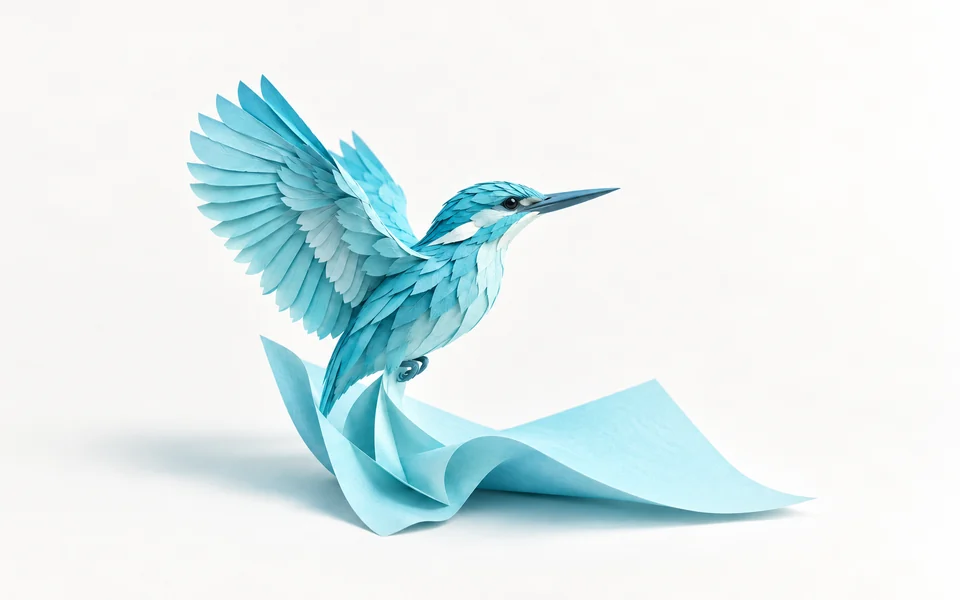
Seedream 5.0 Pro Text-to-Image API

Seedream 5.0 Pro Text-to-Image API accepts a prompt of up to 10,000 characters and returns an asynchronous image task. Choose one of eight aspect ratios, 1K or 2K resolution, and JPEG or PNG output.

Why Choose Seedream 5.0 Pro Text-to-Image API?

  • Plan dense visual layouts.Turn timelines, sections, labels, charts, and supporting imagery into a clear information hierarchy.

  • Direct the whole image in one prompt.Control the subject, camera, composition, palette, lighting, materials, and atmosphere as one creative brief.

  • Build multilingual copy into the design.Provide the exact wording and describe its placement, scale, and typographic role in the image.

  • Specify observable surface and lighting details.Describe product surfaces, skin texture, reflections, fabric, glass, and studio or natural light in the prompt.

  • Choose explicit output settings.Select from eight aspect ratios, 1K or 2K resolution, and JPEG or PNG output; the frontend estimate is 15 credits per request.

Parameters

ParameterRequirementDescription
promptRequired

Describe the subject, information hierarchy, composition, visual style, and exact in-image wording in up to 10,000 characters.

sizeOptional

Choose the output aspect ratio for the intended placement.

Default1:14:33:416:99:162:33:221:9
resolutionOptional

Choose the output resolution tier.

Default1K2K
output_formatOptional

Choose JPEG or PNG for the generated file.

Defaultjpegpng
enable_safety_checkerOptional

Set the boolean content-safety check for the request.

truefalse

How to Use

  1. Frame the deliverableName the audience, format, subject, message, and visual result the image needs to achieve.

  2. Write the layout hierarchyDescribe the headline, focal subject, supporting information, placement, camera, lighting, and palette in reading order.

  3. Specify in-image copyPut required wording in quotation marks and state its language, position, scale, and emphasis.

  4. Choose the outputMatch the aspect ratio to the placement, then select 1K or 2K and JPEG or PNG.

  5. Submit and reviewRun the request, retrieve every returned image, and inspect hierarchy, copy, materials, and small details.

Pricing

The current frontend estimate is 15 credits per request. At $0.005 per credit, the estimated cost is $0.075 for every supported ratio, resolution, and output format.

UsageRateDetails
Frontend request estimate15 creditsThe estimate is unchanged across 1K/2K, all eight ratios, JPEG, and PNG.

Best Use Cases

  • Product Campaign VisualsTurn a product brief, placement instructions, and lighting direction into launch artwork.

  • Posters with Exact CopyQuote a headline and supporting text, then specify hierarchy and placement for a composed poster.

  • Infographics and ExplainersTurn structured concepts into an information-led image with clear sections, labels, and visual emphasis.

  • Multilingual Social AssetsDescribe localized copy and platform ratio to create market-specific image concepts.

Pro Tips

  • Write subject and setting first, then composition, camera, lighting, palette, and finishing detail.
  • Put any required in-image wording in quotation marks and describe where it should appear.
  • State the visual hierarchy explicitly when the image contains several blocks of information.
  • Choose the delivery ratio before describing edge placement or negative space.
  • Keep instructions compatible and remove secondary details that compete with the main subject.

Notes

  • prompt supports up to 10,000 characters for the complete creative brief.
  • size supports eight aspect ratios, and resolution supports 1K or 2K output.
  • output_format defaults to jpeg; enable_safety_checker is available as a boolean input control.
  • The request returns an asynchronous task ID; finished results provide image URLs in data.files[].file_url.

Frequently Asked Questions about Seedream 5.0 Pro Text-to-Image API

What is the Seedream 5.0 Pro Text-to-Image API?

Seedream 5.0 Pro is ByteDance’s Seed image model for design-oriented generation, available through the Vidgo REST API. It turns a prompt into structured posters, infographics, product visuals, realistic scenes, and multilingual in-image text, returned through an asynchronous image task.

How do I call the Seedream 5.0 Pro Text-to-Image API?

POST to /api/generate/submit with Authorization: Bearer VIDGO_API_KEY, model set to seedream-v5.0-pro, and model inputs inside input. The response gives you a task_id for status retrieval.

How much does Seedream 5.0 Pro Text-to-Image cost?

The current frontend estimate is 15 credits per request. At $0.005 per credit, the estimated cost is $0.075 for any supported ratio, resolution, or format.

What inputs does Seedream 5.0 Pro Text-to-Image accept?

The input object supports prompt, size, resolution, output_format, and optional enable_safety_checker. Use prompt for the subject, hierarchy, composition, visual style, lighting, materials, and exact in-image copy.

How do I get the generated images?

Poll GET /api/generate/status/{task_id} until finished or failed. On success, read every data.files[].file_url, or supply callback_url when submitting to receive the terminal task.

Which Seedream 5.0 Pro API mode should I choose?

Choose Text-to-Image when the request contains a prompt but no source images. Choose Image Edit when the request includes one to ten ordered source-image URLs.