Kling O1 Image Edit API

kwaivgi/kling-image-o1
1K / 2K · 3.5 credits/image (≈ $0.018)

Kling O1 Image Edit transforms and refines visual imagery using up to 10 reference images alongside natural language instructions, featuring multi-reference feature synthesis, mask-free surgical local edits, and native aspect ratio inheritance. It carries out complex wardrobe modifications, background transfers, and asset insertions while strictly preserving subject identity, facial contours, and authentic lighting textures.

Get API Key
Input
909/2000
2/10
Reference image 1: Reference 1
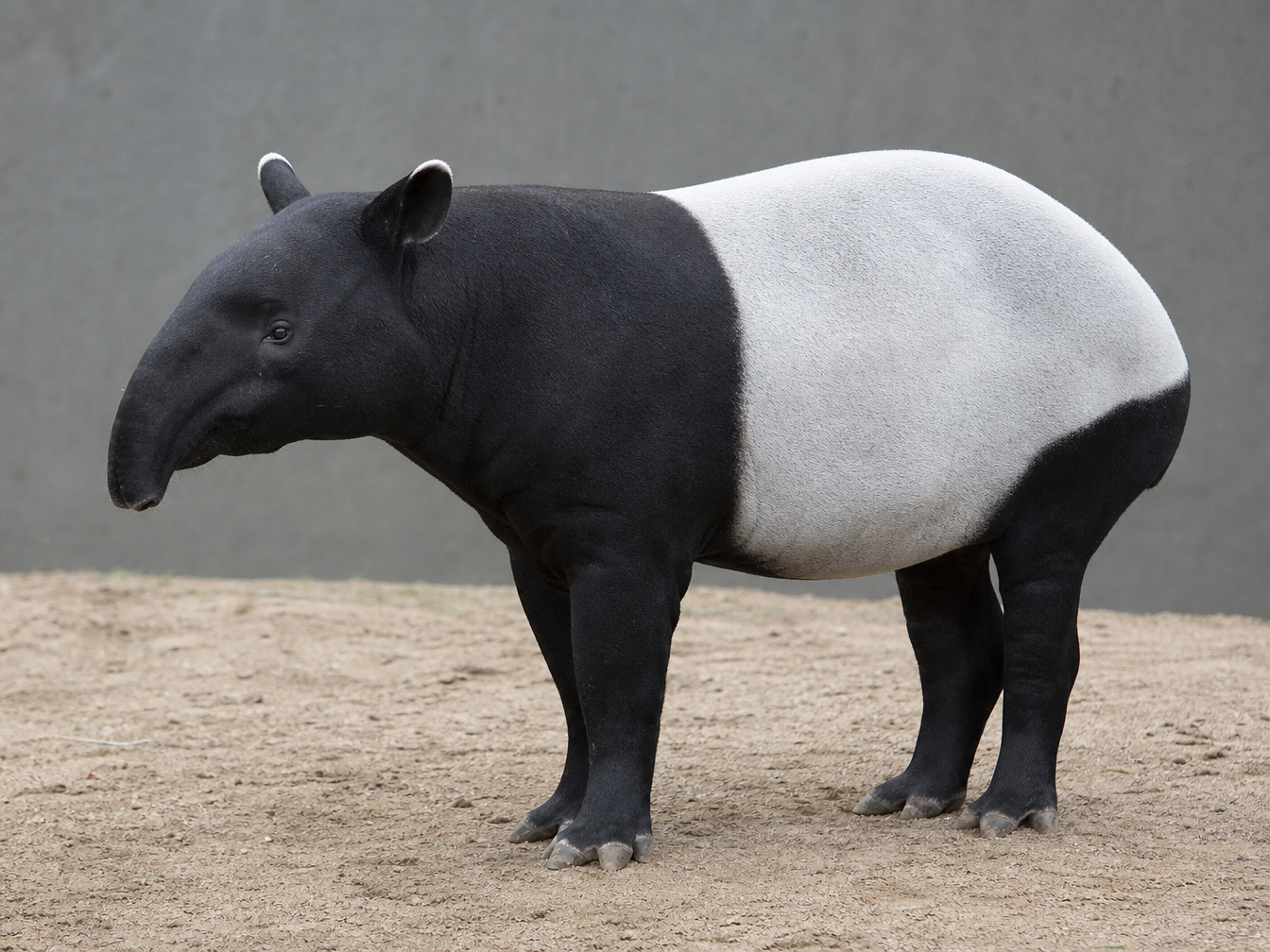
Reference image 2: Reference 2
Elements

Reference subjects in order with @Element1, @Element2. Provide a main view and additional views. Sign in to upload files.

OutputReady
1 × 3.5 = 3.5 credits · $0.018

Continue with

Examples

output.png

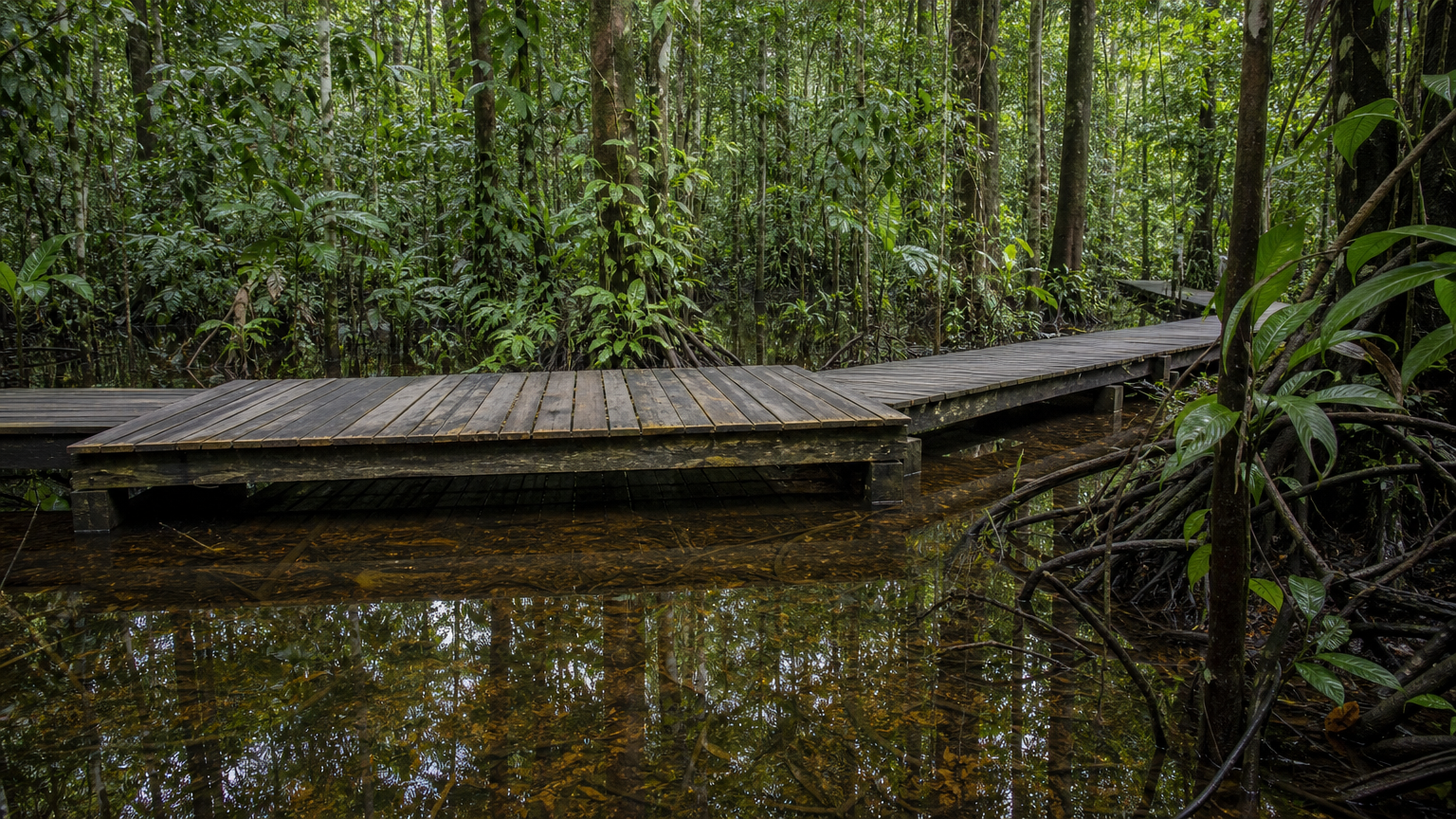
Use image 1 as the flooded forest boardwalk scene to edit and image 2 only as the animal identity reference. Edit the scene in image 1 by adding exactly one adult Malayan tapir, the tapir from image 2, standing on the wide wooden deck in the left-center foreground. Preserve the exact tapir identity and anatomy from image 2: black head, neck and hindquarters, broad white saddle, short flexible snout and white-rimmed ears. The tapir faces left in three-quarter side view, pausing as if listening toward the flooded forest. Its full body must be visible, four feet planted naturally on the boardwalk, correct real-world scale, weight and soft contact shadows. Preserve the boardwalk structure, tree positions, floodwater reflections, original camera perspective and documentary photographic style. Match the soft green canopy daylight. Do not add people, other animals, accessories, text, logos or watermark.

output.png

Make one precise localized edit to this documentary photograph: change only the faded blue canvas messenger bag and its shoulder strap into worn warm-brown leather. Preserve the exact bag silhouette, flap, size, position at the man's right hip, strap route and existing perspective. Add believable leather grain, subtle creases and gently polished worn edges; keep the design plain and unbranded. Everything else must remain unchanged: the same man's face, skin tone, shaved head, expression, pose, hands, dark fleece jacket, trousers, boots, black headphones, handheld recorder, camera framing, salt-crystal cavern geometry, lighting and shadows. Do not add or remove objects, people or animals. No text, logos or watermark.
output.png

Transform this rooftop rainwater-collection photograph into a detailed hand-carved two-color woodcut print, using deep indigo and warm terracotta ink on warm ivory paper. Preserve the original camera view and spatial composition exactly: two cylindrical tanks side by side on the left, the sloping corrugated roof at upper left, downpipe feeding the left tank, connector between the tanks, descending outlet, low brick parapet, drain grate at right foreground, and distant apartment skyline. Keep all pipes connected plausibly and each original object recognizable. Translate shading into expressive carved hatching, bold clean silhouettes, slightly imperfect ink edges and subtle paper texture; no photographic gradients. One continuous scene, no borders, panels, diagrams, added objects, people, animals, text, labels, branding or watermark.

Kling O1 Image Edit Overview

Kling O1 Image Edit is a unified multimodal image editing and synthesis model developed by Kuaishou (Kling AI). Built on the Multi-modal Visual Language (MVL) architecture, it accepts 1 to 10 reference images and delivers high-dimensional feature disentanglement, mask-free natural-language local repainting, auto aspect ratio preservation, and direct high-definition outputs up to 2K. It empowers e-commerce staging, creative composites, and serial character consistency without complex manual masking.

Why Choose Kling O1 Image Edit?

  • High-Dimensional Multi-Image SynthesisIngests up to 10 reference images simultaneously, intelligently decomposing subject identity, composition lines, artistic palettes, and textural cues into an organic, harmonious visual composite.

  • Mask-Free Natural-Language InpaintingEliminates manual brushwork and region masking. Plain text descriptions guide surgical alterations across apparel, accessories, lighting, and backgrounds while leaving surrounding pixels untouched.

  • Adaptive Auto Aspect RatioFeatures an auto framing option that matches the dimensions of your source image, alongside 8 standard aspect ratios with perspective-aware perimeter extensions.

  • Persistent Identity and Lighting RetentionFirmly anchors facial anatomy, unique materials, and ambient highlights during background replacements or character migrations, ensuring visual asset consistency across iterations.

  • Transparent Pricing with Zero Input FeesBilled at a flat rate of 3.5 credits per output image (approx. $0.018) across both 1K and 2K resolutions, with no surcharges for input images or subject elements, backed by automatic refunds for failed tasks.

Parameters

ParameterRequirementDescription
promptRequired

String, 1–2,000 characters after trimming.

image_urlsRequired

1–10 public HTTP(S) image URLs, passed in order.

resolutionOptional

Output resolution; 1K and 2K have the same rate.

Default1K2K
sizeOptional

Output aspect ratio. Default: auto.

Defaultauto16:99:161:14:33:43:22:321:9
output_formatOptional

Output image format.

Defaultpngjpegwebp
nOptional

Integer output count, 1–9. Total credits = the resolution rate × n.

Default1
elementsOptional

Array of subject-reference objects. Reference them as @Element1, @Element2, etc. No published count limit; extension fields are preserved.

elements[].frontal_image_urlOptional

Public HTTP(S) URL for the main subject view.

elements[].reference_image_urlsOptional

Array of public HTTP(S) image URLs for additional views of the same subject.

How to Use

  1. Prepare Visual ReferencesCollect 1 to 10 publicly accessible HTTP(S) image URLs featuring character portraits, products, background environments, or aesthetic references.

  2. Draft Clear Modification InstructionsFormulate concise prompts specifying modifications alongside preserved regions (e.g., "Keep the model's face and pose from image 1, wear the blazer from image 2, and maintain the original studio background").

  3. Select Aspect Ratio and ResolutionSet size to auto to inherit source proportions or pick a standard ratio (e.g., 16:9, 1:1), then choose 1K or 2K resolution.

  4. Define Format and Output CountChoose your delivery format (PNG, JPEG, or WebP) and configure the image generation count n between 1 and 9.

  5. Submit Task and Retrieve AssetsDispatch the request to the asynchronous API and collect final high-definition image assets via status polling or webhook notifications.

Pricing

1K/2K: 3.5 credits/image (approximately $0.018). Total credits = 3.5 × n, without reference-image or subject-reference surcharges. At $0.005 per credit, one image costs $0.0175. Round USD to three decimals after calculating the total.

UsageRateDetails
1K / 2K Edit3.5 credits/image · ≈ $0.018Multiply by output count n; 2 images = 7 credits ($0.035).

Best Use Cases

  • E-Commerce Virtual Try-On and StagingSeamlessly merge studio model portraits with garment flats and realistic background environments with cohesive shadows.

  • Multi-Angle Character ConsistencyRecombine multiple reference photos of varied expressions into uniform character portraits across novel poses and settings.

  • Adaptive Visual Re-FramingRetain native proportions with auto or intelligently extend horizontal key visuals into 9:16 vertical social banners without distortion.

  • Surgical Asset Editing and Object RemovalAdd or remove props, alter hairstyles and hair colors, or replace cluttered backdrops with clean studio sets effortlessly.

Pro Tips

  • When supplying multiple references, disambiguate them clearly in your prompt (e.g., "Combine the facial traits of image 1 with the leather jacket styling from image 2").
  • Explicitly state boundaries between what changes and what stays static (e.g., "Replace the handbag with a paper coffee cup, preserving posture, facial expression, and lighting").
  • Use size: "auto" to automatically conform the output to the exact aspect ratio of the first input image.
  • High-clarity, well-lit reference images improve the accuracy of feature extraction and boundary preservation.

Notes

  • image_urls is required and must contain an array of 1 to 10 valid public HTTP(S) image URLs.
  • prompt is required and must span 1 to 2,000 characters after trimming whitespace.
  • Output count n must be an integer between 1 and 9; billing scales with n with no additional fees for reference images.
  • Task execution is asynchronous; monitor progress via task_id polling or set a callback_url for automatic webhooks.

Related Models

Kling O1 Image Edit API frequently asked questions

What is the Kling O1 Image Edit API?

Kling O1 Image Edit is a state-of-the-art multimodal image editing and multi-reference synthesis model developed by Kuaishou (Kling AI). It refines and blends imagery using 1 to 10 reference images and natural language instructions, featuring multi-source feature synthesis, mask-free surgical local edits, auto aspect ratio inheritance, and high-definition output up to 2K. Built on the unified Multi-modal Visual Language (MVL) architecture, it preserves subject facial geometry, original material textures, and environmental lighting while performing seamless wardrobe swaps, scene transfers, or object edits. You can call it programmatically or try it from the playground above.

How many reference images does Kling O1 Image Edit support in a single request?

It accepts between 1 and 10 publicly accessible HTTP(S) image URLs. The engine concurrently analyzes character identities, color palettes, compositions, and prop details across multiple inputs, blending them harmoniously into a unified visual result.

How does Kling O1 Image Edit preserve subject identity and lighting during local edits?

The model leverages semantic region localization without manual masking. By explicitly detailing modifications and unaffected zones in the prompt, the architecture localizes transformations within feature space, retaining the original facial contours, skin textures, and specular reflections intact.

Does Kling O1 Image Edit support preserving the original aspect ratio?

Yes. Setting the size parameter to auto instructs the model to detect and inherit the exact aspect ratio of the primary reference image; developers can also select from 8 standard presets with seamless ambient scene extension.

Does Kling O1 Image Edit charge extra fees for uploaded reference images?

No. Kling O1 Image Edit uses a flat rate of 3.5 credits (approx. $0.018) per output image with zero surcharges for reference inputs. Charges are calculated solely on the number of generated images, and interrupted tasks are automatically refunded in full.

What resolutions and output image formats does Kling O1 Image Edit support?

It supports 1K and 2K output resolutions at identical rates, delivering crisp results in PNG, JPEG, or WebP formats (PNG by default), even across intricate multi-source repainting tasks.

What is the recommended prompt structure for multi-image editing in Kling O1 Image Edit?

Structure prompts with clear directives: target subject + reference source index + desired action + preservation boundaries (e.g., "Take the character from image 1, dress them in the black trench coat from image 2, place them in the city street from image 3, and keep facial features and eye contact completely unchanged").