Grok Imagine Image Quality Edit API

xai/grok-imagine-image-quality/edit
1K / 2K · 5 aspect ratios

Grok Imagine Image Quality Edit transforms reference images and natural-language prompts into edited visuals up to 2K resolution, with multi-image blending, restyling, and element adjustments. It preserves the original subject identity, facial structure, and lighting palette while seamlessly integrating targeted modifications across the scene.

Get API Key
Input
806
1/3
Reference image 1: Reference 1
OutputReady
1 × 11 + 1 × 2 = 13 credits · $0.065

Continue with

Examples

edit-01.png

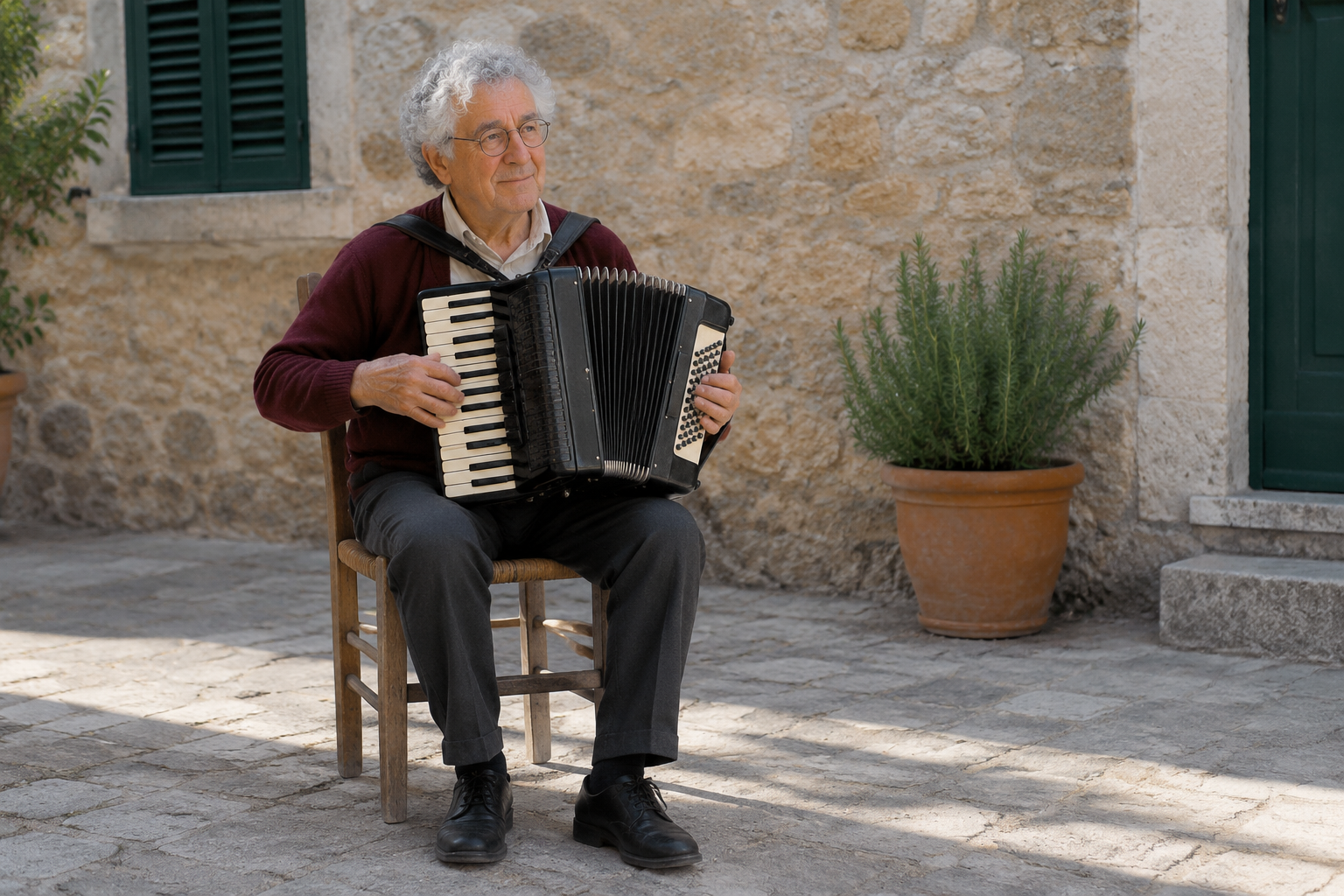
Edit this photograph into blue hour immediately after rain. Preserve the exact elderly man's identity, face, glasses, hair, expression, seated pose, hands, burgundy cardigan, cream shirt, trousers, black accordion and all its keys, chair, rosemary pot, sandstone wall, camera position and framing. Change only the time-of-day lighting and weather effects: cool soft blue evening ambient light, a subtle residual warm glow from beyond the left edge, darker damp paving with small shallow puddles and restrained physically believable reflections, a few moisture beads on the pot. Keep the man and instrument dry and sharply detailed. No falling rain, no new light fixtures, no new or removed objects, people or writing. No advertisement, brand, logo, fox, product display, promotional graphics, or watermark.

edit-02.jpg

Transform the supplied tortoise photograph into a refined hand-painted watercolor natural-history illustration on subtly textured warm white paper. Preserve exactly the same tortoise, its yellow-and-brown shell scute pattern, head direction, limb positions, body proportions, placement on the stone step, moss and the single fern. Keep the original square composition and viewing angle. Replace photographic surfaces with transparent layered watercolor washes and delicate precise graphite-like outlines; retain recognizable anatomy and shell detail, with soft pigment blooms in the moss and background. No labels, borders, captions, new plants, extra animals or writing. No advertisement, brand, logo, fox, product display, promotional graphics, or watermark.

edit-03.jpg

Replace only the old brown wooden door inside the existing arched stone doorway with a well-fitted deep forest-green painted wooden door. The new door must follow exactly the existing arched opening, with simple vertical timber boards, realistic matte painted grain, and one small dark iron handle on the right. Preserve every other part of the photograph: arched stone surround, stone wall pattern, square window, slate roof, coastal grass, sea, sky, perspective, framing, exposure and overcast light. No new steps, decorations, windows, objects, people or text. Make the result look like the same photograph with just the door restored. No advertisement, brand, logo, fox, product display, promotional graphics, or watermark.

Grok Imagine Image Quality Edit Overview

Grok Imagine Image Quality Edit is xAI's high-fidelity editing model designed for precision visual modifications and multi-asset composition. Supporting 1–3 reference images and natural-language instructions, it excels in multi-image feature blending, material restyling, lighting adjustments, and Smart Resize recomposition across 1K and 2K resolutions.

Why Choose Grok Imagine Image Quality Edit?

  • Multi-Image Feature Blending (1–3 References)Seamlessly upload up to 3 visual references to composite distinct subjects, garments, and background atmospheres without tedious manual masking.

  • Precision Natural-Language RetouchingModify designated sections and objects using clear textual instructions, re-rendering targeted elements while leaving the rest of the scene untouched.

  • Consistent Subject Identity and LightingAnchor facial likeness, body proportions, and lighting conditions across edits, ensuring cohesive continuity across changing backgrounds and wardrobes.

  • 1K and 2K Output with 5 Aspect RatiosSupports 1K and 2K resolutions alongside 1:1, 2:3, 3:2, 9:16, and 16:9 framing options to deliver assets ready for multiple screen form factors.

  • Transparent Pricing with Automatic RefundsComputed predictably from base resolution plus reference fees (2 credits/image), backed by automatic full credit refunds if a task fails.

Parameters

ParameterRequirementDescription
promptRequired

Required non-blank string. No length maximum is documented upstream.

image_urlsRequired

1–3 public HTTP(S) image URLs without embedded credentials.

aspect_ratioOptional

Supports 1:1, 2:3, 3:2, 9:16, 16:9. Default: 1:1.

Default1:12:33:29:1616:9
resolutionOptional

Choose 1K or 2K. Default: 1K.

Default1K2K
nOptional

Output image count, integer at least 1, default 1. No maximum is documented upstream.

Default1

How to Use

  1. Prepare Reference Image URLsProvide 1–3 publicly accessible HTTP(S) image URLs containing your base subject, styling reference, or background scenery.

  2. Formulate Precision Edit InstructionsDetail the specific modifications in prompt while defining what must remain unchanged (e.g., "replace background with warm studio light").

  3. Configure Output DimensionsSelect 1K or 2K resolution, choose an aspect ratio (1:1, 2:3, 3:2, 9:16, or 16:9), and set the output image count n.

  4. Submit Asynchronous Edit TaskDispatch your request to receive a unique task_id, processed asynchronously across dedicated image editing pipelines.

  5. Poll and Retrieve Edited ResultsCheck task status until finished, then access high-resolution PNG image URLs for immediate download.

Pricing

Total credits = output count × resolution rate + reference image count × 2. Reference fees apply only to Edit, once per request, without multiplying by output count. 1 credit = $0.005.

UsageRateDetails
1K output8 credits / output image$0.040 / image · Official $0.050 · 20%
2K output11 credits / output image$0.055 / image · Official $0.070 · 21%
Reference image (additional fee)2 credits / reference image$0.010 / image · Official $0.010

Best Use Cases

  • E-Commerce Product Rescenery and Wardrobe ChangesPlace existing product assets into high-end lifestyle settings or switch model apparel without re-shooting commercial studio sessions.

  • Consistent Character and Brand Asset CompositingCombine multiple references to preserve consistent face structure and brand elements across newly composed environments.

  • Photographic Relighting and Atmospheric RestylingTransform daylight scenes into warm golden hour or rain-slicked neon nights while preserving subject texture and contours.

  • Social Media Recomposition and Smart ResizeConvert existing square or horizontal imagery into vertical 9:16 banners, synthesizing surrounding scene details seamlessly.

Pro Tips

  • When providing multiple references, explicitly reference image indices or distinct attributes in your prompt (e.g., "keep subject face from image 1, dressed in jacket from image 2").
  • Establish clear boundaries between modified and untouched areas by adding explicit instructions such as "maintain exact lighting, proportions, and background details".
  • Avoid excessive sequential re-editing chains on the same output to prevent degradation; execute combined edits in a single pass from high-resolution source images.
  • Reinforce natural lighting and perspective integration by adding optical camera cues like "shot on 50mm lens, matching directional rim lighting".

Notes

  • The image_urls array is required and must contain 1 to 3 publicly accessible HTTP(S) image URLs.
  • The prompt is required and non-blank; pricing combines base resolution rate per output image plus reference image fees (2 credits per reference).
  • Task processing is asynchronous; monitor generation progress using the returned task_id via polling or webhook callback.

Related Models

Grok Imagine Image Quality Edit API frequently asked questions

What is the Grok Imagine Image Quality Edit API?

Grok Imagine Image Quality Edit is an xAI model for high-fidelity image editing from visual references and text instructions. It transforms 1–3 reference images and natural-language prompts into edited visuals up to 2K resolution, featuring multi-image blending, restyling, localized modifications, and support for 5 standard aspect ratios. Built on xAI's quality-focused multimodal generative architecture, it adheres strictly to editing instructions while preserving source subject identity, facial likeness, and lighting coherence. You can call it programmatically or try it from the playground above.

How many reference images does Grok Imagine Image Quality Edit support?

Grok Imagine Image Quality Edit accepts 1 to 3 image URLs in the image_urls array. All inputs must be publicly reachable HTTP(S) URLs without credentials. The platform supports JPEG, PNG, and WebP formats up to 30 MB each, with clear subject definition recommended for best blending results.

How can I prevent Grok Imagine Image Quality Edit from producing blurry edits?

To prevent degradation and blur, avoid chaining multiple sequential edits on the same generated image. Always start with high-resolution reference images and include explicit instructions such as "maintain exact lighting, proportions, and color palette" while executing combined changes in a single generation step.

How do I achieve precise localized control in Grok Imagine Image Quality Edit?

Clearly delineate boundaries in your prompt by specifying both the elements to change and those to preserve. For instance, instruct "replace background with a modern sunlit office while keeping the subject's face, posture, and grey blazer completely unchanged" to confine diffusion re-rendering to targeted pixels.

How is the reference image fee calculated in Grok Imagine Image Quality Edit?

Total credits combine the base output rate with reference image fees. Each uploaded reference image incurs a 2-credit fee ($0.010) billed once per request, regardless of output quantity n. Output images are billed separately per image according to the selected resolution (8 credits for 1K, 11 credits for 2K).

Which model successor should I migrate to from Grok Imagine Image Quality Edit?

According to xAI's lifecycle roadmap, Grok Imagine Image Quality is scheduled to complete its transition on November 2, 2026. Workflows should migrate to Grok Imagine Image 2.0 Edit, which provides enhanced multi-image compositing, higher localized editing fidelity, and superior identity retention.

Can outputs from Grok Imagine Image Quality Edit be used commercially?

Yes. Under xAI's terms, users retain full ownership and usage rights over edited image outputs, permitting commercial use across marketing, e-commerce, digital design, and branding. Users remain responsible for possessing necessary rights for source reference images and complying with applicable copyright laws.