AI Video Upscaler
Bring clarity and detail to your videos with our AI-powered video upscaler. Enhance resolution, remove artifacts, and revitalize your visual content.
Samples
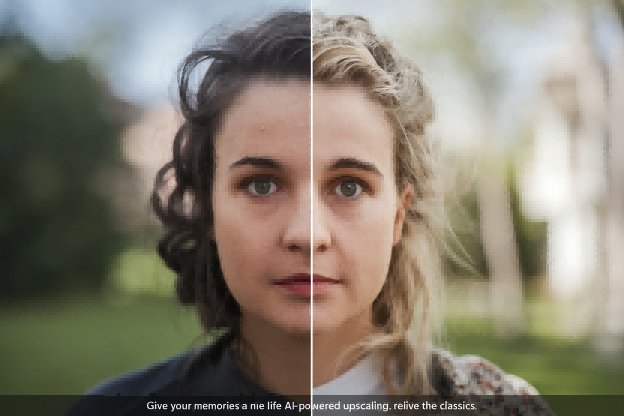
Video upscaling example - Enhance video quality with AI
AI-Powered Clarity

Our AI video upscaler uses advanced machine learning algorithms to intelligently increase the resolution of your videos. Say goodbye to blurry footage and hello to crisp, clear visuals.
Experience the difference as our AI predicts and generates new pixels, enhancing details and removing unwanted artifacts, resulting in a stunningly clear video.
Multiple Resolution Options
From 2x to 4K, select the resolution that best suits your needs. Whether you're aiming for slight enhancement or a dramatic transformation, our tool offers the flexibility you require.
Easily upscale videos for various platforms and devices, ensuring your content looks its best, no matter where it's viewed.
User-Friendly Interface

Our video upscaler features a clean and intuitive interface, making it easy for anyone to enhance their videos. Simply upload, select your desired resolution, and let our AI do the rest.
No technical expertise required! Achieve professional-quality results with just a few clicks.
Simple Steps to Upscale Your Videos
Upload Your Video
Easily upload your video in formats like MP4, MOV, AVI, or MKV (max 10MB) using our intuitive drag-and-drop interface or select from your video history.
Select Upscale Resolution
Choose your desired resolution from 2x, 4x, HD, to 4K to enhance the video quality according to your needs.
Upscale and Download
Click the 'Upscale Video' button and let our AI enhance your video. Once processed, download the upscaled video and enjoy the improved quality!
Frequently Asked Questions
Get answers to common questions about our AI Video Upscaler
AI video upscaling uses artificial intelligence to increase the resolution of a video, adding details and sharpness to improve the visual quality.
We support MP4, MOV, AVI, and MKV formats.
You can upscale to 2x, 4x, HD, and 4K resolutions.
Each upscaling generation costs 20 credits.
The processing time depends on the video length and desired resolution. However, our AI is optimized for fast and efficient upscaling.
Yes, our AI video upscaler is designed to reduce blur and enhance details, resulting in a clearer video.
Yes, the maximum file size is 10MB.
Absolutely! Our AI video upscaler is perfect for revitalizing old and low-resolution videos.
While the primary focus is on resolution enhancement, the upscaling process can also improve the overall visual appeal, including color and contrast.
Yes, we prioritize your data security. All uploaded and processed videos are handled with strict confidentiality.
Need more help? Contact us