Kling 3.0 Turbo video generation from 3 to 15 seconds

Kling 3.0 Turbo provides Standard 720p and Pro 1080p tasks for creating 3–15-second videos from text or one source image. Write a scene and action for Text to Video, or supply a prepared image and describe its movement for Image to Video. Use a single prompt for one continuous brief, or use multi_prompt to assign an ordered prompt and duration to each planned shot. Choose the output tier and timing around your project, then review the current per-second rate and complete request estimate.

Kling 3.0 Turbo is developed by Kuaishou. Vidgo provides access to the model. Model names and trademarks belong to their respective owners.
Explore Kling 3.0 Turbo Models

Begin with Text to Video for a written scene or Image to Video for one prepared image. Choose Standard for 720p output or Pro for 1080p, then set a 3–15-second duration. For a timed sequence, prepare up to six multi_prompt entries and keep their combined duration within the task limits.

Kling 3.0 Turbo Standard and Pro Video Generation Tasks

The text tasks describe the subject, setting and camera through words. The image tasks use exactly one image_urls entry to establish the visual source, with the prompt describing the requested motion. Standard and Pro keep those two input choices while providing their respective 720p and 1080p output tiers.

Model / taskInput and workflow
Kling 3.0 Turbo Standard Text to VideoKling 3.0 Turbo video model with Standard 720p and Pro 1080p tiers for text-to-video and image-to-video, 3 to 15 seconds.
Kling 3.0 Turbo Standard Image to VideoKling 3.0 Turbo video model with Standard 720p and Pro 1080p tiers for text-to-video and image-to-video, 3 to 15 seconds.
Kling 3.0 Turbo Pro Text to VideoKling 3.0 Turbo video model with Standard 720p and Pro 1080p tiers for text-to-video and image-to-video, 3 to 15 seconds.
Kling 3.0 Turbo Pro Image to VideoKling 3.0 Turbo video model with Standard 720p and Pro 1080p tiers for text-to-video and image-to-video, 3 to 15 seconds.

Kling 3.0 Turbo Coffee Steam and Train Motion Examples

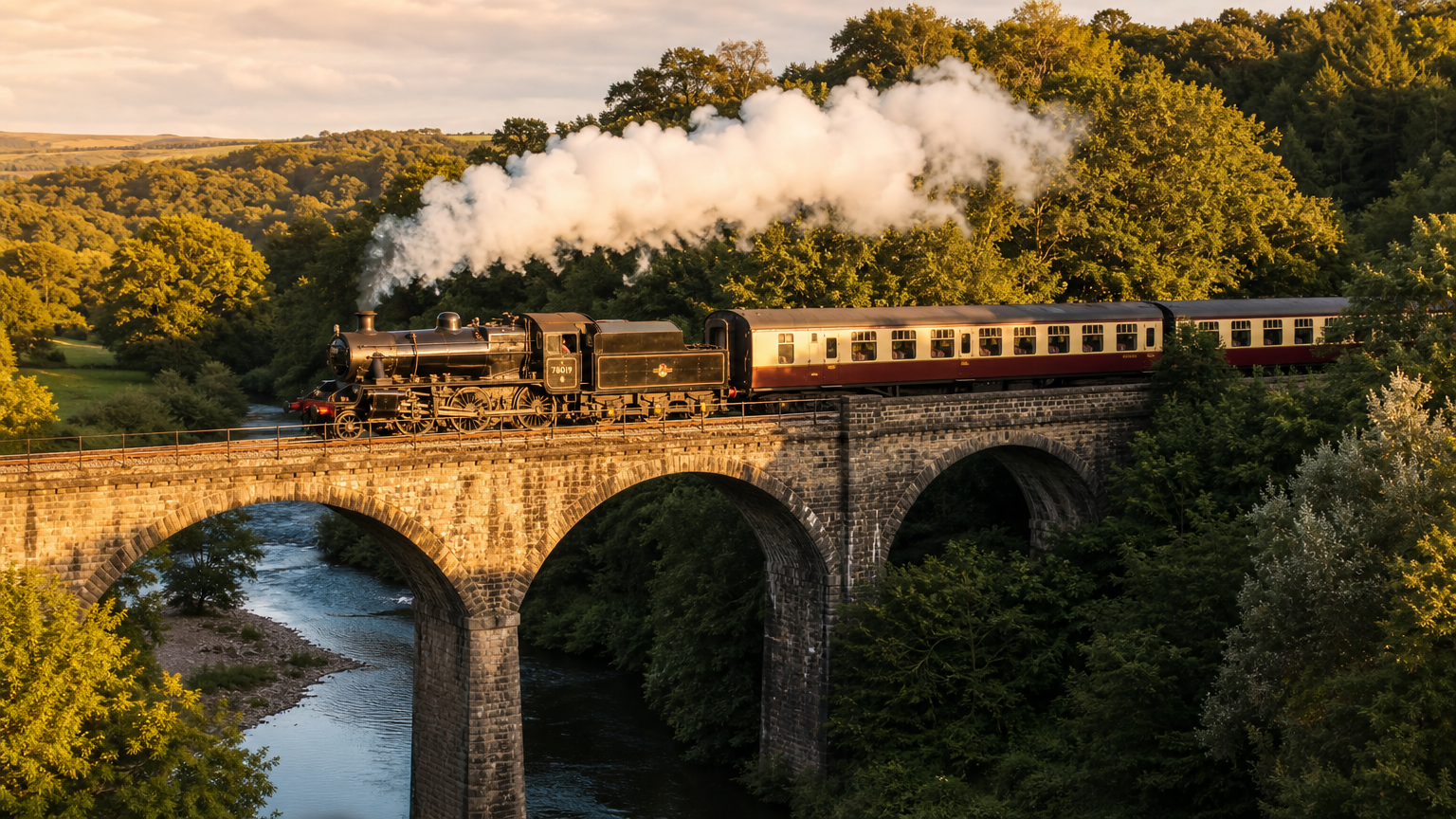
The Standard example supplies a coffee image and requests steam swirling in the morning light with subtle camera drift over 5 seconds. The Pro example supplies a locomotive image and requests forward travel across the bridge with smoke drifting backward over 3 seconds. Read each original prompt and compare its source with the corresponding actual result to assess movement and composition for that scene.

Prompt

Steam rises gently from the hot coffee, swirling in the morning light, subtle camera drift

Source image

Prompt

The steam locomotive moves forward across the stone bridge, white smoke billowing and drifting back

Source image

Creative Use Cases for Kling 3.0 Turbo

Prepare a written brief for a new scene, a single image for an existing composition, or an ordered set of shot prompts for a timed sequence. Describe the movement and camera, choose Standard 720p or Pro 1080p and plan a total duration within 3–15 seconds. Review the generated clip for a storyboard, motion study, visual presentation or API-driven project.

Create a natural atmosphere from text

Describe the environment, light and a small visible action, then choose a duration and output tier. Review the resulting shot for a nature concept, mood board or storyboard.

Animate steam or mist in a prepared image

Provide one image with a clear composition and describe the material’s movement and camera. Inspect the completed clip for a presentation or atmospheric visual study.

Show a vehicle moving through its setting

Prepare a vehicle image and state its direction of travel, wheel or smoke behavior and surroundings to preserve. Review motion and structure for a transport or narrative concept.

Plan an action at the required clip length

Choose an integer duration from 3 to 15 seconds and describe an action that fits the available time. Review the result and the complete duration-based estimate before selecting a clip for your sequence.

Assign prompts and durations to ordered shots

Prepare one to six multi_prompt entries with a clear prompt and integer duration for each. Keep their total within the video limits, set any explicit overall duration to that total and inspect the generated sequence against the plan.

Integrate a tested Standard or Pro request

Retain the model identifier, prompt or timed shot list, optional source-image URL and chosen duration. Submit the request through the API, track its task ID and retrieve the generated file for your application.

Kling 3.0 Turbo Specifications and API Pricing

Kling 3.0 Turbo is billed per second using the selected Standard 720p or Pro 1080p tier and the requested video duration. The dynamic table shows the current starting rate and billing unit for each task. Select the actual clip length or timed shot sequence on the task page to review the complete request estimate before generation.

ModelProviderWorkflowInput materialOutput specificationStarting rate
Kling 3.0 Turbo Standard Text to VideoKlingText to VideoText prompt720p$0.085 / second
Kling 3.0 Turbo Standard Image to VideoKlingImage to VideoOne source image720p$0.085 / second
Kling 3.0 Turbo Pro Text to VideoKlingText to VideoText prompt1080p$0.11 / second
Kling 3.0 Turbo Pro Image to VideoKlingImage to VideoOne source image1080p$0.11 / second

How to Use Kling 3.0 Turbo on Vidgo

Test your creative brief online, then bring the verified request into your application.

Test online

Generate a result with your intended settings

Enter the scene prompt and, for image generation, supply one image. Choose the Standard or Pro task and an integer duration from 3 to 15 seconds. When using timed multi_prompt entries, review their order and total duration. Check the estimate, generate the clip and inspect the requested movement and composition.

Why Use Kling 3.0 Turbo on Vidgo

Choose a task, inspect its settings and cost, and follow the result from an online test to an authenticated API request.

Creative testing and task selection

Choose inputs around your creative goal

Choose Text to Video for a written scene or Image to Video for one prepared image. Select Standard 720p or Pro 1080p, then use a single prompt with a 3–15-second duration or a multi_prompt shot list whose combined duration follows the same overall limits.

Test your own prompt and images

Open the matching task, enter your brief and supply the required images. Review the generated result against subject appearance, composition and the requested changes before carrying the workflow into a project.

Review the estimate before generation

Review the Standard or Pro per-second rate and the full requested duration. For multi_prompt generation, use the combined shot duration when checking the estimate, then include the planned number of tests in your project budget.

API integration and result management

Learn from complete recorded examples

Read the actual prompt and inspect its source images and result together. Use those examples to understand how to assign input roles and describe the details to preserve or change in your own request.

Track each generation with its task ID

Retain the task ID returned by the API to query status and retrieve completed file URLs. Use your online generation history to review earlier results and the creative direction you tested.

Follow the documentation for the selected task

Use the documentation linked from each task for its exact model identifier, accepted inputs, authentication and response format. Integrate the same task you tested online so its media and settings match the request.

Kling 3.0 Turbo API FAQ

Kling 3.0 Turbo is a Kuaishou video model with Standard 720p and Pro 1080p text-to-video and image-to-video tasks on Vidgo. It supports 3–15-second output, one image for image generation and a single prompt or timed multi_prompt shot instructions. Select the task and timing around the source material and the output your project needs.

Browse all models