Seedance 2.5 up to 30-second video

Seedance 2.5 turns scene descriptions, first and last frames, or image, video and audio references into 4–30-second videos. Describe the subject, action, camera movement and sound, then choose 480p, 720p or 1080p output. On Vidgo, use separate tasks for a new scene, a transition between supplied frames or a sequence guided by several kinds of source material, with optional generated audio for the finished clip.

Seedance 2.5 is developed by ByteDance Seed. Vidgo provides access to the model. Model names and trademarks belong to their respective owners.

Explore Seedance 2.5 Models

Choose Text to Video to describe a new scene, Image to Video to animate one image or connect a first and last frame, or Reference to Video to guide a sequence with images, videos and audio. Start with the material you already have and the result you want, then open the matching task to configure the clip.

Seedance 2.5 Text, Frame and Multimodal Reference Tasks

A written scene brief is enough for Text to Video. Image to Video uses one or two ordered images to establish the starting frame and an optional ending frame. Reference to Video assigns different roles to images, video clips and sound, helping you describe who appears, how an action unfolds and what the scene should sound like. Each task keeps its own input fields and output controls.

Model / taskInput and workflow
Seedance 2.5 Text-to-VideoByteDance Seed's Seedance 2.5 video model with separate text-to-video, start/end-frame image-to-video, and multimodal reference-to-video API workflows at 480p, 720p, or 1080p for 4 to 30 seconds.
Seedance 2.5 Image-to-VideoByteDance Seed's Seedance 2.5 video model with separate text-to-video, start/end-frame image-to-video, and multimodal reference-to-video API workflows at 480p, 720p, or 1080p for 4 to 30 seconds.
Seedance 2.5 Reference-to-VideoByteDance Seed's Seedance 2.5 video model with separate text-to-video, start/end-frame image-to-video, and multimodal reference-to-video API workflows at 480p, 720p, or 1080p for 4 to 30 seconds.

Seedance 2.5 Frame Animation and Multimodal Reference Examples

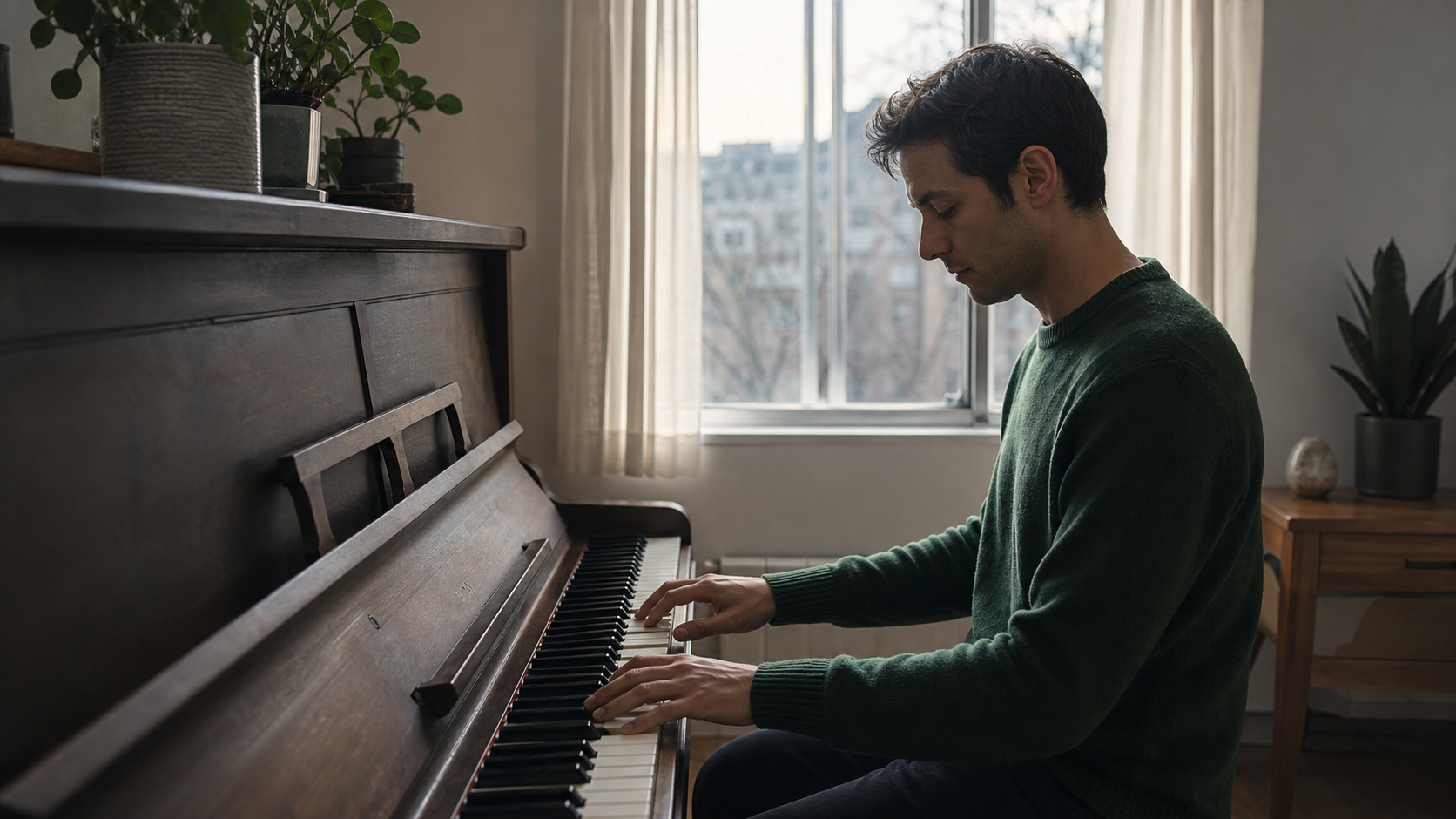
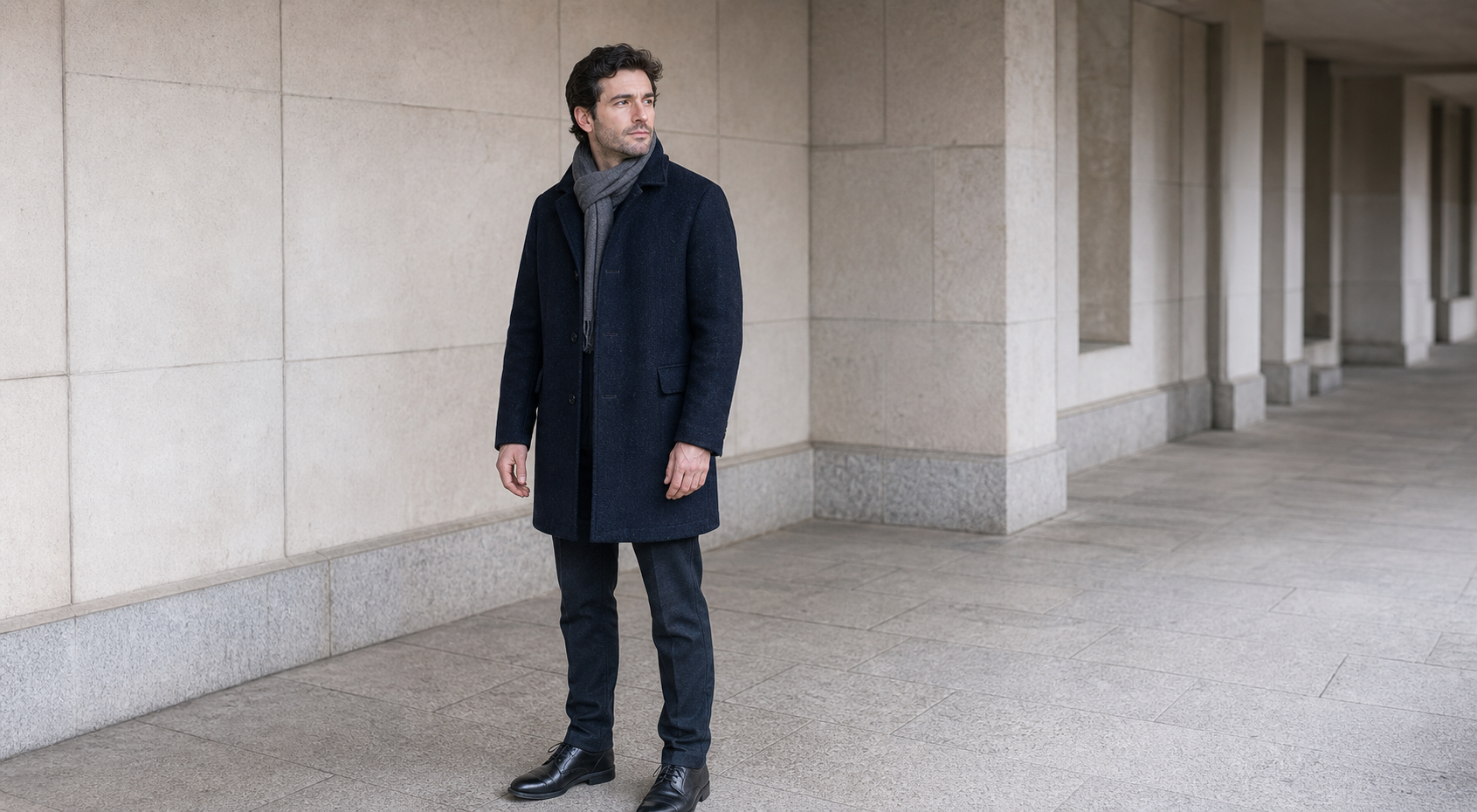
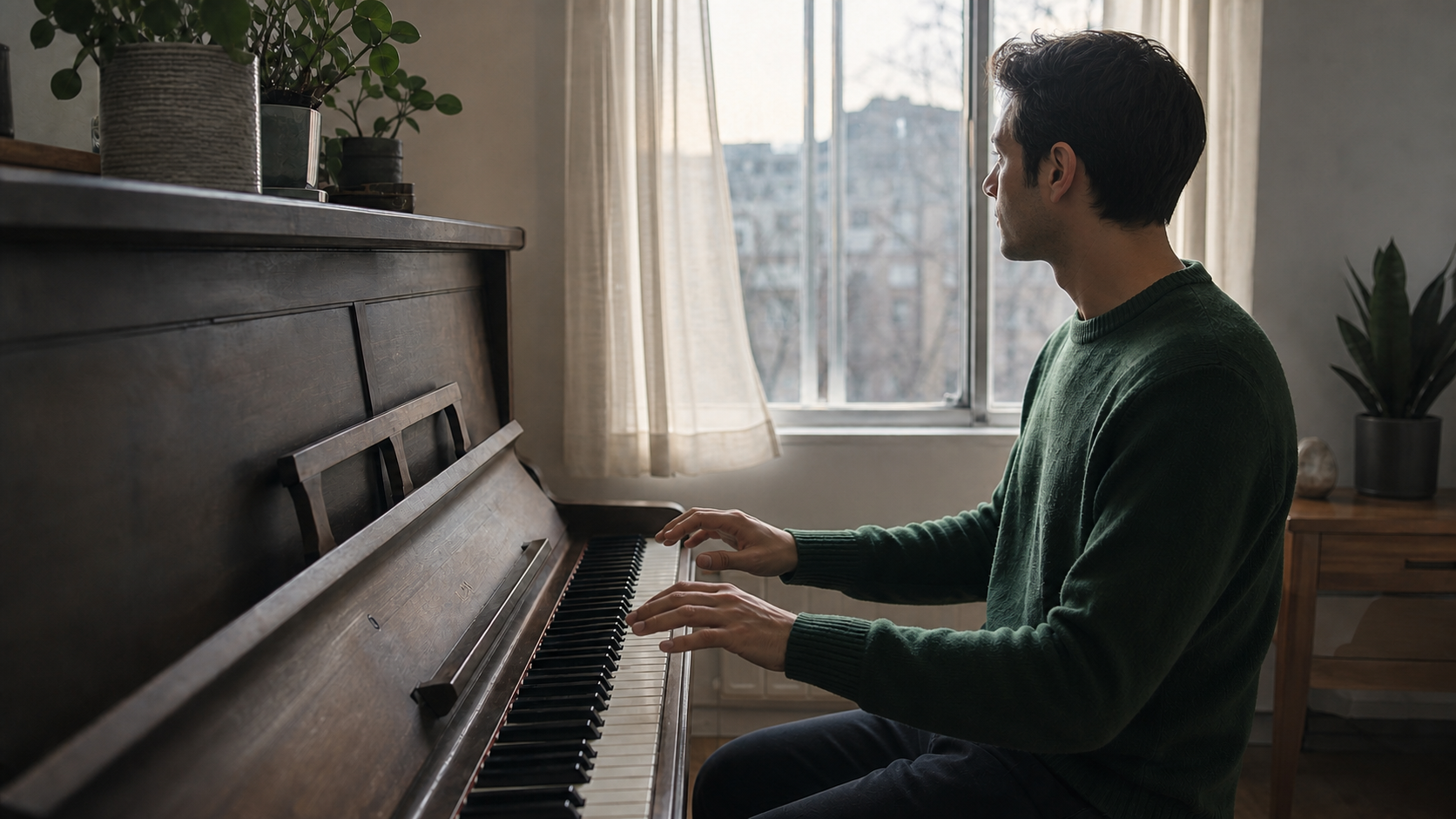
The first recorded task connects two images of a pianist through a short gesture and turn toward a window. The second combines a man’s appearance, a turn-and-catch motion and rain audio to create a new ferry-walkway scene. Read the actual prompts and review every input alongside the generated videos to see how the requests assign visual identity, movement, camera direction and sound.

Prompt

Begin exactly from Image 1 and finish on Image 2. In one continuous five-second shot, the pianist presses three gentle notes, lets both hands rise a few centimeters from the keys, then turns his head and shoulders toward the window as a light breeze moves the curtain. Use one slow, stable push-in only. Preserve the same face, hair, green sweater, seated position, piano, room layout, camera axis, and morning light throughout. Keep both hands anatomically natural and settle cleanly into the final pose without morphing. Synchronized audio: three soft piano notes, faint curtain rustle, and quiet room tone. No cuts, no extra person, no dialogue, no readable text, no logo, no product placement, no advertising, no watermark.

First frame
Last frame

Prompt

Use Reference Image 1 only for the fictional man's face, short wavy dark hair, navy wool coat, gray scarf, and body proportions. Use Reference Video 1 only for the single turn-and-catch motion, natural weight shift, cloth timing, and slow waist-height camera movement; do not copy the woman, her clothing, or the train platform. Use Reference Audio 1 only for rain intensity and action timing. Create one continuous five-second shot in a quiet covered ferry walkway at night. The man stands alone holding one plain cream envelope in his right hand. A brief gust loosens the envelope; he turns once, catches it against his chest, then becomes still. Preserve his referenced identity and outfit throughout. Synchronized audio: soft rain on the roof, one paper flutter, and distant water ambience. No cuts, no extra people, no dialogue, no writing on the envelope, no readable text, no logos, no products, no advertising, no watermark.

Character reference image
Sound reference audio

Creative Use Cases for Seedance 2.5

Prepare a scene description, storyboard frames or selected references before choosing a task. Give the character, movement, camera and sound a clear purpose, then set the clip’s duration and resolution for the project that will use the result.

Turn a written scene into a short shot

Prepare a description of the person or object, setting, action and camera movement, then use Text to Video to create a short sequence. Describe environmental sound when you enable audio. Review the resulting shot as a scene study, storyboard idea or short-form narrative concept before developing the next shot.

Animate a prepared character image

Start with an image that establishes the character, clothing, composition and lighting. Describe a gesture, expression or body movement and generate a clip with Image to Video. The result can help you explore character introductions, animated portraits or an action within an existing visual direction.

Connect two storyboard frames

Prepare a first frame and a last frame with the intended subject and scene. Upload them in order, describe the intermediate action and choose the duration. Review how the character and camera move between the two states when planning a sequence, a presentation transition or an animated visual story.

Transfer an action into a new scene

Prepare a character image and a video that demonstrates the movement you want. Use Reference to Video, explain which reference supplies identity and which supplies motion, and describe the new location and event. Inspect the result as an action study for a different character or setting.

Coordinate a scene with sound references

Combine a visual reference with audio that supplies rhythm, timing or atmosphere. Explain how the sound relates to the action and describe the audio to generate for the final clip. Use the result to explore a short audiovisual scene, a musical moment or an atmosphere-led storytelling idea.

Prepare clips for review and presentation

Choose a suitable duration, resolution and supported framing for a widescreen presentation or vertical video project. Generate a clip from your selected workflow, then review motion, framing, sound and the final pose. Save the result and its prompt so the team can discuss the same creative direction.

Seedance 2.5 Specifications and API Pricing

Text to Video, Image to Video and reference requests using images and optional audio are billed by output duration and resolution. A request that includes reference video uses the corresponding rate for the generated duration plus the billed duration of each reference clip. The table shows the lowest available rate for each task; open the task page with your intended settings and references to check the complete estimate before submitting.

ModelProviderWorkflowMax image inputsMax output resolutionStarting rate
Seedance 2.5 Text-to-VideoByteDanceText to VideoNot applicable1080p$0.14 / output second
Seedance 2.5 Image-to-VideoByteDanceImage to Video21080p$0.14 / output second
Seedance 2.5 Reference-to-VideoByteDanceReference to Video301080p$0.085 / billing second

How to Use Seedance 2.5 on Vidgo

Test a scene with your own source material, then bring the same prompt and settings into your application.

Test online

Generate a clip from your own scene brief

Enter the prompt, upload the required material and set duration, resolution and generated audio. For Image to Video, place the starting frame first and the optional ending frame second. Review the clip’s action, camera movement, appearance and sound, then refine the instructions for the result you want.

Why Use Seedance 2.5 on Vidgo

Vidgo connects workflow selection, online testing, cost review and task documentation. Compare real inputs with video results, establish the settings for your scene and use the same task when preparing the API integration.

Creative testing and workflow selection

Choose from the source material you have

Review the three tasks together and choose a written brief, supplied frames or multimodal references as the basis of your video. Each card opens the corresponding task with its own input controls.

Review motion and sound in actual results

Play the recorded examples and inspect the supplied frames, character reference, motion clip and audio. Use what you observe to make your own prompt explicit about action, appearance and timing.

Check the estimate for your configuration

Select duration and resolution on the task page. When you add reference videos, review their billing contribution as part of the estimate so the cost reflects your actual materials.

API integration and result management

Follow the selected task’s documentation

Open the matching documentation for authentication, accepted fields and request examples. Prepare image, video and audio URLs according to the workflow you tested.

Track each asynchronous video request

Save the returned task ID, query processing status and retrieve the completed video URL. Add a callback URL when your application should receive a result notification.

Revisit your online creative tests

Use generation history to review the source material, prompts and files from online testing. Retain the selected result and its settings when planning the next creative revision.

Seedance 2.5 API FAQ

Seedance 2.5 is ByteDance Seed’s video generation model. It creates short clips from written scene descriptions, supplied first and last frames, or multimodal references. Vidgo provides separate Text to Video, Image to Video and Reference to Video tasks, with 4–30-second duration, 480p, 720p or 1080p resolution and an optional generated-audio setting. Choose the workflow around your source material and the scene you want to create.

Browse all models