Qwen Image 3.0 image generation and editing up to 2K

Qwen Image 3.0 creates images from written briefs and edits compositions with one to three ordered reference images. Describe the subject, exact words, layout and materials to develop natural-history illustrations, annotated object studies or connected educational diagrams. A source can establish the composition while another supplies texture and color. Choose one of eight aspect ratios, 1K or 2K and PNG or JPEG, then inspect the full generation or editing estimate for your request.

Qwen Image 3.0 is developed by Alibaba. Vidgo provides access to the model. Model names and trademarks belong to their respective owners.


Explore Qwen Image 3.0 Models

Use Text to Image to establish the subject, arrangement, materials and wording from a written brief. Use Image Editing when one to three source images supply the composition, objects or visual style. State each source’s role and the details to retain, then choose 1K or 2K, the aspect ratio and PNG or JPEG output.

Qwen Image 3.0 Image Generation and Reference Editing Tasks

Both tasks use prompt, size, resolution and output_format. Editing adds one to three ordered image_urls. A source can establish the whole composition, while another supplies paper texture, annotation style or material detail. Explain that relationship explicitly, and use prompt_extend, negative_prompt and seed when those controls fit your tested request.

Model / taskInput and workflow
Qwen Image 3.0 Text-to-ImageAlibaba Qwen Image 3.0 Standard and Pro generation and editing with eight aspect ratios, 1K or 2K output, and ordered one-to-three-image editing.
Qwen Image 3.0 Image EditAlibaba Qwen Image 3.0 Standard and Pro generation and editing with eight aspect ratios, 1K or 2K output, and ordered one-to-three-image editing.

Qwen Image 3.0 Scene Lighting Editing and Style Transfer Examples

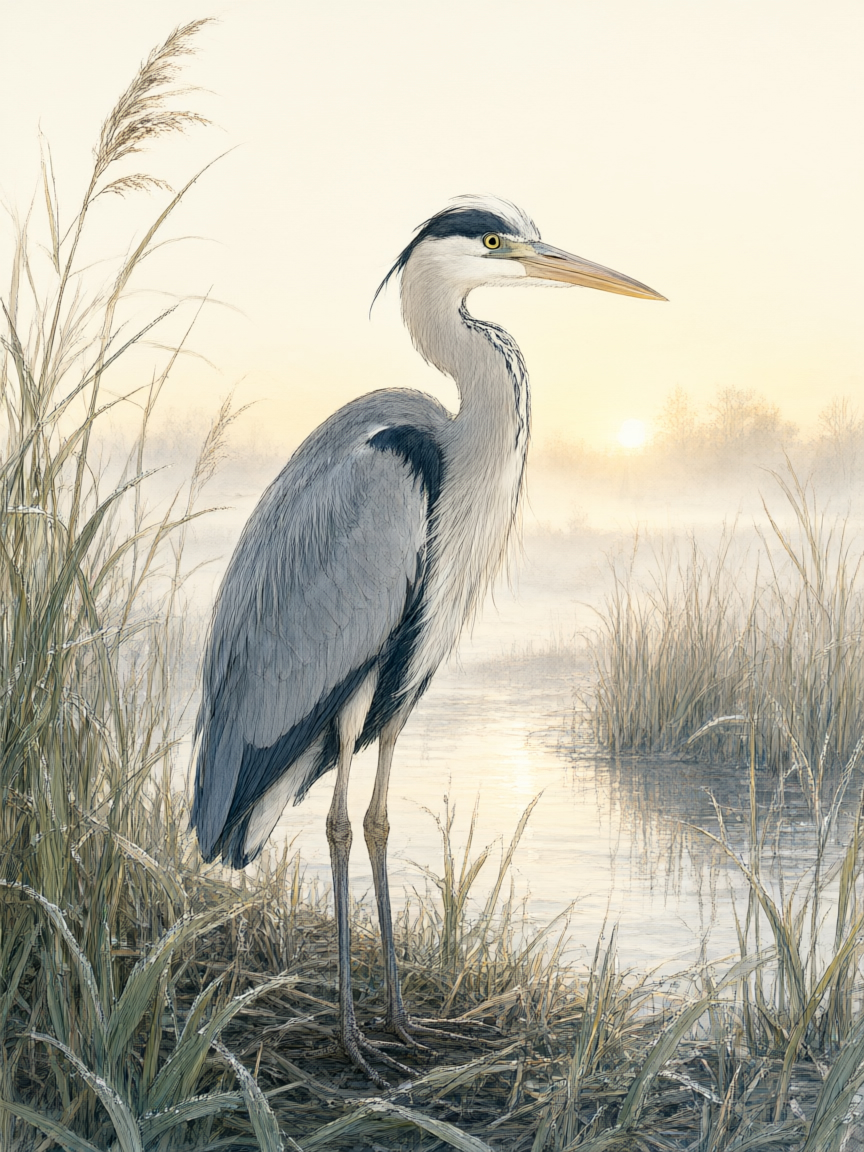
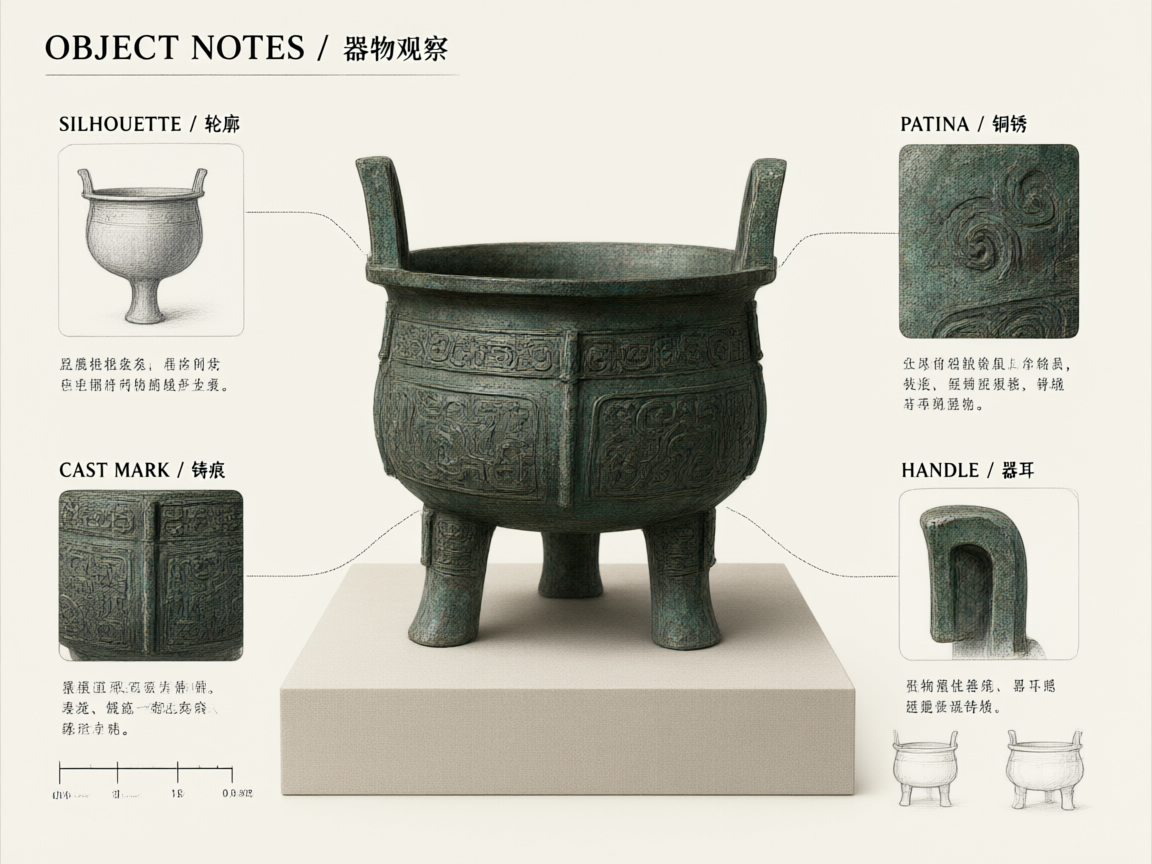
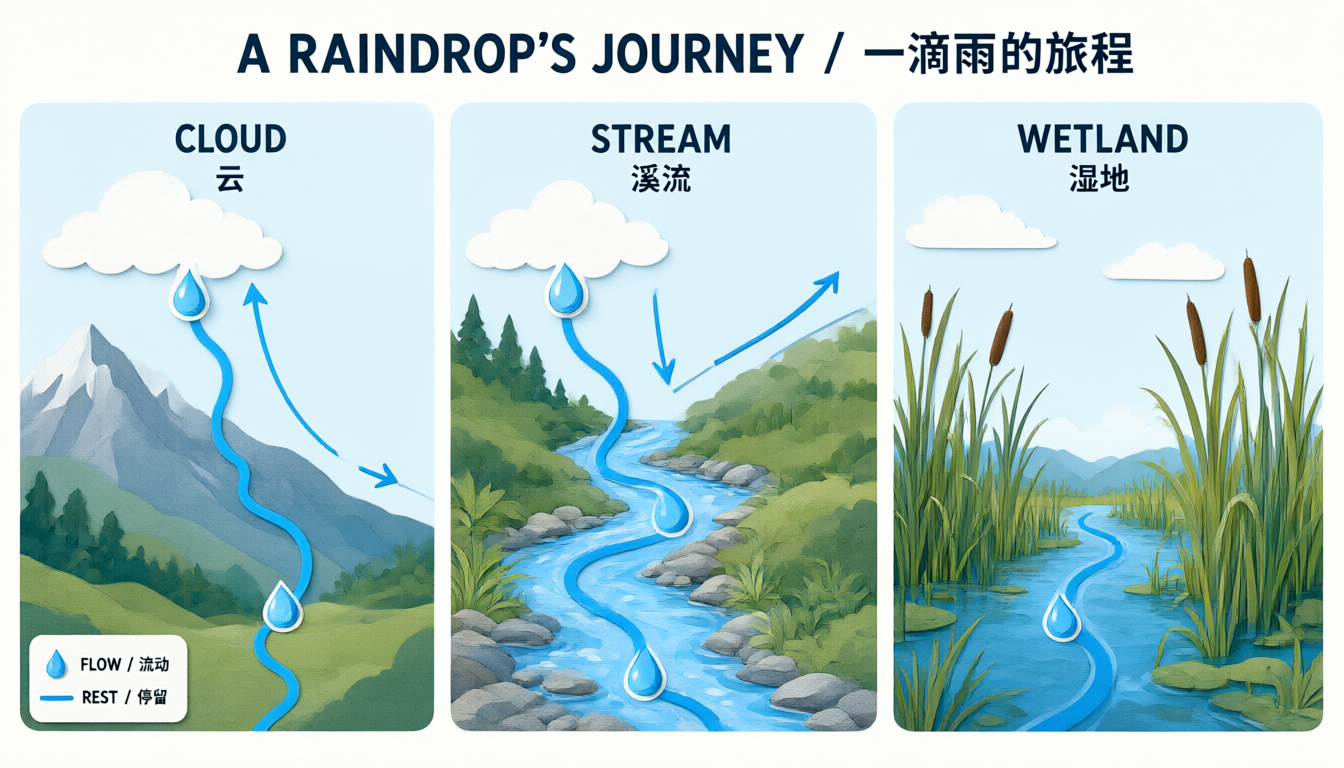
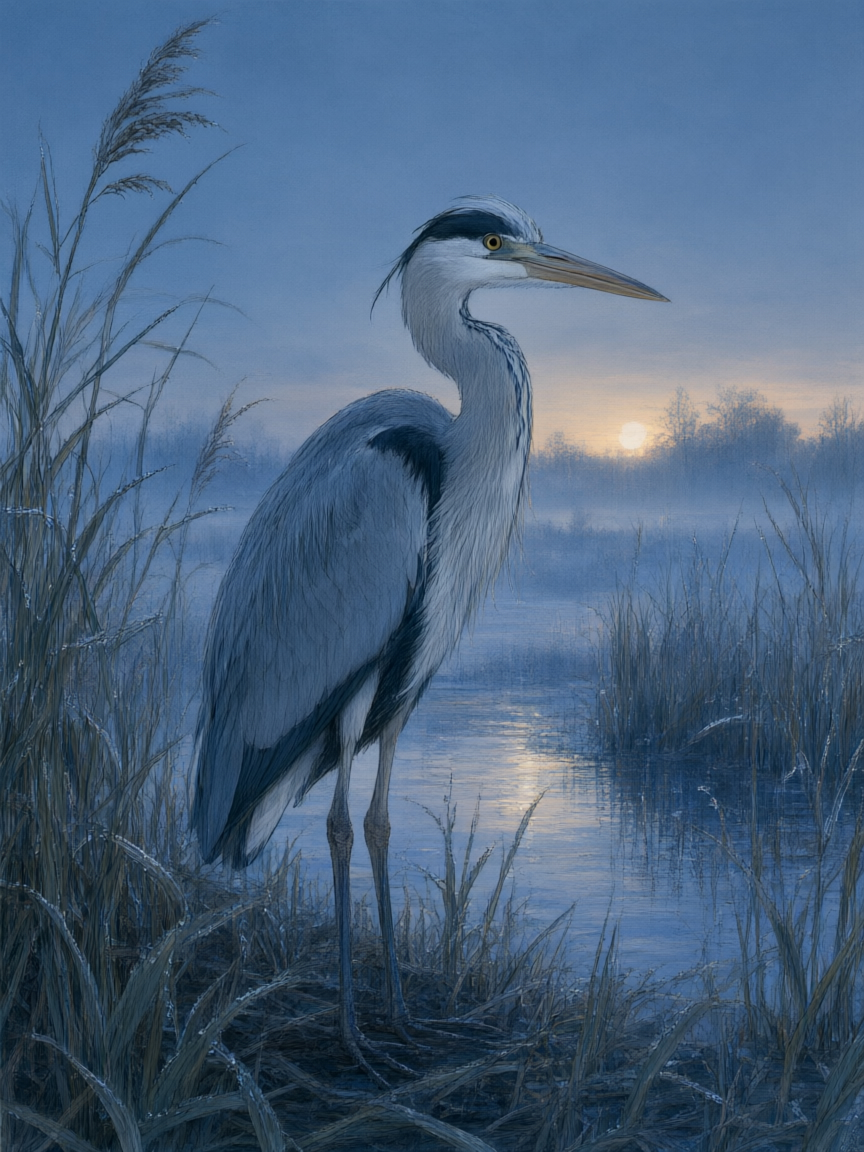
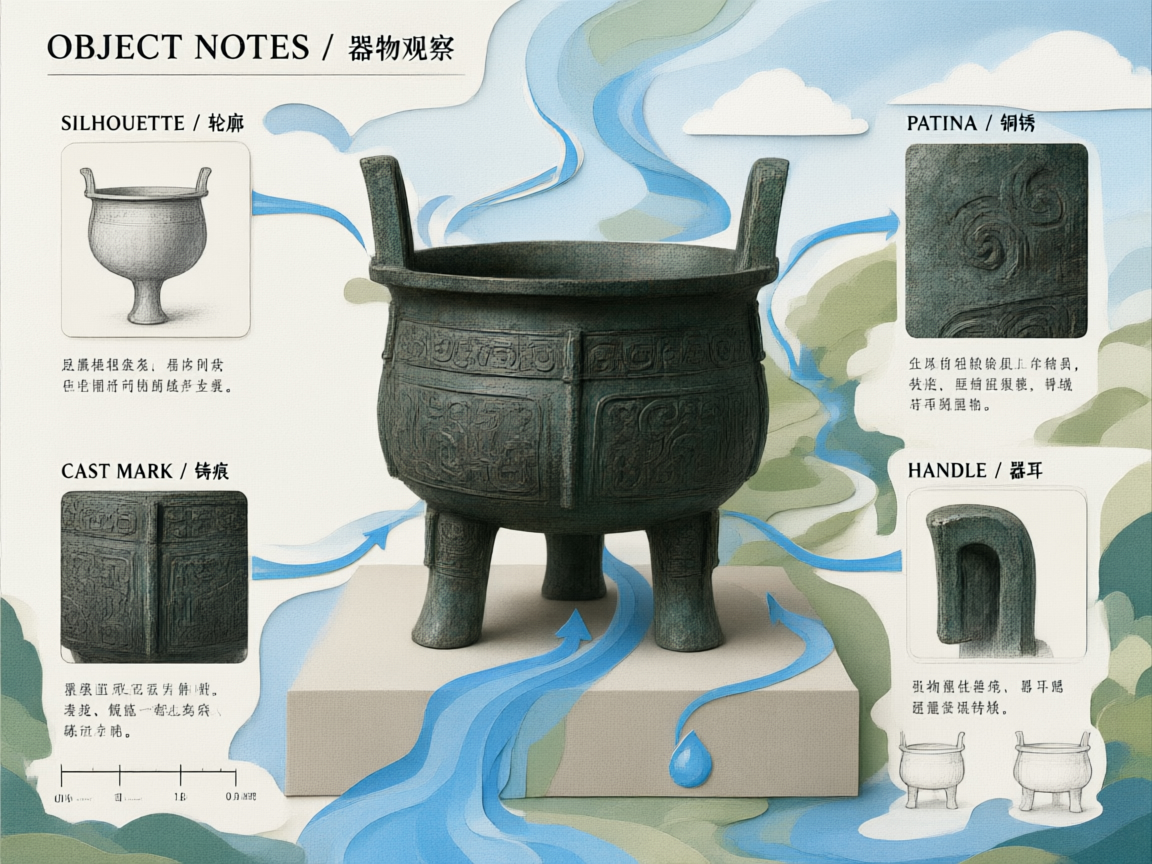
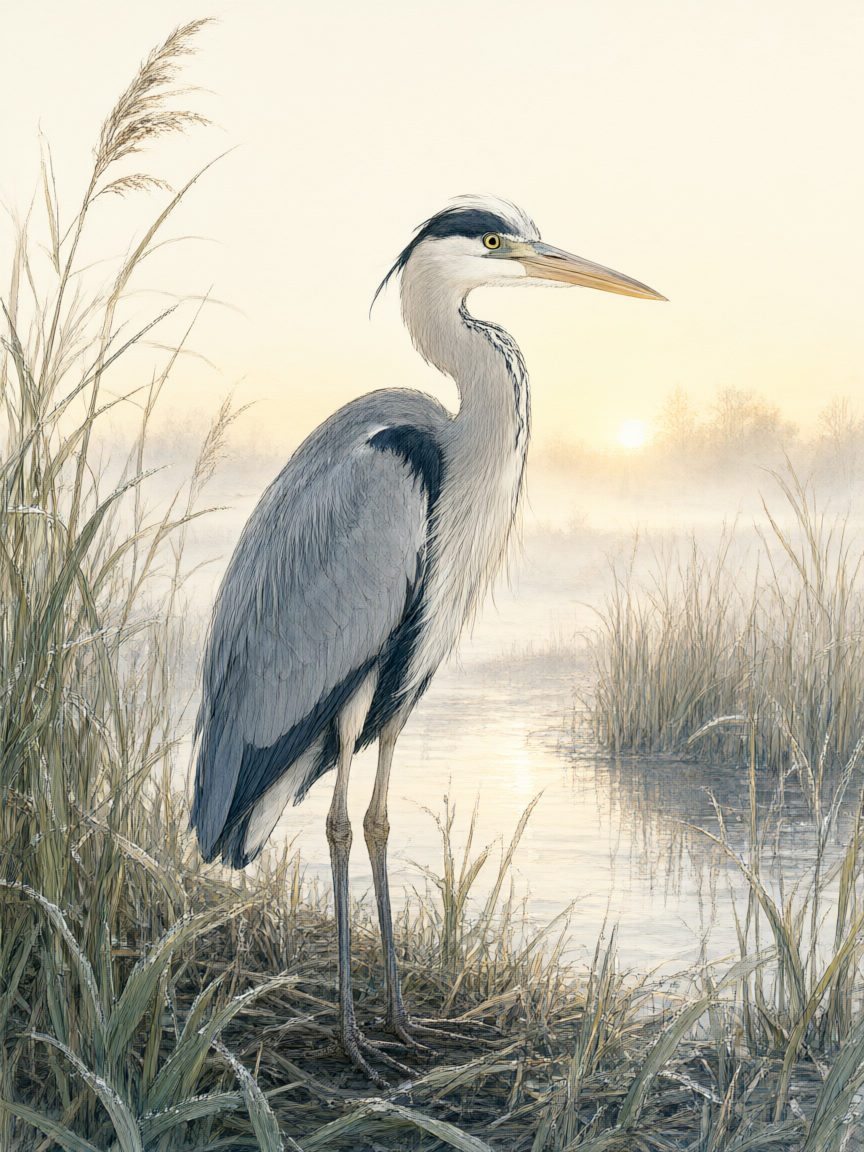
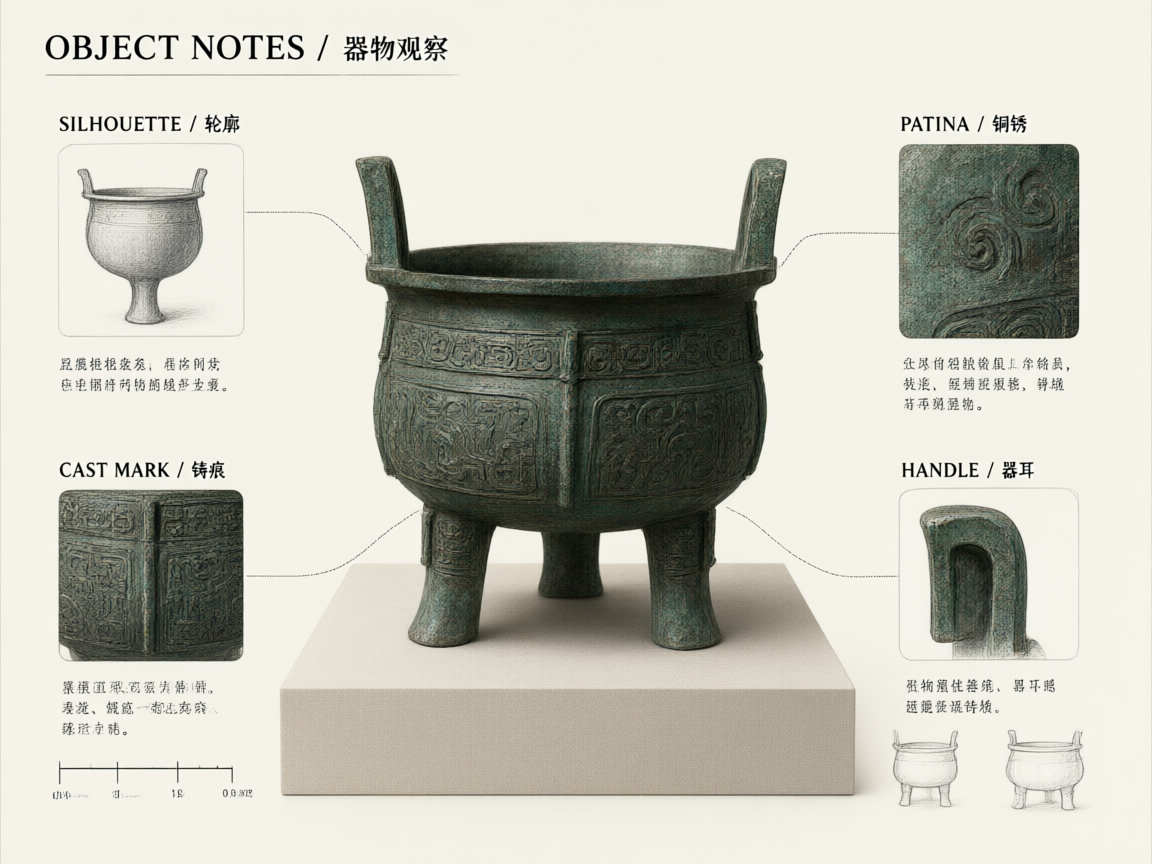
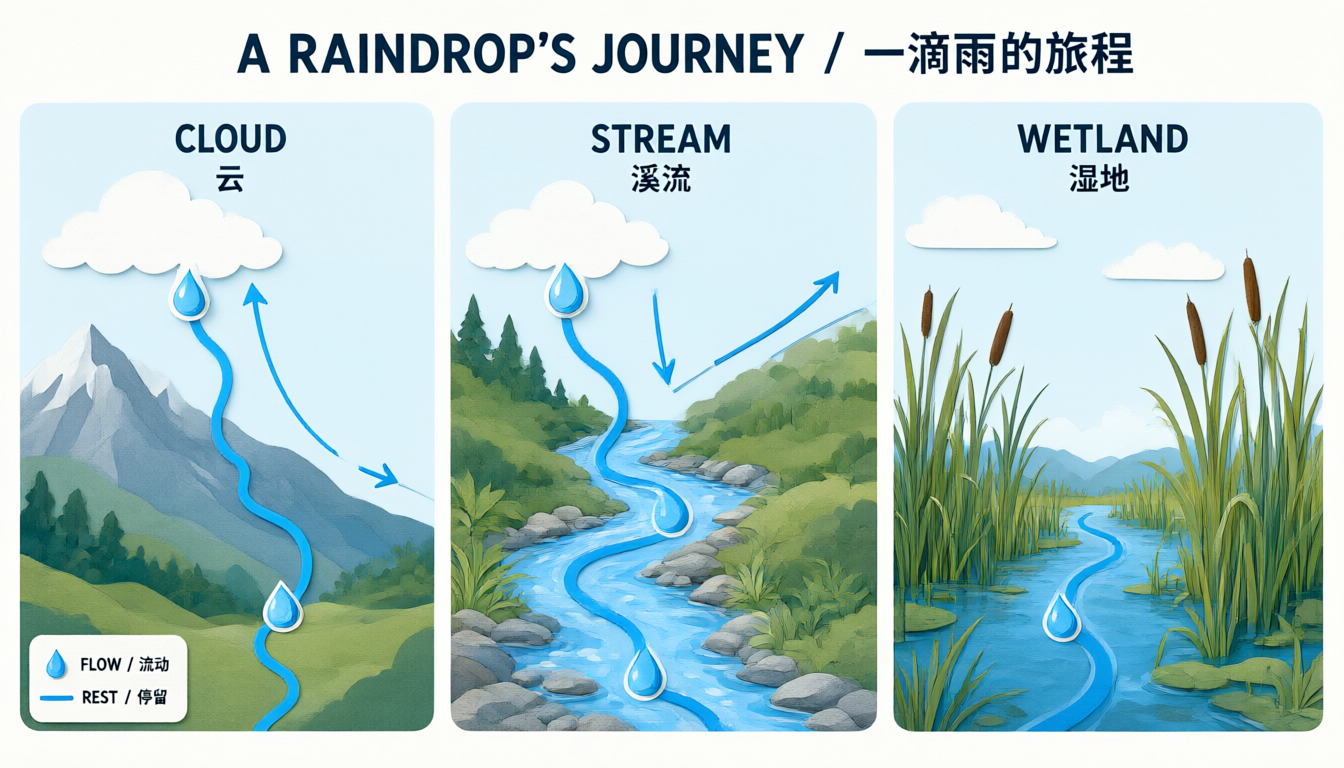
The first case uses the heron illustration as the only source and asks for blue-hour lighting after rain. The second uses a vessel study for content and a separate illustration for texture, palette and connecting rhythm. Read each original prompt and inspect every source beside its generated result. These are separate creative requests.

Prompt

Use image 1 as the only source. Preserve the exact heron anatomy and pose, feather detail, reeds, waterline, distant horizon, framing, and observational illustration style. Change only the time and weather from sunrise to a quiet blue hour just after rain: cool indigo ambient light, faint warm light on the horizon, small droplets on the reeds, and physically believable reflections in the water. Do not add or remove animals, plants, structures, writing, logos, products, promotional elements, or watermarks.

Primary composition reference
Generated result · Qwen Image 3.0

Prompt

Image 1 defines the subject, exact bronze vessel silhouette, four bilingual labels, scale ruler, thumbnail drawings, and layout. Image 2 defines only the soft paper-cut color rhythm and flowing blue-path visual language. Preserve all content and wording from image 1, but reinterpret its background dividers and annotation arrows using the layered paper texture, blue-to-moss palette, and gentle connecting rhythm from image 2. Keep the vessel photographic and materially realistic. Do not copy objects or wording from image 2. No logos, products, sales context, promotional marks, extra text, or watermark.

Primary composition reference
Style reference
Generated result · Qwen Image 3.0

Creative Use Cases for Qwen Image 3.0

Prepare a written brief or source images, describe the visual information your audience needs and create an illustration or edited study. Natural-history pages, museum learning materials, process diagrams and editorial drafts can combine scene detail with specified wording and layout; review the output’s facts and lettering before publication.

Natural-history illustration

Describe a species, anatomy, pose, habitat and drawing medium. Generate an observational image, inspect biological details and adapt the reviewed result for field-guide concepts or learning material.

Annotated object studies

Prepare the object description, exact labels and their arrangement. Generate a study sheet, check lettering and material detail, and use it as a draft for a collection lesson or exhibition explanation.

Process explanations

Write the stages, their order, connecting paths and required text. Generate a structured diagram and review its sequence for classroom slides, public learning pages or editorial explanations.

Weather and lighting variations

Supply an existing scene, describe the target time and weather, and identify fixed subjects. Compare the edited image with the source to prepare mood studies or scene-development proposals.

Visual style adaptation

Provide one composition reference and another for texture and palette. Assign their roles explicitly and inspect the edited result for an illustrated series or a consistent educational presentation.

Multi-source composition studies

Prepare up to three ordered sources for subject, lighting and visual rhythm. Describe one integrated result and review the combined composition for an editorial concept or visual research board.

Qwen Image 3.0 Specifications and API Pricing

Qwen Image 3.0 uses the same current base rate for 1K and 2K generation. Editing adds an input-image processing cost for each supplied reference to its base editing rate. The dynamic table shows current starting rates and units; open the editing task with the actual image count and output settings to review the complete request estimate.

ModelProviderWorkflowInput materialOutput specificationStarting rate
Qwen Image 3.0 Text-to-ImageAlibabaText to ImageText prompt2K$0.024 / generation
Qwen Image 3.0 Image EditAlibabaImage EditingReference images: up to 32K$0.024 / edit

How to Use Qwen Image 3.0 on Vidgo

Test your creative brief online, then bring the verified request into your application.

Test online

Generate a result with your intended settings

Enter the subject, composition, materials, exact wording and visual style. For editing, add the source images in the order used by the prompt. Select output settings, review the full estimate and generate. Compare the result with the brief, including label spelling, object structure and the details each source should preserve.

Why Use Qwen Image 3.0 on Vidgo

Choose a task, inspect its settings and cost, and follow the result from an online test to an authenticated API request.

Creative testing and task selection

Choose inputs around your creative goal

Choose Text to Image to create the full composition from a prompt, or Image Editing to work with one to three prepared images. Select this page’s model identifier, an aspect ratio, 1K or 2K resolution and PNG or JPEG. For editing, identify what each reference contributes and check the estimate with the actual image count.

Test your own prompt and images

Open the matching task, enter your brief and supply the required images. Review the generated result against subject appearance, composition and the requested changes before carrying the workflow into a project.

Review the estimate before generation

Check the current base rate and include every editing reference in the estimate. Use the complete request amount, your chosen output settings and planned test count to budget a project.

API integration and result management

Learn from complete recorded examples

Read the actual prompt and inspect its source images and result together. Use those examples to understand how to assign input roles and describe the details to preserve or change in your own request.

Track each generation with its task ID

Retain the task ID returned by the API to query status and retrieve completed file URLs. Use your online generation history to review earlier results and the creative direction you tested.

Follow the documentation for the selected task

Use the documentation linked from each task for its exact model identifier, accepted inputs, authentication and response format. Integrate the same task you tested online so its media and settings match the request.

Qwen Image 3.0 API FAQ

Qwen Image 3.0 is an Alibaba image model available through text-generation and image-editing tasks on Vidgo. It provides 1K/2K output, eight aspect ratios, PNG/JPEG and one-to-three-image editing. The series page brings those tasks, controls, examples and prices together.

Browse all models