MiniMax H3 multimodal video generation in 2K

MiniMax H3 turns a written scene, a starting image with an optional ending frame, or combined visual and sound references into a 5–15-second 2K video. Describe the subject, action, camera movement and sound, then choose the workflow that matches your material. Frame images establish the opening and ending, while reference images, video and audio provide separate cues for appearance, movement and ambience. Text and reference tasks offer framing controls; each request uses the selected output duration, with reference-media charges included when applicable.

MiniMax H3 is developed by MiniMax. Vidgo provides access to the model. Model names and trademarks belong to their respective owners.
Explore MiniMax H3 Models

Use Text to Video to develop a scene from a written brief. Choose Image to Video when an approved starting frame defines the subject and composition, adding an ending frame to guide the final pose. Choose Reference to Video when images or clips should guide a new scene, with optional audio for its soundscape. All three tasks use fixed 2K output; compare their complete costs with your intended duration and reference material.

MiniMax H3 Text, Frame and Multimodal Reference Tasks

A frame-based request uses one or two ordered image_urls. A reference request uses up to nine images, three videos and three audio clips, with at least one image or video. State which source defines the subject, which supplies motion and which establishes sound; the prompt then describes how those cues should form one new scene. Use the workflow table to compare the original task descriptions before opening the corresponding task.

Model / taskInput and workflow
MiniMax H3 Text-to-VideoMiniMax H3 on Vidgo API with separate text-to-video, start/end-frame image-to-video, and multimodal reference-to-video workflows at fixed 2K output.
MiniMax H3 Image-to-VideoMiniMax H3 on Vidgo API with separate text-to-video, start/end-frame image-to-video, and multimodal reference-to-video workflows at fixed 2K output.
MiniMax H3 Reference-to-VideoMiniMax H3 on Vidgo API with separate text-to-video, start/end-frame image-to-video, and multimodal reference-to-video workflows at fixed 2K output.

MiniMax H3 Animal Motion Transition and Multimodal Reference Examples

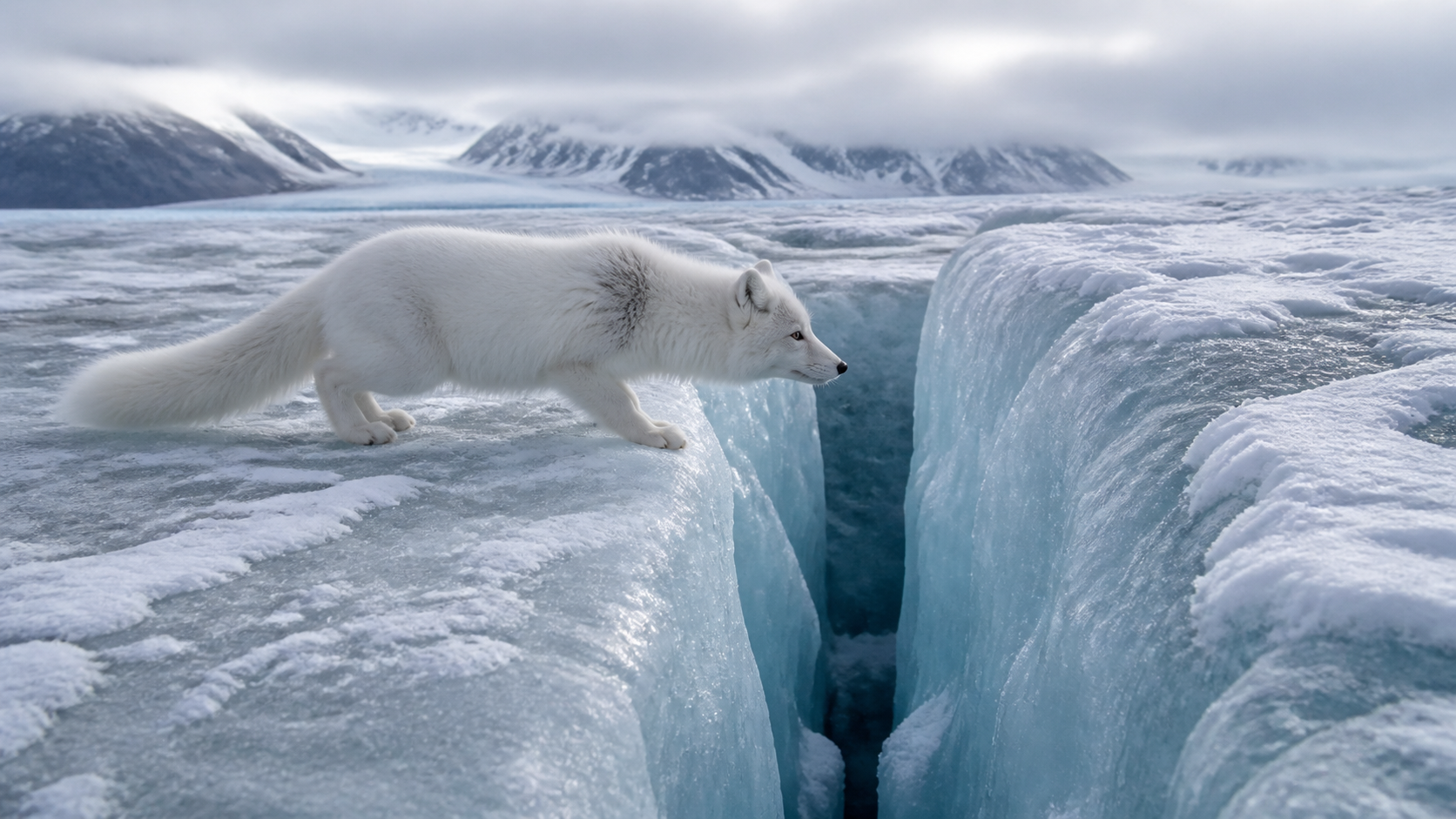
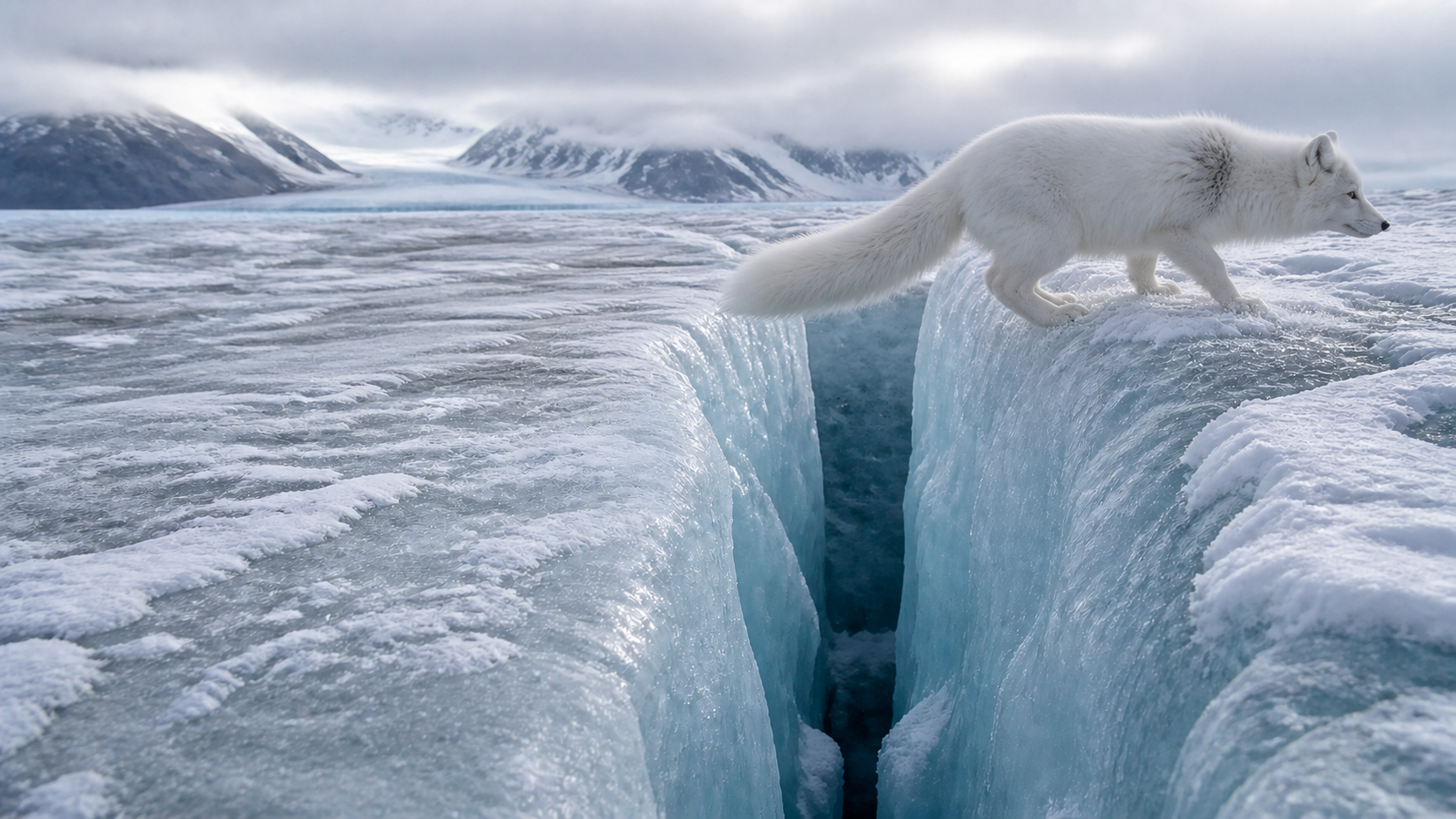
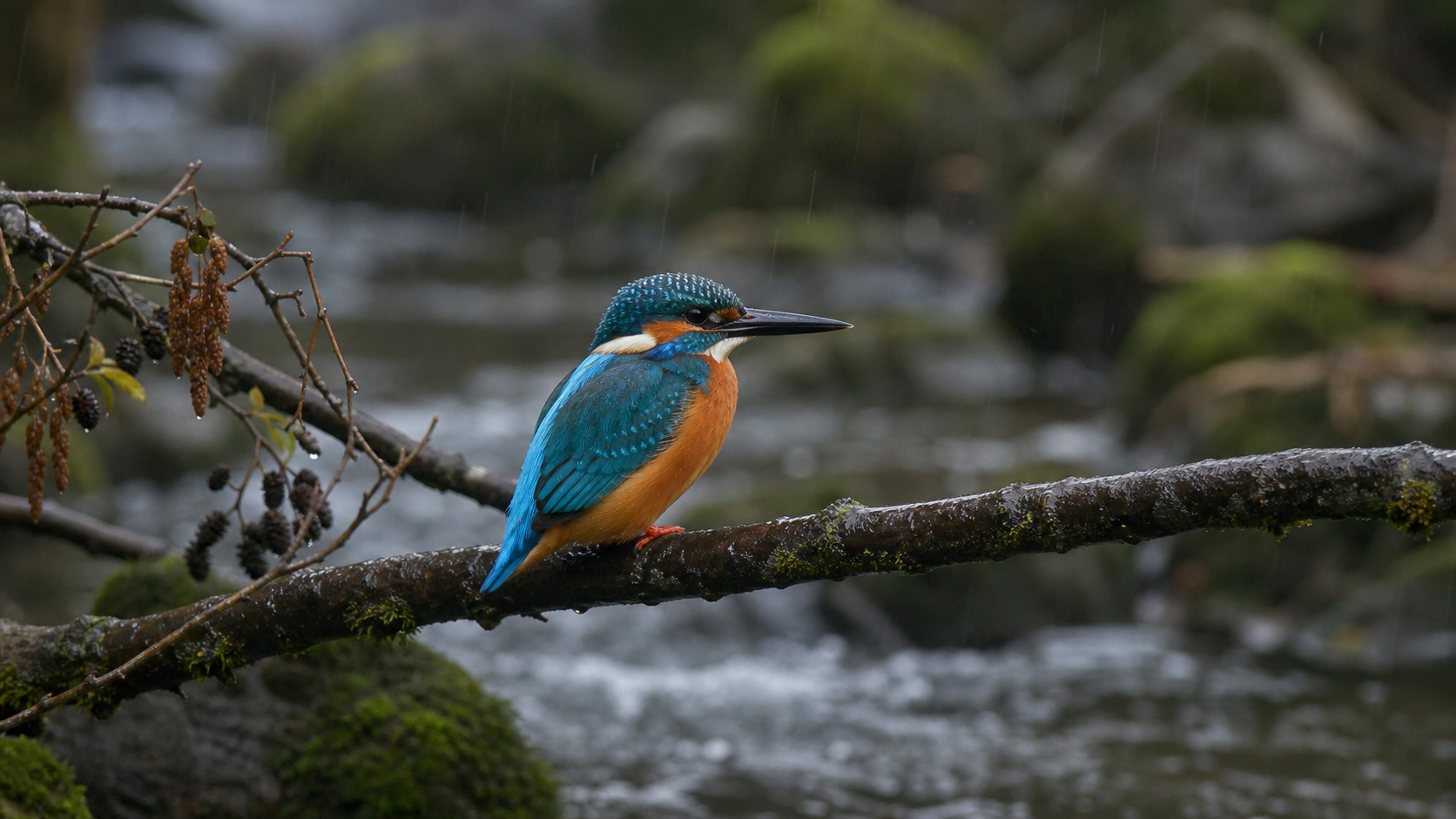
The fox case supplies a crouched opening and a landing endpoint, then requests a continuous jump with stable identity, glacier and lighting. The kingfisher case supplies its appearance image, an osprey motion clip and rain audio, then requests a dive-and-return scene adapted to the smaller bird. Read each complete prompt and compare every source with its own generated video; the cases demonstrate different workflows.

Prompt

Continue the same Arctic fox from the start frame as it crouches, pushes off powerfully, clears the narrow blue-ice crevasse, and lands in the exact pose and composition of the end frame. One continuous eye-level wildlife documentary shot, anatomically plausible motion, stable white coat and gray shoulder marking, natural body weight, and a small spray of powder snow under the landing paws. Preserve the glacier, lighting, camera position, and fox identity. Natural stereo sound: cold wind, paws scraping ice, soft snow impact. No text, no logos, no products, no watermark.

Arctic fox starting frame
Arctic fox ending frame

Prompt

Use Image 1 only for the common kingfisher species, turquoise-blue and orange plumage, bill shape, feather detail, and body proportions. Use Video 1 only for the takeoff-to-dive motion, water interaction, and continuous camera path, adapting the movement naturally to the smaller kingfisher. Use Audio 1 as the rain soundscape and timing cue; do not reuse Video 1 audio. Generate one continuous wildlife documentary shot beside a temperate forest stream: the kingfisher leaves its wet alder branch, follows the referenced aerial dive, enters the stream, then returns to the branch while preserving its appearance. Natural documentary realism. No text, no logos, no products, no watermark.

Kingfisher appearance reference
Rain soundscape reference

Creative Use Cases for MiniMax H3

Prepare a scene description, approved frame pair or references for the subject, motion and sound. Describe the action sequence and details to preserve, then generate a 2K clip with the matching task. Reviewed results can support wildlife concepts, character animation, planned transitions, moving illustrations, camera studies and audiovisual scene proposals.

Wildlife sequence concepts

Describe the animal, habitat and ordered activity, including camera distance and natural sounds. Generate a clip and review anatomy, water or ground contact and action progression for a documentary-style storyboard.

Character movement from approved art

Prepare a starting illustration or photograph and describe a gesture, expression or physical action. Inspect how the generated video retains appearance and setting while adding movement for a character-development study.

Planned start-to-finish transitions

Supply starting and ending frames with compatible subject and scene details. Describe the intervening action and final pose, then inspect continuity and endpoint framing for an animation or storyboard transition.

Reference-led subject scenes

Prepare a recognizable subject image and a movement clip, assign their roles and describe a new environment. Review identity and adapted action for recurring-character scenes or a visual narrative proposal.

Camera-path studies

Describe a continuous track, push or change in camera distance using text or a motion reference. Review framing and subject visibility through the result to explore how the sequence communicates an action.

Audiovisual atmosphere proposals

Combine a visual reference with rain, wind or another appropriate audio source and describe its contribution. Listen while watching the generated scene to review ambience and action timing for a narrative concept.

MiniMax H3 Specifications and API Pricing

Text and frame-based generation use the current per-second rate multiplied by the selected output duration. For reference generation, each reference video is rounded down to whole seconds separately and those seconds are added to output duration at the same rate. Reference images after the first five add a per-image usage charge. The dynamic table shows each task’s starting rate; prepare the complete references and inspect the task estimate to plan the full request cost.

ModelProviderWorkflowInput materialOutput specificationStarting rate
MiniMax H3 Text-to-VideoMiniMaxText to VideoText prompt2K$0.105 / second
MiniMax H3 Image-to-VideoMiniMaxImage to Video1–2 starting/ending frames2K$0.105 / second
MiniMax H3 Reference-to-VideoMiniMaxReference to VideoImage / video; optional audio2K$0.105 / second

How to Use MiniMax H3 on Vidgo

Test your creative brief online, then bring the verified request into your application.

Test online

Generate a result with your intended settings

Open the chosen task from the model list above. Describe the action and camera, supply its required images or reference media, and set duration and supported framing. Review the full estimate, generate, then inspect the result alongside every source for appearance, motion, endpoint composition and sound.

Why Use MiniMax H3 on Vidgo

Choose a task, inspect its settings and cost, and follow the result from an online test to an authenticated API request.

Creative testing and task selection

Choose inputs around your creative goal

Choose Text to Video for a written scene, Image to Video for one starting frame and an optional ending frame, or Reference to Video for subject and movement sources. Reference generation requires an image or video and can include audio. Select 5–15 whole seconds, fixed 2K and the framing control offered by the chosen task.

Test your own prompt and media

Open the chosen task from the model list above. Describe the action and camera, supply its required images or reference media, and set duration and supported framing. Review the full estimate, generate, then inspect the result alongside every source for appearance, motion, endpoint composition and sound.

Review the estimate before generation

Plan the output duration first. For reference requests, count images beyond the first five and let the task read each video duration before reviewing the full estimate. Compare the complete amount with the number of tests planned for the project.

API integration and result management

Learn from complete recorded examples

Read the actual prompt and inspect every source image, video or audio alongside its generated result. Use the recorded examples to understand how to describe input roles, action progression and the details to preserve in your own request.

Track each generation with its task ID

Retain the task ID returned by the API to query status and retrieve completed file URLs. Use your online generation history to review earlier results and the creative direction you tested.

Follow the documentation for the selected task

Use the documentation linked from each task for its exact model identifier, accepted inputs, authentication and response format. Integrate the same task you tested online so its media and settings match the request.

MiniMax H3 API FAQ

MiniMax H3 is a video family on Vidgo with text, start/end-frame animation and multimodal-reference tasks. Each generates 5–15-second video at fixed 2K. Reference generation combines image or video guidance with optional audio; task choice determines the accepted media and applicable reference charges.

Browse all models