Hailuo 02 text and frame-guided video generation

Hailuo 02 provides Standard and Pro tasks for creating a scene from text or animating an existing image. Describe the subject, action, camera and details to preserve; a starting image supplies the visual anchor, and an optional ending image guides the final state. Standard offers 6- or 10-second generation, with 768P for text and 512P/768P for image animation. Pro uses its task defaults and a per-generation charge. Choose prompt optimization according to how much you want the service to develop the written brief, then inspect the actual result with your source material.

Hailuo 02 is developed by MiniMax. Vidgo provides access to the model. Model names and trademarks belong to their respective owners.
Explore Hailuo 02 Models

Use a text task when the scene begins with a written description. Use an image task when an approved picture defines appearance and composition, adding an ending image when the final state matters. Standard lets you choose 6 or 10 seconds and its supported resolution; Pro provides separate text and image tasks billed per generation. Compare the actual task settings and full estimate before testing the brief.

Hailuo 02 Text and Frame-Guided Video Tasks

All four tasks require a prompt describing the scene and motion. Image tasks use exactly one image_urls entry for the start, with an optional end_image_url for the finish. Standard needs 768P when an ending frame is supplied. Use the original workflow descriptions below to identify the task, then prepare matching images, movement and prompt-optimization settings.

Model / taskInput and workflow
Hailuo 02 Standard Text to VideoGenerate 512P or 768P videos from text or images, with optional prompt optimization.
Hailuo 02 Standard Image to VideoGenerate 512P or 768P videos from text or images, with optional prompt optimization.
Hailuo 02 Pro Text to VideoGenerate 512P or 768P videos from text or images, with optional prompt optimization.
Hailuo 02 Pro Image to VideoGenerate 512P or 768P videos from text or images, with optional prompt optimization.

Hailuo 02 Pocket Watch Frame Transition and Sculpture Motion Examples

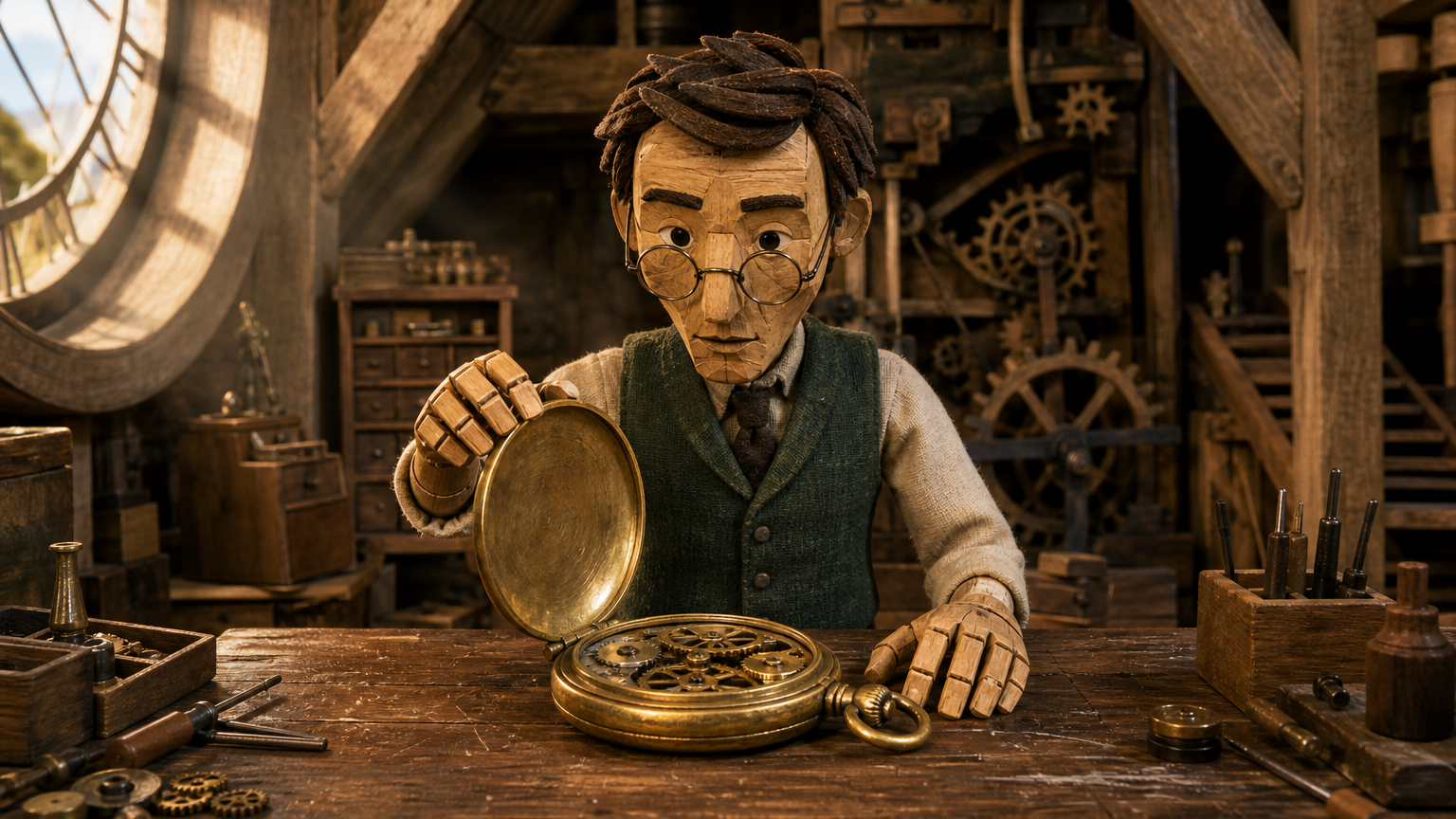
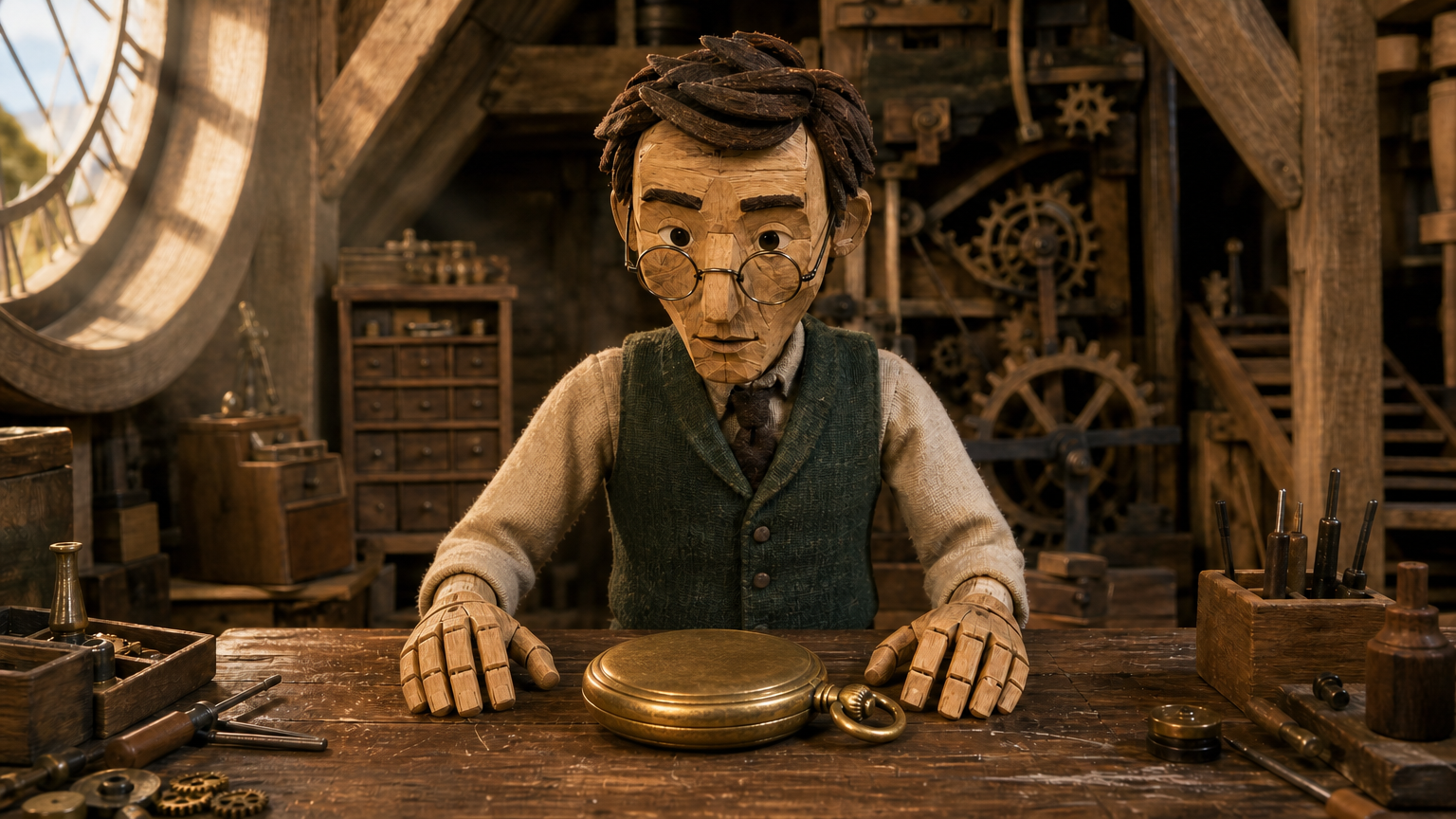
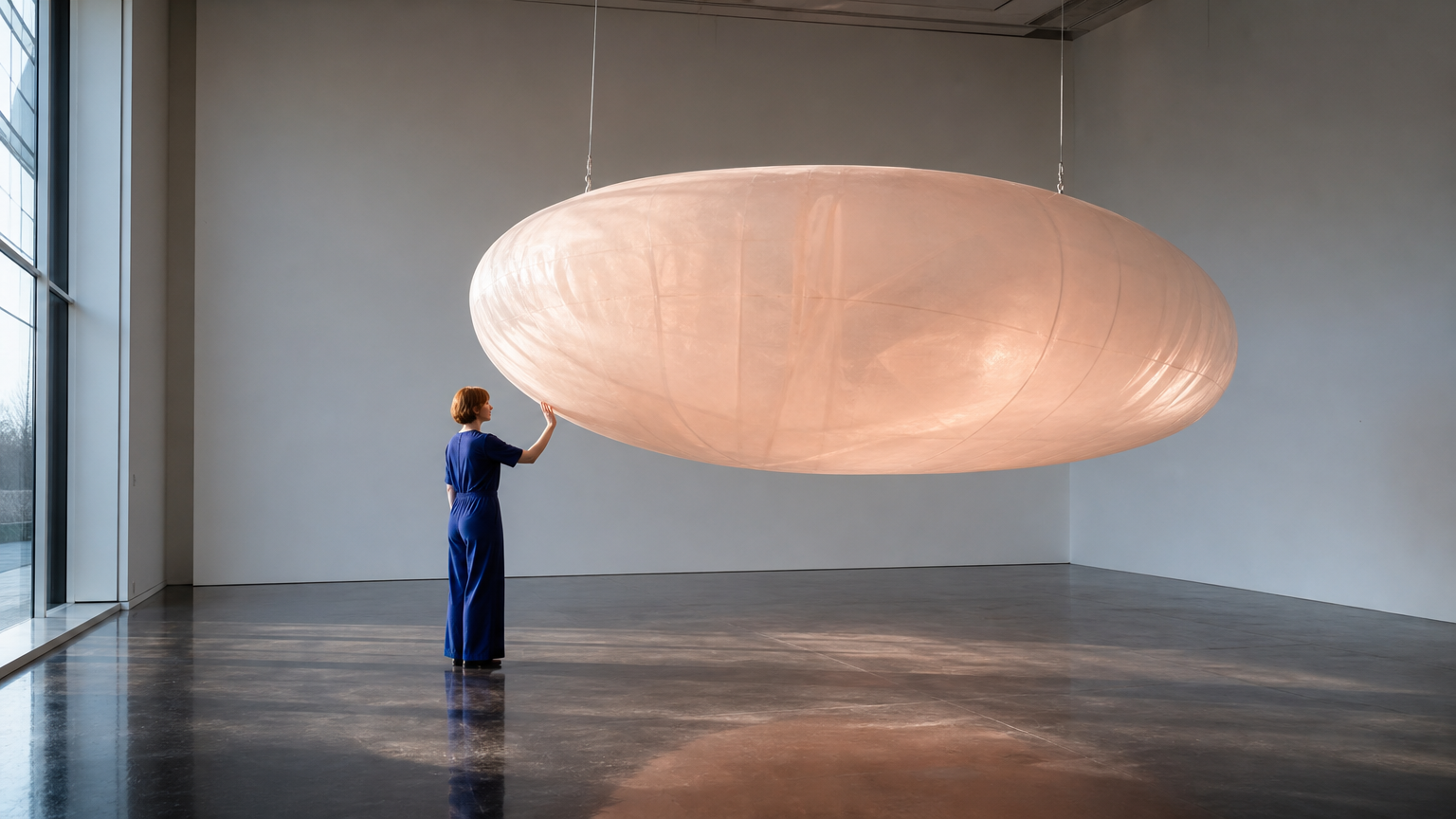
The Standard clockmaker case provides an open-watch start and a closed-watch ending frame, then asks for a controlled lid-closing motion while preserving the miniature scene. The Pro sculpture case provides one gallery image, then asks for one press, release, step back and gentle swing. Read each full prompt and compare the source images with the corresponding result to examine continuity, contact and the requested final state.

Prompt

Single locked-off stop-motion miniature shot. The same wooden clockmaker puppet slowly lowers the hinged lid of the open brass pocket watch with one wooden hand. The other hand keeps the watch centered on the workbench. The lid closes neatly and both hands come to rest beside the closed watch, matching the supplied ending frame. Preserve the puppet face, clothing, miniature attic and camera composition. Deliberate small movements, tactile handcrafted materials, no cuts or new objects.

Starting image
Ending image

Prompt

Continue the same wide shot. The adult visitor gently presses the translucent inflated sculpture once with an open palm, creating a shallow indentation. They release their hand and take one small step back. The suspended form slowly swings away and returns once while its soft surface relaxes. Keep the person, suspension cables, gallery architecture and artwork unchanged. Convincing elastic deformation, soft inertia, subtle moving transmitted light, locked camera, no cuts, no text.

Starting image

Creative Use Cases for Hailuo 02

Prepare a written action, a starting image or a compatible first/last-frame pair. Describe the subject and setting to preserve, then generate with the matching Standard or Pro task. Reviewed results can support nature storyboards, miniature animation, character reactions, art interactions, mechanical studies and planned visual transitions.

Nature-storyboard actions

Describe an animal, habitat and ordered movement, including the desired camera path. Generate a text-led clip and review anatomy, landscape depth and action progression for a wildlife-storyboard concept.

Handcrafted miniature animation

Provide a miniature or puppet image and describe a small movement that fits its joints and materials. Add a final frame when needed, then review object shape and scene scale for a stop-motion-style study.

Character reaction concepts

Write a brief gesture and expression change in a defined setting. Review face, hands and any held object through the generated sequence for a narrative character moment.

Art and material interactions

Prepare a source image of a person and an artwork, then describe one contact and its expected response. Inspect the generated motion, deformation and light for an installation or visual-development proposal.

Mechanical sequence studies

Describe how gears, rollers or hinged parts move together and the result they produce. Use a clear duration and camera path, then inspect connected motion and material continuity for a mechanism storyboard.

Planned scene transitions

Prepare first and last images with compatible subject and camera geometry, then describe the intervening change. Review the ending pose and retained setting for an animation or presentation transition.

Hailuo 02 Specifications and API Pricing

Standard is billed by generated seconds using the task’s resolution rate: choose 6 or 10 seconds, with 768P for text and 512P/768P for image animation. Pro uses a fixed per-generation rate across its supported resolution settings. The dynamic table preserves each task’s own billing unit and current starting rate. Select the actual workflow and supported settings to review the complete request amount before submitting.

ModelProviderWorkflowInput materialOutput specificationStarting rate
Hailuo 02 Standard Text to VideoMiniMaxText to VideoText prompt768P$0.21 / generation
Hailuo 02 Standard Image to VideoMiniMaxImage to Video1 start; optional ending image768P$0.09 / generation
Hailuo 02 Pro Text to VideoMiniMaxText to VideoText prompt768P$0.325 / generation
Hailuo 02 Pro Image to VideoMiniMaxImage to Video1 start; optional ending image768P$0.325 / generation

How to Use Hailuo 02 on Vidgo

Test your creative brief online, then bring the verified request into your application.

Test online

Generate a result with your intended settings

Open the selected task from the model list above. Write the scene and movement instructions, upload the required frames and choose prompt optimization. Set Standard duration and any available resolution control, or use the Pro task defaults. Review the full estimate, generate and compare subject appearance, contact, motion and the final composition with the brief.

Why Use Hailuo 02 on Vidgo

Choose a task, inspect its settings and cost, and follow the result from an online test to an authenticated API request.

Creative testing and task selection

Choose inputs around your creative goal

Choose text generation for a written scene or image generation for exactly one starting picture and an optional ending frame. Standard provides 6/10-second control, using 768P for text and 512P/768P for images; select 768P when adding a Standard ending frame. Choose Pro for its corresponding per-generation workflow and default timing.

Test your own prompt and media

Open the selected task from the model list above. Write the scene and movement instructions, upload the required frames and choose prompt optimization. Set Standard duration and any available resolution control, or use the Pro task defaults. Review the full estimate, generate and compare subject appearance, contact, motion and the final composition with the brief.

Review the estimate before generation

For Standard, use the selected duration and the resolution supported by the actual task. For Pro, use the per-generation amount and intended number of runs. Compare complete request totals with the planned tests so different billing units remain clear.

API integration and result management

Learn from complete recorded examples

Read the actual prompt and inspect every source image, video or audio alongside its generated result. Use the recorded examples to understand how to describe input roles, action progression and the details to preserve in your own request.

Track each generation with its task ID

Retain the task ID returned by the API to query status and retrieve completed file URLs. Use your online generation history to review earlier results and the creative direction you tested.

Follow the documentation for the selected task

Use the documentation linked from each task for its exact model identifier, accepted inputs, authentication and response format. Integrate the same task you tested online so its media and settings match the request.

Hailuo 02 API FAQ

Hailuo 02 is a MiniMax video family on Vidgo with Standard and Pro text/image tasks. Text creates a scene from a prompt; image tasks animate one starting picture with an optional ending frame. Standard offers 6/10-second timing and duration-based charges, while Pro uses default timing and per-generation pricing.

Browse all models