Grok Imagine Video 1.5 image animation up to 1080p

Grok Imagine Video 1.5 animates one first-frame image into a 1–15-second video with synchronized sound. The image establishes the subject, composition and aspect ratio; the prompt describes the action, camera movement and sound. Choose 480p, 720p or 1080p and an integer duration suited to the movement, then review the estimate, which combines the duration-based video charge and a fixed source-image charge. Use those controls for a precise training gesture, animal movement, a brief spoken scene or another animation built around your prepared image.

Grok Imagine Video 1.5 is developed by xAI. Vidgo provides access to the model. Model names and trademarks belong to their respective owners.
Explore Grok Imagine Video 1.5 Models

Choose Image to Video and upload the image that should become the first frame. Describe the action sequence, camera behavior and accompanying sound, identify the appearance and objects to preserve, then select a 1–15-second duration and 480p, 720p or 1080p output.

Grok Imagine Video 1.5 Image Input and Video Generation

The single Image to Video task accepts exactly one image_urls entry. That image supplies the first frame and determines the output aspect ratio. A prompt of up to 4,096 characters describes movement, camera and sound, while duration and resolution control the requested length and output specification.

Model / taskInput and workflow
Grok Imagine Video 1.5 Image to VideoAnimate one first-frame image into a 1–15 second video with synchronized sound and output up to 1080p.

Grok Imagine Video 1.5 Image Animation and Dialogue Examples

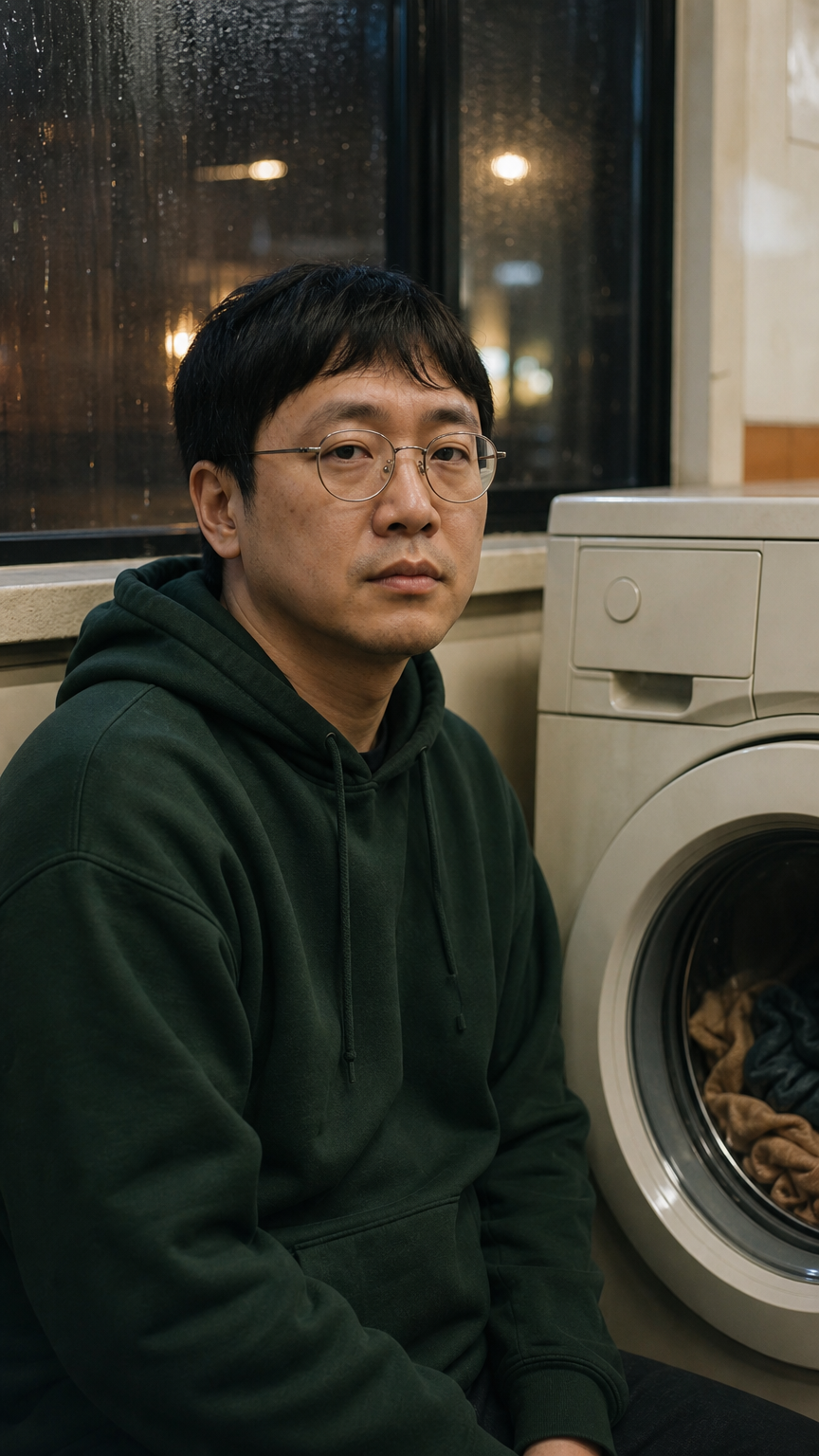
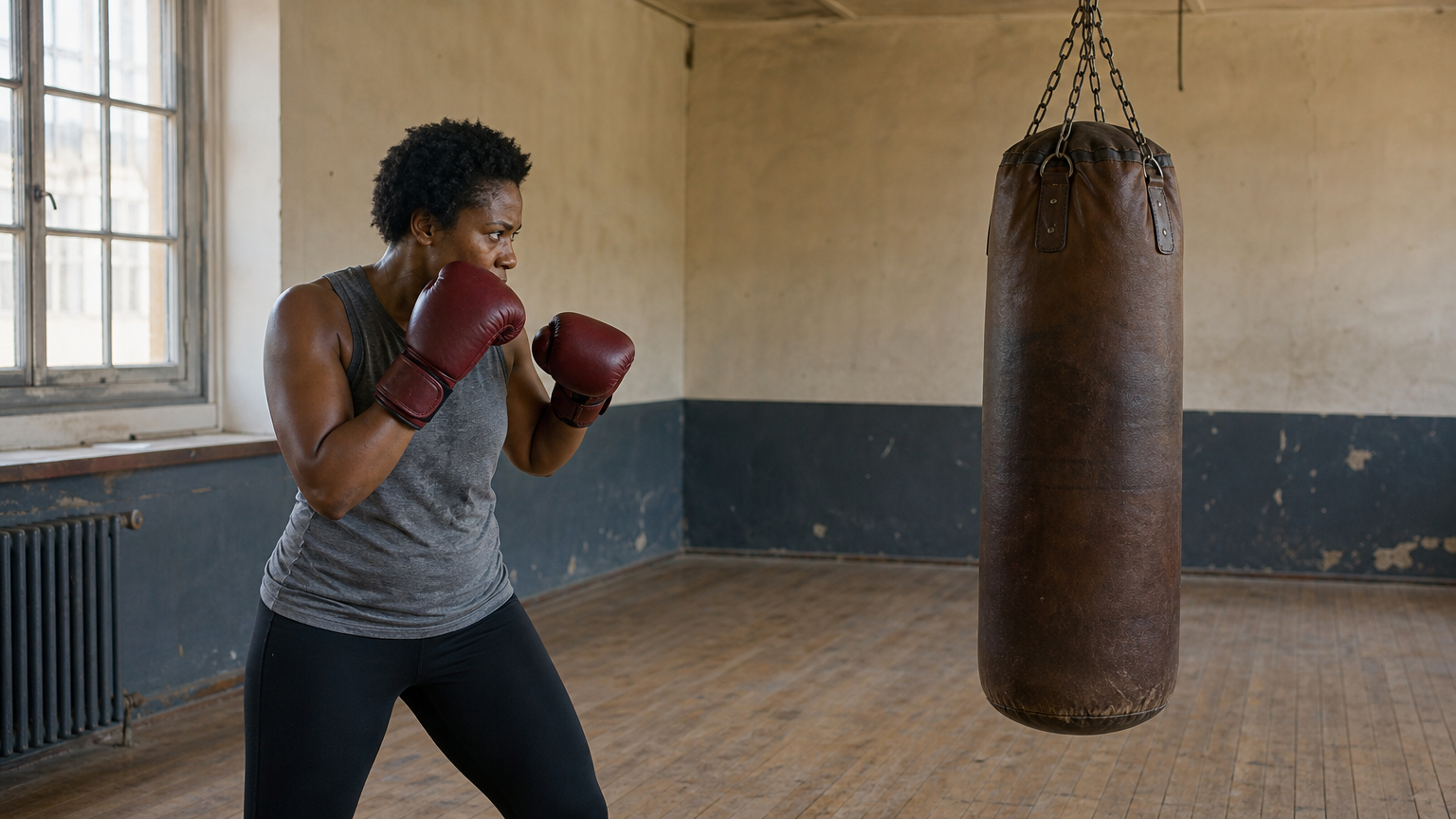
The first record supplies the boxer image and requests one jab in a 4-second 720p clip, including the single impact and settling bag. The second supplies the laundromat image and requests a 5-second 480p scene in which the washer stops and the man says “Finally.”. Read the full prompts and compare each actual video with its own image, action timing, appearance and sound instructions.

Prompt

One continuous FOUR-SECOND real-time shot of this exact boxer and heavy bag. ONE JAB TOTAL. During the first second she extends ONLY the glove nearest the bag straight forward, contacts the bag once, and returns the same glove to her chin. The other glove stays touching her cheek for the entire shot and never punches. During seconds two through four she holds her guard and makes no further attacks while watching the bag gently swing and settle. Preserve the same face, curly hair, grey top, dark red gloves, two arms and single hanging bag attached to its chain. Locked camera. A compact deliberate training movement, stable anatomy and equipment. Audio: one soft padded impact exactly at the single contact, then a light chain rattle, natural breathing and quiet gym ambience. No speech, music, cut, text or branding.

First-frame image

Prompt

Keep the same man, round glasses, short black hair, dark green hoodie and laundromat from the source image. One continuous five-second fixed medium-close shot. The clothes behind the closed washer window turn slowly and come to a stop during the first two seconds. He glances toward the washer, then quietly says the single English word 'Finally.' with matching lip movement, exhales and gives a small relieved smile. Preserve his face and glasses with only subtle head movement. Keep the machine casing and window geometry perfectly stable, no cut or new objects. Audio: the low washer hum winds down to silence, his natural quiet voice says 'Finally.' once, a soft exhale follows, and faint rain continues outside. No music, subtitles, visible writing, branding or watermark.

First-frame image

Creative Use Cases for Grok Imagine Video 1.5

Prepare one image of a person, animal, object or scene and describe the action, camera and sound to create. Choose a 1–15-second duration and 480p, 720p or 1080p output, then inspect the completed video for a gesture study, character presentation, natural-history concept, brief dialogue or an integrated image-animation workflow.

Study one precise physical gesture

Supply a clear image and describe the action count, contact and recovery. Allocate the duration between movement and settling, then inspect anatomy and equipment for a training or character-motion concept.

Animate an animal’s material response

Provide the animal image and describe a small action, planted feet and the response of wool, fur or water. Review the video against the source for a wildlife visual study.

Create a brief spoken character moment

Prepare a source with a clearly visible face and describe the exact words, expression and accompanying sound. Inspect the generated scene for a character presentation or narrative proposal.

Coordinate an action with environmental sound

Describe the sound that begins, changes or ends alongside the visible action. Review the completed clip for both the scene movement and the requested sound sequence before using it in a presentation.

Plan a clip at the required output specification

Choose the integer duration and 480p, 720p or 1080p resolution, using the source image for the aspect ratio. Review the full duration and image-processing estimate before generating a project test.

Integrate the tested first-frame request

Retain the prompt, single image URL, resolution and duration. Submit them through the authenticated API, track the returned task ID and retrieve the completed video for your application.

Grok Imagine Video 1.5 Specifications and API Pricing

Grok Imagine Video 1.5 uses a per-second video rate determined by 480p, 720p or 1080p, plus a fixed source-image processing charge for the request. The dynamic table shows the current starting per-second rate. The complete estimate combines the chosen resolution’s rate multiplied by the requested duration and the image-processing charge. Open the task to review that full amount with your actual resolution and duration.

ModelProviderWorkflowInput materialOutput specificationStarting rate
Grok Imagine Video 1.5 Image to VideoxAIImage to VideoOne first-frame image1080p$0.0725 / second

How to Use Grok Imagine Video 1.5 on Vidgo

Test your creative brief online, then bring the verified request into your application.

Test online

Generate a result with your intended settings

Upload one JPEG, PNG or WebP image within 10 MiB, enter the motion and sound prompt and select the resolution and duration. Review the estimate including source-image processing, generate the clip and inspect action timing, appearance, structure and sound.

Why Use Grok Imagine Video 1.5 on Vidgo

Choose a task, inspect its settings and cost, and follow the result from an online test to an authenticated API request.

Creative testing and task selection

Choose inputs around your creative goal

Choose Image to Video and prepare one first-frame image. Describe the action, camera and sound, identify the details to preserve and choose an integer duration from 1 to 15 seconds with 480p, 720p or 1080p output. The image supplies the video’s aspect ratio.

Test your own prompt and images

Open the matching task, enter your brief and supply the required images. Review the generated result against subject appearance, composition and the requested changes before carrying the workflow into a project.

Review the estimate before generation

Select the intended resolution and duration and review the complete estimate, including the fixed source-image charge. Use that full request cost and the planned number of tests when budgeting the animation workflow.

API integration and result management

Learn from complete recorded examples

Read the actual prompt and inspect its source images and result together. Use those examples to understand how to assign input roles and describe the details to preserve or change in your own request.

Track each generation with its task ID

Retain the task ID returned by the API to query status and retrieve completed file URLs. Use your online generation history to review earlier results and the creative direction you tested.

Follow the documentation for the selected task

Use the documentation linked from each task for its exact model identifier, accepted inputs, authentication and response format. Integrate the same task you tested online so its media and settings match the request.

Grok Imagine Video 1.5 API FAQ

Grok Imagine Video 1.5 is an xAI image-to-video model available through one Vidgo task. It animates a single first frame with a prompt describing motion, camera and sound, supports integer durations from 1 to 15 seconds and offers 480p, 720p or 1080p output. The source image determines the aspect ratio.

Browse all models