Wan 2.6 multi-shot video generation and video references

Wan 2.6 creates videos from text, one starting image or one to ten reference videos at 720p or 1080p. Describe the people or objects, action, camera and sounds; enable multi_shots when the brief calls for several shots within the selected clip. Text and image generation offer 5, 10 or 15 seconds, while video-reference generation offers 5 or 10 seconds. Use a source frame to anchor the starting scene, or reference clips to identify the character for a new setting and action.

Wan 2.6 is developed by Alibaba. Vidgo provides access to the model. Model names and trademarks belong to their respective owners.
Explore Wan 2.6 Models

Choose Text to Video when the prompt establishes the full scene. Choose Image to Video when one frame supplies the appearance and environment to animate. Choose Video Reference to Video when source clips establish the subject for a new action or setting. Match the task’s allowed duration and resolution, then describe one continuous shot or the ordered shots you want.

Wan 2.6 Text, Image and Video Reference Tasks

All tasks use prompt, duration and resolution, with optional multi_shots. Image generation adds exactly one image_urls entry. Reference generation adds one to ten video_urls entries; identify the appearance and scene details each clip supplies and describe the new action. For multi-shot work, describe the order, timing and recurring subject in the prompt and set multi_shots to true.

Model / taskInput and workflow
Wan 2.6 Text-to-VideoAlibaba's Wan 2.6 video generation family for text-to-video, image-to-video, and video-to-video with multi-shot 1080p output.
Wan 2.6 Image-to-VideoAlibaba's Wan 2.6 video generation family for text-to-video, image-to-video, and video-to-video with multi-shot 1080p output.
Wan 2.6 Reference-to-VideoAlibaba's Wan 2.6 video generation family for text-to-video, image-to-video, and video-to-video with multi-shot 1080p output.

Wan 2.6 Image Animation and Video Reference Examples

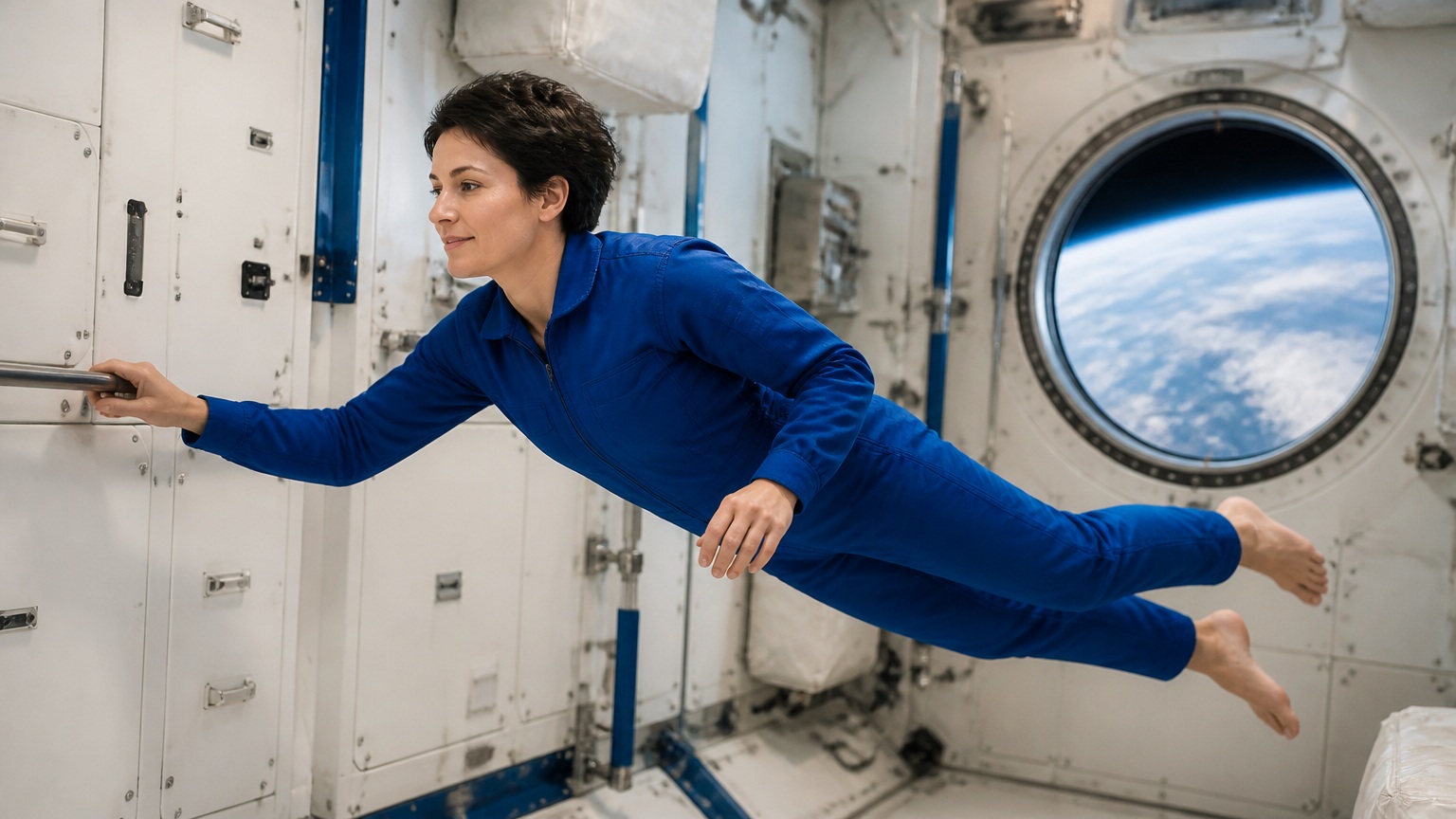
The first case provides an astronaut laboratory frame and asks for a handrail push, a gentle sideways drift and a following camera. The second provides a yellow-robot video and asks for the same subject to inspect a fern inside a new greenhouse. Both use five-second, 720p single-shot requests. Read the complete prompts and compare the image or video source with its own generated clip.

Prompt

Continue naturally from this exact first frame. The astronaut gently pushes away from the fixed handrail with her right hand, then drifts slowly sideways in zero gravity, her body and clothing retaining their original shape. A subtle camera track follows her at the same distance; equipment remains fixed. Keep her face, blue flight suit, handrail and window consistent. A quiet ventilation hum and soft fabric movement. One uninterrupted shot, no speech, cuts, logos or captions.

Starting astronaut frame

Prompt

Use the exact yellow robot from the reference video as the sole character. Place it on a stone path inside a daylight fern greenhouse. Preserve the mustard rectangular torso, single turquoise eye, short arms with two-finger grippers and broad grey feet. In one full-body three-quarter shot, it bends slightly forward to inspect a large fern frond without touching it, then tilts its rectangular upper body a little to one side. Gentle servo sounds and greenhouse ambience. A completely new leafy glasshouse background. No speech, music, text or cuts.

Creative Use Cases for Wan 2.6

Prepare a written scene, one starting image or source video references. Describe the action, appearance, camera and sound, then choose the supported duration and multi-shot setting. Reviewed outputs can support narrative previsualization, action continuity studies, illustrated-character motion, new environments for referenced subjects and short spoken scene concepts.

Multi-shot narrative planning

Write ordered shots, their timing and the recurring person or object, then enable multi_shots. Review the generated cuts and continuity for a film concept or story sequence.

Frame-led physical action

Provide one starting image and describe contact, movement and fixed surroundings. Inspect the clip against the original for a science, action or character-motion study.

Referenced characters in new settings

Provide one to ten reference videos and identify the subject each supplies. Describe the destination and activity, then compare identity and motion in the output for a scene-development proposal.

Handmade and illustrated animation

Supply one scene frame and describe movement in the existing materials and shapes. Review the design, motion and requested sounds for a paper-theatre or illustration-animation concept.

Animal motion variations

Use a reference video to establish the animal and describe a new environment and gait. Inspect anatomy, ground contact and framing for a wildlife or narrative shot proposal.

Spoken scene concepts

Describe the speaker, exact line, visible action and sounds within the selected shots. Review the actual speech, timing and recurring appearance before using the clip in a dialogue storyboard.

Wan 2.6 Specifications and API Pricing

Wan 2.6’s table lists per-video starting prices using the task’s supported duration and resolution tiers. Text/image generation offer 5/10/15 seconds; video-reference generation offers 5/10 seconds. The task estimate multiplies the requested output seconds by the selected resolution rate. Use your actual duration and 720p/1080p setting to review the complete video cost before submitting.

ModelProviderWorkflowInput materialOutput specificationStarting rate
Wan 2.6 Text-to-VideoAlibabaText to VideoText prompt1080p$0.4 / video
Wan 2.6 Image-to-VideoAlibabaImage to VideoExactly 1 starting image1080p$0.4 / video
Wan 2.6 Reference-to-VideoAlibabaVideo Reference to Video1–10 reference videos1080p$0.4 / video

How to Use Wan 2.6 on Vidgo

Test your creative brief online, then bring the verified request into your application.

Test online

Generate a result with your intended settings

Enter the scene, recurring subject, actions, camera and sounds, then add the selected task’s image or video references. Configure supported duration, resolution and multi_shots and review the full estimate. Compare the generated clip with the sources, including identity, motion, cuts, materials and requested audio.

Why Use Wan 2.6 on Vidgo

Choose a task, inspect its settings and cost, and follow the result from an online test to an authenticated API request.

Creative testing and task selection

Choose inputs around your creative goal

Choose text for a full written scene, one image for a starting composition or one to ten videos for reference subjects. Set 5/10/15 seconds for text/image generation or 5/10 seconds for video references, then choose 720p or 1080p. Enable multi_shots when your prompt describes an ordered sequence of shots.

Test your own prompt and media

Enter the scene, recurring subject, actions, camera and sounds, then add the selected task’s image or video references. Configure supported duration, resolution and multi_shots and review the full estimate. Compare the generated clip with the sources, including identity, motion, cuts, materials and requested audio.

Review the estimate before generation

Review the full video tier for the actual duration and selected resolution. Use the complete estimate and planned number of tests when comparing text, image and video-reference workflows.

API integration and result management

Learn from complete recorded examples

Read the actual prompt or recorded request input and inspect every source image or video alongside its generated clip. Use the recorded examples to understand how to describe input roles, action progression and the details to preserve in your own request.

Track each generation with its task ID

Retain the task ID returned by the API to query status and retrieve completed file URLs. Use your online generation history to review earlier results and the creative direction you tested.

Follow the documentation for the selected task

Use the documentation linked from each task for its exact model identifier, accepted inputs, authentication and response format. Integrate the same task you tested online so its media and settings match the request.

Wan 2.6 API FAQ

Wan 2.6 is an Alibaba video family on Vidgo with text, one-image and video-reference generation. It supports 720p/1080p and optional multi_shots. Text/image requests offer 5/10/15 seconds, while reference requests accept one to ten videos and offer 5/10 seconds.

Browse all models