Nano Banana Pro image generation and editing up to 4K

Nano Banana Pro uses Google’s Gemini 3 Pro image model for text generation and reference-image editing on Vidgo. Describe the subject, lighting, composition and exact wording for a new image, or supply one to five references and identify the material, object or scene details to modify. Select 1K, 2K or 4K and a supported aspect ratio, with one image per request in the current task. Use these controls for photographic concepts, lettering, material studies and local image changes, then review the current generation tier before submitting.

Nano Banana Pro is developed by Google. Vidgo provides access to the model. Model names and trademarks belong to their respective owners.
Explore Nano Banana Pro Models

Choose Text to Image when the image begins with a written brief. Choose Image Editing for one to five references that supply the person, object or environment to retain. Describe the change and preserved details, select resolution and framing and inspect the full task estimate.

Nano Banana Pro Image Generation and Reference Editing Tasks

The text and editing tasks both use prompt, resolution and optional size, with n fixed at one in the current workflow. Editing also accepts image_urls. Identify the subject, materials and lighting that define the scene, then state the specific surfaces, objects or environmental details to change.

Model / taskInput and workflow
Nano Banana Pro Text-to-ImageGoogle's Nano Banana Pro image model powered by Gemini 3 Pro for 4K generation, strong text rendering, multi-image blending, and production-ready image editing.
Nano Banana Pro Image EditGoogle's Nano Banana Pro image model powered by Gemini 3 Pro for 4K generation, strong text rendering, multi-image blending, and production-ready image editing.

Nano Banana Pro Ceramic Product Generation and Studio Editing Examples

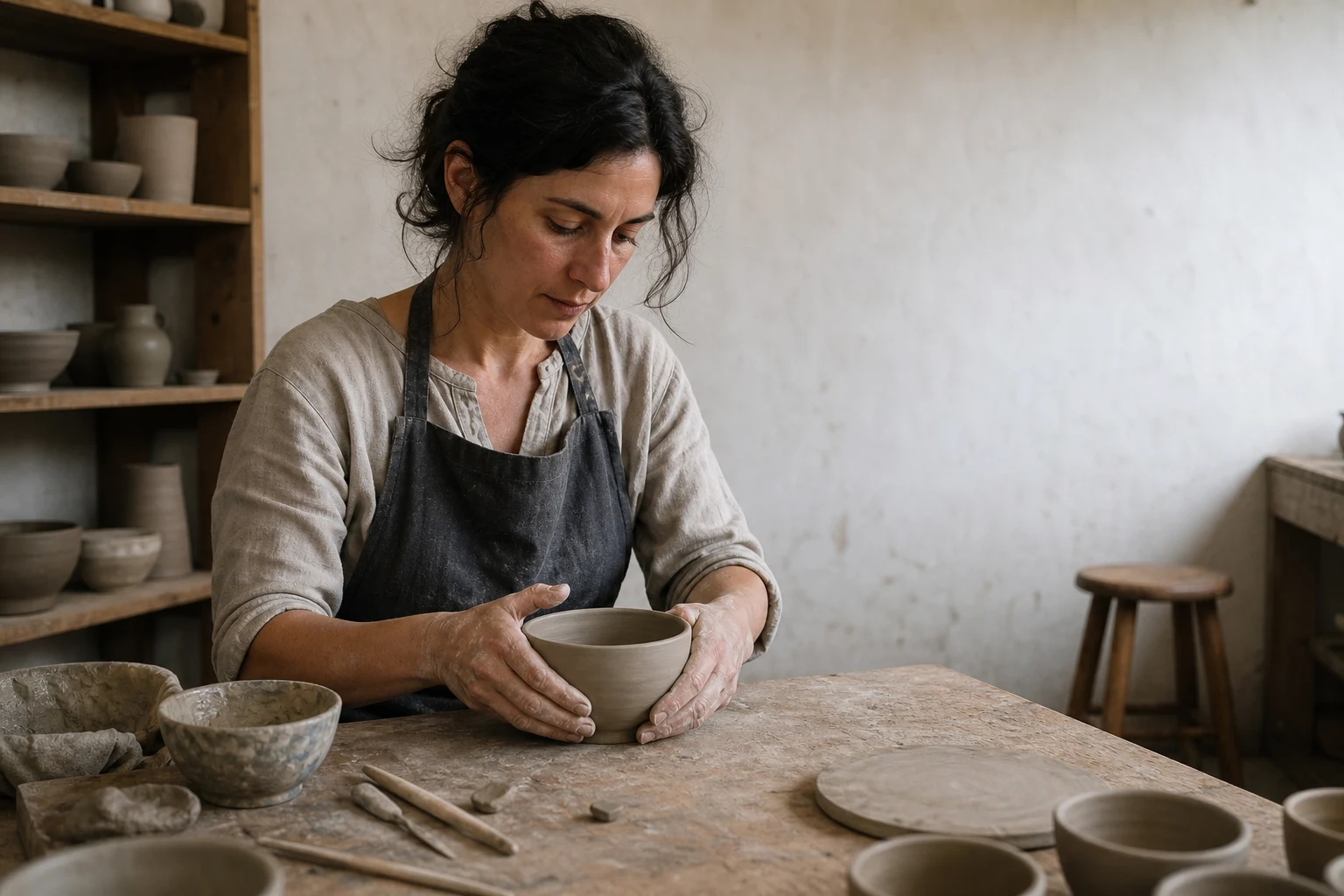
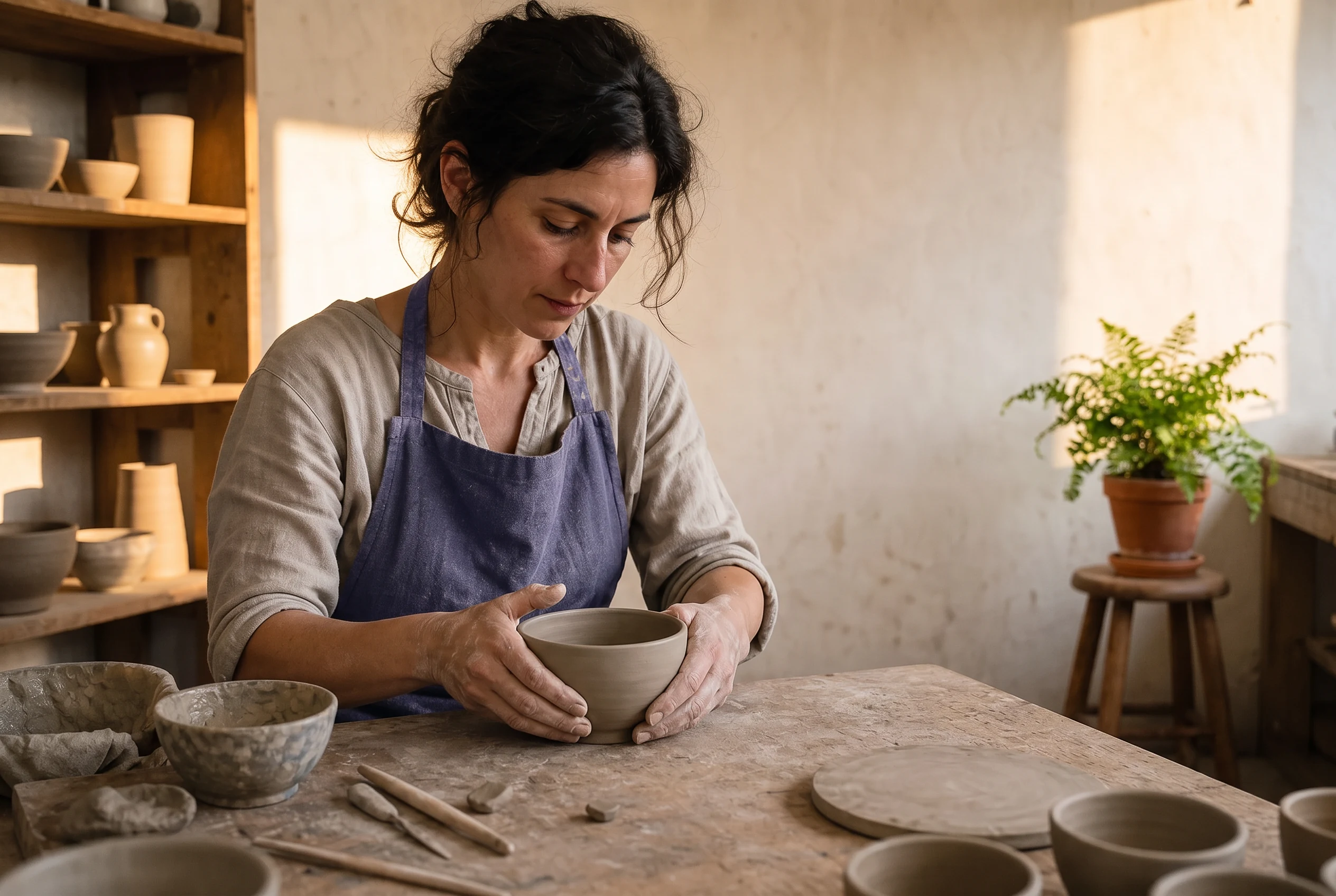
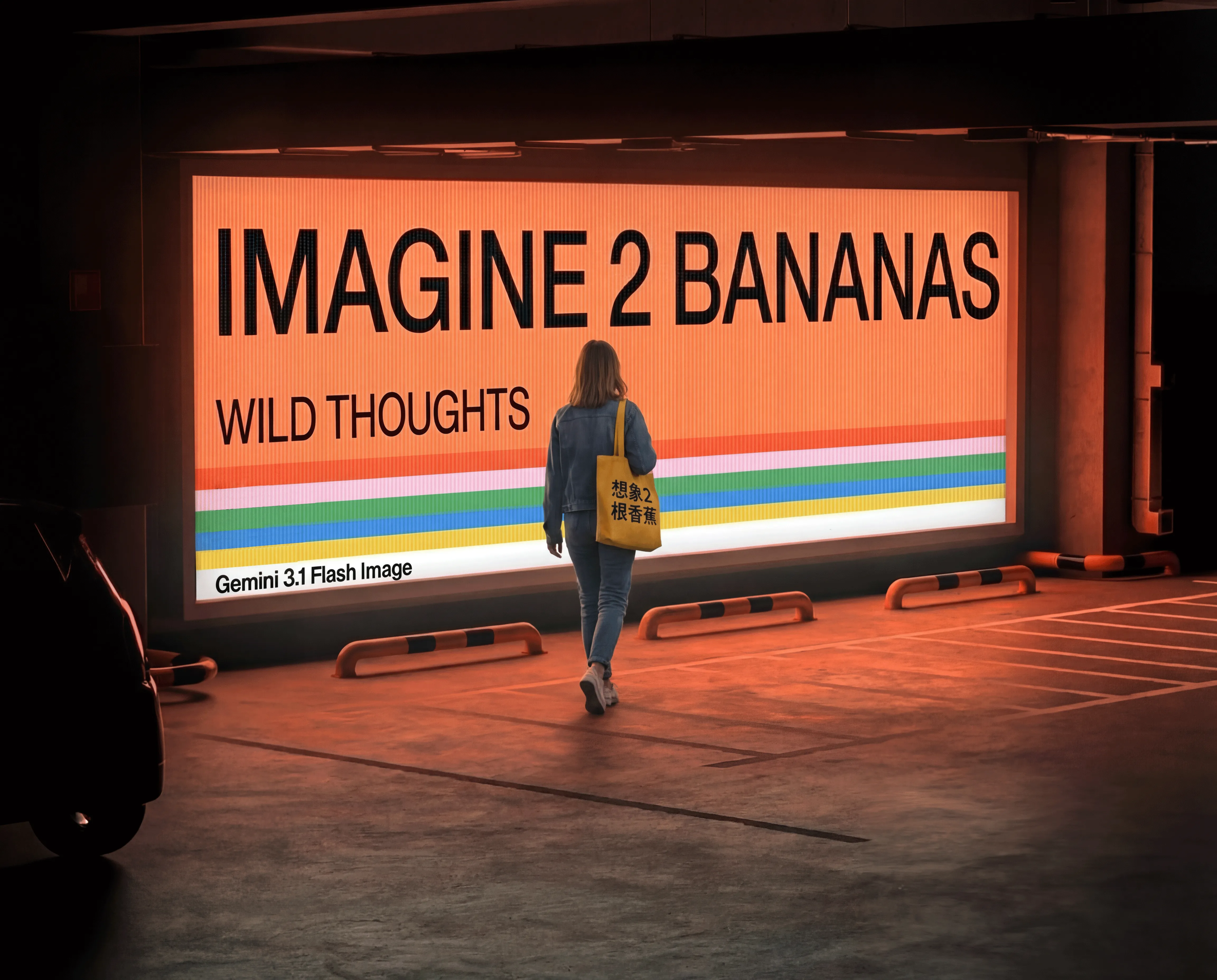
The first image comes from an existing public example of the same model and its original ceramic-mug prompt. The second is the Vidgo task’s pottery-studio demonstration, using one photograph and a prompt for the apron, fern and warmer light. Read the complete prompts and compare the studio source with the displayed result to inspect retained identity, hands, pottery and the requested local changes.

Prompt

A hyperrealistic product photo of a matte ceramic coffee mug on a wooden table, morning light streaming through a window casting soft shadows, steam rising from the cup with the text 'GOOD MORNING' embossed on the side in a clean serif font, shallow depth of field, 85mm lens

Generated result · Nano Banana Pro

Prompt

Edit this documentary pottery-studio photograph while preserving the artist exactly. Change only the charcoal apron to a muted indigo linen apron, add one small leafy potted fern on the empty stool in the back right, and warm the existing window light to gentle late-afternoon sunlight. Preserve the woman's face, identity, hair, expression, pose, both hands, clay bowl, camera angle, crop, shelves, pottery, workbench, and all object positions. Keep it natural and photorealistic, with no text or advertising.

Pottery-studio source photograph
Generated result · Nano Banana Pro

Creative Use Cases for Nano Banana Pro

Describe a new photographic scene, visible lettering and material detail, or prepare references for a local wardrobe, object, lighting or environment change. State the sources and preserved details, choose resolution and framing and inspect the single output for a visual proposal, character presentation, material study or integrated editing workflow.

Plan text on an object or surface

Write the exact wording, type treatment and location, together with the subject and light. Review the actual lettering and surface interaction before selecting the image for a presentation.

Develop a documentary photographic scene

Describe the person’s activity, hands, tools and environment and choose the framing. Inspect anatomy, texture and light for a photographic or storyboard proposal.

Explore a clothing material or color change

Provide the portrait or scene and identify the garment to modify. Preserve identity, pose and silhouette, then compare the new texture and color with the source for a wardrobe study.

Add an object to a prepared environment

Supply the image and describe the object’s location, scale and supporting contact. Review the result for spatial continuity and coordinated lighting before using it in a scene concept.

Test another lighting treatment

Identify the existing light sources and describe their new warmth, direction or intensity while retaining scene geometry. Compare the edit with the source for a visual direction proposal.

Integrate the tested Pro task

Retain the selected model, prompt, reference URLs, resolution and size. Submit the authenticated API request and track its task ID to retrieve the completed image.

Nano Banana Pro Specifications and API Pricing

Nano Banana Pro is billed per generation, with the current catalog using one tier for 1K/2K and a separate tier for 4K. The dynamic table shows the lowest current rate for each task. The current workflow requests one output image. Open the selected task with the intended resolution and references to review the full estimate before submitting.

ModelProviderWorkflowInput materialOutput specificationStarting rate
Nano Banana Pro Text-to-ImageGoogleText to ImageText prompt4K$0.04 / generation
Nano Banana Pro Image EditGoogleImage Editing1–5 reference images4K$0.04 / generation

How to Use Nano Banana Pro on Vidgo

Test your creative brief online, then bring the verified request into your application.

Test online

Generate a result with your intended settings

Enter the prompt and upload the editing references as JPEG, PNG or WebP files within 10 MiB each. Choose the resolution and framing, review the one-image generation estimate and create the result. Compare identity, hands, material, objects and light with the brief and source photographs.

Why Use Nano Banana Pro on Vidgo

Choose a task, inspect its settings and cost, and follow the result from an online test to an authenticated API request.

Creative testing and task selection

Choose inputs around your creative goal

Choose Text to Image for a written composition or Image Editing for one to five references. Describe the desired result and details to preserve, then choose 1K, 2K or 4K and a supported size ratio. Keep the current request’s output count at one.

Test your own prompt and images

Open the matching task, enter your brief and supply the required images. Review the generated result against subject appearance, composition and the requested changes before carrying the workflow into a project.

Review the estimate before generation

Review the selected 1K/2K or 4K generation tier and its complete one-image estimate. Use that request cost and the planned number of tests when budgeting text generation and reference editing.

API integration and result management

Learn from complete recorded examples

Read the actual prompt and inspect its source images and result together. Use those examples to understand how to assign input roles and describe the details to preserve or change in your own request.

Track each generation with its task ID

Retain the task ID returned by the API to query status and retrieve completed file URLs. Use your online generation history to review earlier results and the creative direction you tested.

Follow the documentation for the selected task

Use the documentation linked from each task for its exact model identifier, accepted inputs, authentication and response format. Integrate the same task you tested online so its media and settings match the request.

Nano Banana Pro API FAQ

Nano Banana Pro is Google’s Gemini 3 Pro image model available through text generation and image editing on Vidgo. The tasks support 1K, 2K and 4K, ten aspect ratios and editing with one to five references. The current workflow requests one image and uses the catalog’s per-generation resolution tiers.

Browse all models