Wan 2.7 video and image generation and editing

Wan 2.7 combines four video workflows with Standard and Pro image generation and editing. Create a video from text, one or two frames or image/video references, or edit existing footage with written instructions and an optional target image. For a still image, describe the composition or provide one to four editing references, choose a preset or custom pixel canvas and request one to four outputs. Select the intended result first, then match the source material and output controls to the task’s per-second or per-image estimate.

Wan 2.7 is developed by Alibaba. Vidgo provides access to the model. Model names and trademarks belong to their respective owners.
Explore Wan 2.7 Models

For video, choose a written scene, frame animation, reference-led generation or source-footage editing. For images, select Standard or Pro and choose text generation or editing with one to four sources. Prepare the intended subject, action or composition, identify what to retain and review the exact task’s duration, canvas and billing unit.

Wan 2.7 Video and Image Generation and Editing Tasks

Video image input uses one or two ordered frames. Reference generation accepts images, videos or both; explain the identity, object or environment each source supplies. Video editing uses one video_url and an optional reference_image_url. Image editing uses one to four ordered image_urls. Assign those images to people, objects, a setting or material and describe one integrated result, then select the video settings or image canvas and n.

Model / taskInput and workflow
Wan 2.7 Text To VideoCreate 5–15 second videos from text prompts with Thinking Mode, natural motion, and optional synchronized audio.
Wan 2.7 Image To VideoAnimate still images into 2–15 second videos with optional first and last frames while preserving subject details.
Wan 2.7 Reference To VideoTurn reference images or videos into cinematic clips with consistent characters and multi-shot storytelling.
Wan 2.7 Video EditRestyle source footage with text instructions and an optional reference image while retaining camera motion and pacing.
Wan 2.7 Image Standard Text to ImageGenerate 1K or 2K images from text with Thinking Mode, bilingual typography, and palette-guided colors.
Wan 2.7 Image Standard EditEdit and blend 1–4 reference images with text instructions while preserving subject identity and lighting.
Wan 2.7 Image Pro Text to ImageCreate native 4K images from text with detailed textures, typography, and complex composition control.
Wan 2.7 Image Pro EditRetouch and combine 1–4 reference images with precise local edits and native alpha transparency.

Wan 2.7 Video Wardrobe Editing and Multi-Image Photo Composition Examples

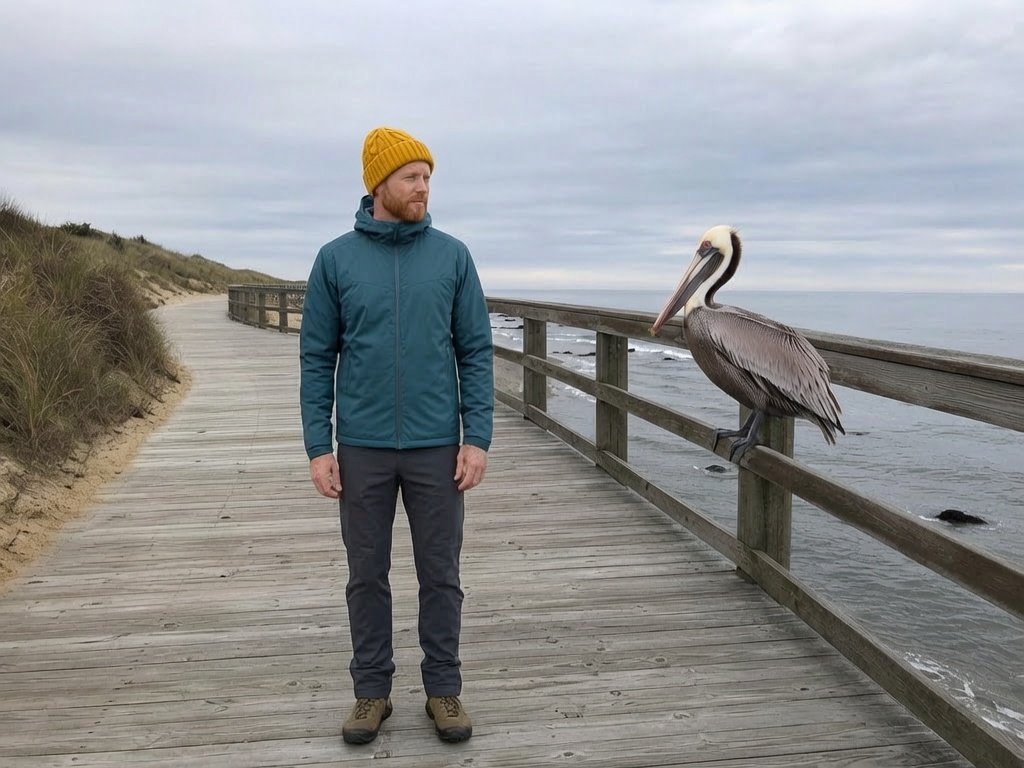
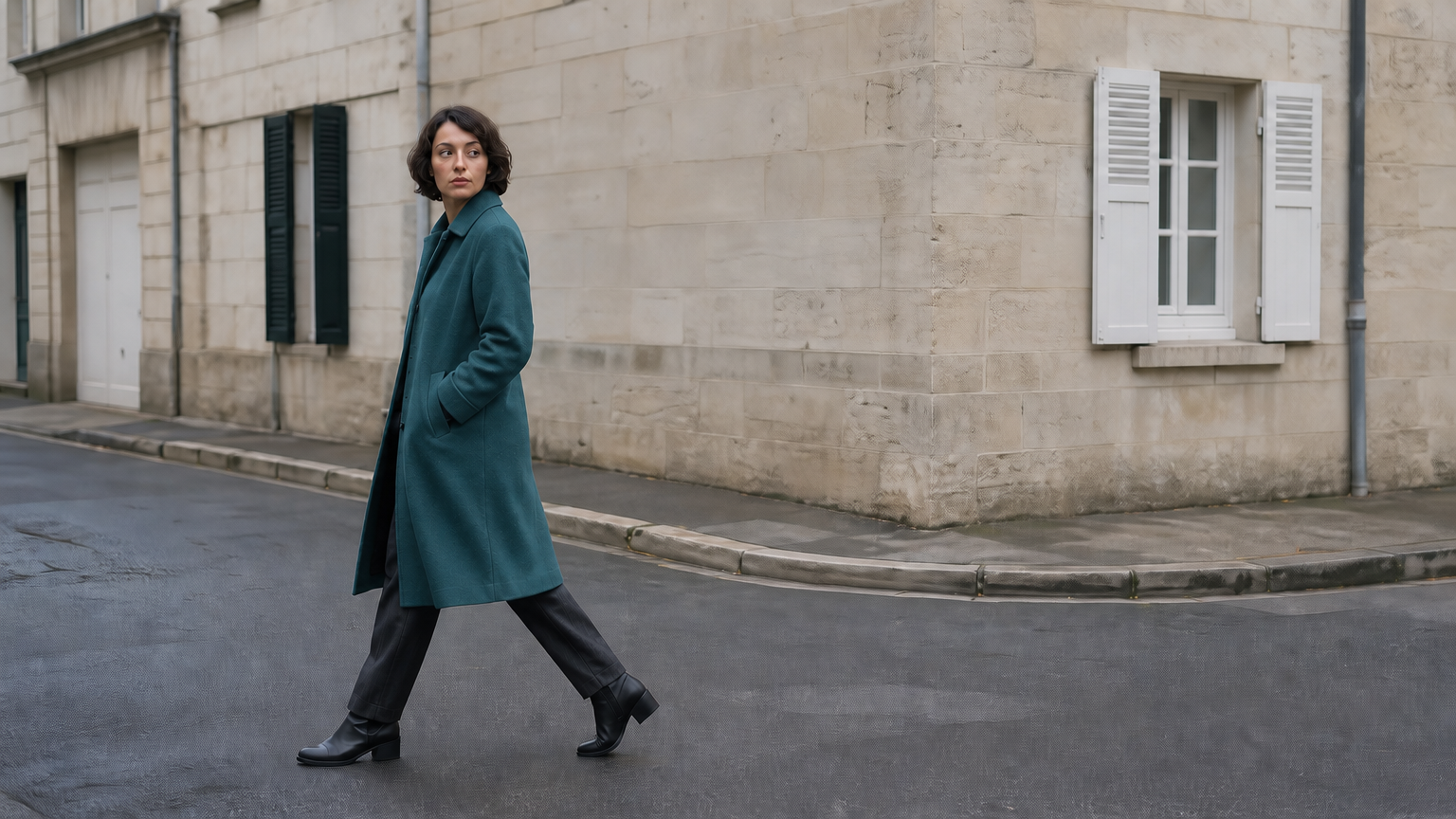
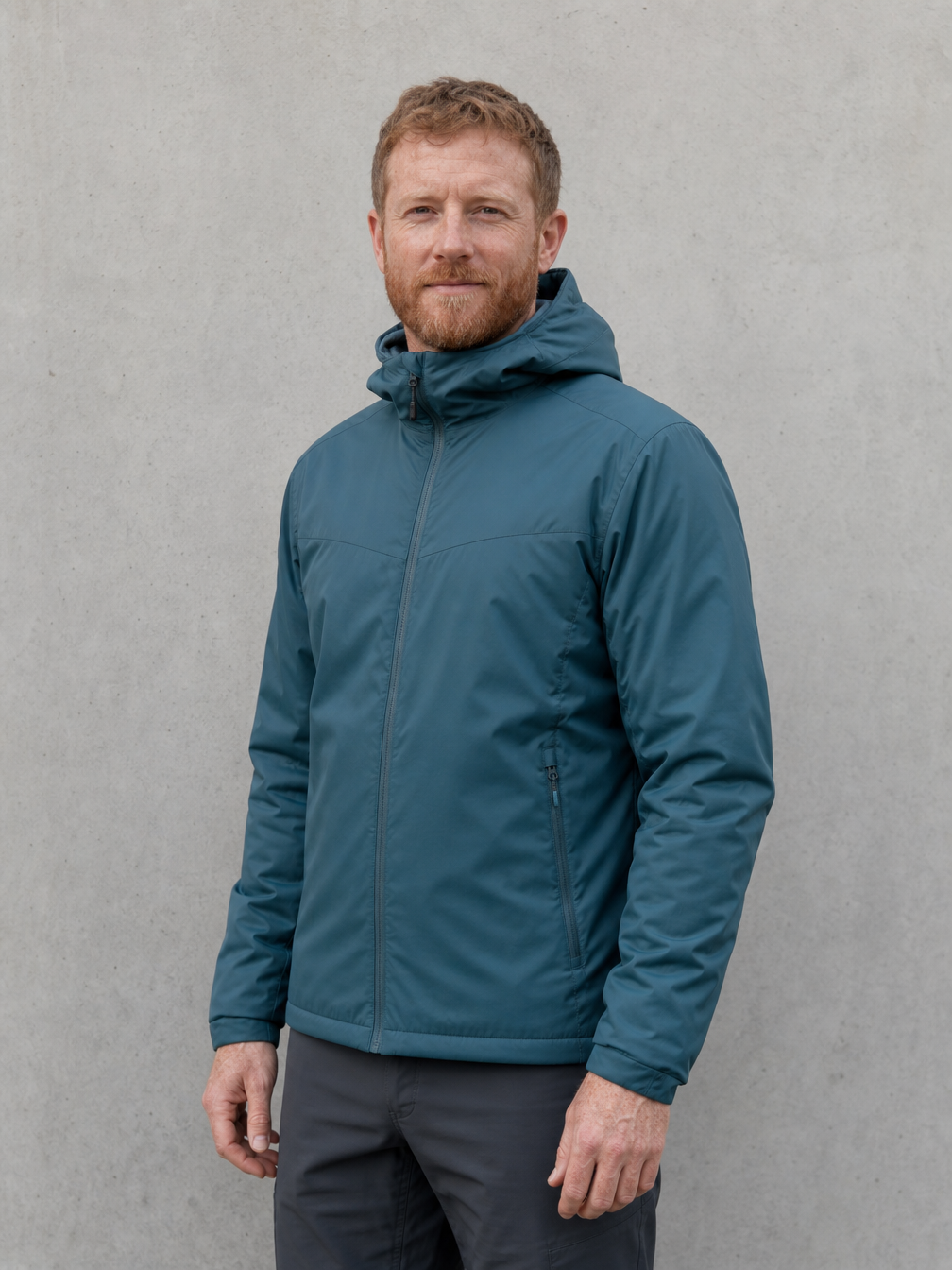
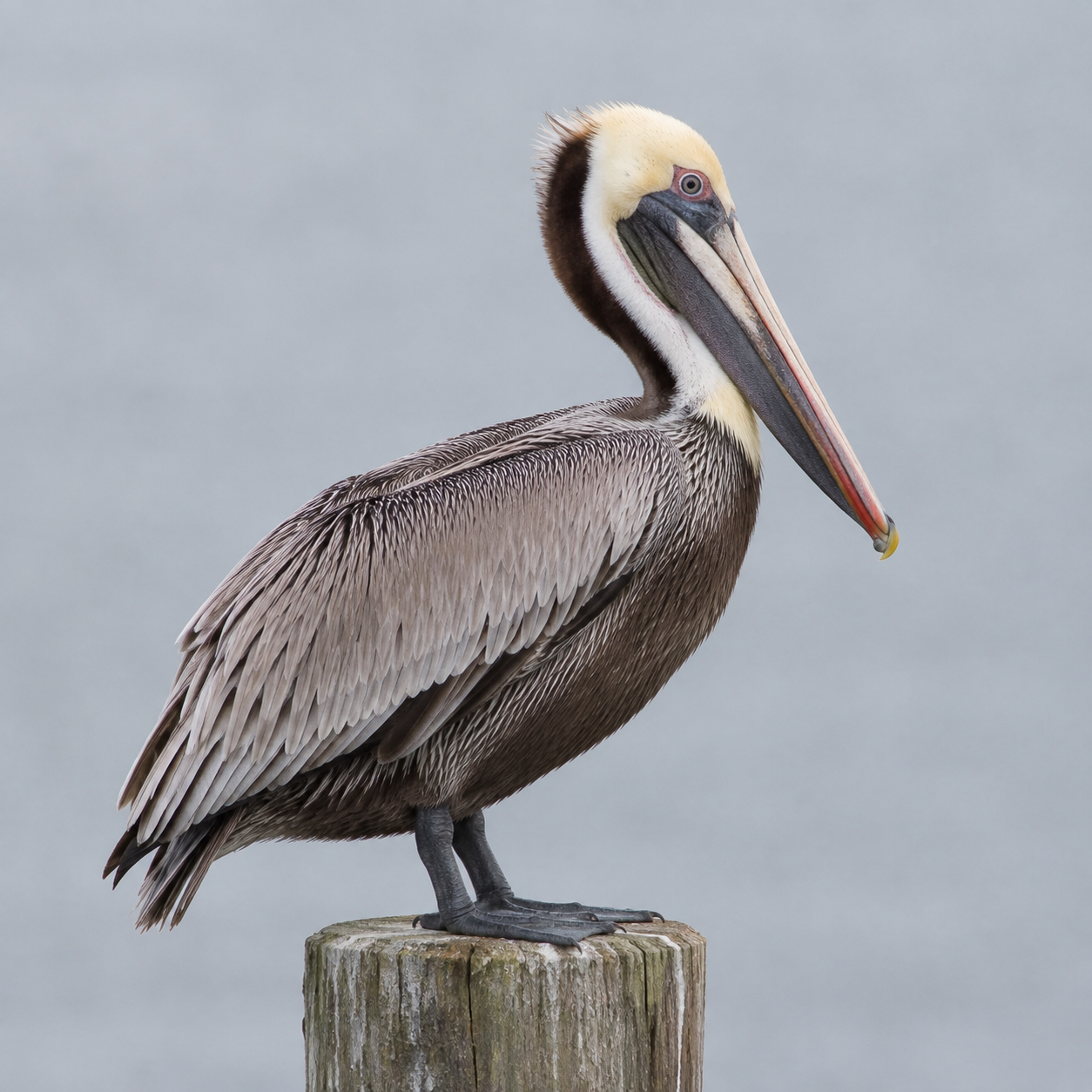
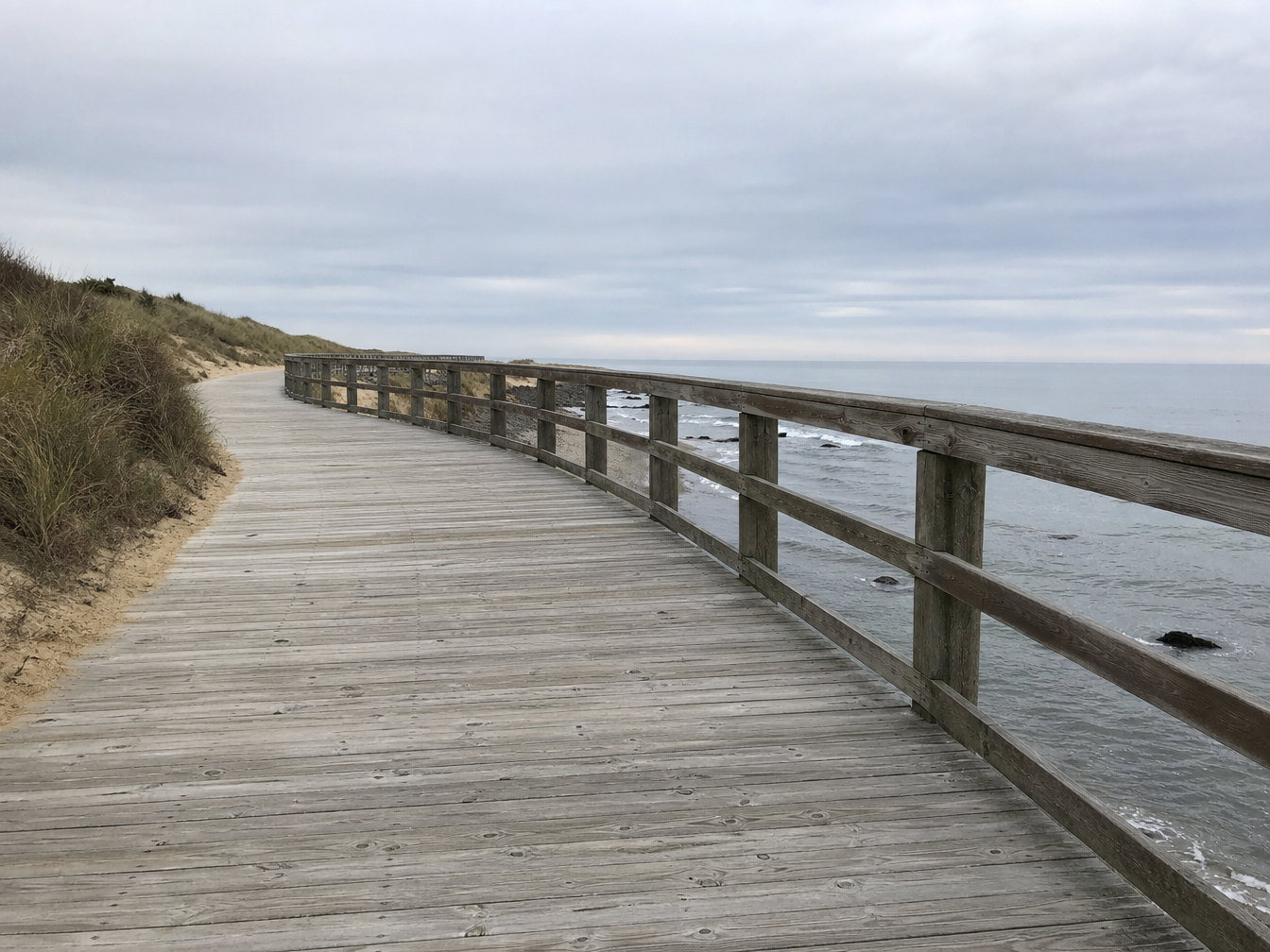
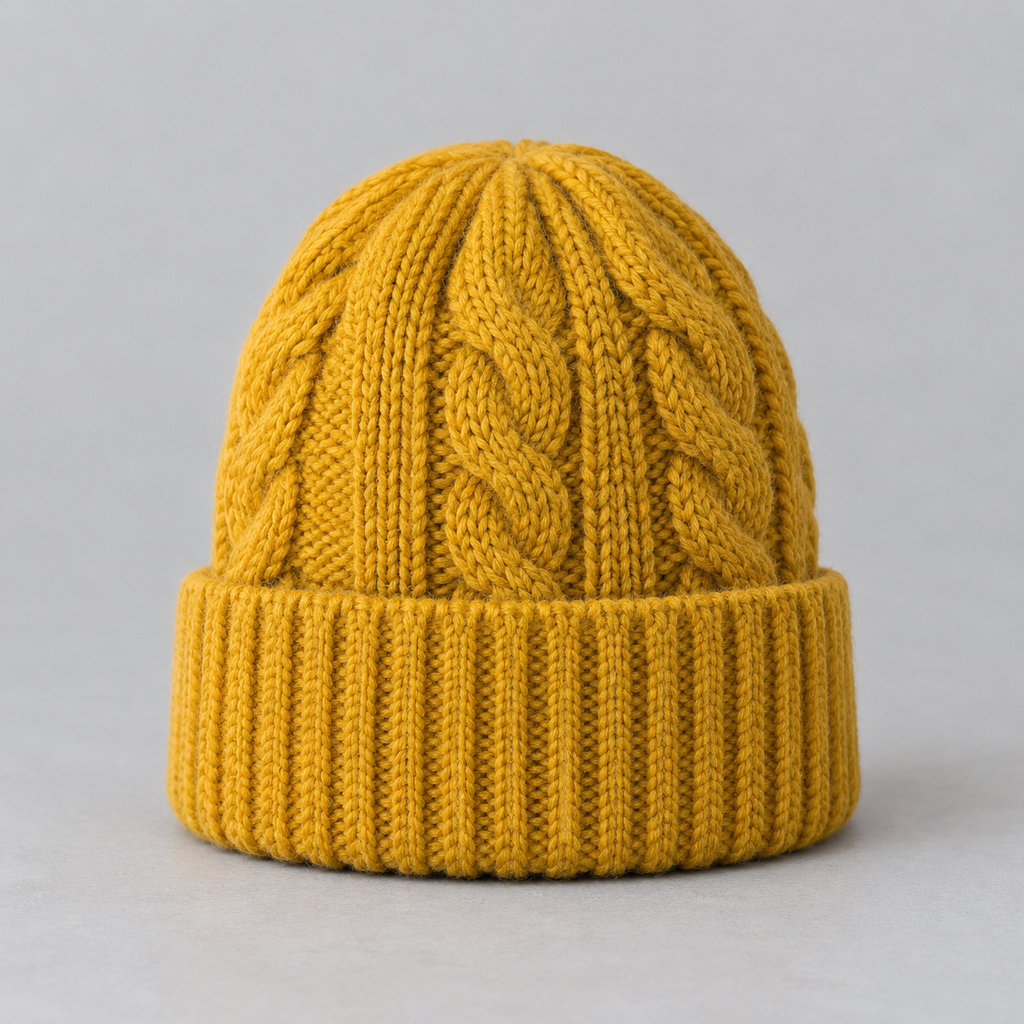
The video case supplies walking footage and a teal-coat reference, then asks to change the coat while retaining the woman, movement, street and timing. The Pro image case supplies a man, a pelican, a seaside boardwalk and a mustard beanie, then asks for one integrated photograph with matched scale and light. Read the full prompts and compare every source with its own video or image result.

Prompt

Edit only the walking woman's coat to match the teal wool coat in the reference image. Preserve her face, hair, body, stride, coat cut, trousers, shoes, camera motion, street, lighting and timing exactly. The coat stays consistently teal in every frame. Do not alter any other object. No text, lettering, captions, logos, watermarks, brands, advertising or product packaging.

Target coat reference

Prompt

Create one realistic coastal observation photograph from the four reference images. Image 1 supplies the exact adult man identity, face, teal jacket and dark trousers. Image 2 supplies the single brown pelican with its distinctive long bill and plumage. Image 3 supplies the empty seaside wooden boardwalk and ocean setting. Image 4 supplies the mustard knitted beanie: put that same beanie on the man. Place the man standing to the left, hands relaxed, and the pelican standing naturally on the boardwalk railing to the right, several feet away. Keep both heads unobstructed and sharp, natural relative scale and anatomy. Harmonize all elements to the overcast light of image 3 with coherent contact shadows. One man, one pelican, one beanie, no duplicates, no text. No advertising, brands, logos, watermark, or foxes.

Man and clothing reference
Pelican reference
Coastal boardwalk reference
Knitted-beanie reference
Generated result · Wan 2.7

Creative Use Cases for Wan 2.7

Prepare a written brief, source frames, reference clips or editing images and choose the required video or image task. Describe the intended change and the details to retain, then configure its actual output settings. Reviewed results can support storyboards, character motion, video wardrobe revisions, bilingual scene graphics, multi-source photographs and alternative visual styles.

Environmental video concepts

Describe a scene, physical motion, camera and sound, then choose the text-video duration and resolution. Review the clip for a narrative sequence or environmental storyboard.

Reference-led character scenes

Provide frames or image/video references, assign subject and prop roles and describe the action sequence. Inspect the generated movement and identity for a character or story-development proposal.

Video wardrobe and material revisions

Supply the source clip and an optional target image, then identify the garment or surface and retained motion. Compare the revised video with both sources for a wardrobe or material-development concept.

Bilingual visual scenes

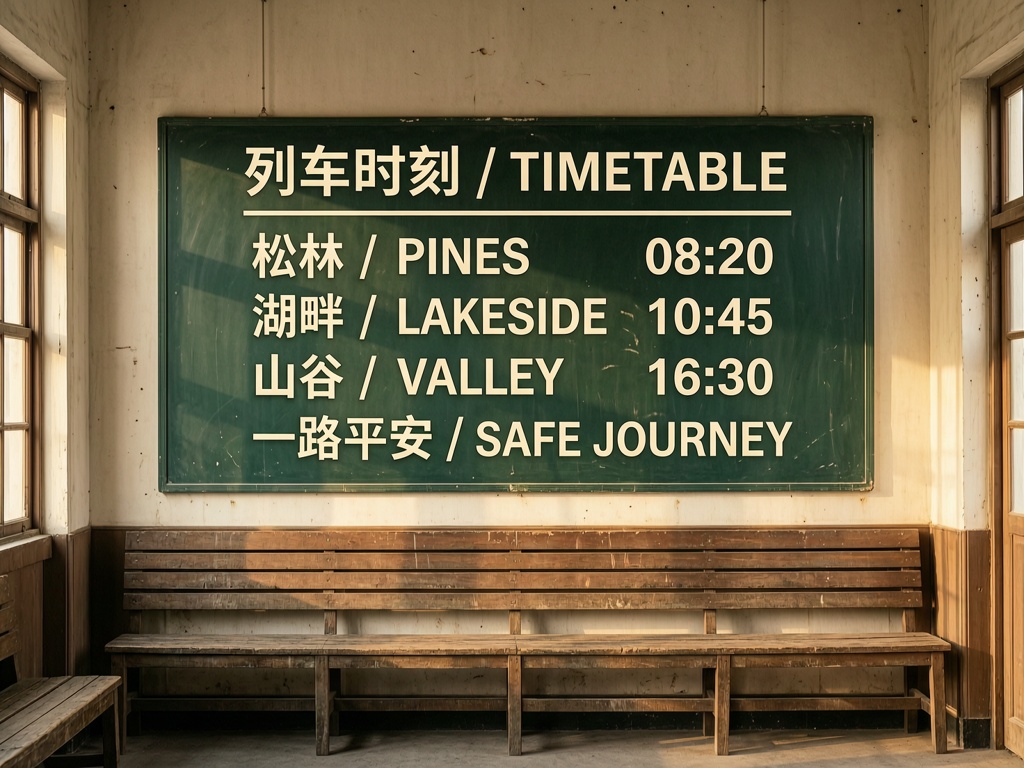
Write the exact Chinese and English wording, line order and surface for an image request. Check spelling and placement in the output before using the reviewed result in an editorial or narrative layout.

Multi-reference photographs

Prepare one to four ordered sources for identity, objects, destination and accessories. Describe a coherent composition and inspect scale, light and contact for a scene proposal or illustration draft.

Image revision and variation

Supply the original image and describe the material, style or object change, then select a canvas and output count. Compare the results with the source for an editorial concept, restoration study or visual-development series.

Wan 2.7 Specifications and API Pricing

Video tasks use the selected 720p/1080p rate multiplied by output seconds. Automatic editing uses duration 0: the service reads a 2–10-second source, rounds its duration down to whole seconds and uses that same length for generation and billing. Explicit editing selects 2–10 output seconds. Image tasks use the Standard or Pro per-output-image rate multiplied by n; the current image tier includes the selected canvas and reference processing. The dynamic table retains each task’s current unit and starting rate; configure the actual task for the complete estimate.

ModelProviderWorkflowInput materialOutput controlsStarting rate
Wan 2.7 Text To VideoAlibabaText to VideoText prompt; optional audio1080p$0.06 / output second
Wan 2.7 Image To VideoAlibabaImage to Video1–2 starting/ending frames1080p$0.06 / output second
Wan 2.7 Reference To VideoAlibabaReference to VideoImage / video references1080p$0.06 / output second
Wan 2.7 Video EditAlibabaVideo Editing1 video; optional target image1080p$0.06 / output second
Wan 2.7 Image Standard Text to ImageAlibabaText to ImageText promptPreset / custom pixels$0.021 / output image
Wan 2.7 Image Standard EditAlibabaImage Editing1–4 reference imagesPreset / custom pixels$0.021 / output image
Wan 2.7 Image Pro Text to ImageAlibabaText to ImageText promptPreset / custom pixels$0.0525 / output image
Wan 2.7 Image Pro EditAlibabaImage Editing1–4 reference imagesPreset / custom pixels$0.0525 / output image

How to Use Wan 2.7 on Vidgo

Test your creative brief online, then bring the verified request into your application.

Test online

Generate a result with your intended settings

Open the selected task from the model list above. Write the motion, scene or image-edit instructions and provide its exact source combination. Configure the supported video duration or image canvas and count, then review the full estimate. Compare the result with every source for identity, structure, material, motion and requested changes.

Why Use Wan 2.7 on Vidgo

Choose a task, inspect its settings and cost, and follow the result from an online test to an authenticated API request.

Creative testing and task selection

Choose inputs around your creative goal

Choose video or image from the model list. For video, match text, frames, references or source editing to the supported duration; for images, select Standard/Pro and text or one-to-four-image editing. Prepare each source’s role and choose the task’s resolution, canvas, image count and other supported controls.

Test your own prompt and media

Open the selected task from the model list above. Write the motion, scene or image-edit instructions and provide its exact source combination. Configure the supported video duration or image canvas and count, then review the full estimate. Compare the result with every source for identity, structure, material, motion and requested changes.

Review the estimate before generation

For video, use the selected output seconds and resolution; let automatic editing finish reading the source duration for its whole-second estimate. For images, choose Standard or Pro and the actual n. Compare complete amounts and planned test counts using each task’s own billing unit.

API integration and result management

Learn from complete recorded examples

Read the actual prompt and inspect every source image or video alongside its generated result. Use the recorded examples to understand how to describe input roles, action progression and the details to preserve in your own request.

Track each generation with its task ID

Retain the task ID returned by the API to query status and retrieve completed file URLs. Use your online generation history to review earlier results and the creative direction you tested.

Follow the documentation for the selected task

Use the documentation linked from each task for its exact model identifier, accepted inputs, authentication and response format. Integrate the same task you tested online so its media and settings match the request.

Wan 2.7 API FAQ

Wan 2.7 is one Alibaba family on Vidgo covering four video tasks and four Standard/Pro image tasks. Video supports text, frames, image/video references and editing at 720p/1080p. Images support text generation and one-to-four-reference editing with preset/custom pixel canvases and one to four outputs.

Browse all models