Seedance 2.0 up to 4K video

Seedance 2.0 creates 4–15-second videos from a written scene, one or two ordered frames, or a combination of image, video and audio references. Choose output up to 4K and describe the character, action, camera movement and sound you want to create. Use Text to Video to develop a new scene, Image to Video to connect prepared visual states, or Reference to Video to give character appearance, movement and timing their own sources. Optional generated audio lets you include the sounds of the scene in the resulting clip.

Seedance 2.0 is developed by ByteDance Seed. Vidgo provides access to the model. Model names and trademarks belong to their respective owners.

Explore Seedance 2.0 Models

Start with a scene description when the idea is written, with ordered first and last frames when the composition is already prepared, or with separate references when appearance and motion come from different sources. Open the matching Seedance 2.0 task, then choose duration, resolution and generated audio for that shot.

Seedance 2.0 Text, Frame and Multimodal Reference Tasks

Text to Video describes the subject, action, environment and camera in words. Image to Video uses one starting image and an optional second image for the final frame. Reference to Video uses images or videos for visual guidance and can add audio for timing. The table reuses the existing model introductions; open the matching task to review its input fields and output controls.

Model / taskInput and workflow
Seedance 2.0 Text-to-VideoByteDance Seedance 2.0 Standard and Fast video generation with text, ordered start/end frames, or multimodal image, video, and audio references.
Seedance 2.0 Image-to-VideoByteDance Seedance 2.0 Standard and Fast video generation with text, ordered start/end frames, or multimodal image, video, and audio references.
Seedance 2.0 Reference-to-VideoByteDance Seedance 2.0 Standard and Fast video generation with text, ordered start/end frames, or multimodal image, video, and audio references.

Seedance 2.0 Mechanical Transition and Character Motion Reference Examples

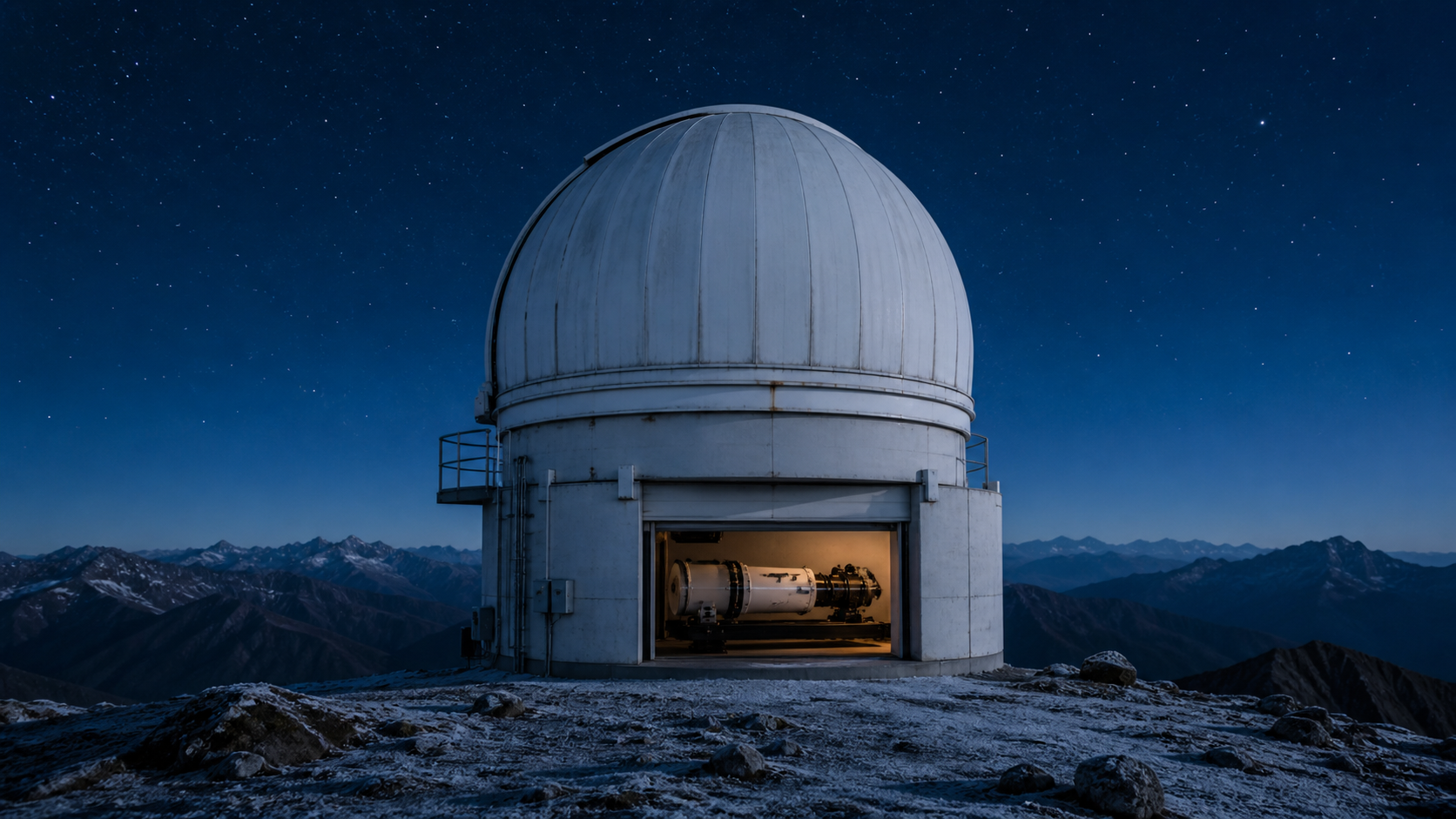
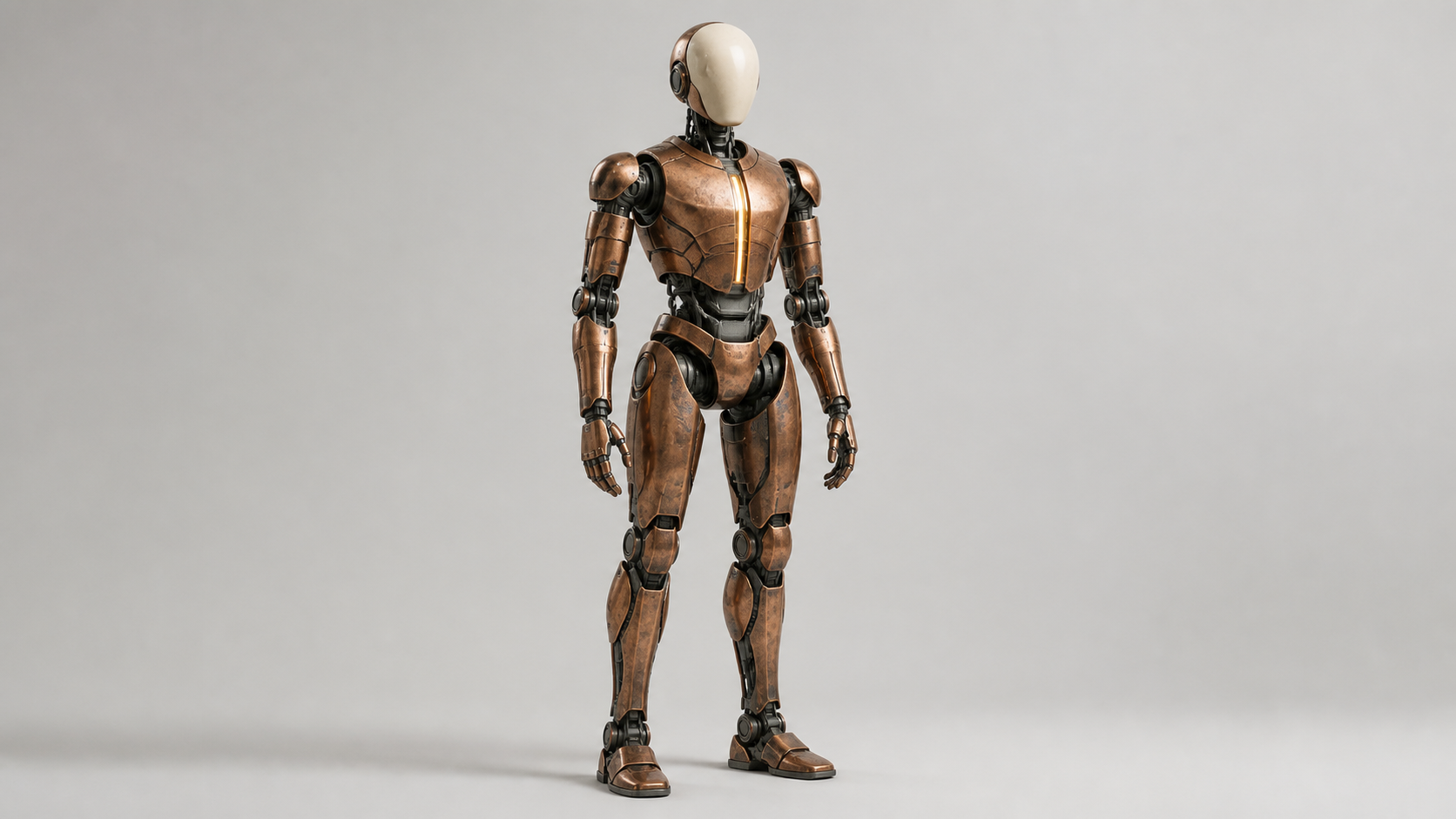
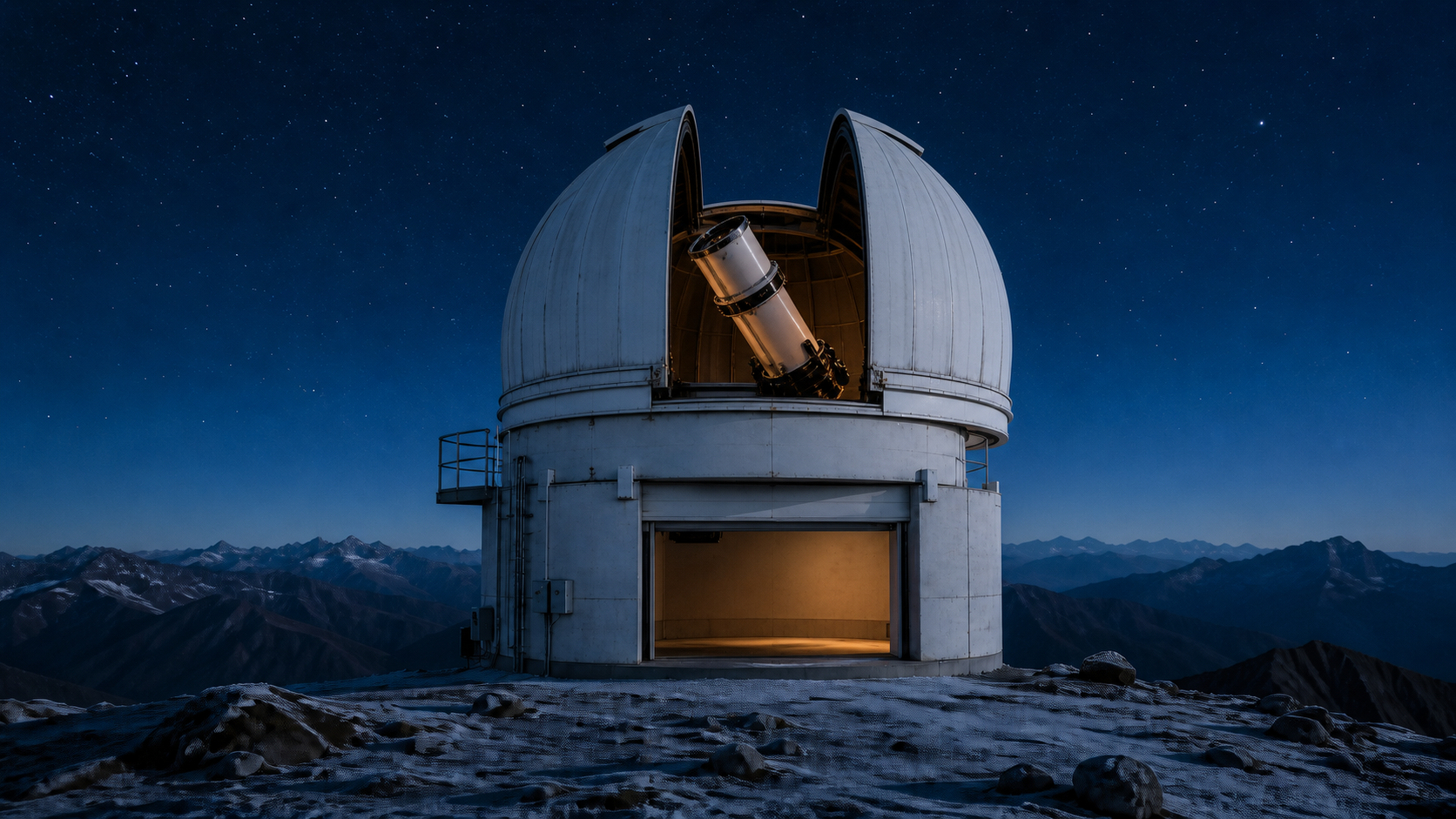
The first task uses two images of an observatory and asks the dome to open while the telescope rises into its final position. The second uses a copper robot image, a performer’s choreography video and timing audio to create a sunrise performance on a salt flat. Read the actual prompts and compare the complete inputs with the outputs to inspect mechanical continuity, character construction, movement and camera direction.

Prompt

Begin exactly from Image 1 and finish on Image 2. In one continuous four-second locked-camera shot, the same observatory dome opens along its existing seam while the same telescope rises from its stowed position and rotates upward through the opening. Preserve the building footprint, white metal panels, concrete base, service opening, telescope construction, foreground rocks, mountains, frost, star field, camera position, crop, and blue-hour color throughout. Mechanical movement must be continuous, correctly hinged, and free of warping; settle cleanly into the final composition. Synchronized audio: a low dome motor, two restrained gear changes, a soft metal stop, and distant alpine wind. No cuts, no people, no vehicles, no extra structures, no readable text, no logos, no brands, no products, no advertising, no watermark.

First frame
Last frame

Prompt

Use Reference Image 1 only for the copper humanoid robot's oval ivory faceplate, slim adult proportions, articulated copper plates, graphite joints, amber chest line, five-fingered hands, and flat feet. Use Reference Video 1 only for the three-beat choreography, weight shifts, timing, and waist-height semicircular camera path; do not copy the masked performer, indigo suit, ribbon, or black-box theater. Use Reference Audio 1 only for the three action beats and room-to-step timing; replace cloth sound with restrained servo movement. Create one continuous four-second shot on a vast white salt flat at sunrise. The robot performs the same low arc, single pivot, and raised spiral gesture using empty hands, then settles facing the camera. Preserve the referenced robot identity and construction throughout. Synchronized audio: three ceramic-metal foot contacts, quiet servos, and open-air wind. No cuts, no humans, no ribbon, no theater, no dialogue, no music, no readable text, no logos, no brands, no products, no advertising, no watermark.

Subject reference image
Sound reference audio

Creative Use Cases for Seedance 2.0

Prepare a scene brief, ordered frames or suitable references, then define the subject’s action, camera path and sound. Choose the matching task and use the generated clip for a narrative idea, animation study, presentation or video workflow in your application.

Develop a choreographed scene

Prepare a brief with the character, stage, action beats and camera path, then generate the scene with Text to Video. Review how each action follows the previous one and use the clip as a choreography study or a narrative storyboard idea.

Animate a mechanical transition

Prepare first and last images of a mechanism, describe the movement of each visible part and identify the fixed scene details. Use Image to Video to create the transition, then inspect hinges, movement paths and the final position for an animation concept or technical presentation.

Place a reference action in a new setting

Prepare a character image and a video of the desired motion. Explain their separate roles and describe the new environment in Reference to Video. Review the generated performance when planning a character scene, a movement study or an animated sequence.

Build an audiovisual scene study

Describe the scene’s visible events and the sounds that accompany them, then enable generated audio. Play the resulting clip to assess action timing and atmosphere when developing a short film idea, an animation study or a presentation sequence.

Explore detailed presentation output

Choose a supported resolution up to 4K and an appropriate aspect ratio for the intended placement. Generate from your selected inputs, inspect materials and motion at that setting, and use the result for project review or a detailed visual presentation.

Carry a tested shot into an application

Test the scene online and retain the prompt, media URLs and output settings. Submit the corresponding task through the API, track its task ID and save the completed video so the same creative workflow can be used in your application.

Seedance 2.0 Specifications and API Pricing

Text, frame-based and reference requests using images and optional audio are billed by output duration and resolution. Requests that include reference video use the corresponding rate for output duration plus the duration of each reference clip, rounded down separately to whole seconds. The dynamic table shows the lowest available rate for each task; open the task page with your actual settings and media to review the complete estimate.

ModelProviderWorkflowMax image inputsMax output resolutionStarting rate
Seedance 2.0 Text-to-VideoByteDanceText to VideoNot applicable4k$0.1 / output second
Seedance 2.0 Image-to-VideoByteDanceImage to Video24k$0.1 / output second
Seedance 2.0 Reference-to-VideoByteDanceReference to Video94k$0.0575 / billing second

How to Use Seedance 2.0 on Vidgo

Test the scene with your source materials, then integrate the same workflow into your application.

Test online

Submit the scene and review the generated clip

Enter the prompt, provide the task’s media and select 4–15-second duration, 480p, 720p, 1080p or 4K resolution and generated audio. For Image to Video, place the starting frame first and the optional ending frame second. Review the estimate, generate the clip and inspect movement, framing, appearance and sound before refining the brief.

Why Use Seedance 2.0 on Vidgo

Vidgo connects Seedance 2.0 task selection, online generation, cost review and documentation. Establish the shot with actual materials, then use the selected prompt, settings and task in your application.

Creative preparation and result review

Find the task that matches the source material

Review text, frame-based and reference tasks together, including their inputs and current rates. Open the appropriate model card and prepare media for that workflow.

Compare actual inputs with video results

Inspect the example frames, appearance image, motion video and audio, then play the completed clip. Use what you observe to make your own prompt explicit about action, camera direction and each source’s role.

Review the estimate for the actual configuration

Set duration and resolution on the task page. When adding reference videos, include their billed duration in the estimate so test counts and project budgets reflect the materials you use.

API development and result management

Use the matching task documentation

Open the selected task’s documentation for authentication, model identifiers and accepted fields. Prepare source URLs for each request and carry over the prompt and settings confirmed in online testing.

Track every asynchronous video request

Save the returned task ID, query processing status and retrieve the video URL on completion. Configure a callback URL when your application should receive a completion notification.

Revisit and retain online test records

Use generation history to review requests and outputs from online testing. Keep the chosen video, prompt and settings together for the next scene revision or a discussion with your team.

Seedance 2.0 API FAQ

Seedance 2.0 is a ByteDance Seed video generation model. Vidgo provides Text to Video, first-and-last-frame Image to Video and multimodal Reference to Video tasks. Create 4–15-second clips, choose 480p, 720p, 1080p or 4K resolution and decide whether to generate audio. Select the workflow around your materials and creative goal, then define the shot’s action, framing and sound.

Browse all models