Hailuo 2.3 text and first-frame video generation

Hailuo 2.3 creates a video from a written scene or an optional starting image. Describe the action, expression, camera and visual details to preserve, then choose 768p for a 6- or 10-second sequence or 1080p for a 6-second shot. A source image gives the subject and setting a visual anchor, while prompt optimization offers a choice in how the written brief is developed. Use the existing combined task for either input method, inspect its complete price and review the generated movement against the creative brief.

Hailuo 2.3 is developed by MiniMax. Vidgo provides access to the model. Model names and trademarks belong to their respective owners.
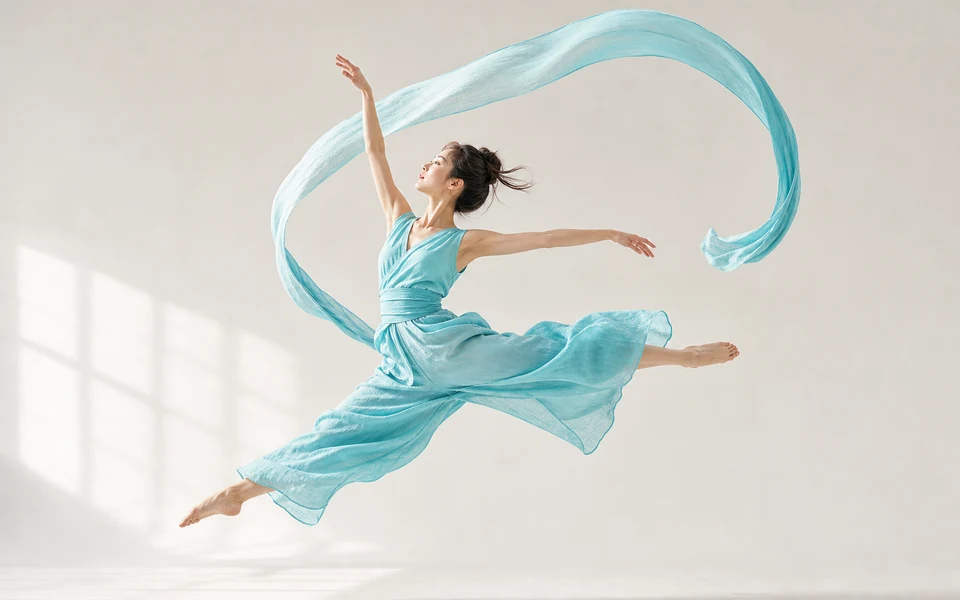
Explore Hailuo 2.3 Models

Open the combined Hailuo 2.3 task for a written scene, or add one start_image_url when a picture should define the opening appearance and composition. Select the supported resolution and duration pair and choose prompt optimization. Both creative starting points use the existing task.

Hailuo 2.3 Text and Starting-Frame Video Inputs

Use prompt to describe the scene, ordered action and camera. Add a single starting-image URL to animate an approved subject, setting or illustration. The combined API selects its output through resolution and duration; the same family also has dedicated Standard and Pro text/image workflows. The cases below retain their original dedicated-workflow records so their prompts, inputs and results can be inspected together.

Model / taskInput and workflow
Hailuo 2.3MiniMax's Hailuo 2.3 video model for realistic human motion, expressive characters, and text-to-video or first-frame guided generation at 768p and 1080p.

Hailuo 2.3 Jumping Spider Motion and Character Expression Examples

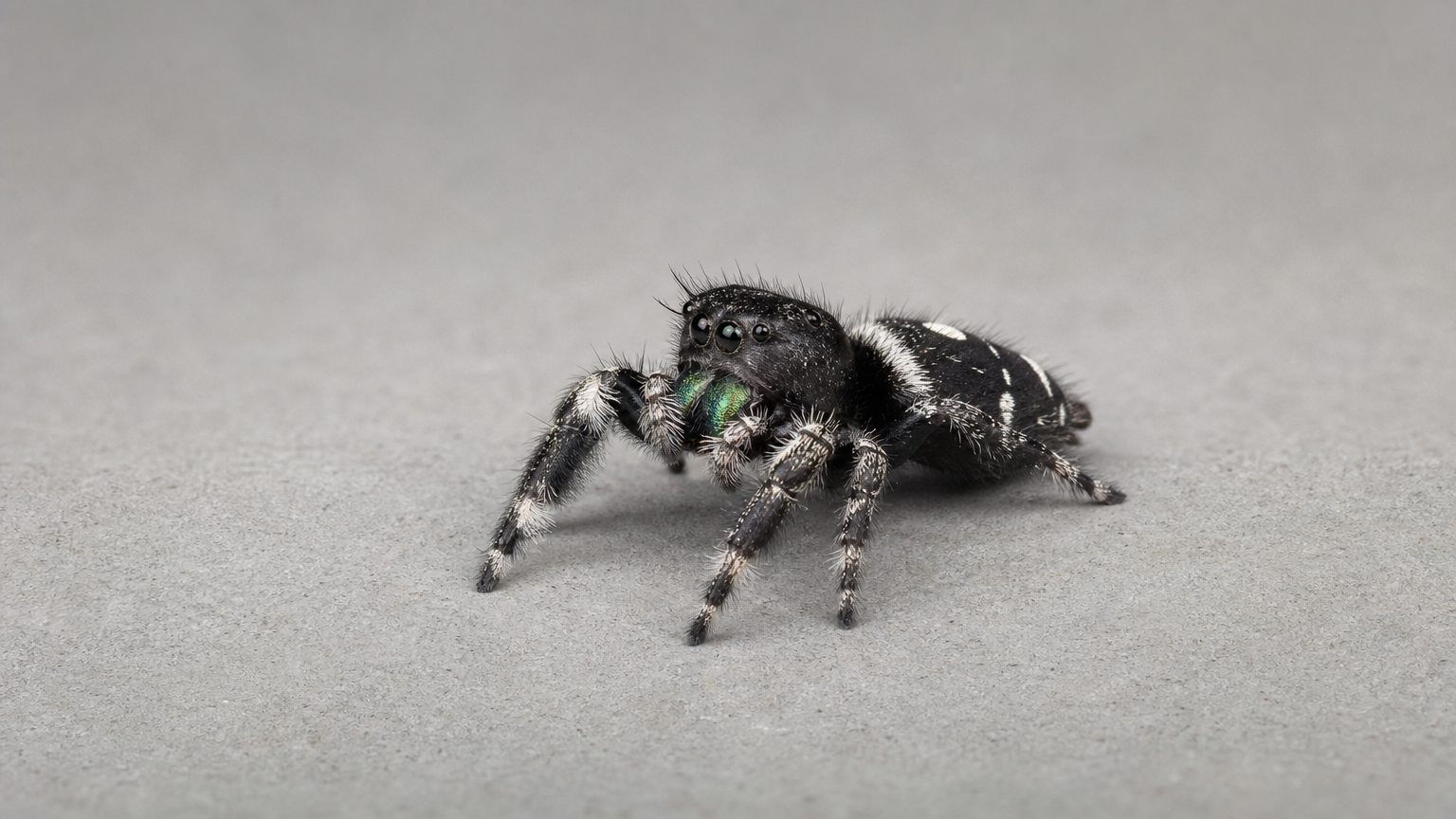
The 768p Standard image-workflow record provides a spider frame and asks for two sideways steps, a turn and raised front legs. The 1080p Pro image-workflow record provides a telephone operator and asks for a progression from puzzled concentration to suppressed laughter. Both dedicated workflows use the Hailuo 2.3 family also available through the combined task. Read their original prompts and compare each starting image with its own result to assess appearance, anatomy and expression.

Prompt

Animate the exact jumping spider in this first frame. In one uninterrupted macro shot it takes two short sideways steps on the observation surface, rotates its body to face the camera, lifts its front pair of legs and holds still. Preserve its eight legs, large forward-facing eyes, compact body and detailed hairs without adding appendages. Natural tiny foot contacts and deliberate pauses. Keep the camera, background and lighting fixed with enough depth of field to see the body. No cuts, no lettering, no logos, no advertising, no watermark.

Original starting image

Prompt

Animate this exact adult telephone operator in one continuous medium close-up. Listening through the same headset, she first knits her eyebrows in puzzled concentration, shifts only her eyes briefly to the side as if checking whether she heard correctly, then presses her lips together to suppress a laugh. A tiny involuntary shoulder movement gives away her amusement. Preserve the face, hairstyle, headset, clothing and switchboard. Keep her hands still. Restrained believable micro-expressions, no broad grin, speaking or head turn. Locked camera and stable warm practical lighting. No cuts, no lettering, no logos, no advertising, no watermark.

Original starting image

Creative Use Cases for Hailuo 2.3

Prepare a written scene or one image that establishes the subject and setting. Describe an action that fits the selected 6- or 10-second timing, including the camera and details to preserve. Reviewed results can support character reactions, illustrated motion, macro nature studies, physical-action concepts, cinematic storyboards and moving visual presentations.

Character reaction studies

Prepare a face or character image and describe a short expression progression. Review appearance, eye movement and timing in the generated video for a narrative character moment.

Illustrated motion concepts

Write or supply an illustrated subject and describe a small action that fits its shape and style. Inspect silhouette, deformation and scene continuity for an animation-development study.

Macro nature sequences

Use one image of a small animal and specify a clear movement with a fixed camera. Review anatomy, surface contact and retained lighting for a nature-storyboard concept.

Physical-action concepts

Describe a person, environment and ordered action, including balance and recovery. Generate at the supported timing and inspect body mechanics, fabric and camera visibility before developing the scene further.

Cinematic storyboard shots

Prepare a concise action, framing and lighting brief, or an approved starting frame. Review the generated composition and motion for a scene pitch or storyboard sequence.

Moving visual presentations

Provide an approved photograph or artwork and describe the movement and retained visual details. Compare the result with the source to develop a motion study for an exhibition, presentation or creative portfolio.

Hailuo 2.3 Specifications and API Pricing

Hailuo 2.3 uses a per-video price for the selected resolution and duration combination. The current task offers 768p at 6 or 10 seconds and 1080p at 6 seconds. The dynamic table shows the lowest current amount across those supported combinations; open the task with your intended settings to review the full video price. Use that amount and the planned number of requests to budget for creative variations.

ModelProviderWorkflowInput materialOutput specificationStarting rate
Hailuo 2.3MiniMaxText / First Frame to VideoText; optional 1 starting image1080p$0.175 / video

How to Use Hailuo 2.3 on Vidgo

Test your creative brief online, then bring the verified request into your application.

Test online

Generate a result with your intended settings

Open the task, describe the scene, movement and camera, and supply a starting image when it should guide the result. Select a supported resolution/duration pair and prompt optimization, then review the full estimate. Generate and compare appearance, physical contact, expression and action progression with the source and written brief.

Why Use Hailuo 2.3 on Vidgo

Choose a task, inspect its settings and cost, and follow the result from an online test to an authenticated API request.

Creative testing and task selection

Choose inputs around your creative goal

Use the same Hailuo 2.3 task for a text-only scene or add one starting image for frame-guided animation. Choose 768p with 6 or 10 seconds, or 1080p with 6 seconds, then decide whether to use prompt optimization. Prepare a clear action and the visual details that should stay consistent.

Test your own prompt and media

Open the task, describe the scene, movement and camera, and supply a starting image when it should guide the result. Select a supported resolution/duration pair and prompt optimization, then review the full estimate. Generate and compare appearance, physical contact, expression and action progression with the source and written brief.

Review the estimate before generation

Choose the actual resolution and duration pair before reviewing the per-video estimate. Plan the number of text or first-frame tests using that complete amount, and keep each result with its settings when comparing variations.

API integration and result management

Learn from complete recorded examples

Read the actual prompt and inspect every source image, video or audio alongside its generated result. Use the recorded examples to understand how to describe input roles, action progression and the details to preserve in your own request.

Track each generation with its task ID

Retain the task ID returned by the API to query status and retrieve completed file URLs. Use your online generation history to review earlier results and the creative direction you tested.

Follow the documentation for the selected task

Use the documentation linked from each task for its exact model identifier, accepted inputs, authentication and response format. Integrate the same task you tested online so its media and settings match the request.

Hailuo 2.3 API FAQ

Hailuo 2.3 is a MiniMax video model on Vidgo for text and optional first-frame generation. The existing combined task offers 768p at 6/10 seconds and 1080p at 6 seconds, plus a prompt-optimization switch. Dedicated Standard and Pro text/image workflows in the same family provide the recorded examples shown on this page.

Browse all models