Happy Horse 1.1 multi-reference video generation up to 15 seconds

Happy Horse 1.1 creates 3–15-second videos at 720p or 1080p from text, one starting image or one to nine visual references. Use references to establish people, props, costumes and settings, then describe their actions, camera movement and audible events in the prompt. Text and reference generation offer nine framing options; image animation begins with the supplied frame. The existing examples show spoken dialogue, a ceramic artist’s motion and reference-led character scenes, with actual clips to inspect against the source identities and instructions.

Happy Horse 1.1 is developed by Alibaba. Vidgo provides access to the model. Model names and trademarks belong to their respective owners.

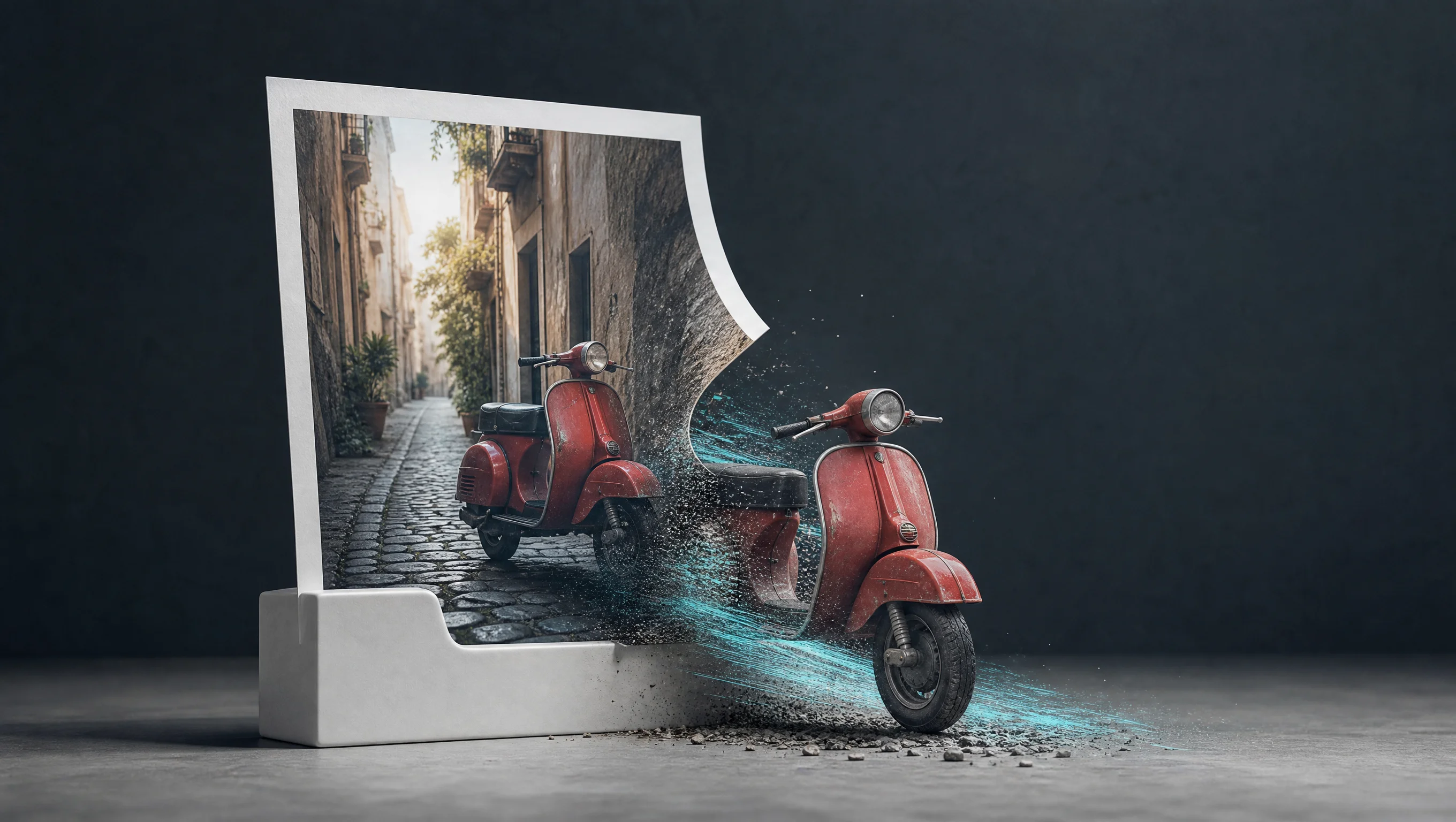
Explore Happy Horse 1.1 Models

Choose Text to Video to establish a new shot. Choose Image to Video when one frame defines the person, objects and environment to animate. Choose Reference to Video when one to nine images supply separate identities, props or a setting. Describe each input’s role and the action sequence, then select duration, resolution and the task’s supported framing.

Happy Horse 1.1 Text, Image and Reference-Guided Video Tasks

Image animation uses exactly one image_urls entry and accepts an optional motion prompt. Reference generation uses one to nine reference_image_urls plus a prompt explaining which appearance or setting each image provides. The actual examples use markers such as [image_1] and [image_2] to assign roles. Inputs can be public HTTP(S) images, image Data URIs or raw Base64; choose a consistent source order for the request.

Model / taskInput and workflow
Happy Horse 1.1 Text to VideoHappy Horse 1.1 generates 3–15 second videos at 720p or 1080p from text, a starting image, or reference images, with native synchronized audio and consistent subject identity.
Happy Horse 1.1 Image to VideoHappy Horse 1.1 generates 3–15 second videos at 720p or 1080p from text, a starting image, or reference images, with native synchronized audio and consistent subject identity.
Happy Horse 1.1 Reference to VideoHappy Horse 1.1 generates 3–15 second videos at 720p or 1080p from text, a starting image, or reference images, with native synchronized audio and consistent subject identity.

Happy Horse 1.1 Pottery Dialogue and Two-Speaker Conversation Examples

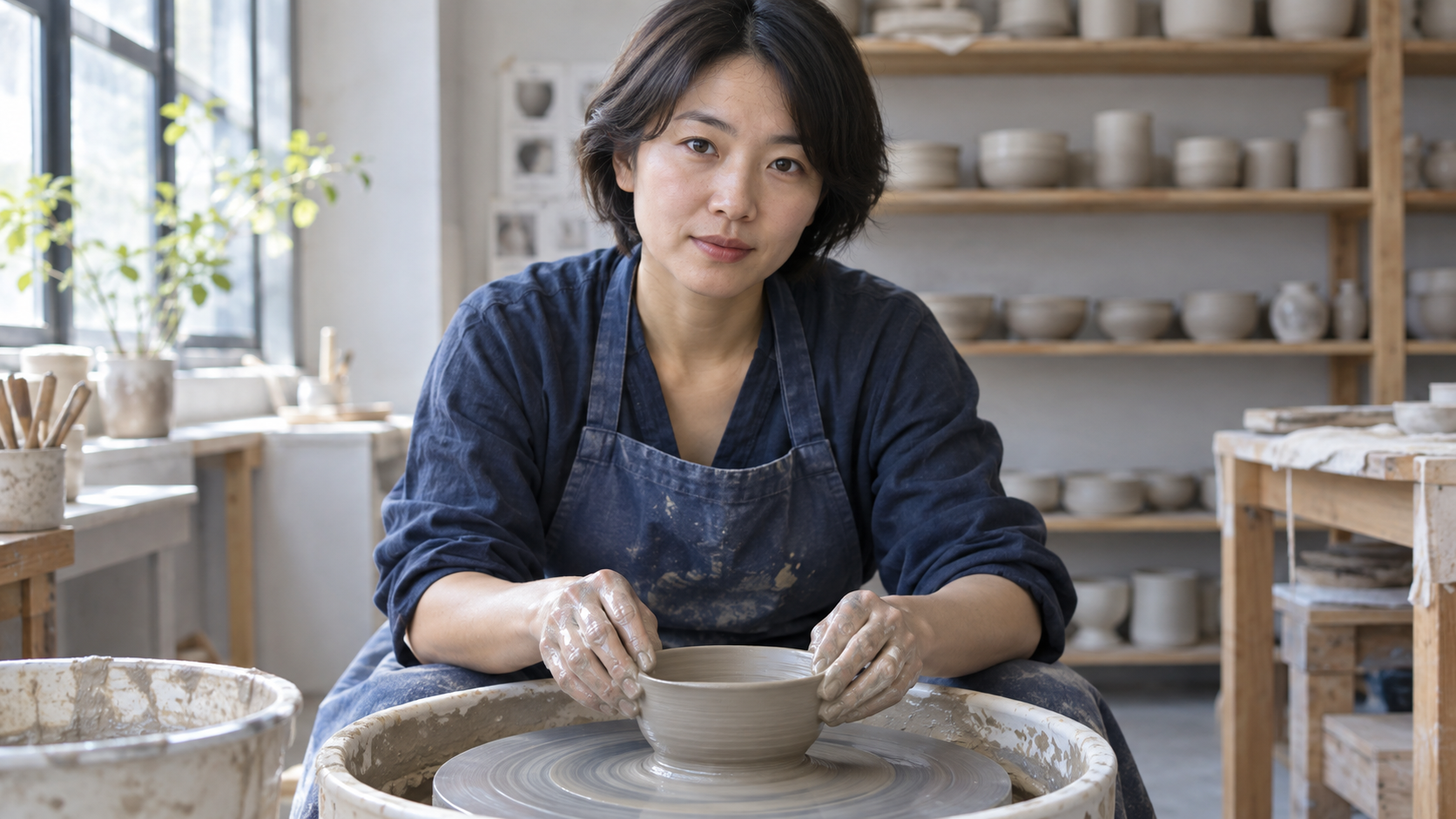
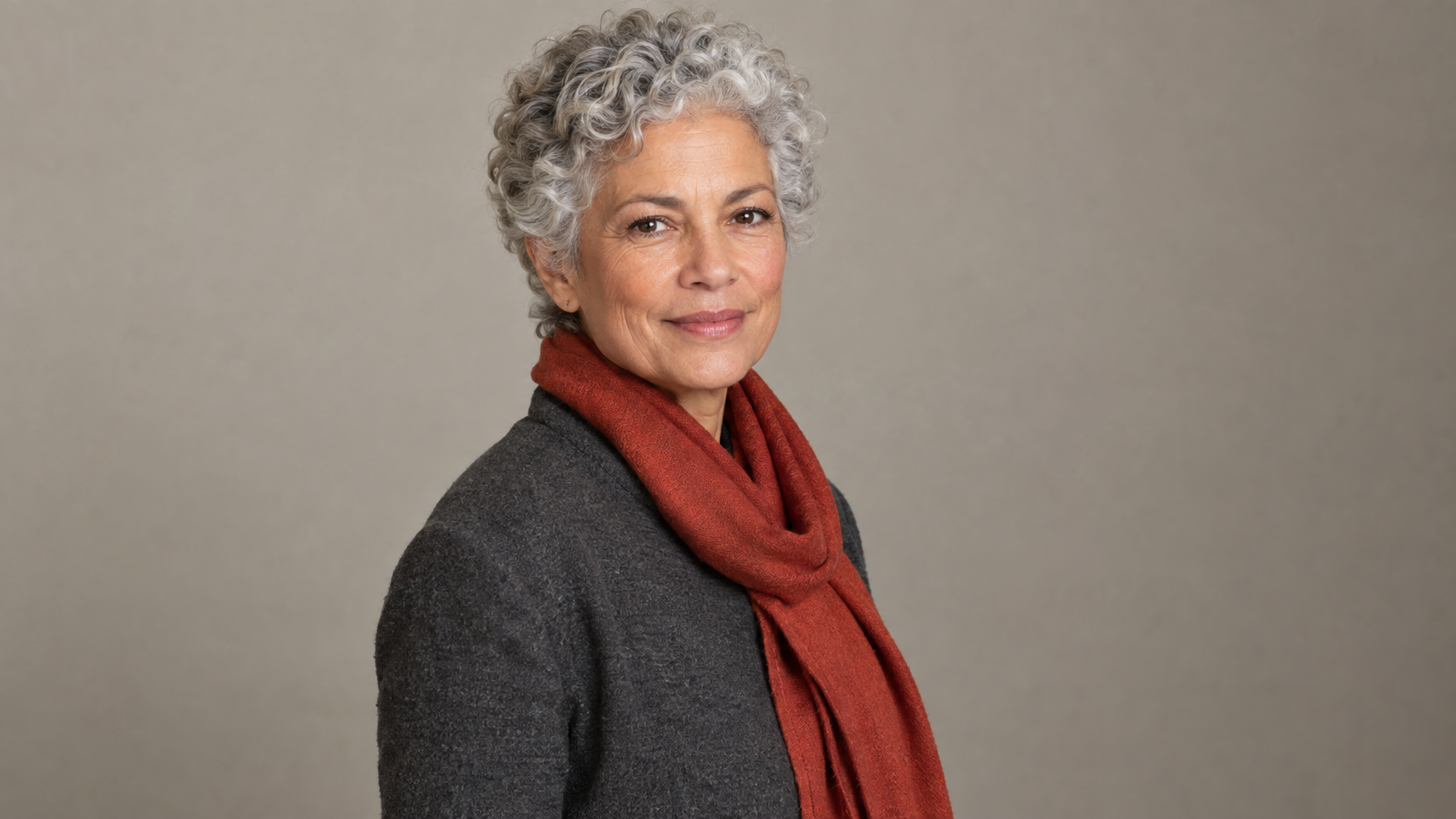
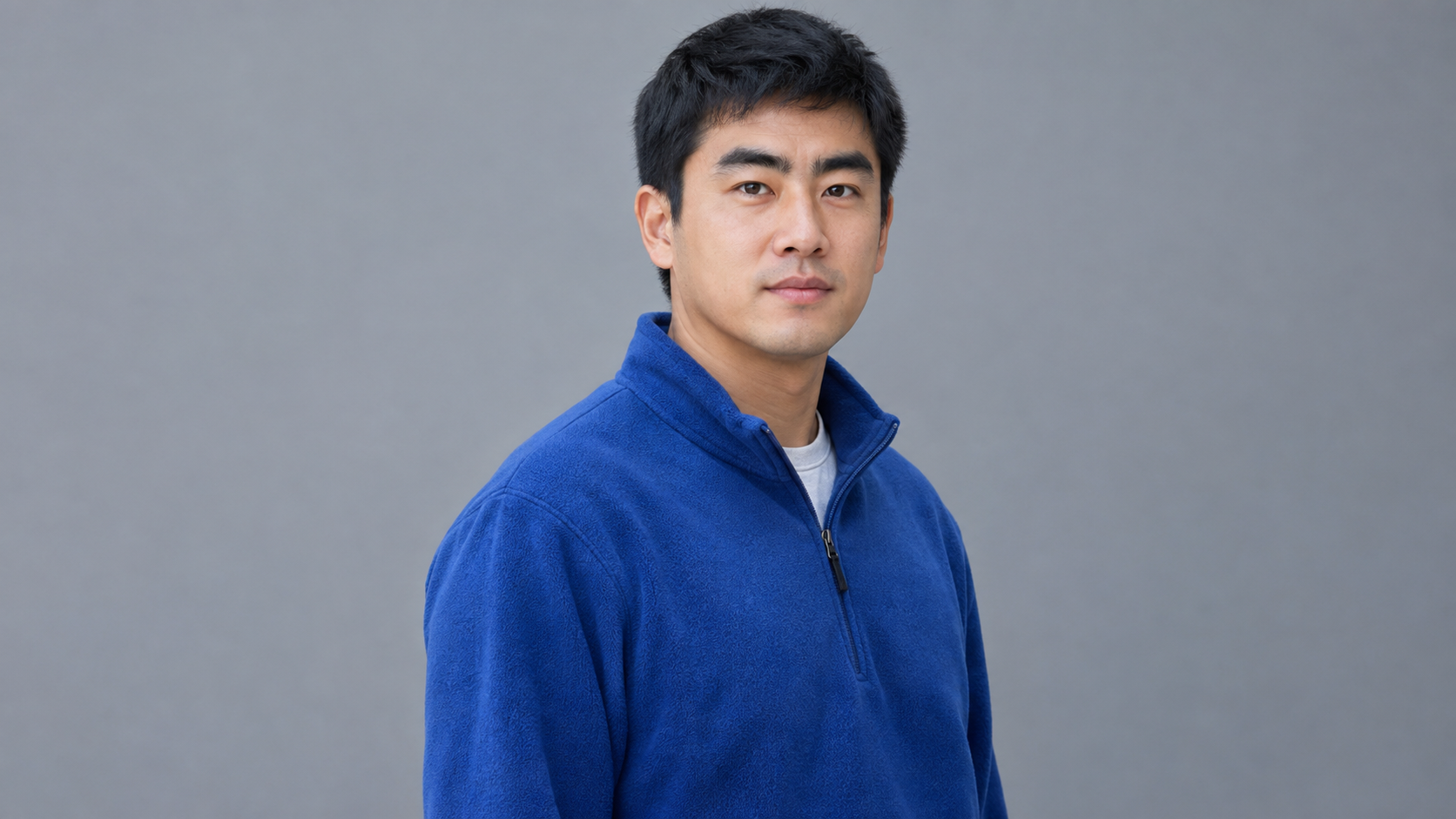
The pottery case provides one studio frame and asks for gentle wheel rotation, stable hand shaping and the exact Mandarin line 慢一点,形就稳了。 The observatory case provides two identity references and assigns an English question to the older woman during seconds 0–2 and the reply to the younger man during seconds 2–5. Read the complete prompts and compare the sources with the actual movement, faces and audio.

Prompt

Animate this first frame as one continuous five-second intimate documentary shot. Preserve this adult ceramic artist, face, clay vessel, hands, clothing and sunlit pottery studio. The wheel rotates gently while both wet hands steadily guide the rim without changing the vessel into another object. The artist glances up and calmly says exactly in Mandarin Chinese, "慢一点,形就稳了。" Clearly synchronized lips, natural small hand movements, soft wheel hum and wet-clay rubbing sounds. Very slow camera push-in, no cuts, no music. No logos, brands, advertising, captions, subtitles or watermarks.

Input image 1

Prompt

Use [image_1] for the older woman and [image_2] for the younger man, keeping their separate faces and clothing exactly recognizable. One continuous medium two-shot inside a quiet mountaintop observatory beside a telescope, both uncovered faces readable. During seconds 0-2 the older woman on the left asks exactly in English, "Found it?" During seconds 2-5 the younger man on the right answers exactly, "There it is.", and points toward the telescope eyepiece. Only the speaking person moves their lips. Subtle camera drift, accurate dialogue lip-sync, restrained gestures, quiet room tone and a faint telescope motor, no music. No logos, brands, advertising, captions, subtitles or watermarks.

Input image 1
Input image 2

Creative Use Cases for Happy Horse 1.1

Prepare a written scene, a starting frame or up to nine reference images. Describe the identities, action order, scene and sounds, then choose the supported duration and resolution. Reviewed clips can support spoken storyboards, craft demonstrations, two-person scene studies, miniature narratives, rehearsal concepts and alternate framing for a creative project.

Spoken storyboard moments

Write the speaker, exact line, expression and sound cues, then generate a scene. Review visible speech timing and accompanying audio for a narrative concept or dialogue storyboard.

Craft and working-hand studies

Provide a starting frame that clearly shows the person, tools and material. Describe a limited action and inspect contact, structure and requested sounds for a craft demonstration concept.

Two-person scene planning

Prepare separate identity references, assign positions and speaking turns and describe the shared setting. Inspect faces, gestures and timing for a conversation or character-interaction study.

Miniature character stories

Provide a character and prop reference, then describe the setting, steps and material sounds. Review the resulting contact and appearance for a tactile story scene or animation proposal.

Rehearsal and movement concepts

Supply performer and stage references and describe one ordered movement with a clear ending. Inspect posture, costume and final balance for a dance or performance planning draft.

Scenes for different frames

Choose a supported text/reference ratio and describe subject placement within it. Generate and review the framing for a landscape presentation, portrait story segment or square creative layout.

Happy Horse 1.1 Specifications and API Pricing

Happy Horse 1.1 generation is billed by the requested output duration multiplied by the selected 720p or 1080p rate. The dynamic table reads each task’s current starting rate and unit. Select the actual 3–15-second duration and resolution on the task page to review the complete request estimate, then include the planned number of tests in your budget.

ModelProviderWorkflowInput materialOutput specificationStarting rate
Happy Horse 1.1 Text to VideoAlibabaText to VideoText prompt1080p$0.11 / second
Happy Horse 1.1 Image to VideoAlibabaImage to VideoExactly 1 starting image1080p$0.11 / second
Happy Horse 1.1 Reference to VideoAlibabaReference to Video1–9 reference images1080p$0.11 / second

How to Use Happy Horse 1.1 on Vidgo

Test your creative brief online, then bring the verified request into your application.

Test online

Generate a result with your intended settings

Prepare the required images and write each subject’s role, action order, exact dialogue and sounds. Choose the task’s duration, resolution and framing, then review the full estimate. Generate and inspect the actual clip against the sources, including identity, motion, material, lip movement and audio timing.

Why Use Happy Horse 1.1 on Vidgo

Choose a task, inspect its settings and cost, and follow the result from an online test to an authenticated API request.

Creative testing and task selection

Choose inputs around your creative goal

Choose text for a new shot, one starting image for animation or one to nine references for identities, props and settings. Select an integer duration from 3 to 15 seconds and 720p or 1080p. Text/reference tasks also select one of nine ratios. Describe the action and any dialogue or audible events in the prompt.

Test your own prompt and media

Prepare the required images and write each subject’s role, action order, exact dialogue and sounds. Choose the task’s duration, resolution and framing, then review the full estimate. Generate and inspect the actual clip against the sources, including identity, motion, material, lip movement and audio timing.

Review the estimate before generation

Use the selected resolution’s current per-second rate and requested duration for the complete generation estimate. Compare that amount and your planned test count when budgeting text, image and reference workflows.

API integration and result management

Learn from complete recorded examples

Read the actual prompt and inspect every source image or video alongside its generated clip. Use the recorded examples to understand how to describe input roles, action progression and the details to preserve in your own request.

Track each generation with its task ID

Retain the task ID returned by the API to query status and retrieve completed file URLs. Use your online generation history to review earlier results and the creative direction you tested.

Follow the documentation for the selected task

Use the documentation linked from each task for its exact model identifier, accepted inputs, authentication and response format. Integrate the same task you tested online so its media and settings match the request.

Happy Horse 1.1 API FAQ

Happy Horse 1.1 is an Alibaba video model on Vidgo with text, image and reference-generation tasks. It supports 3–15-second clips at 720p/1080p, one starting image or one-to-nine-reference input, and native synchronized audio described through the prompt. Each task uses its own model identifier and supported fields.

Browse all models