Seedance 1.0 Pro text and image to video

Seedance 1.0 Pro creates 5 or 10-second videos from a written scene or a single reference image, with 720p and 1080p output. Use Text to Video to describe a new subject, setting and camera path, or Image to Video to animate an existing composition. Explain which parts move, how the movement unfolds and which visual details remain consistent. These two workflows let you develop short narrative shots, animate a craft or nature photograph and carry a tested generation into your application.

Seedance 1.0 Pro is developed by ByteDance Seed. Vidgo provides access to the model. Model names and trademarks belong to their respective owners.
Explore Seedance 1.0 Pro Models

Start with Text to Video when the shot is defined by words. Start with Image to Video when a photograph or illustration already supplies the subject and layout. Select 5 or 10 seconds and 720p or 1080p on the task page, then review the cost and generated movement.

Seedance 1.0 Pro Text and Single-Image Video Tasks

Text to Video uses the prompt to establish the scene and motion. Image to Video accepts one image URL and a prompt describing the movement to create within that composition. Both tasks share the same duration and resolution choices; the table preserves the existing catalog introductions.

Model / taskInput and workflow
Seedance 1.0 Pro Text-to-VideoSeedance 1.0 Pro generates cinematic videos from text prompts or a reference image at 720p or 1080p, with 5-second and 10-second durations, realistic motion, and consistent subject appearance.
Seedance 1.0 Pro Image-to-VideoSeedance 1.0 Pro generates cinematic videos from text prompts or a reference image at 720p or 1080p, with 5-second and 10-second durations, realistic motion, and consistent subject appearance.

Seedance 1.0 Pro Weaver Motion and Macro Creature Animation Examples

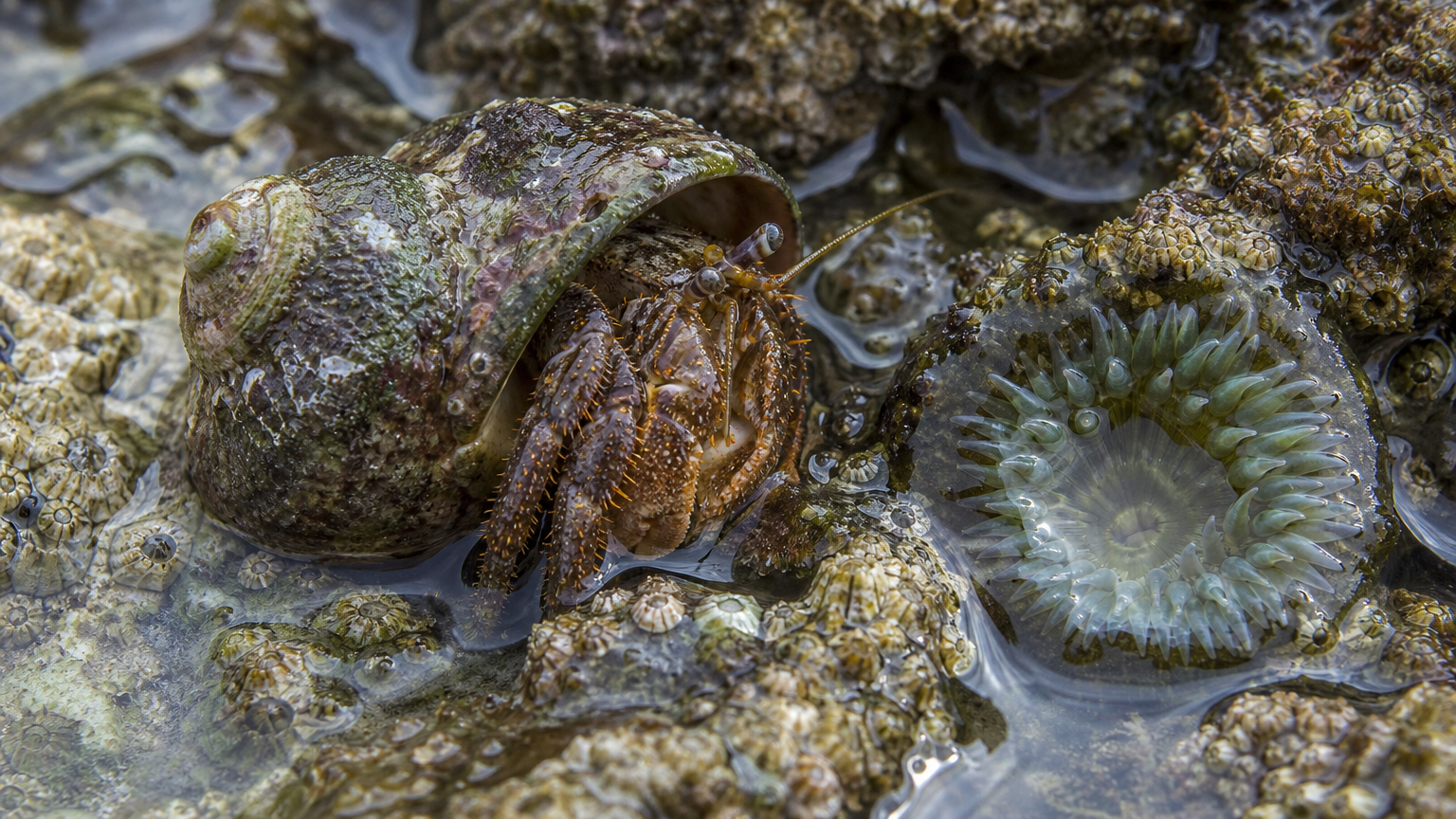
The first record animates a Ghanaian weaver throwing a shuttle and beating the weft while preserving the source textile and loom. The second animates a hermit crab and a small water ripple within a fixed macro composition. Each record includes its original image, complete prompt and actual video so you can inspect subject continuity, material movement and framing.

Prompt

Animate this exact outdoor loom scene in one continuous five-second shot. The same Ghanaian weaver throws the wooden shuttle once through the open shed, then beats the weft so the navy-and-gold cloth settles with a slight sag. Preserve her face, hair, clothing, loom geometry, textile pattern, mango-tree background, and camera framing. Very slow gentle lateral camera drift. Tactile wood and cloth physics. No extra people, no cuts, no lettering, no logos, no brands, no advertising, no watermark.

Input photograph

Prompt

Animate this exact locked macro composition in one continuous five-second shot. The hermit crab walks a few steps out of the shell across barnacles, and one small concentric ripple travels over the pool. Keep the anemone, rock, shell, waterline, and camera fixed. Natural wet surfaces and tiny fluid motion. No people, no cuts, no lettering, no logos, no brands, no advertising, no watermark.

Input photograph

Creative Use Cases for Seedance 1.0 Pro

Prepare a short action that can unfold in 5 or 10 seconds. Use a written scene for a new composition or one image for an existing subject, then review the resulting movement for a presentation, animation idea or application workflow.

Explore a narrative shot

Write a character, location, lighting and one short action sequence. Generate with Text to Video and use the clip to assess pacing and camera direction for a storyboard or film concept.

Animate a craft photograph

Prepare one photograph showing the maker, tool and material, then describe the order of a small craft action. Inspect hands and material response before using the result in an explanatory presentation concept.

Study small natural movements

Upload a clear nature image and identify the subject that moves and the environment that stays steady. Generate a short clip to study animal motion, water ripples or wind for a visual sequence.

Explore an architectural atmosphere

Use an existing architectural image, describe subtle environmental movement and keep the structure consistent. Review the clip as an atmosphere study for a location presentation or scene proposal.

Compare short and longer action timing

Test the same brief at 5 and 10 seconds with the intended resolution. Review how the action and camera movement occupy the available time, then choose a clip for your planned sequence.

Build a text-or-image video workflow

Retain the tested prompt, single image URL when used, duration and resolution. Submit the corresponding task through the API, track its ID and retrieve the completed video for your application.

Seedance 1.0 Pro Specifications and API Pricing

Seedance 1.0 Pro is billed per generated video according to its 5 or 10-second duration and 720p or 1080p resolution. The dynamic table shows the current lowest available price for each task. Configure the exact duration and resolution on the task page to review the total for one request and plan the number of clips you want to generate.

ModelProviderWorkflowMax image inputsMax output resolutionStarting rate
Seedance 1.0 Pro Text-to-VideoByteDanceText to VideoNot applicable1080p$0.105 / video
Seedance 1.0 Pro Image-to-VideoByteDanceImage to Video11080p$0.105 / video

How to Use Seedance 1.0 Pro on Vidgo

Test your creative brief online, then bring the verified request into your application.

Test online

Generate a result with your intended settings

Enter the prompt and supply exactly one image for Image to Video. Select 5 or 10 seconds and 720p or 1080p, review the estimate and generate the clip. Inspect motion, subject appearance and framing, then refine the prompt around the details you want to improve.

Why Use Seedance 1.0 Pro on Vidgo

Choose a task, inspect its settings and cost, and follow the result from an online test to an authenticated API request.

Creative testing and task selection

Choose inputs around your creative goal

Choose Text to Video for a written scene or Image to Video for one photograph or illustration. Write the action sequence, camera behavior and details to preserve so the input has a clear role in the shot.

Test your own prompt and images

Open the matching task, enter your brief and supply the required images. Review the generated result against subject appearance, composition and the requested changes before carrying the workflow into a project.

Review the estimate before generation

Set 5 or 10 seconds and 720p or 1080p on the task page to see the per-video estimate. Use that amount and the planned clip count to budget your motion tests.

API integration and result management

Learn from complete recorded examples

Read the actual prompt and inspect its source images and result together. Use those examples to understand how to assign input roles and describe the details to preserve or change in your own request.

Track each generation with its task ID

Retain the task ID returned by the API to query status and retrieve completed file URLs. Use your online generation history to review earlier results and the creative direction you tested.

Follow the documentation for the selected task

Use the documentation linked from each task for its exact model identifier, accepted inputs, authentication and response format. Integrate the same task you tested online so its media and settings match the request.

Seedance 1.0 Pro API FAQ

Seedance 1.0 Pro is a ByteDance Seed video model with Text to Video and single-image Image to Video tasks on Vidgo. Both create 5 or 10-second videos at 720p or 1080p. Use a written scene or one prepared image to define the shot and describe the movement in the prompt.

Browse all models