
Seedance 2.0 Fast video with generated audio

Seedance 2.0 Fast turns a written brief, ordered image frames or multimodal references into 4–15-second videos at 480p or 720p. Describe a compact action sequence and its camera movement, supply visual references when the subject or composition is already prepared, and choose whether to generate audio with the clip. The three tasks let you test new scenes, frame transitions and reference-led actions using the materials you already have, then review the generated movement and sound before the next creative revision.

Seedance 2.0 Fast is developed by ByteDance Seed. Vidgo provides access to the model. Model names and trademarks belong to their respective owners.

Explore Seedance 2.0 Fast Models

Use Text to Video when you want to explore a written action, Image to Video when you have a starting image and an optional ending frame, or Reference to Video when appearance and motion need separate sources. Each card opens the corresponding Fast task with its own media fields, 480p or 720p resolution and optional generated audio.

Seedance 2.0 Fast Text, Frame and Multimodal Reference Tasks

Text to Video describes the subject, action, environment and camera in words. Image to Video uses one starting image and an optional second image for the final frame. Reference to Video uses images or videos for visual guidance and can add audio for timing. The table reuses the existing model introductions; open the matching task to review its input fields and output controls.

Model / taskInput and workflow
Seedance 2.0 Fast Text-to-VideoByteDance Seedance 2.0 Standard and Fast video generation with text, ordered start/end frames, or multimodal image, video, and audio references.
Seedance 2.0 Fast Image-to-VideoByteDance Seedance 2.0 Standard and Fast video generation with text, ordered start/end frames, or multimodal image, video, and audio references.
Seedance 2.0 Fast Reference-to-VideoByteDance Seedance 2.0 Standard and Fast video generation with text, ordered start/end frames, or multimodal image, video, and audio references.

Seedance 2.0 Fast Sundial Transition and Rover Reference Animation Examples

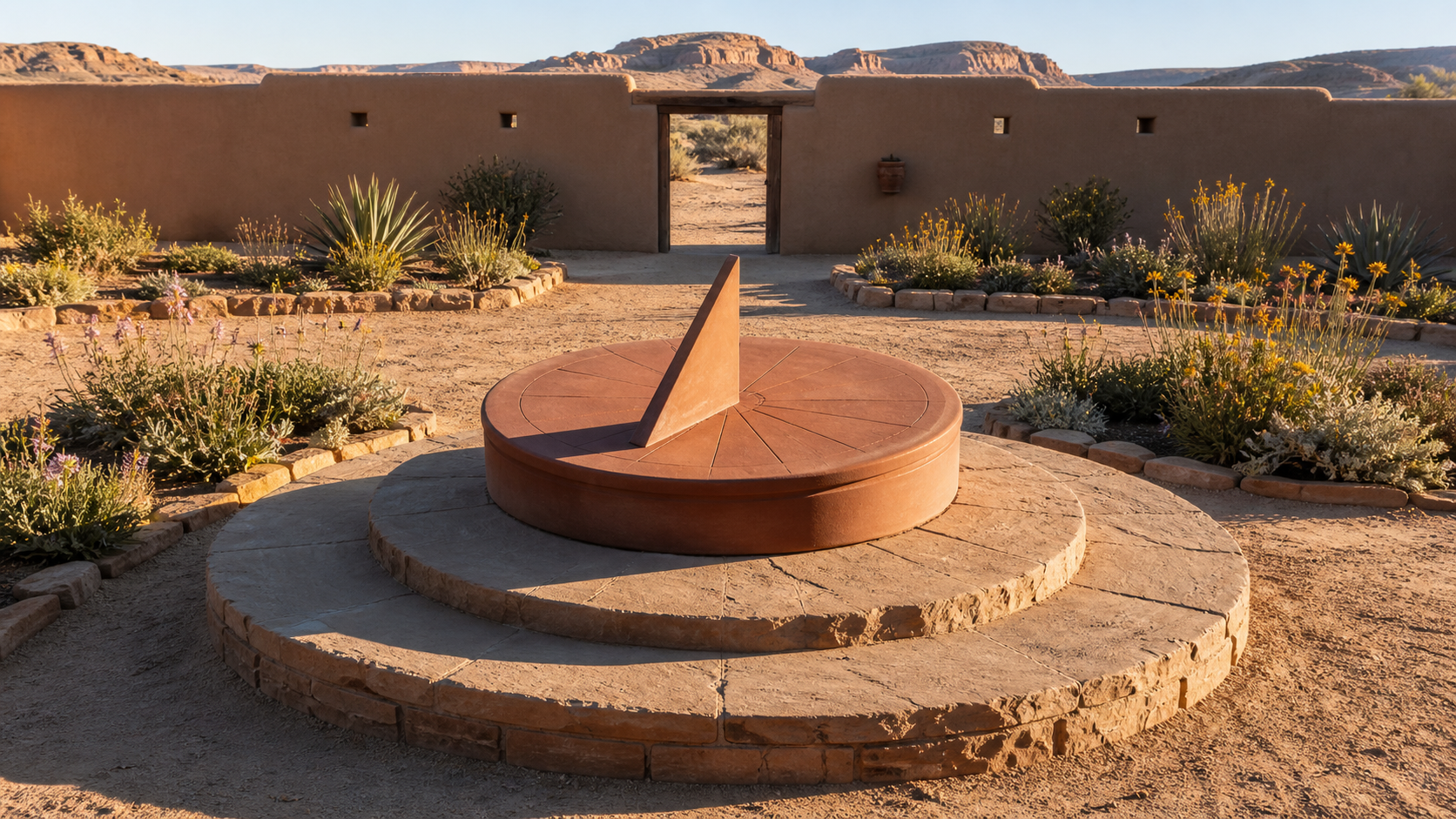
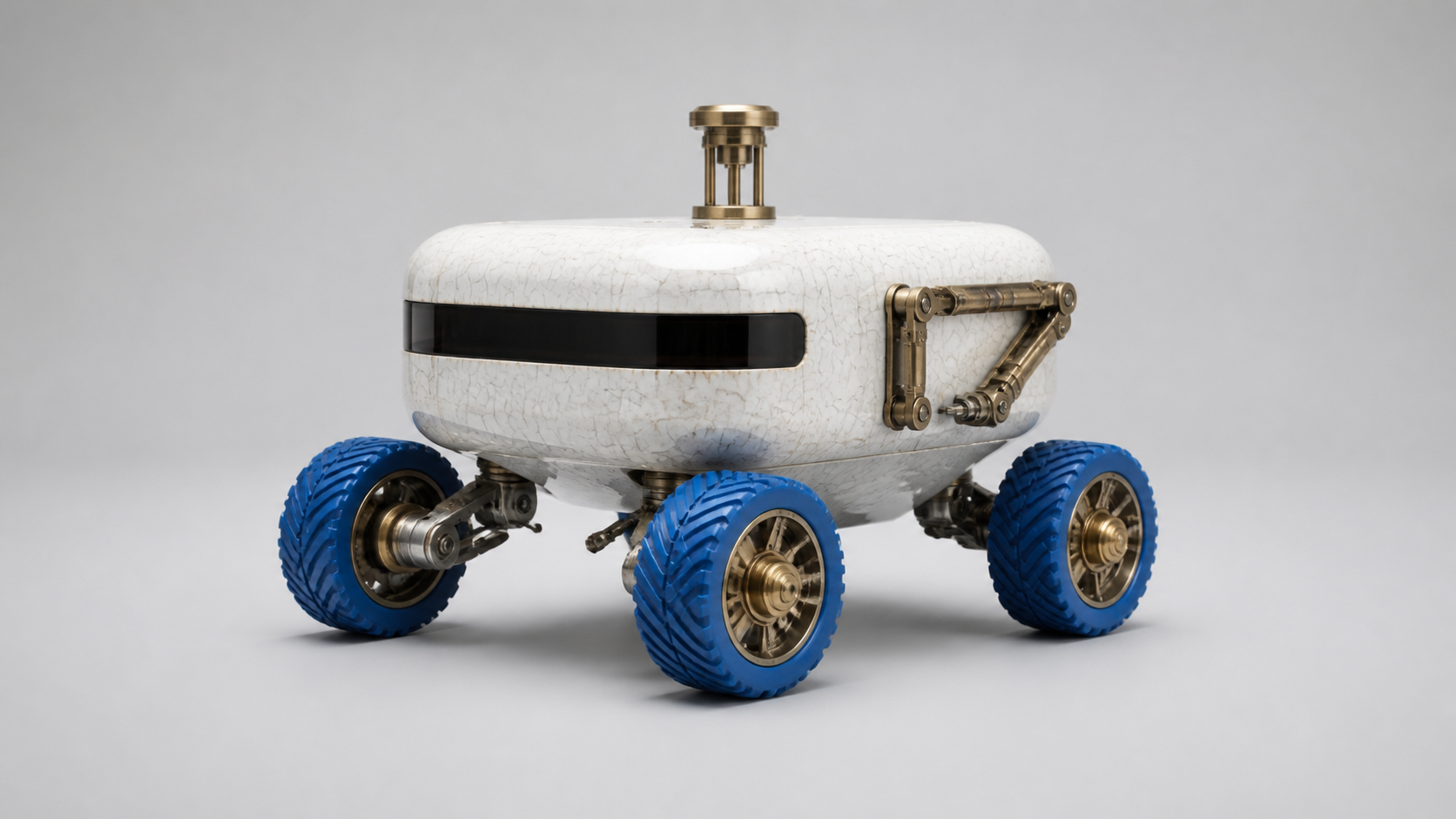
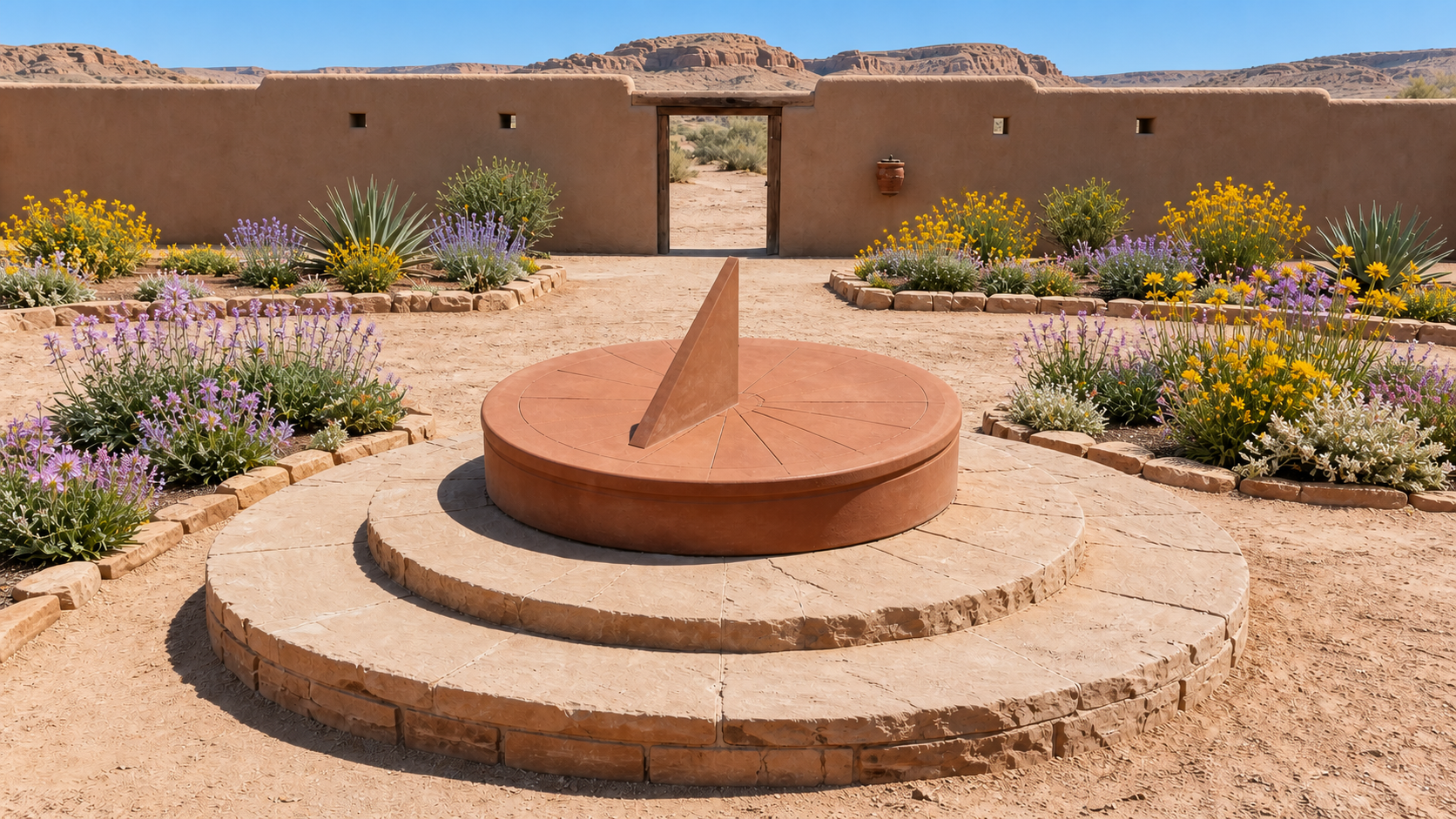
The frame-based task connects morning and noon images of the same sundial, with directions for changing light, shadow length and flowers. The reference task uses a ceramic-rover image, a clockwork-beetle movement video and timing audio to create a new greenhouse shot. Review the actual prompts, both ordered frames and every reference alongside the outputs to inspect the transition, route, camera tracking and sound.

Prompt

Begin exactly from Image 1 and finish on Image 2. Create one continuous four-second locked-camera time-lapse in the same desert courtyard. The sun rises from low morning to solar noon, shortening the terracotta sundial's shadow smoothly toward the gnomon while the existing flowers open in place. Preserve the exact sundial, unlettered dial lines, stone plinth, adobe wall, doorway, garden-bed geometry, mountains, plant locations, camera position, crop, and material colors. Only illumination, shadow length, and flower openness may change. Keep shadows physically consistent and settle precisely into the noon frame. Synchronized audio: a restrained desert breeze and faint dry leaves, with no music. No cuts, no people, no animals, no new objects, no numbers, no readable text, no logos, no brands, no products, no advertising, no watermark.

First frame
Last frame

Prompt

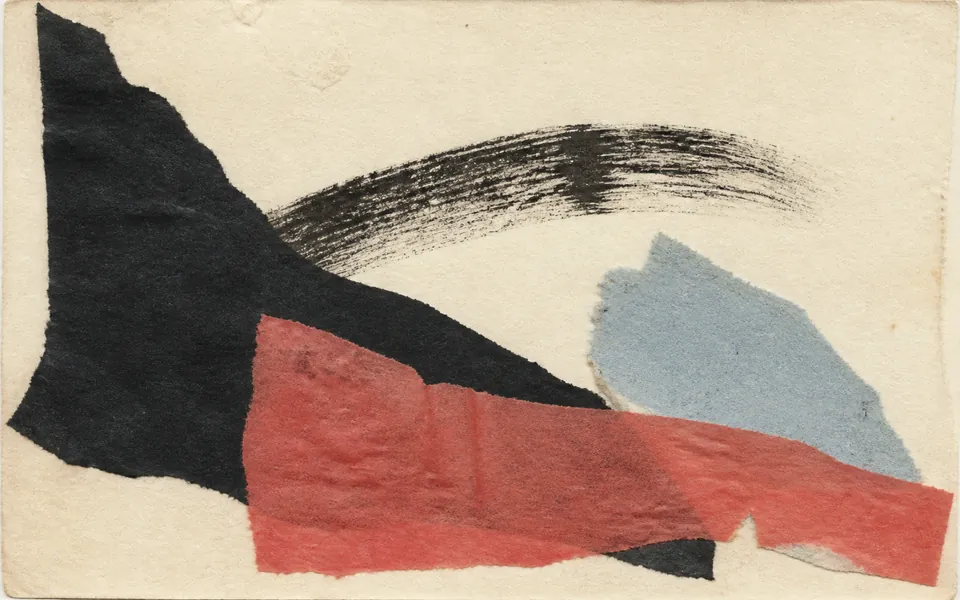
Use Reference Image 1 only for the compact rover's rounded white crackle-ceramic body, four cobalt-blue wheels, brass sensor mast, dark glass sensor band, folded sampling arm, proportions, and materials. Use Reference Video 1 only for the curved route, quick right-left correction, stop timing, and low constant-distance camera track; do not copy the brass beetle, wooden blocks, washer, or worktable. Use Reference Audio 1 only for movement cadence and stop cue; replace leg taps with wheel and greenhouse sounds. Create one continuous four-second shot inside a misty glass greenhouse at dawn. The rover follows a curved wet-stone path between two empty planting beds, makes one right-left correction, then stops beneath a dripping irrigation pipe. Preserve the referenced rover identity, four wheels, and body geometry throughout. Synchronized audio: four wheels on wet stone, quiet electric steering, one water drop, and ventilation ambience. No cuts, no insects, no worktable, no blocks, no extra vehicles, no people, no readable text, no logos, no brands, no products, no advertising, no watermark.

Subject reference image
Sound reference audio

Creative Use Cases for Seedance 2.0 Fast

Prepare a scene brief, ordered frames or suitable references, then define the subject’s action, camera path and sound. Choose the matching task and use the generated clip for a narrative idea, animation study, presentation or video workflow in your application.

Test the movement of a small subject

Prepare a brief that names the subject’s construction, route and stopping point. Generate with Text to Video, then inspect contacts, direction changes and camera tracking as an action study for an animated object or character.

Explore light across a fixed scene

Prepare a first image and an ending image of the same setting under different illumination. Describe the change in light and shadows, then use Image to Video to assess a time-of-day transition for a visual story or environmental animation concept.

Reuse a route for a different subject

Prepare an appearance image and a video showing the desired path. Assign their roles in Reference to Video and describe the new location. Review how the generated subject follows the route when planning a movement study or a new scene variation.

Develop event-specific sound direction

Write the action and its corresponding sounds together, then enable generated audio. Review the clip to assess the relationship between movement, surface contact and ambience when preparing a short audiovisual concept.

Compare two versions of a scene brief

Keep the chosen source material and output settings, change one action or camera instruction, and generate another clip. Review both outputs to decide which direction to develop for a storyboard, animation test or presentation.

Integrate repeated creative tests

Save the prompt, media URLs and selected settings from an online test. Submit the Fast task through the API, track completion and retain the output so your application can manage a sequence of scene revisions.

Seedance 2.0 Fast Specifications and API Pricing

Text, frame-based and reference requests using images and optional audio are billed by output duration and resolution. Requests that include reference video use the corresponding rate for output duration plus the duration of each reference clip, rounded down separately to whole seconds. The dynamic table shows the lowest available rate for each task; open the task page with your actual settings and media to review the complete estimate.

ModelProviderWorkflowMax image inputsMax output resolutionStarting rate
Seedance 2.0 Fast Text-to-VideoByteDanceText to VideoNot applicable720p$0.07 / output second
Seedance 2.0 Fast Image-to-VideoByteDanceImage to Video2720p$0.07 / output second
Seedance 2.0 Fast Reference-to-VideoByteDanceReference to Video9720p$0.045 / billing second

How to Use Seedance 2.0 Fast on Vidgo

Test the scene with your source materials, then integrate the same workflow into your application.

Test online

Submit the scene and review the generated clip

Enter the prompt, provide the task’s media and select 4–15-second duration, 480p or 720p resolution and generated audio. For Image to Video, place the starting frame first and the optional ending frame second. Review the estimate, generate the clip and inspect movement, framing, appearance and sound before refining the brief.

Why Use Seedance 2.0 Fast on Vidgo

Vidgo connects Seedance 2.0 Fast task selection, online generation, cost review and documentation. Establish the shot with actual materials, then use the selected prompt, settings and task in your application.

Creative preparation and result review

Find the task that matches the source material

Review text, frame-based and reference tasks together, including their inputs and current rates. Open the appropriate model card and prepare media for that workflow.

Compare actual inputs with video results

Inspect the example frames, appearance image, motion video and audio, then play the completed clip. Use what you observe to make your own prompt explicit about action, camera direction and each source’s role.

Review the estimate for the actual configuration

Set duration and resolution on the task page. When adding reference videos, include their billed duration in the estimate so test counts and project budgets reflect the materials you use.

API development and result management

Use the matching task documentation

Open the selected task’s documentation for authentication, model identifiers and accepted fields. Prepare source URLs for each request and carry over the prompt and settings confirmed in online testing.

Track every asynchronous video request

Save the returned task ID, query processing status and retrieve the video URL on completion. Configure a callback URL when your application should receive a completion notification.

Revisit and retain online test records

Use generation history to review requests and outputs from online testing. Keep the chosen video, prompt and settings together for the next scene revision or a discussion with your team.

Seedance 2.0 Fast API FAQ

Seedance 2.0 Fast is a ByteDance Seed video generation model. Vidgo provides Text to Video, first-and-last-frame Image to Video and multimodal Reference to Video tasks. Create 4–15-second clips, choose 480p or 720p resolution and decide whether to generate audio. Select the workflow around your materials and creative goal, then define the shot’s action, framing and sound.

Browse all models