Seedance 2.0 Mini multimodal video generation

Seedance 2.0 Mini creates 4–15-second videos at 480p or 720p using text, ordered image frames or multimodal references. Describe a new shot, supply first and last frames for a planned transition, or combine character images, motion clips and audio guidance for a reference-led scene. Choose the output duration, framing and generated-audio setting for the workflow you selected. On Vidgo, each task has its own inputs and current rate, helping you connect the material you prepare with the video you want to produce.

Seedance 2.0 Mini is developed by ByteDance Seed. Vidgo provides access to the model. Model names and trademarks belong to their respective owners.

Explore Seedance 2.0 Mini Models

Choose Text to Video for a scene written in words, Image to Video for a supplied first frame and optional last frame, or Reference to Video for visual and optional sound guidance. Open the matching task and prepare the media fields it accepts, then set 480p or 720p resolution, duration and generated audio before submitting.

Seedance 2.0 Mini Text, Frame and Multimodal Reference Tasks

Text to Video describes the subject, action, environment and camera in words. Image to Video uses one starting image and an optional second image for the final frame. Reference to Video uses images or videos for visual guidance and can add audio for timing. The table reuses the existing model introductions; open the matching task to review its input fields and output controls.

Model / taskInput and workflow
Seedance 2.0 Mini Text-to-VideoByteDance's Seedance 2.0 Mini provides text-to-video, ordered start/end-frame image-to-video, and image, video, or audio reference-to-video modes at 480p or 720p.
Seedance 2.0 Mini Image-to-VideoByteDance's Seedance 2.0 Mini provides text-to-video, ordered start/end-frame image-to-video, and image, video, or audio reference-to-video modes at 480p or 720p.
Seedance 2.0 Mini Reference-to-VideoByteDance's Seedance 2.0 Mini provides text-to-video, ordered start/end-frame image-to-video, and image, video, or audio reference-to-video modes at 480p or 720p.

Seedance 2.0 Mini Vehicle Frame Transition and Courier Reference Animation Examples

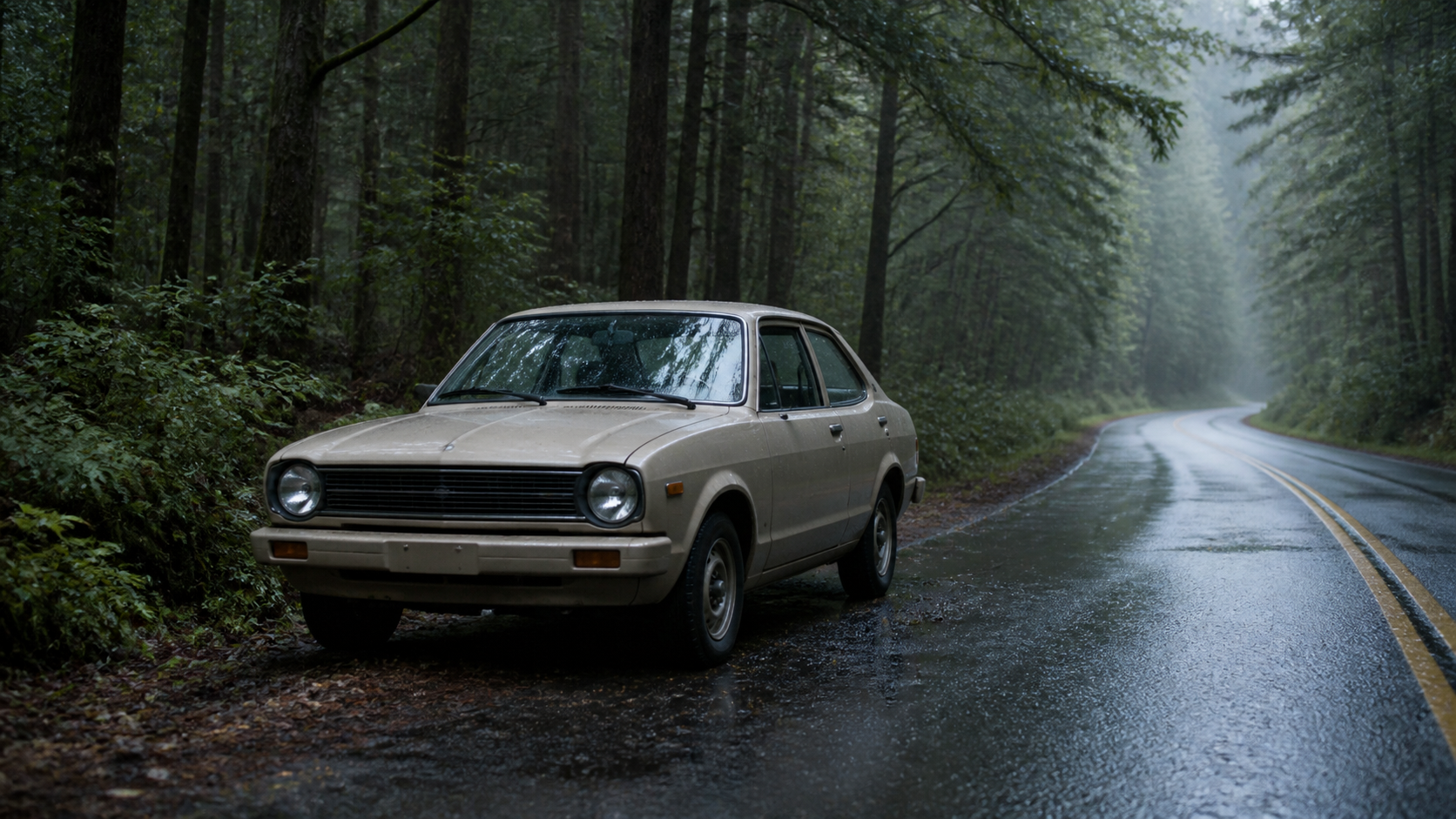
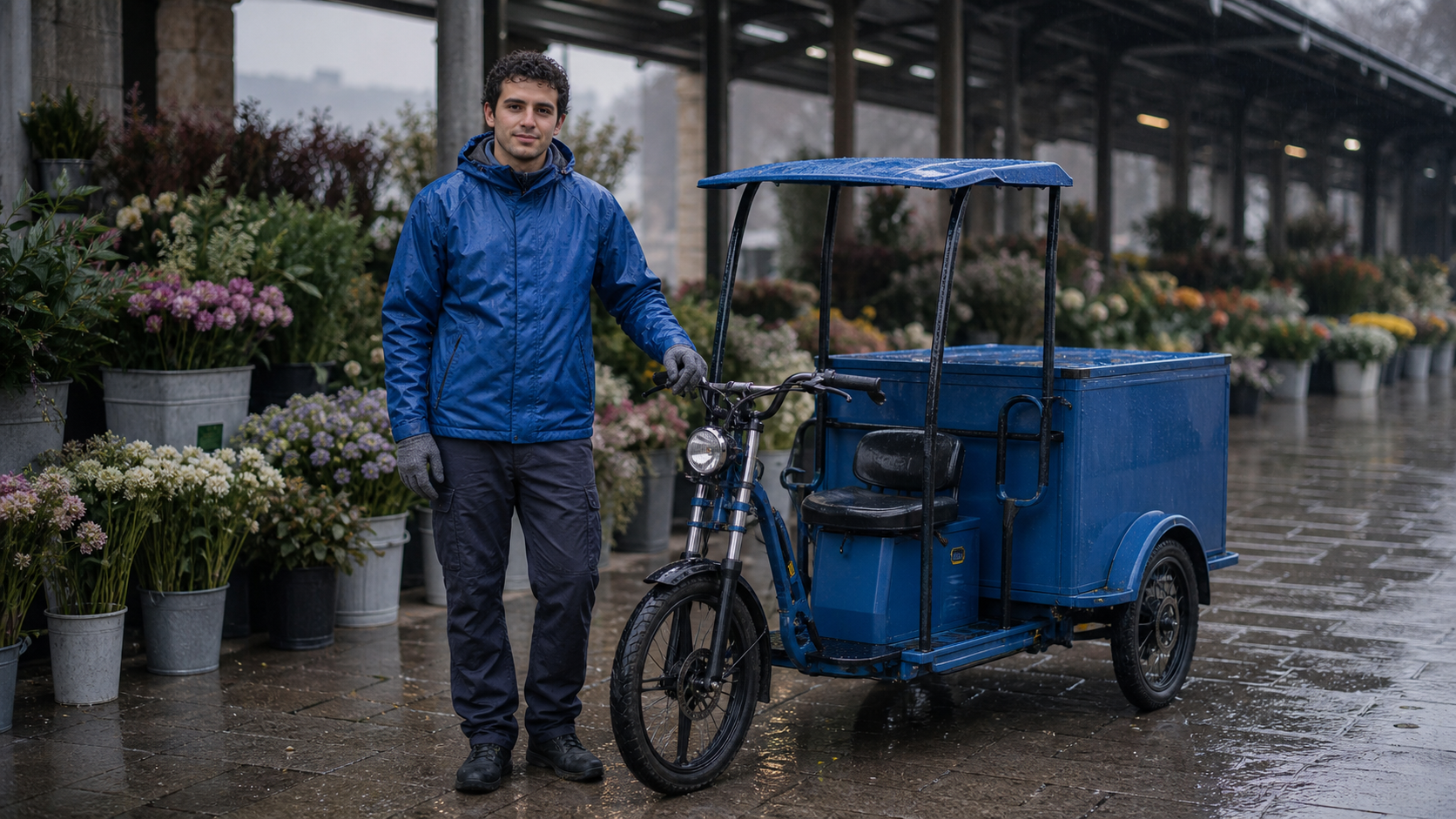
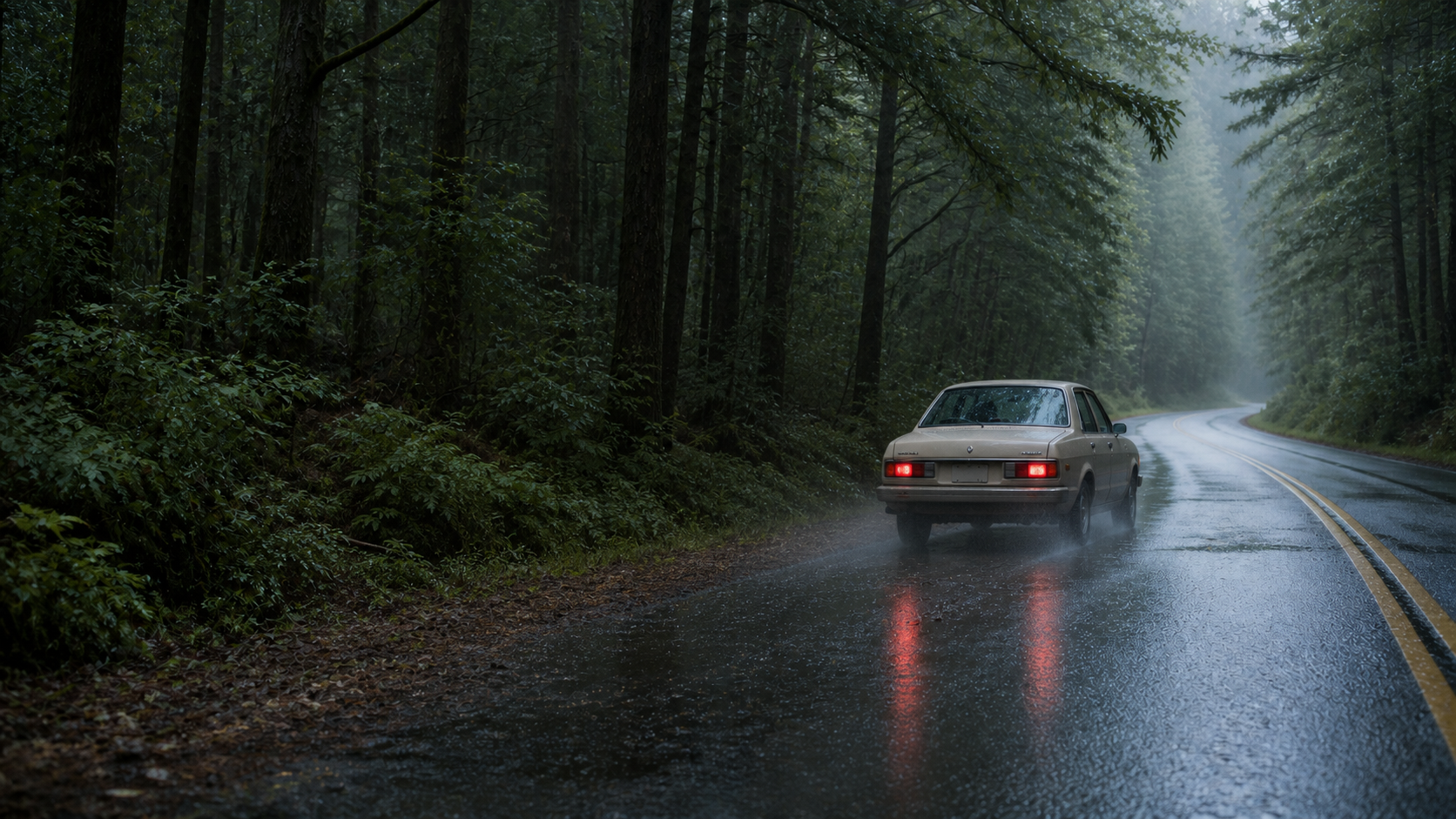
The first task supplies two frames of a beige car on a wet forest road and asks it to turn on its lights, enter the lane and drive away. The second combines a blue cargo-tricycle courier image with a scooter departure video and rain-and-engine audio to create a flower-market arcade scene. Review both sets of inputs and the actual prompts beside their output videos, paying attention to subject continuity, the pull-away action, camera tracking and sound.

Prompt

Begin exactly from Image 1 and finish on Image 2. In one continuous four-second shot, the same beige vintage compact car switches on its lights, rolls from the wet shoulder into the near lane, and drives away along the forest-road curve. Use one stable, gentle pan only. Preserve the exact car body, beige paint, wheels, forest, road geometry, camera height, mist, and dawn lighting. Keep the movement physically plausible, with restrained tire spray and stable reflections, and settle cleanly into the final composition without morphing. Synchronized audio: one quiet engine start, tires on wet asphalt, light rain, and distant forest ambience. No cuts, no people, no extra vehicles, no readable text, no logos, no products, no advertising, no watermark.

First frame
Last frame

Prompt

Use Reference Image 1 only for the fictional courier's face, short dark curly hair, cobalt-blue waterproof jacket, charcoal trousers, gray gloves, body proportions, and blue electric cargo tricycle. Use Reference Video 1 only for the start-and-pull-away action, natural weight shift, low side-tracking camera path, wet-road tire spray, and action timing; do not copy its amber-coated rider, red scooter, noodle stall, or night-market layout. Use Reference Audio 1 only for the engine-start cue, rain intensity, tire hiss, and timing; do not add music. Create one continuous four-second shot under the covered flower-market arcade shown by the reference identity: the courier mounts the blue cargo tricycle, starts it, and pulls forward past the flower buckets while preserving the referenced face, clothing, vehicle, roof, and wet-stone setting. No cuts, no extra people, no dialogue, no readable text, no logos, no products, no advertising, no watermark.

Subject reference image
Sound reference audio

Creative Use Cases for Seedance 2.0 Mini

Prepare a scene brief, ordered frames or suitable references, then define the subject’s action, camera path and sound. Choose the matching task and use the generated clip for a narrative idea, animation study, presentation or video workflow in your application.

Explore a short departure scene

Write a brief that defines the traveler or vehicle, the starting action and the camera path. Generate with Text to Video and review acceleration, scene atmosphere and sound as a narrative shot idea or storyboard study.

Animate a prepared vehicle scene

Prepare first and last images of the same vehicle and setting, then describe how the vehicle moves between them. Use Image to Video and inspect the body shape, road position and final framing for an animation concept or visual presentation.

Transfer a movement to a new character

Prepare a character image and a video showing the intended action. Assign their roles and describe the new environment in Reference to Video. Review the generated subject and movement when developing another scene within a visual story.

Coordinate motion with atmosphere audio

Combine visual material with audio that supplies timing or environmental cues. Describe the final scene’s sounds and enable generated audio, then inspect the audiovisual result for a short storytelling or animation study.

Prepare widescreen or vertical scene studies

Choose a supported aspect ratio for a text or reference task and select 480p or 720p. Generate a short shot, review the composition at its intended placement and retain the prompt and settings for project feedback.

Build a media-guided application workflow

Test a scene online, save its input URLs and settings, then submit the selected Mini task through the API. Track its task ID and retrieve the video so your application can connect source preparation with finished clip delivery.

Seedance 2.0 Mini Specifications and API Pricing

Text, frame-based and reference requests using images and optional audio are billed by output duration and resolution. Requests that include reference video use the corresponding rate for output duration plus the duration of each reference clip, rounded down separately to whole seconds. The dynamic table shows the lowest available rate for each task; open the task page with your actual settings and media to review the complete estimate.

ModelProviderWorkflowMax image inputsMax output resolutionStarting rate
Seedance 2.0 Mini Text-to-VideoByteDanceText to VideoNot applicable720p$0.05 / second
Seedance 2.0 Mini Image-to-VideoByteDanceImage to Video2720p$0.05 / second
Seedance 2.0 Mini Reference-to-VideoByteDanceReference to Video9720p$0.03 / billing second

How to Use Seedance 2.0 Mini on Vidgo

Test the scene with your source materials, then integrate the same workflow into your application.

Test online

Submit the scene and review the generated clip

Enter the prompt, provide the task’s media and select 4–15-second duration, 480p or 720p resolution and generated audio. For Image to Video, place the starting frame first and the optional ending frame second. Review the estimate, generate the clip and inspect movement, framing, appearance and sound before refining the brief.

Why Use Seedance 2.0 Mini on Vidgo

Vidgo connects Seedance 2.0 Mini task selection, online generation, cost review and documentation. Establish the shot with actual materials, then use the selected prompt, settings and task in your application.

Creative preparation and result review

Find the task that matches the source material

Review text, frame-based and reference tasks together, including their inputs and current rates. Open the appropriate model card and prepare media for that workflow.

Compare actual inputs with video results

Inspect the example frames, appearance image, motion video and audio, then play the completed clip. Use what you observe to make your own prompt explicit about action, camera direction and each source’s role.

Review the estimate for the actual configuration

Set duration and resolution on the task page. When adding reference videos, include their billed duration in the estimate so test counts and project budgets reflect the materials you use.

API development and result management

Use the matching task documentation

Open the selected task’s documentation for authentication, model identifiers and accepted fields. Prepare source URLs for each request and carry over the prompt and settings confirmed in online testing.

Track every asynchronous video request

Save the returned task ID, query processing status and retrieve the video URL on completion. Configure a callback URL when your application should receive a completion notification.

Revisit and retain online test records

Use generation history to review requests and outputs from online testing. Keep the chosen video, prompt and settings together for the next scene revision or a discussion with your team.

Seedance 2.0 Mini API FAQ

Seedance 2.0 Mini is a ByteDance Seed video generation model. Vidgo provides Text to Video, first-and-last-frame Image to Video and multimodal Reference to Video tasks. Create 4–15-second clips, choose 480p or 720p resolution and decide whether to generate audio. Select the workflow around your materials and creative goal, then define the shot’s action, framing and sound.

Browse all models