Veo 3.1 Fast video generation with frames and references

Veo 3.1 Fast provides five tasks for directing video from text, frames or three visual references. Official text and image generation offer 4, 6 or 8 seconds, sound and 720p, 1080p or 4K, with one or two images for the image task. The other tasks use an 8-second duration: Image to Video requires two ordered frames, and Reference to Video requires exactly three images. Assign the references their roles, describe the action and camera and review the full per-second or per-video estimate for the chosen workflow.

Veo 3.1 Fast is developed by Google. Vidgo provides access to the model. Model names and trademarks belong to their respective owners.


Explore Veo 3.1 Fast Models

Begin with Text to Video for a new written scene. Choose Image to Video when prepared frames should guide the shot, matching the one-or-two Official input or the fixed-duration task’s two-frame requirement. Choose Reference to Video when three images define the subject and visual sources for a new 8-second scene.

Veo 3.1 Fast Text, Frame and Reference-Guided Video Tasks

First and last frames establish an opening and destination for a transition. Reference to Video uses three image_urls to define visual sources such as the character, materials and environment. The prompt explains movement, camera and the details to retain. Select the task before preparing the images because the accepted count and the role of each source differ.

Model / taskInput and workflow
Veo 3.1 Fast Official Text-to-VideoGoogle Veo 3.1 Official flagship video model family with Quality, Fast, and Lite tiers featuring cinematic physics, multi-axis camera control, first/last-frame interpolation, synchronized native audio, and 4K workflows.
Veo 3.1 Fast Official Image-to-VideoGoogle Veo 3.1 Official flagship video model family with Quality, Fast, and Lite tiers featuring cinematic physics, multi-axis camera control, first/last-frame interpolation, synchronized native audio, and 4K workflows.
Veo 3.1 Fast Text-to-VideoGoogle DeepMind's 1080p video model with native audio generation, scene extension to 60+ seconds, and advanced creative controls for cinematic storytelling.
Veo 3.1 Fast Image-to-VideoGoogle DeepMind's 1080p video model with native audio generation, scene extension to 60+ seconds, and advanced creative controls for cinematic storytelling.
Veo 3.1 Fast Reference-to-VideoGoogle DeepMind's 1080p video model with native audio generation, scene extension to 60+ seconds, and advanced creative controls for cinematic storytelling.

Veo 3.1 Fast Single-Image Animation and Multi-Reference Examples

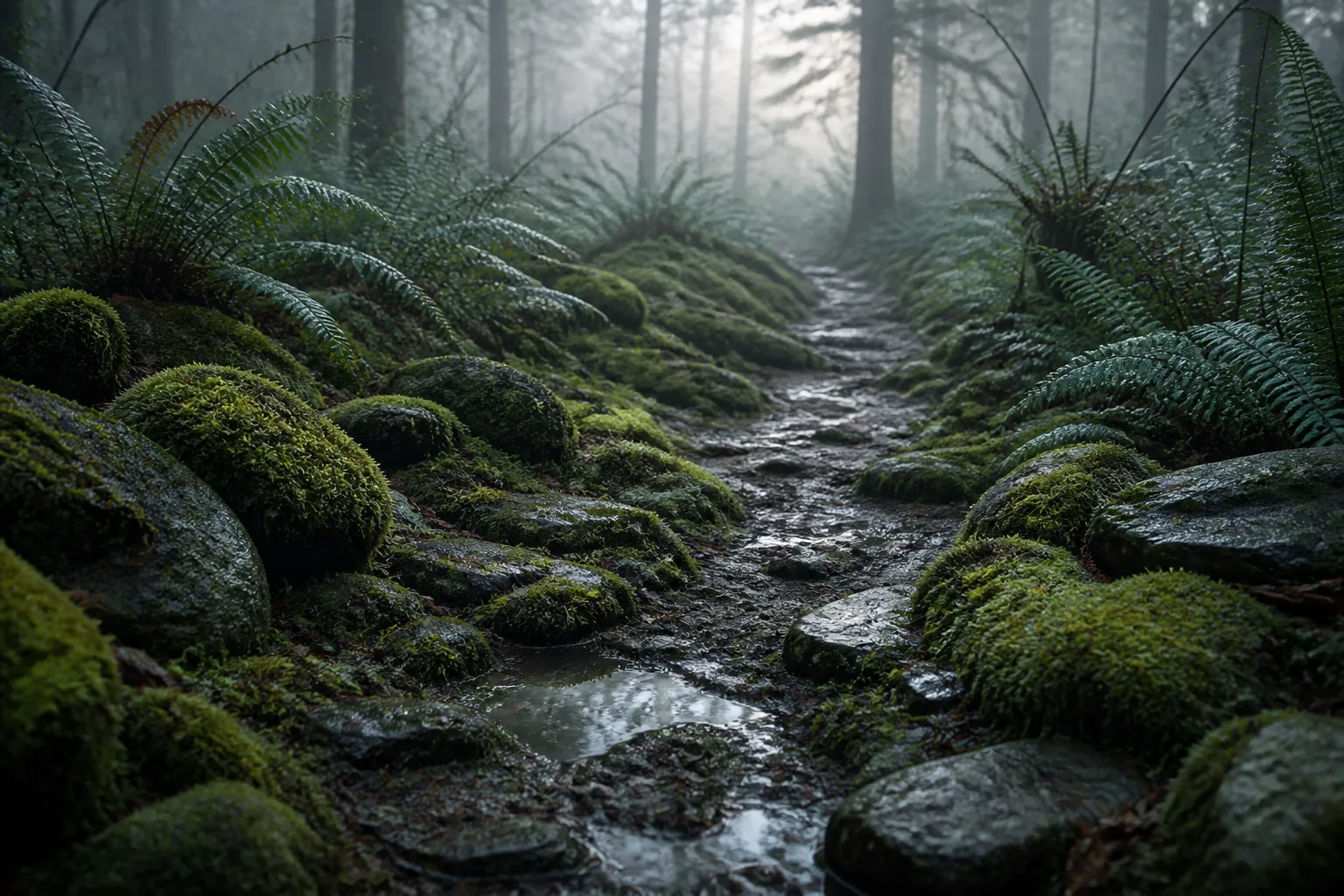
The Official example supplies one ginger-cat image and requests a 4-second 720p shot with sound. The Reference to Video example supplies three robot-and-forest references and requests an 8-second 720p scene with a defined walk, pause and head movement. Read the complete prompts and compare every source with its corresponding actual output to inspect appearance, action and the intended reference roles.

Prompt

The ginger cat on the sunny windowsill lifts its head, ears swiveling toward a sound off-camera, then looks directly into the lens as sunlight creeps across its fur. Natural sound: a soft meow, purring, muted street noise through the glass. Realistic motion, no text, no logos.

Official starting frame

Prompt

One continuous low tracking shot in the referenced wet misty forest. The referenced compact moss-covered brass-and-ceramic robot walks four careful steps along the puddled path, pauses, tilts its rounded head toward a falling droplet, and its single amber eye brightens slightly. Preserve the robot's exact silhouette, one eye, chest hatch, materials, moss coverage and scale; use the forest and cool dawn lighting from the references. No text, no logos, no brands, no products, no advertising, no watermark.

Reference image 1
Reference image 2
Reference image 3

Creative Use Cases for Veo 3.1 Fast

Prepare a written action, one or two Official frames, two fixed-duration frames or exactly three visual references. Describe the subject, ordered movement and camera, choose the task-specific timing and sound controls and inspect the complete estimate. Review the video for storyboards, character or wildlife studies, material transformations and an integrated reference-driven workflow.

Develop a moving outdoor scene

Write the subject, travel direction and camera height, then configure the Official duration and sound where needed. Review movement, environment and audible events for a scene proposal.

Animate an existing animal or character

Supply an image to the Official task and describe one clear action with the appearance to preserve. Inspect face, material and source framing for a character or wildlife presentation.

Guide a transition toward a prepared ending

Provide first and last frames and explain the path or mechanical change between them. Review the completed movement and final state for a transition or animation concept.

Study an unfolding or structural change

Prepare two fixed-duration frame inputs and describe the order of connected parts. Inspect the 8-second result for material continuity and the intended final shape.

Build a new scene from three visual references

Assign the references to identity, materials and environment and describe how the subject acts within that setting. Compare all inputs with the result for a reference-driven character proposal.

Integrate the task-specific request

Retain the exact model, prompt, ordered source URLs, resolution and timing. Include the Official sound and framing settings where supported, then submit the authenticated request and track its task ID.

Veo 3.1 Fast Specifications and API Pricing

Fast Official tasks are billed per second according to resolution, sound and the selected 4/6/8-second duration. The other Fast tasks use a per-video price for 8 seconds, including the three-reference task. The dynamic table shows the current starting rate and unit for every task. Compare complete request estimates at the actual duration and resolution when planning your workflow and test budget.

ModelProviderWorkflowInput materialOutput specificationStarting rate
Veo 3.1 Fast Official Text-to-VideoGoogleText to VideoText prompt4K$0.05 / second
Veo 3.1 Fast Official Image-to-VideoGoogleImage to Video1–2 image frames4K$0.05 / second
Veo 3.1 Fast Text-to-VideoGoogleText to VideoText prompt4K$0.18 / video
Veo 3.1 Fast Image-to-VideoGoogleImage to VideoExactly 2 first/last frames4K$0.18 / video
Veo 3.1 Fast Reference-to-VideoGoogleReference to VideoExactly 3 reference images4K$0.18 / video

How to Use Veo 3.1 Fast on Vidgo

Test your creative brief online, then bring the verified request into your application.

Test online

Generate a result with your intended settings

Enter the prompt and provide the exact frame or reference count required by the selected task. Set resolution and framing, and choose duration and sound for Official. Review the complete estimate, generate and inspect movement, appearance, material continuity and the requested ending or reference relationships.

Why Use Veo 3.1 Fast on Vidgo

Choose a task, inspect its settings and cost, and follow the result from an online test to an authenticated API request.

Creative testing and task selection

Choose inputs around your creative goal

Choose Official text or image generation for its 4/6/8-second and sound controls, using one or two image frames. Choose the other text or two-frame task for a fixed 8-second request. Use Reference to Video with exactly three images for a new reference-guided scene. Select 720p, 1080p or 4K.

Test your own prompt and images

Open the matching task, enter your brief and supply the required images. Review the generated result against subject appearance, composition and the requested changes before carrying the workflow into a project.

Review the estimate before generation

Review the full Official duration-and-sound estimate or the complete 8-second price for the other task. Include the planned number of tests when comparing frame and reference workflows.

API integration and result management

Learn from complete recorded examples

Read the actual prompt and inspect its source images and result together. Use those examples to understand how to assign input roles and describe the details to preserve or change in your own request.

Track each generation with its task ID

Retain the task ID returned by the API to query status and retrieve completed file URLs. Use your online generation history to review earlier results and the creative direction you tested.

Follow the documentation for the selected task

Use the documentation linked from each task for its exact model identifier, accepted inputs, authentication and response format. Integrate the same task you tested online so its media and settings match the request.

Veo 3.1 Fast API FAQ

Veo 3.1 Fast is a Google video variant grouped on Vidgo with five tasks: Official text and image generation, fixed 8-second text and two-frame generation and an 8-second three-reference task. It provides 720p, 1080p and 4K, with duration and sound settings on the Official tasks.

Browse all models