Wan 2.5 video generation with synchronized audio up to 1080p

Wan 2.5 creates 5- or 10-second videos from a written scene or one starting image, with synchronized audio and output up to 1080p. Describe the subject, visible action, camera and sounds; an optional audio file URL can supply a recording for the video. Text generation selects landscape or portrait pixel dimensions through aspect_ratio, while image generation uses one image_urls source and a 480p, 720p or 1080p resolution. Choose the workflow around your scene or source frame and inspect the complete duration-based price before generating.

Wan 2.5 is developed by Alibaba. Vidgo provides access to the model. Model names and trademarks belong to their respective owners.
Explore Wan 2.5 Models

Use Text to Video when the prompt should establish the complete person, environment and action. Use Image to Video when one prepared image supplies the face, material, objects or composition to preserve. In both workflows, describe the timing of motion and audible events, choose 5 or 10 seconds and review the output tier for the intended canvas.

Wan 2.5 Text, Image and Optional Audio Inputs

Both tasks use prompt and duration, with optional audio, negative_prompt and seed. Text generation uses aspect_ratio as a width*height pixel value, such as 1280*720. Image generation supplies exactly one public image_urls item and sets resolution instead. Use an audio file URL when supplying a recording, and describe the visible action and sounds clearly in the prompt.

Model / taskInput and workflow
Wan 2.5 Text to VideoGenerate 5 or 10 second videos from text or one image, with synchronized audio and output up to 1080p.
Wan 2.5 Image to VideoGenerate 5 or 10 second videos from text or one image, with synchronized audio and output up to 1080p.

Wan 2.5 Laundromat Dialogue and Character Image Animation Examples

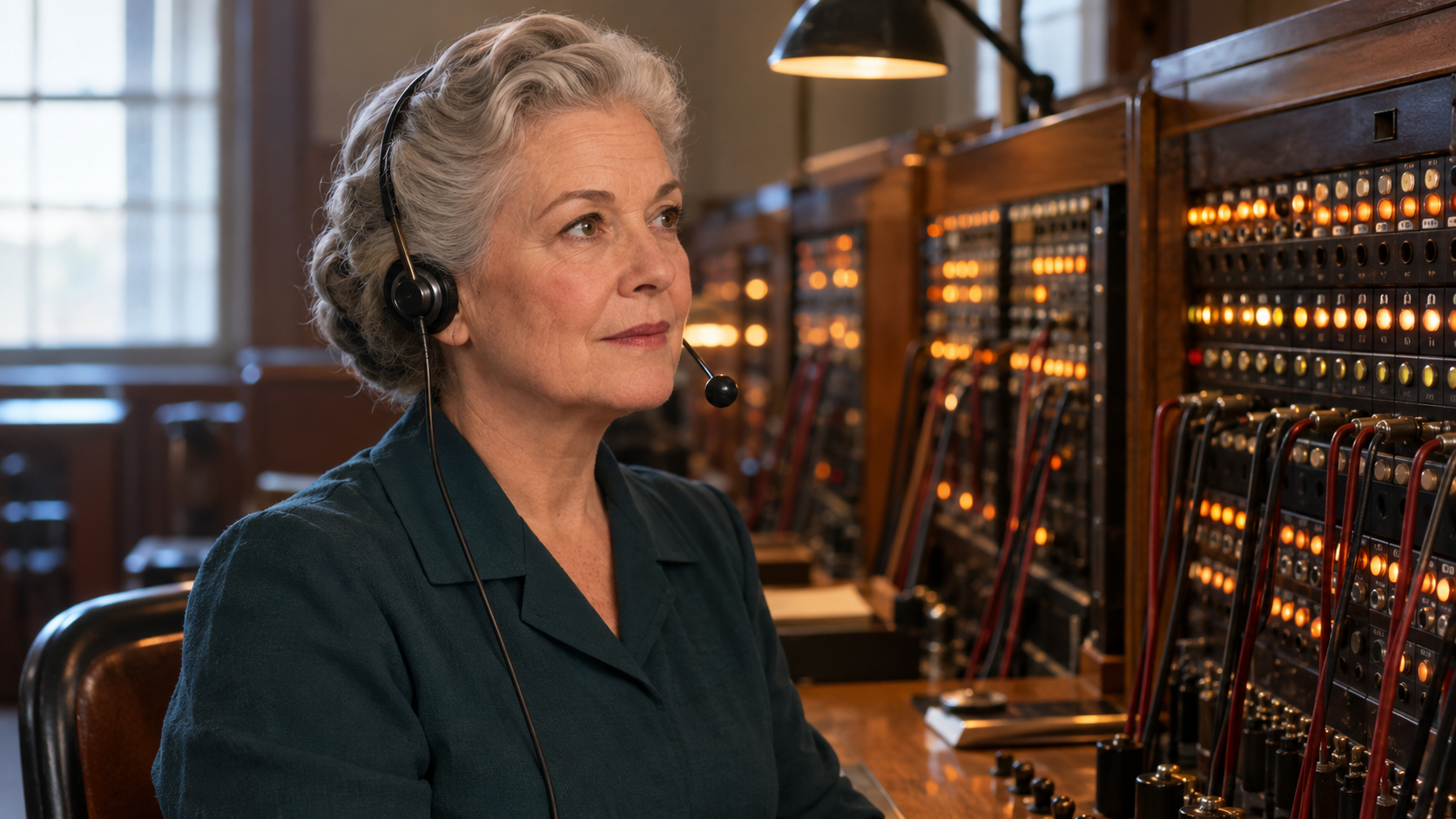
The text case asks for one woman noticing a red sock through a closed dryer window and saying There you are. The image case uses a telephone operator’s portrait and requests a small lamp change, a head tilt and the English line One moment, please. Read the full prompts, compare the prepared frame with the corresponding result and inspect the requested movement and audio.

Prompt

One continuous five-second realistic movie shot inside a quiet self-service laundromat at dawn. EXACTLY ONE young adult woman with short curly dark hair and a yellow raincoat. Tight chest-up composition: her face occupies the left half; ONE CLOSED circular dryer window occupies the right half. The dryer door stays firmly closed and locked for the entire shot. Behind its glass, one small red sock turns slowly with white laundry inside the drum. She is already standing still, looks right at the sock, then smiles and says softly in English, "There you are." Her mouth remains clearly visible. Locked camera, no camera movement, no cuts. Matte white machine casing, no mirrors, no reflections of people, no additional people. Cool fluorescent lighting. Audio: one natural female voice saying only the quoted words, synchronized lips, gentle machine hum. No music, captions, text, logos or watermarks.

Prompt

Preserve the reference image: the same silver-haired older female telephone operator, headset, clothing, switchboard and seated position. Medium close-up with her face clearly visible. A small incoming-call lamp lights up behind her; she listens, tilts her head slightly and says clearly in English, "One moment, please." Her lips precisely follow the words and she finishes with a small reassuring smile. Camera remains steady. Only restrained breathing and tiny lamp changes. Audio: a quiet incoming ring followed by her calm natural voice and low electrical room hum. No music. One continuous five-second shot. No cuts, subtitles, captions, visible writing, logos, advertising or watermarks.

Telephone-operator starting frame

Creative Use Cases for Wan 2.5

Prepare a scene description or one source frame, identify the motion and its audible events and choose 5 or 10 seconds. Reviewed videos can support dialogue storyboards, portrait animation, object-interaction studies, wildlife moments and small narrative actions. Use the actual result to check speech, identity and physical timing before developing the next variation.

Dialogue storyboard scenes

Write the speaker, exact words, surrounding activity and ambient sound. Generate a scene and inspect visible speech and timing for a film concept or narrative storyboard.

Portrait-based character animation

Provide one frame that clearly shows the face, clothing and surroundings. Describe a controlled action and line, then compare identity, expression and audio with the source for a character study.

Material-contact studies

Supply or describe the objects and specify the point of contact and its sound. Review the generated motion, collision and decay for a sound-design or animation concept.

Wildlife moments

Describe one animal, its habitat and a brief natural action with ambient sound. Inspect anatomy, motion and environment for a documentary-style scene proposal.

Small narrative actions

Write a clear action sequence, such as an object rolling and making two impacts. Generate the clip and review physical timing for a storyboard or visual explanation.

Recording-led video concepts

Prepare a supported scene or starting frame and supply the intended audio file URL. Describe the corresponding visible action and review the generated video and recording relationship for a spoken or sound-led concept.

Wan 2.5 Specifications and API Pricing

Wan 2.5 uses per-video tiers for 5 or 10 seconds at 480p, 720p and 1080p. For text generation, the pixel dimensions determine the resolution tier; image generation selects resolution directly. The dynamic table shows each task’s current starting price and unit. Configure the actual size or resolution and duration on the task page to review the full video estimate before submitting.

ModelProviderWorkflowInput materialOutput specificationStarting rate
Wan 2.5 Text to VideoAlibabaText to VideoText prompt; optional audio1080p$0.15 / video
Wan 2.5 Image to VideoAlibabaImage to Video1 starting image; optional audio1080p$0.15 / video

How to Use Wan 2.5 on Vidgo

Test your creative brief online, then bring the verified request into your application.

Test online

Generate a result with your intended settings

Enter the action, exact dialogue and audible events, then add one source image for the image task. Select duration and the task’s size or resolution, supply the optional recording when needed and review the estimate. Inspect the output’s identity, movement, contact, visible speech and audio timing against the brief.

Why Use Wan 2.5 on Vidgo

Choose a task, inspect its settings and cost, and follow the result from an online test to an authenticated API request.

Creative testing and task selection

Choose inputs around your creative goal

Choose Text to Video to create a scene from words, or Image to Video to animate one source frame. Select 5 or 10 seconds. For text, choose a supported landscape/portrait pixel value; for image input, select 480p, 720p or 1080p. Describe the sounds and optionally supply an audio file URL.

Test your own prompt and media

Enter the action, exact dialogue and audible events, then add one source image for the image task. Select duration and the task’s size or resolution, supply the optional recording when needed and review the estimate. Inspect the output’s identity, movement, contact, visible speech and audio timing against the brief.

Review the estimate before generation

Use the selected 5- or 10-second tier and the resolution implied by the text canvas or chosen for image animation. Compare complete video amounts and the planned number of tests when budgeting the workflow.

API integration and result management

Learn from complete recorded examples

Read the actual prompt or recorded request input and inspect every source image or video alongside its generated clip. Use the recorded examples to understand how to describe input roles, action progression and the details to preserve in your own request.

Track each generation with its task ID

Retain the task ID returned by the API to query status and retrieve completed file URLs. Use your online generation history to review earlier results and the creative direction you tested.

Follow the documentation for the selected task

Use the documentation linked from each task for its exact model identifier, accepted inputs, authentication and response format. Integrate the same task you tested online so its media and settings match the request.

Wan 2.5 API FAQ

Wan 2.5 is an Alibaba video model with text and one-image generation on Vidgo. It supports 5/10-second clips at 480p–1080p, synchronized audio and optional audio-file input. Text generation uses explicit pixel dimensions, while image generation uses one frame and a resolution setting.

Browse all models