GPT-4o Image generation and editing API

Use GPT-4o Image to create a photograph, illustrated concept or lettered poster from a written brief, or provide a reference image and describe the changes you want to make. The existing task page brings generation and editing together: select gpt-4o-image for text generation or gpt-4o-image-edit for reference editing with an optional mask. Set a square, portrait or landscape ratio; generation can request one to four images, while an editing request returns one image.

GPT-4o Image is developed by OpenAI. Vidgo provides access to the model. Model names and trademarks belong to their respective owners.
Explore GPT-4o Image Models

Open the GPT-4o Image task to choose generation or editing. Start from text when the composition is still a written idea; use an existing image when a subject, setting or design already provides the visual starting point.

GPT-4o Image Text to Image and Image Editing Inputs

For text generation, describe the subject, composition, materials, lighting and any exact words that should appear. For editing, upload the reference image, describe the requested changes and identify the details to preserve; add a mask when the change should target a selected region. Both modes accept prompts up to 1,000 characters and the ratios 1:1, 2:3 or 3:2. The current online editing form accepts one reference image.

Model / taskInput and workflow
GPT-4o ImageOpenAI's native multimodal image generator with exceptional text rendering, precise prompt following, and conversational editing capabilities.

GPT-4o Image Typography Poster Generation and Cat Image Editing Examples

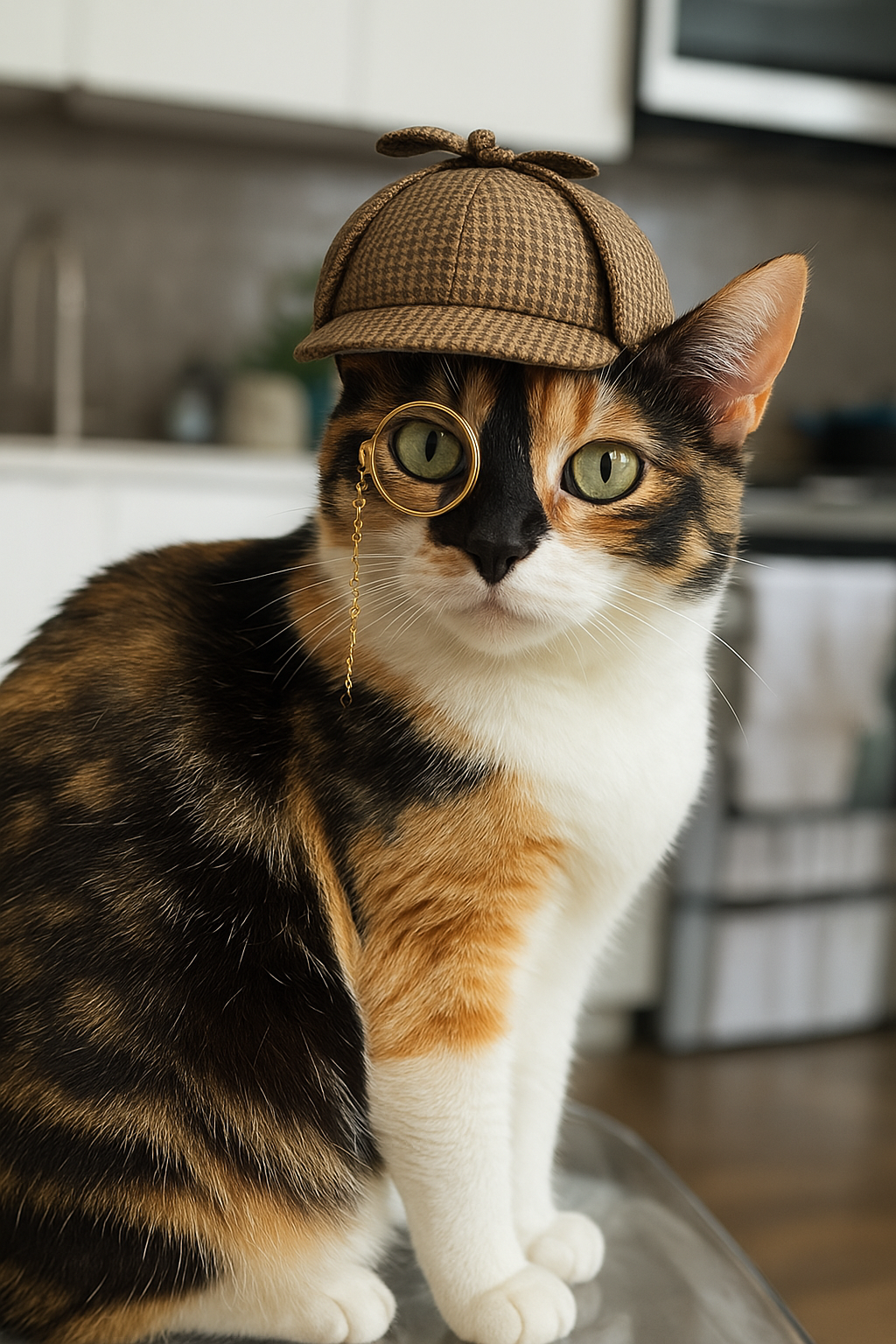
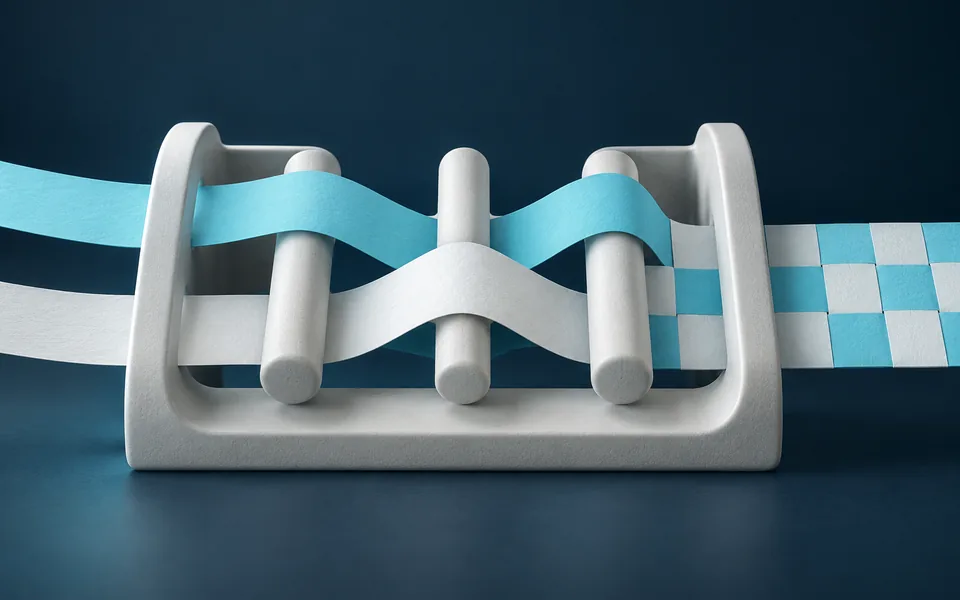
These two public PoYo playground demonstrations retain their complete prompts and original CDN results. The poster request specifies three text placements and a wireframe-to-photograph sculpture. The editing request starts from the displayed cat image and asks for a hat and monocle. Compare each result with its own prompt and, for the edit, with its source image.

Prompt

Create a vertical poster with the words 'ChatGPT image generation' at the top, and the phrase 'Form follows function' on the lower right. In the background, put a photo of a really sleek, modern sculpture. It should gradually transition from a wireframe sketch on the left to the fully photorealistic version on the right. At the very bottom, in medium-small text, say 'This entire poster was generated by ChatGPT image generation.'

Generated result · GPT-4o Image

Prompt

Give this cat a detective hat and a monocle

Input material 1
Generated result · GPT-4o Image

Creative Use Cases for GPT-4o Image

Start with a complete brief or an existing visual, then choose generation or editing for the work you need. Review text accuracy, subject appearance, framing and the requested changes before adding the image to a presentation, content page or design draft.

Editorial photography concepts

Prepare a subject, action, location and lighting brief, then generate a scene to explore the intended visual story. Use the result in an editorial mood board or as a reference for a subsequent photo shoot.

Posters with deliberate text placement

Prepare the exact headline, supporting lines and intended positions, then describe the background image and visual hierarchy. Review the generated typography and composition for an event poster, campaign draft or presentation cover.

Character and accessory exploration

Upload an existing character or animal image and describe the accessory, clothing detail or prop you want to add. Compare the edited subject with the source when developing illustration concepts and character variations.

Localized visual revisions

Prepare the source image and a mask for the region you intend to change, then explain the new content or appearance. Review the modified region and its surroundings before using the result in a design iteration.

Square and portrait content assets

Describe the subject and space needed for the composition, then select 1:1 or 2:3. Inspect the crop and text placement for social content, article illustrations or portrait-format promotional drafts.

Several directions from one brief

Write a clear text-generation brief and choose an output count from one to four. Compare the returned images for composition and subject treatment, then use the selected direction as the basis for the next creative iteration.

GPT-4o Image Specifications and API Pricing

The table reads the current catalog rate for this task. Text generation uses n to request and bill one to four images, so the requested count affects the total charge. The editing model returns and bills one image per request; use n: 1 when editing. Use the dynamic starting rate below and the selected task’s estimate to budget the complete request.

ModelProviderWorkflowInput materialOutput specificationStarting rate
GPT-4o ImageOpenAIImage generation / editingText prompt; one reference and optional mask in online editing1:1 / 2:3 / 3:2$0.02 / generation

How to Use GPT-4o Image on Vidgo

Test a complete creative brief online, then bring the verified request into your application.

Test online

Generate a result with your intended settings

Enter the complete brief, select the mode and size, and review the generation estimate. For online editing, upload one JPEG, PNG or WebP reference within 10 MiB, and add a mask when needed. Generate the result and check the exact text, subject details and requested changes.

Why Use GPT-4o Image on Vidgo

Use the existing task page, current price information, task documentation and generation history to move from a creative test to an API workflow.

Creative testing and cost planning

Choose the input workflow

Open the GPT-4o Image task and select text generation for a new composition or editing for an existing image. Prepare a prompt up to 1,000 characters, choose 1:1, 2:3 or 3:2, and use the editing mode when supplying a reference or mask.

Test the complete creative brief

Enter the complete brief, select the mode and size, and review the generation estimate. For online editing, upload one JPEG, PNG or WebP reference within 10 MiB, and add a mask when needed. Generate the result and check the exact text, subject details and requested changes.

Review current request costs

The table reads the current catalog rate for this task. Text generation uses n to request and bill one to four images, so the requested count affects the total charge. The editing model returns and bills one image per request; use n: 1 when editing. Use the dynamic starting rate below and the selected task’s estimate to budget the complete request.

API integration and result management

Follow the task documentation

Open the task documentation and review authentication, the model identifier, required inputs, accepted output settings and response fields. For reference inputs, prepare accessible, directly downloadable HTTP(S) image URLs. Carry the tested prompt and settings into your request.

Track a request with its task ID

Send the authenticated request with the matching model identifier and input object. Retain the returned task ID so your application can track this generation. Provide a callback URL when your application is ready to receive task notifications.

Review files and online generation history

Use the task ID to query status, or handle the configured callback. When the task finishes, retrieve the generated file URLs, save the result for your project and compare it with the original brief. Revisit online generations in your account history when refining the next request.

GPT-4o Image API FAQ

GPT-4o Image is an OpenAI image-generation and editing family accessed through the existing Vidgo task page. Text generation uses gpt-4o-image; reference editing with optional masks uses gpt-4o-image-edit. The page provides online testing, API documentation and access to generated files.

Browse all models