Kling Avatar 2.0 audio-driven character video

Kling Avatar 2.0 turns one character image and a recorded voice performance into a speaking-character video. The image establishes the character and scene, the audio supplies the spoken words and timing, and an optional prompt directs expressions and gestures. Choose Standard for a lower per-second rate or Pro when facial detail and expressive performance are priorities. Both tasks accept driving audio from 2 to 60 seconds, so you can prepare a portrait, record or generate speech, and animate the performance through the same input workflow.

Kling Avatar 2.0 is developed by Kuaishou. Vidgo provides access to the model. Model names and trademarks belong to their respective owners.

Explore Kling Avatar 2.0 Models

Prepare one character image and a speech recording, then choose the version around your presentation goals and budget. Standard offers the lower per-second rate; Pro emphasizes a detailed character performance. Open either model card to supply the portrait, audio and optional directions for facial expression, posture and gestures.

Kling Avatar 2.0 Character Image and Speech Inputs

Both versions use the same image-and-audio workflow. Supply exactly one image to establish the character and framing, and one publicly accessible audio URL containing 2–60 seconds of speech. Add an optional prompt to describe the expression, movement and scene. Read each model’s existing introduction below, then open its task to prepare your materials and review the estimated cost.

Model / taskInput and workflow
Kling Avatar 2.0 StandardKling Avatar 2.0 Standard turns a single character portrait and driving audio into tightly synchronized talking-avatar video, with natural lip alignment, facial micro-expressions, and prompt-guided performance cues. It preserves facial identity and framing across the full generation cycle while delivering lively, coherent speaking posture and head motion.
Kling Avatar 2.0 ProKling Avatar 2.0 Pro turns a character portrait and driving audio into high-fidelity talking-avatar video, with expressive gestures, object-interaction cues, and lifelike micro-movements. It preserves facial identity across longer speaking takes while refining eye motion, neck dynamics, and broadcast-ready presentation quality.

Kling Avatar 2.0 Character Explanation and Emotional Performance Examples

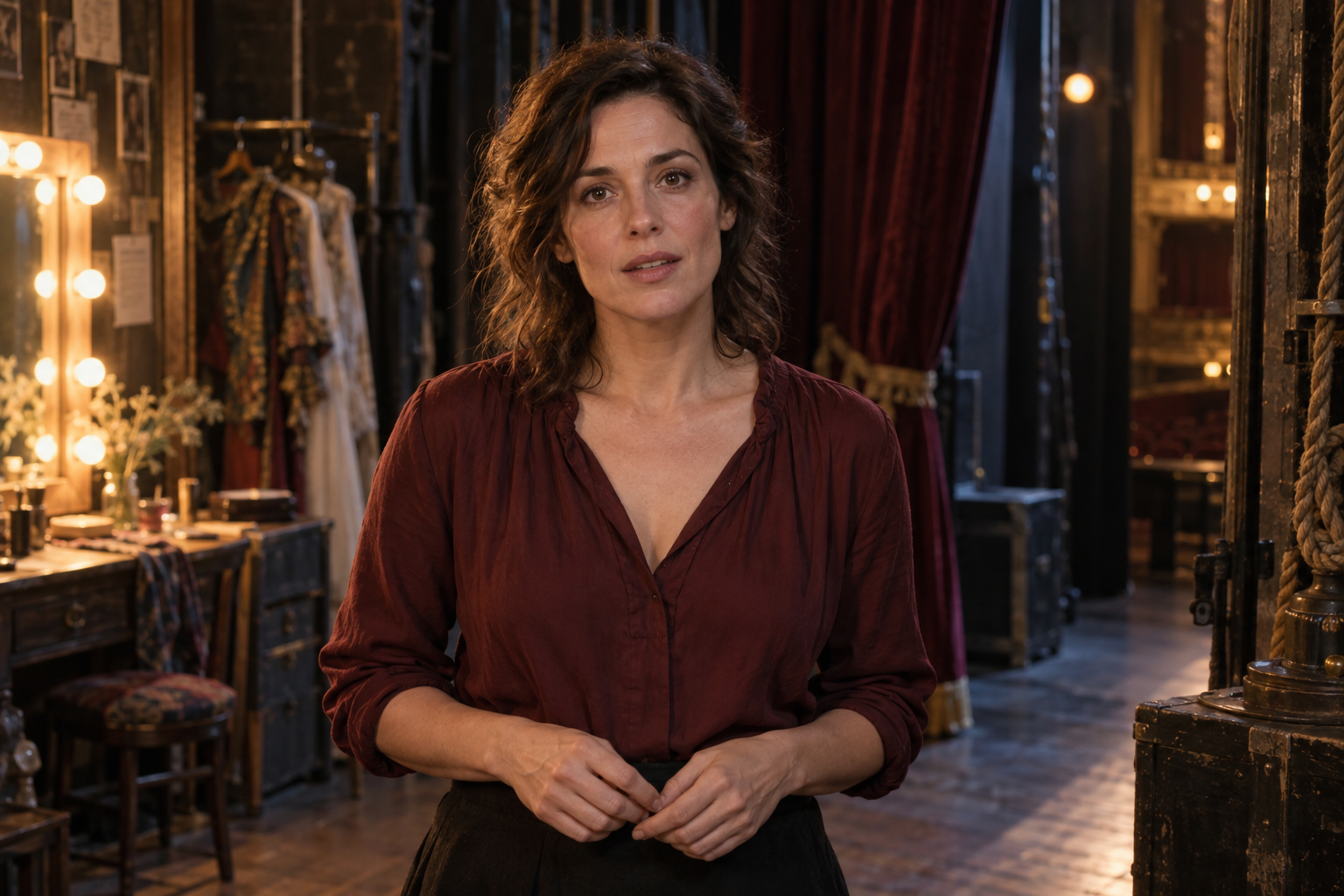
The Standard example uses a botanist in a greenhouse, Mandarin speech and a prompt requesting a small gesture toward new leaves followed by a warm smile. The Pro example uses an actress and a quiet personal confession, with directions for a change from vulnerability to relief. Play the input audio and output video to inspect mouth movement, pauses, expressions and gestures. Each example has its own source materials and creative brief, giving you two recorded uses of the shared workflow.

Prompt

The botanist speaks gently in Mandarin, making one small open-hand gesture toward the new leaves. Her patient expression becomes a warm smile after the pause. Accurate lip sync, natural blinking, stable identity and hands. Locked camera, no cuts.

Character image
Driving speech audio

Prompt

The actress delivers a quiet personal confession. Her initially vulnerable expression softens into relief and a small sincere smile after the pause. One subtle exhale, relaxed shoulders, hands remain natural. Precise lip sync and nuanced eyes, stable identity. Locked camera, no cuts.

Character image
Driving speech audio

Creative Use Cases for Kling Avatar 2.0

Start with the character image, the words to be spoken and the intended emotional tone. Record or generate the speech, describe a short performance, and use the resulting video in the project that needs a visible speaker.

Present a short explanation

Prepare a presenter portrait and a concise narration about your subject. Supply the audio, describe an attentive expression and a small explanatory gesture, then generate a speaking clip for a lesson introduction, a product explanation or an informational presentation.

Develop a character monologue

Prepare a character image, record the dialogue and identify the emotional change within the scene. Describe the initial expression, any pause and the final reaction. Review the video as a performance study for a narrative concept or a short character introduction.

Animate an illustrated storyteller

Choose a drawing or three-dimensional character image and record a passage in the character’s voice. Describe a gentle gesture and facial expression that suit the story. Use the speaking result to explore a story introduction, an illustrated narration or an animated character scene.

Prepare localized speaking clips

Keep the chosen character image and prepare separate speech recordings for each language. Generate a video for each recording with directions appropriate to the spoken message. Review pronunciation timing, mouth movement and expressions before using the clips in a multilingual presentation.

Explore an emotional delivery

Record a line with deliberate pacing and pauses, then describe how the face and posture should change across the performance. Generate a clip and inspect the eyes, mouth, shoulders and timing. Use the result to discuss an intended emotional direction with a creative team.

Build a repeatable avatar workflow

Prepare reusable character images and a process for recording or generating speech. Send the selected version, image, audio and prompt through the API, save the task ID and retrieve the completed video. This connects character preparation, voice production and video delivery in your application.

Kling Avatar 2.0 Specifications and API Pricing

Both versions are billed by the detected duration of the driving audio, rounded up to a whole second. Multiply that billable duration by the selected version’s current per-second rate. The dynamic table shows the starting rate and shared input limits; open the task page with your actual audio to review the estimate. File metadata can include a fractional second beyond the rounded duration shown by a player, so use the service’s detected duration when calculating usage.

ModelProviderVersionCharacter imagesDriving audio durationStarting rate
Kling Avatar 2.0 StandardKlingStandard12–60 s$0.035 / second
Kling Avatar 2.0 ProKlingPro12–60 s$0.07 / second

How to Use Kling Avatar 2.0 on Vidgo

Prepare the portrait and speech, review the performance, then use the same inputs in your API integration.

Test online

Generate a performance from your portrait and speech

Open a task, supply one character image and an accessible 2–60-second audio file, and describe the intended expression or gesture. Review the estimate, submit the generation and play the result to inspect mouth movement, pauses and the character’s appearance.

Why Use Kling Avatar 2.0 on Vidgo

Vidgo brings the two Avatar versions, online input controls, current rates and task documentation into one workflow. Test a portrait with its speech, review the result and carry the selected model and materials into your application.

Prepare and review the performance

Compare the two versions in one place

Review Standard and Pro together, including their existing model introductions and current per-second rates. Open the appropriate model card to test the performance that matters to your project.

Test the portrait with its actual speech

Supply your character image and audio on the task page, then add directions for expression and gestures. Play the generated video and review the mouth movement, pauses and character appearance.

Review the duration-based estimate

Check the detected audio duration and the selected model’s rate before submitting. This helps you plan a testing budget around the speech recordings your application will actually process.

Integrate and retrieve completed videos

Follow the selected version’s documentation

Use the matching task documentation for authentication, model identifiers, media fields and optional prompts. Prepare a publicly accessible audio URL and an accepted image source for each request.

Track the asynchronous generation task

Retain the returned task ID and query its status until the video completes. Provide a callback URL when your application should receive a completion notification and the resulting file information.

Revisit online performance tests

Use generation history to review previous requests and completed outputs from online testing. Keep the chosen portrait, speech and performance directions together when preparing another version of the scene.

Kling Avatar 2.0 API FAQ

Kling Avatar 2.0 is Kuaishou’s audio-driven character-video model. It combines one character image with a speech recording to generate a speaking performance, and accepts an optional prompt for expressions, gestures and scene direction. Vidgo provides Standard and Pro tasks with the same input workflow and their own per-second rates.

Browse all models