Kling O3 video generation with timed shots and sound

Kling O3 creates 3–15-second videos through Standard, Pro and 4K text-to-video and image-to-video tasks. Describe a complete scene in one prompt, or enable multi_shots and sound to build an ordered sequence with a prompt and duration for each shot. Image generation accepts a starting image and optional ending frame so a prepared composition can guide the movement. Choose the task, sound setting and timing around your brief, then review the current per-second rate and full request estimate.

Kling O3 is developed by Kuaishou. Vidgo provides access to the model. Model names and trademarks belong to their respective owners.
Explore Kling O3 Models

Use Standard, Pro or 4K Text to Video for a written brief, or the corresponding Image to Video task for a starting image and optional ending frame. Choose one continuous prompt or a sequence of timed prompts, select the sound setting and keep the total duration within 3–15 seconds.

Text to VideoKling

Kling O3 Standard Text to Video

Kling O3 generates 3–15-second videos from text prompts or a starting image with optional end-frame guidance. Standard, Pro, and 4K variants support single-shot and multi-shot generation, with 4K output available in the 4K variant.

Image to VideoKling

Kling O3 Standard Image to Video

Kling O3 generates 3–15-second videos from text prompts or a starting image with optional end-frame guidance. Standard, Pro, and 4K variants support single-shot and multi-shot generation, with 4K output available in the 4K variant.

Text to VideoKling

Kling O3 Pro Text to Video

Kling O3 generates 3–15-second videos from text prompts or a starting image with optional end-frame guidance. Standard, Pro, and 4K variants support single-shot and multi-shot generation, with 4K output available in the 4K variant.

Image to VideoKling

Kling O3 Pro Image to Video

Kling O3 generates 3–15-second videos from text prompts or a starting image with optional end-frame guidance. Standard, Pro, and 4K variants support single-shot and multi-shot generation, with 4K output available in the 4K variant.

Text to VideoKling

Kling O3 4K Text to Video

Kling O3 generates 3–15-second videos from text prompts or a starting image with optional end-frame guidance. Standard, Pro, and 4K variants support single-shot and multi-shot generation, with 4K output available in the 4K variant.

Image to VideoKling

Kling O3 4K Image to Video

Kling O3 generates 3–15-second videos from text prompts or a starting image with optional end-frame guidance. Standard, Pro, and 4K variants support single-shot and multi-shot generation, with 4K output available in the 4K variant.

Kling O3 Video Generation and Shot Inputs

A text request establishes the scene through words. An image request supplies one or two image_urls for the opening and optional final state. Single-shot direction uses prompt; multi-shot direction uses multi_prompt with multi_shots and sound enabled. Each shot’s duration contributes to the overall duration, allowing the request to specify both content and timing.

Model / taskInput and workflow
Kling O3 Standard Text to VideoKling O3 generates 3–15-second videos from text prompts or a starting image with optional end-frame guidance. Standard, Pro, and 4K variants support single-shot and multi-shot generation, with 4K output available in the 4K variant.
Kling O3 Standard Image to VideoKling O3 generates 3–15-second videos from text prompts or a starting image with optional end-frame guidance. Standard, Pro, and 4K variants support single-shot and multi-shot generation, with 4K output available in the 4K variant.
Kling O3 Pro Text to VideoKling O3 generates 3–15-second videos from text prompts or a starting image with optional end-frame guidance. Standard, Pro, and 4K variants support single-shot and multi-shot generation, with 4K output available in the 4K variant.
Kling O3 Pro Image to VideoKling O3 generates 3–15-second videos from text prompts or a starting image with optional end-frame guidance. Standard, Pro, and 4K variants support single-shot and multi-shot generation, with 4K output available in the 4K variant.
Kling O3 4K Text to VideoKling O3 generates 3–15-second videos from text prompts or a starting image with optional end-frame guidance. Standard, Pro, and 4K variants support single-shot and multi-shot generation, with 4K output available in the 4K variant.
Kling O3 4K Image to VideoKling O3 generates 3–15-second videos from text prompts or a starting image with optional end-frame guidance. Standard, Pro, and 4K variants support single-shot and multi-shot generation, with 4K output available in the 4K variant.

Kling O3 Drawbridge Transition and Robot Storyboard Examples

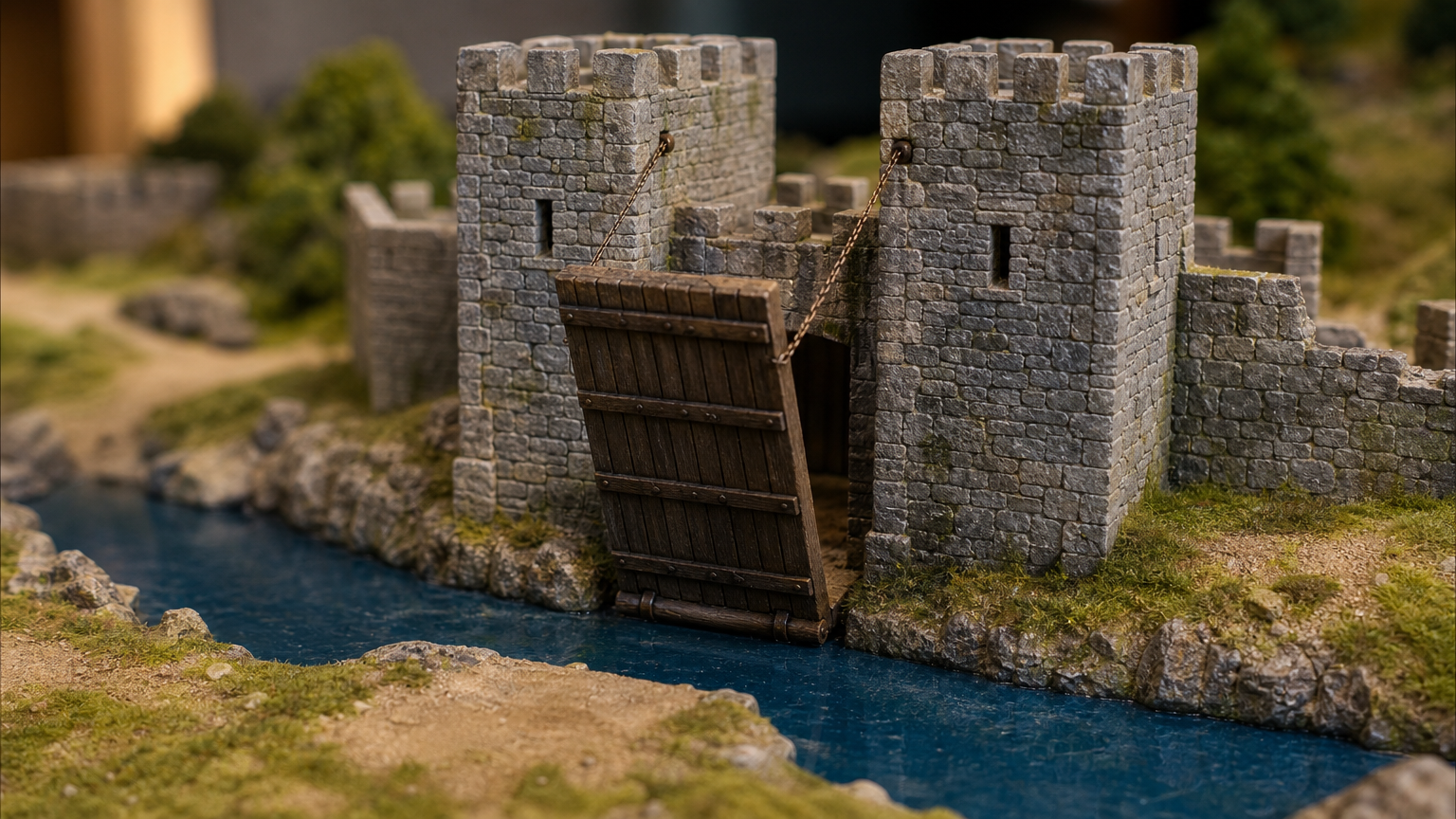
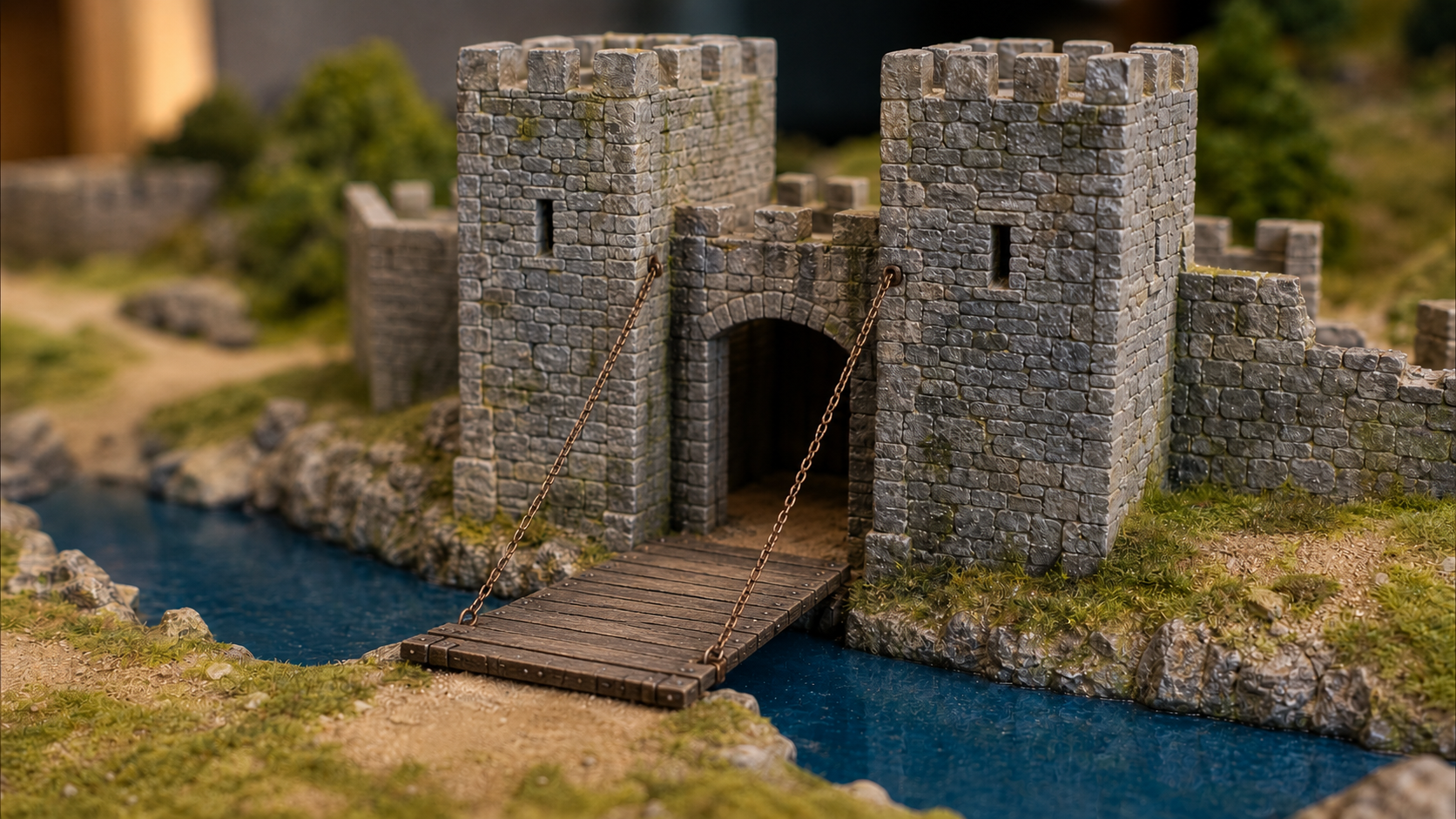
The first record supplies the raised and lowered drawbridge frames and requests a 3-second fixed-camera transition with sound disabled. The second uses a 2-second library shot in which a robot drops a book and a 3-second closer shot in which it says “Sorry.”, with multi_shots and sound enabled. Read the complete prompts and timing, then inspect each actual output for the requested mechanical change or narrative sequence.

Prompt

Fixed-camera miniature scene. Move from the supplied raised-drawbridge start frame to the lowered-drawbridge end frame. The single rigid wooden bridge slowly rotates down around its bottom hinge at the doorway until it reaches the opposite bank; both chains extend naturally. Preserve the towers, moat, tabletop, lighting and framing. No people, new structures or camera movement. No text, logos or watermarks.

Starting frame
Ending frame

Prompt

Shot 1 · 2 s Cinematic whimsical realism in a warm oak library. Medium two-shot: a small ivory robot with an oval face and amber eyes shelves a blue book, accidentally knocking one red book onto the floor. Beside it, an adult librarian wears a green cardigan and round glasses. Both remain visible under warm reading lamps. One distinct book thud against quiet room tone. Unmarked book covers. No text, logos or watermarks. Shot 2 · 3 s Cut closer to the same ivory robot and green-cardigan librarian in the same oak library. The librarian raises one finger to her lips. The robot tilts its head apologetically and softly says exactly "Sorry." in a gentle robotic voice, synchronized with its small mouth light. Preserve their appearance, positions and warm lighting. End in an embarrassed pause; no music. No text, logos or watermarks.

Creative Use Cases for Kling O3

Prepare a written scene, a starting image and optional ending frame, or an ordered sequence of shot prompts. Describe the movement, camera and sound and select Standard, Pro or 4K with a 3–15-second total duration. Inspect the result for narrative proposals, storyboard concepts, character presentations, mechanical transitions, botanical studies or an integrated video workflow.

Develop a stylized shot from words

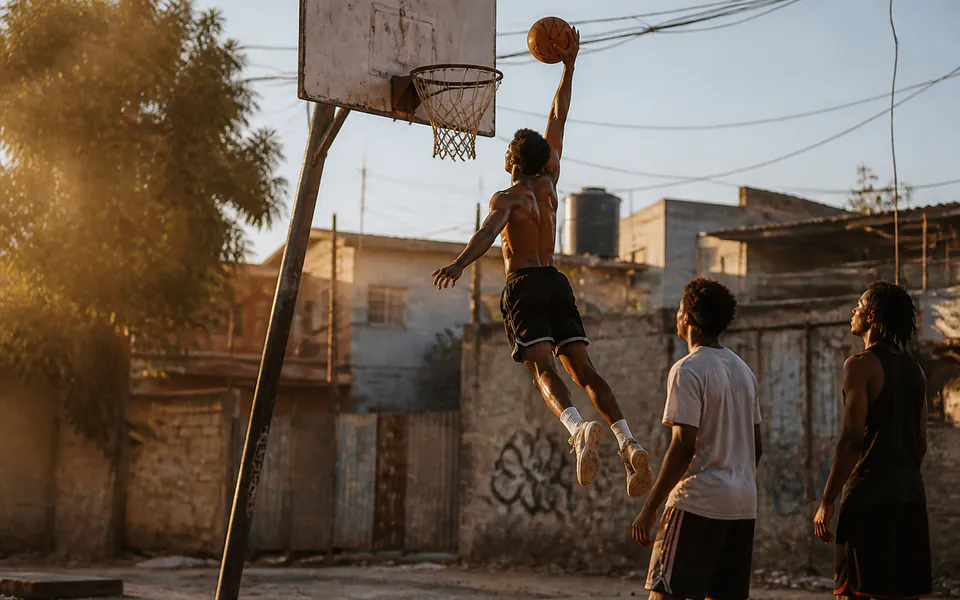
Write the scene, medium, weather and action, then choose a duration and sound setting. Inspect the resulting style and motion for a visual direction or storyboard study.

Connect a miniature’s first and last states

Supply compatible starting and ending images, identify the hinge or connected parts and describe the movement. Compare the completed transition with its structure and final state for an explanatory scene.

Plan a brief conversation or spoken beat

Enable sound and describe the speaker, exact words, expression and accompanying action. Review the generated speech and visual continuity for a character or narrative proposal.

Direct a sequence with individual shot instructions

Enable multi_shots and sound, give each shot a prompt and 1–12-second duration, and set the overall 3–15-second duration to their sum. Inspect scene order, cuts and pacing against the plan.

Study a small natural movement at 4K

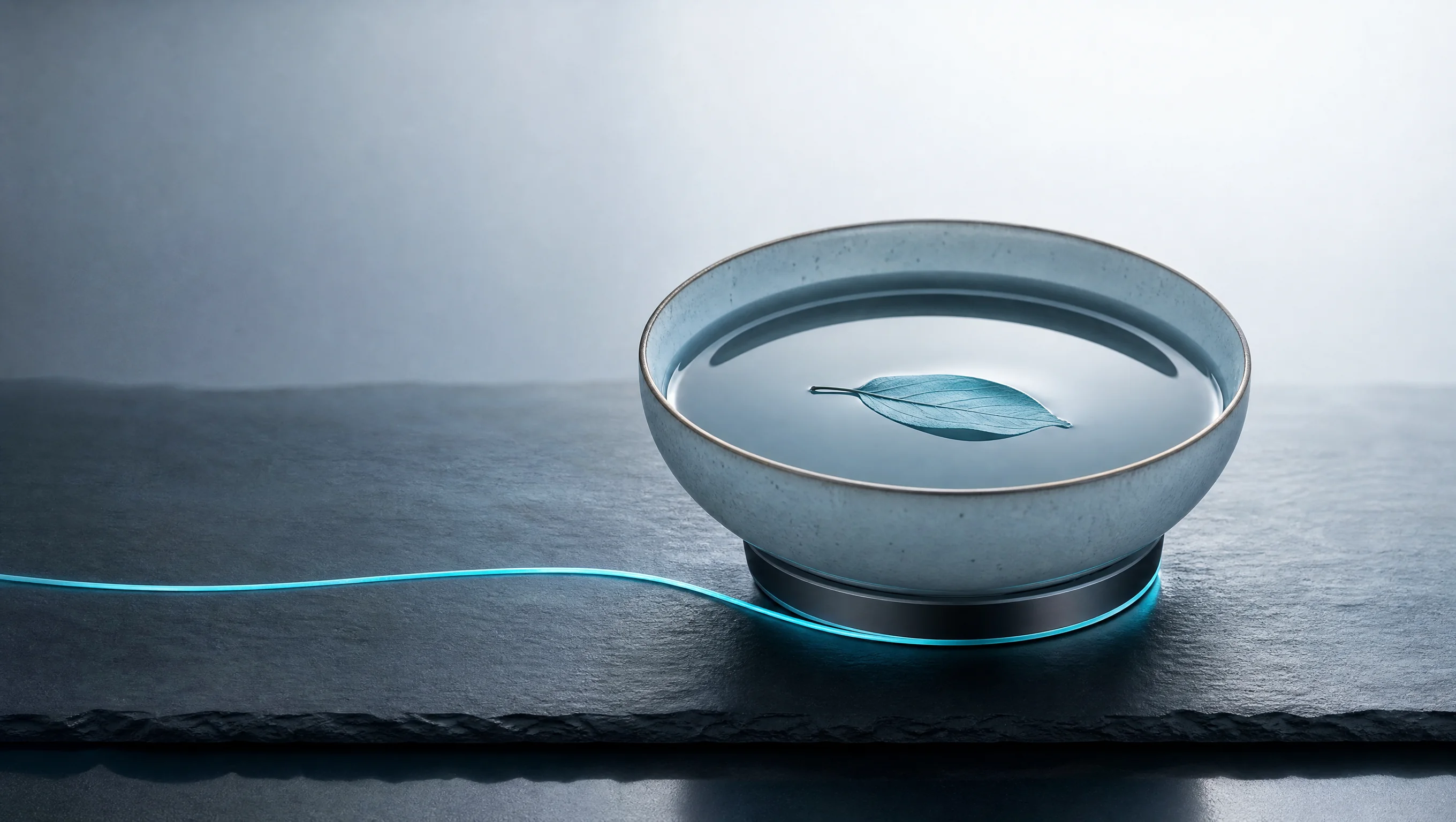
Prepare a botanical or nature image and describe the parts that move and details that remain consistent. Choose the 4K image task and inspect the resulting action and surface detail for a visual study.

Integrate the timed video configuration

Retain the selected task, media URLs, prompt or shot list, duration and sound setting. Submit the authenticated API request and track its task ID to retrieve the finished video.

Kling O3 Specifications and API Pricing

Kling O3 is billed per second using the selected Standard, Pro or 4K task, video duration and sound setting. The dynamic table shows each task’s current lowest rate. For a multi-shot request, the total of the individual shot durations is the full video duration used for the estimate. Open the selected task and configure the actual duration and sound to review the complete cost before generating.

ModelProviderWorkflowInput materialOutput specificationStarting rate
Kling O3 Standard Text to VideoKlingText to VideoText prompt3–15 s$0.05 / second
Kling O3 Standard Image to VideoKlingImage to VideoStarting and optional ending frame3–15 s$0.05 / second
Kling O3 Pro Text to VideoKlingText to VideoText prompt3–15 s$0.065 / second
Kling O3 Pro Image to VideoKlingImage to VideoStarting and optional ending frame3–15 s$0.065 / second
Kling O3 4K Text to VideoKlingText to VideoText prompt4K · 3–15 s$0.25 / second
Kling O3 4K Image to VideoKlingImage to VideoStarting and optional ending frame4K · 3–15 s$0.25 / second

How to Use Kling O3 on Vidgo

Test your creative brief online, then bring the verified request into your application.

Test online

Generate a result with your intended settings

Enter the scene prompt or ordered shot list, supply first and optional last images for the image task and choose the sound setting and overall duration. For multi-shot generation, check each 1–12-second shot and the matching total. Review the estimate, generate and inspect action, scene continuity and any requested sound.

Why Use Kling O3 on Vidgo

Choose a task, inspect its settings and cost, and follow the result from an online test to an authenticated API request.

Creative testing and task selection

Choose inputs around your creative goal

Choose Standard, Pro or 4K Text to Video for a written scene, or Image to Video for a starting image and optional ending frame. Use prompt for one scene or enable multi_shots and sound for an ordered multi_prompt list. Set the overall duration to 3–15 seconds and make it equal the shot total when using a sequence.

Test your own prompt and images

Open the matching task, enter your brief and supply the required images. Review the generated result against subject appearance, composition and the requested changes before carrying the workflow into a project.

Review the estimate before generation

Review the selected Standard, Pro or 4K task’s rate, sound setting and full video duration. Use the shot total for multi-shot requests and include the planned number of tests when budgeting the complete workflow.

API integration and result management

Learn from complete recorded examples

Read the actual prompt and inspect its source images and result together. Use those examples to understand how to assign input roles and describe the details to preserve or change in your own request.

Track each generation with its task ID

Retain the task ID returned by the API to query status and retrieve completed file URLs. Use your online generation history to review earlier results and the creative direction you tested.

Follow the documentation for the selected task

Use the documentation linked from each task for its exact model identifier, accepted inputs, authentication and response format. Integrate the same task you tested online so its media and settings match the request.

Kling O3 API FAQ

Kling O3 is a Kuaishou video model available on Vidgo through Standard, Pro and 4K text-to-video and image-to-video tasks. It creates 3–15-second clips from a written scene or a starting image with optional ending-frame guidance. Each variant supports single-shot and timed multi-shot requests, with 4K output available in the 4K tasks.

Browse all models