Qwen Image 2.1 generation and masked editing up to 2K

Qwen Image 2.1 creates 1K or 2K images from prompts and edits existing visuals with one to ten reference images. Describe the scene, materials and exact words for a new composition, or assign separate sources to a person and destination. Use an optional mask with one source image and an opaque background for a defined local change. Choose a fixed aspect ratio or editing auto, PNG/JPEG/WebP, and opaque or transparent background; select PNG or WebP when the image needs alpha transparency.

Qwen Image 2.1 is developed by Alibaba. Vidgo provides access to the model. Model names and trademarks belong to their respective owners.
Explore Qwen Image 2.1 Models

Choose Text to Image to build a scene or transparent subject from a written brief. Choose Image Editing to combine one to ten visual references, extract a subject or change an existing scene. For masked editing, prepare one source and a mask, set an opaque background and identify the intended change within the selected area.

Qwen Image 2.1 Image Generation, Reference and Masked Editing Tasks

Text generation uses prompt and output settings. Editing adds image_urls with one to ten sources; explain what each contributes to the result. A mask_url request uses exactly one source and background opaque. In that masked workflow, the task sends the mask with the source and output settings, while framing and prompt expansion follow the masked request rather than the regular size and prompt_extend controls.

Model / taskInput and workflow
Qwen Image 2.1 Text to ImageQwen Image 2.1 Text to Image turns text into native 1K and 2K images with RGBA transparency and Chinese-English typography. It preserves lighting, composition, and aspect ratios while delivering clean transparent layers that need no background removal.
Qwen Image 2.1 EditQwen Image 2.1 Edit turns 1-10 reference images and instructions into precise edits, with multi-image feature fusion and masked inpainting. It preserves facial features and product materials while replacing backgrounds naturally and retaining every pixel outside the mask.

Qwen Image 2.1 Theater Character Composition and Masked Repair Examples

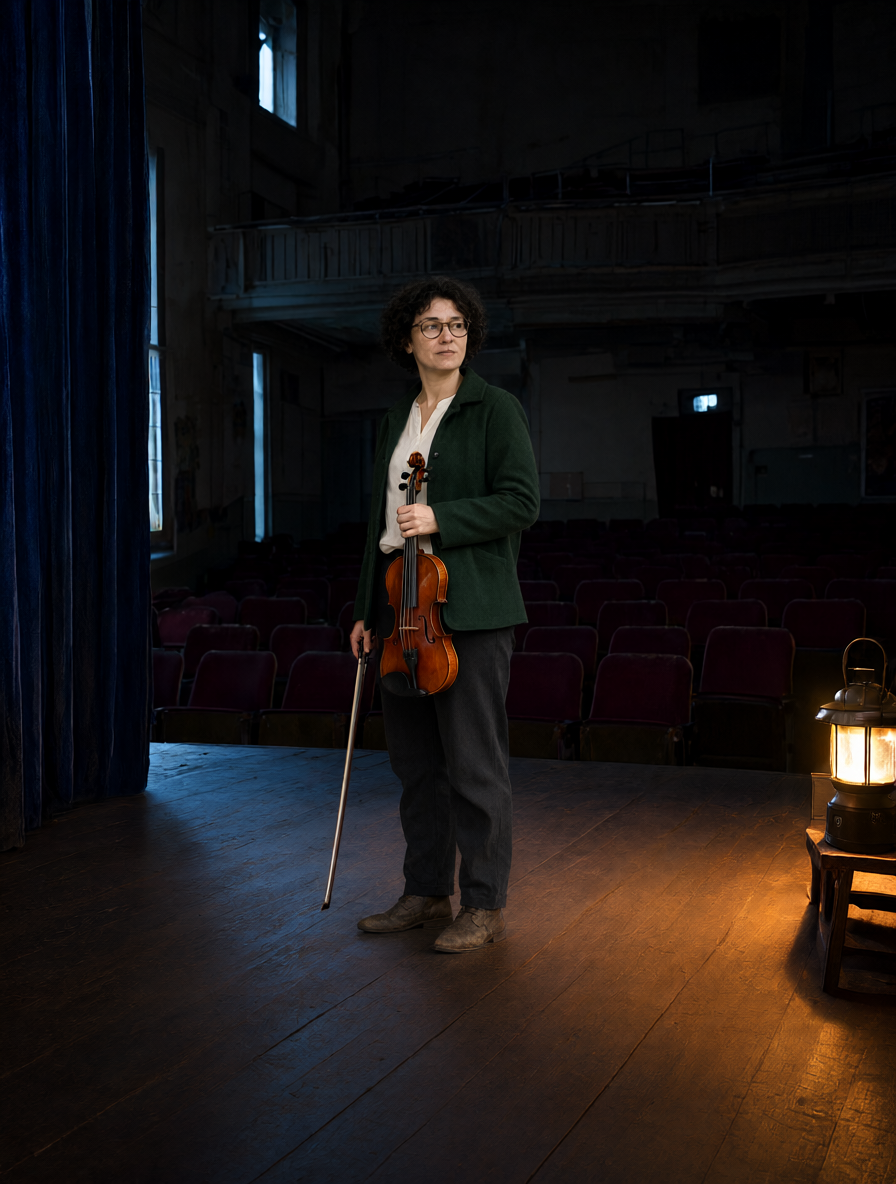
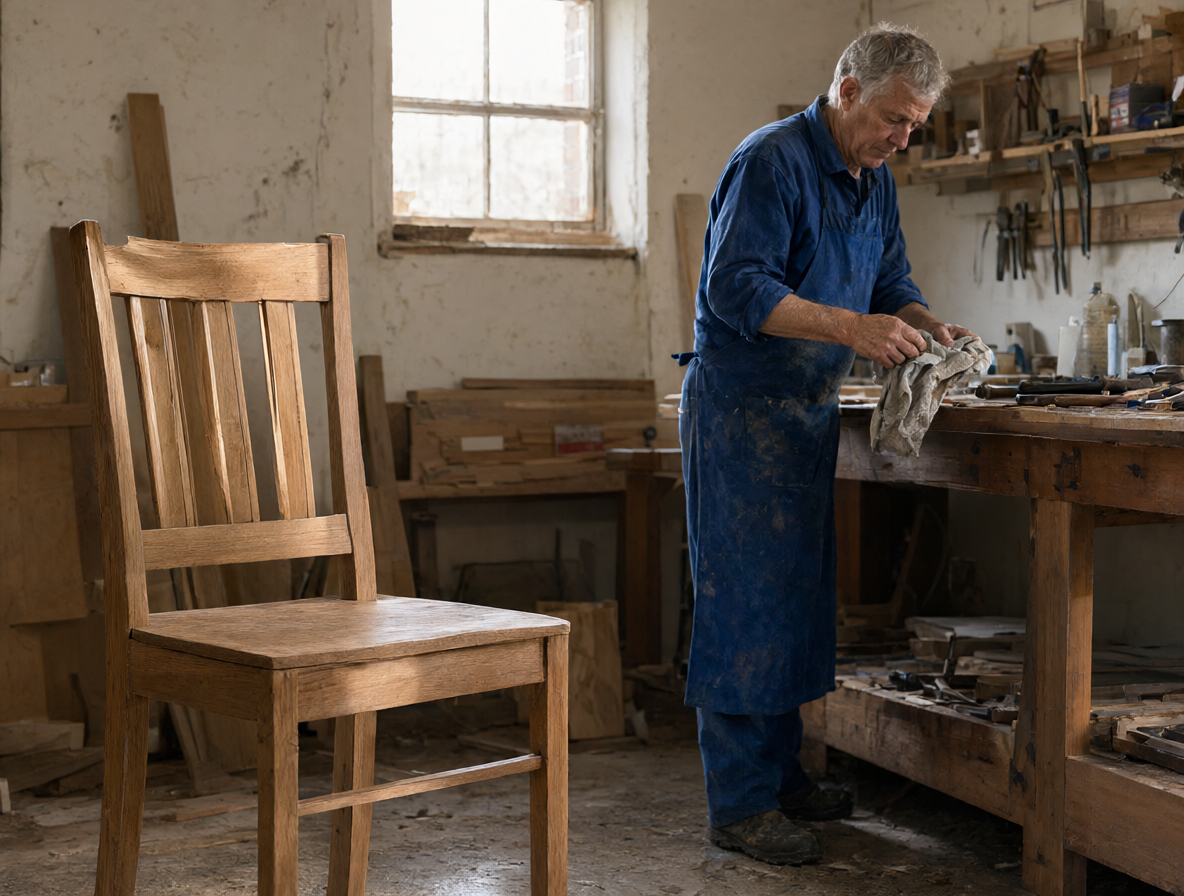
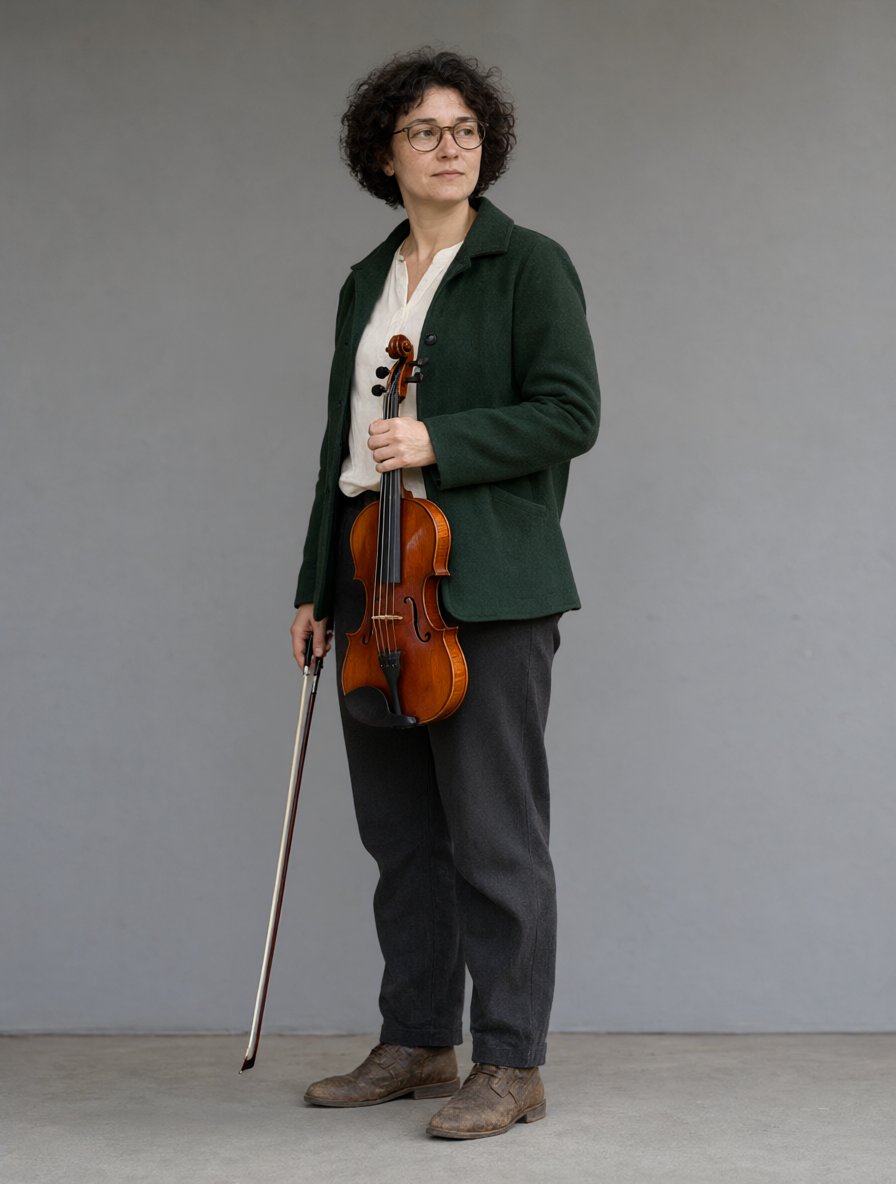
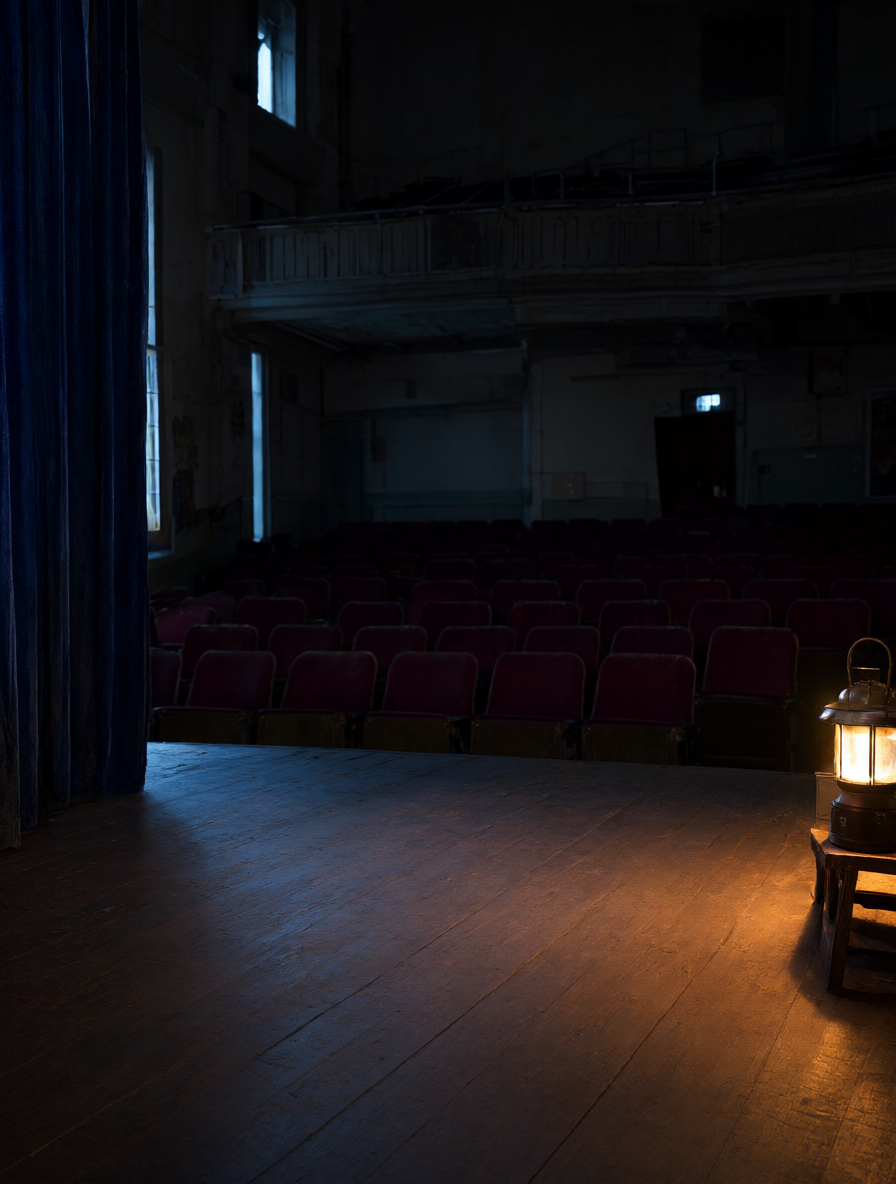
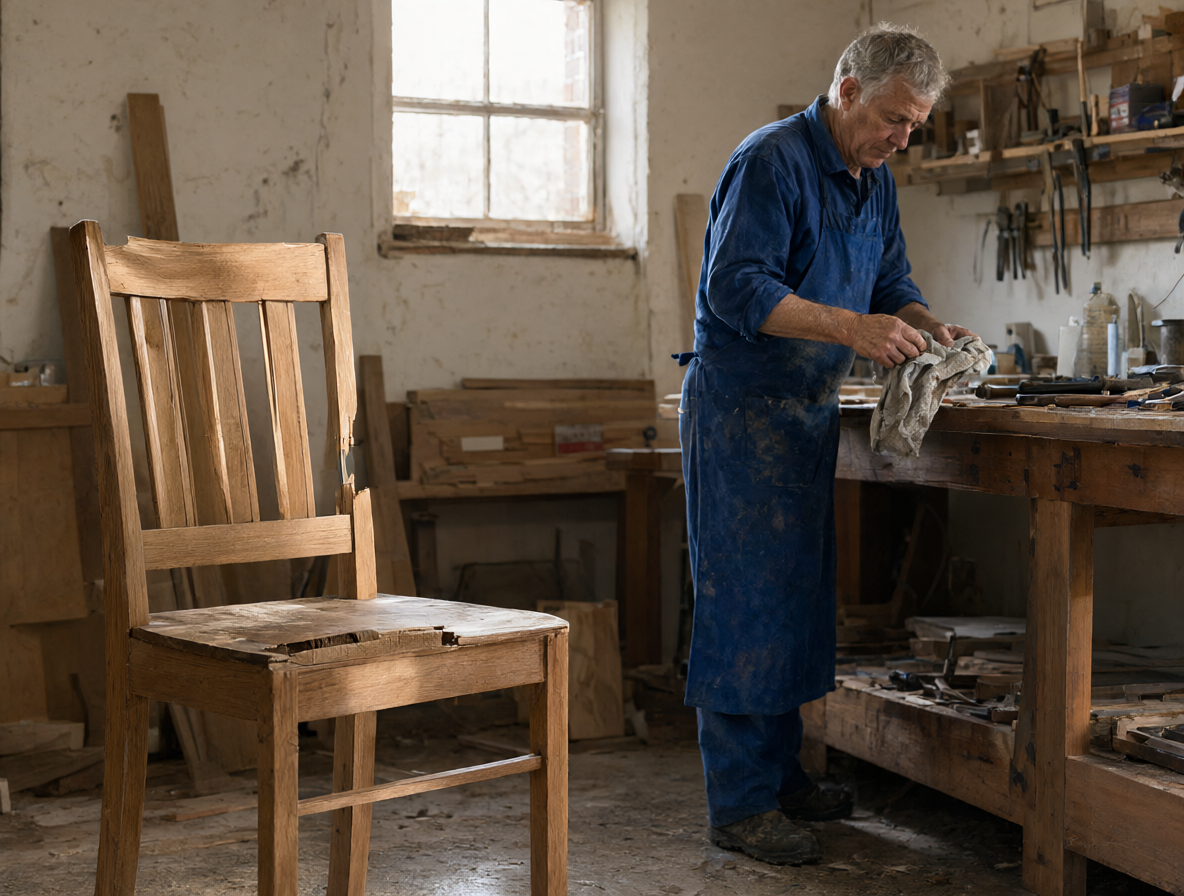
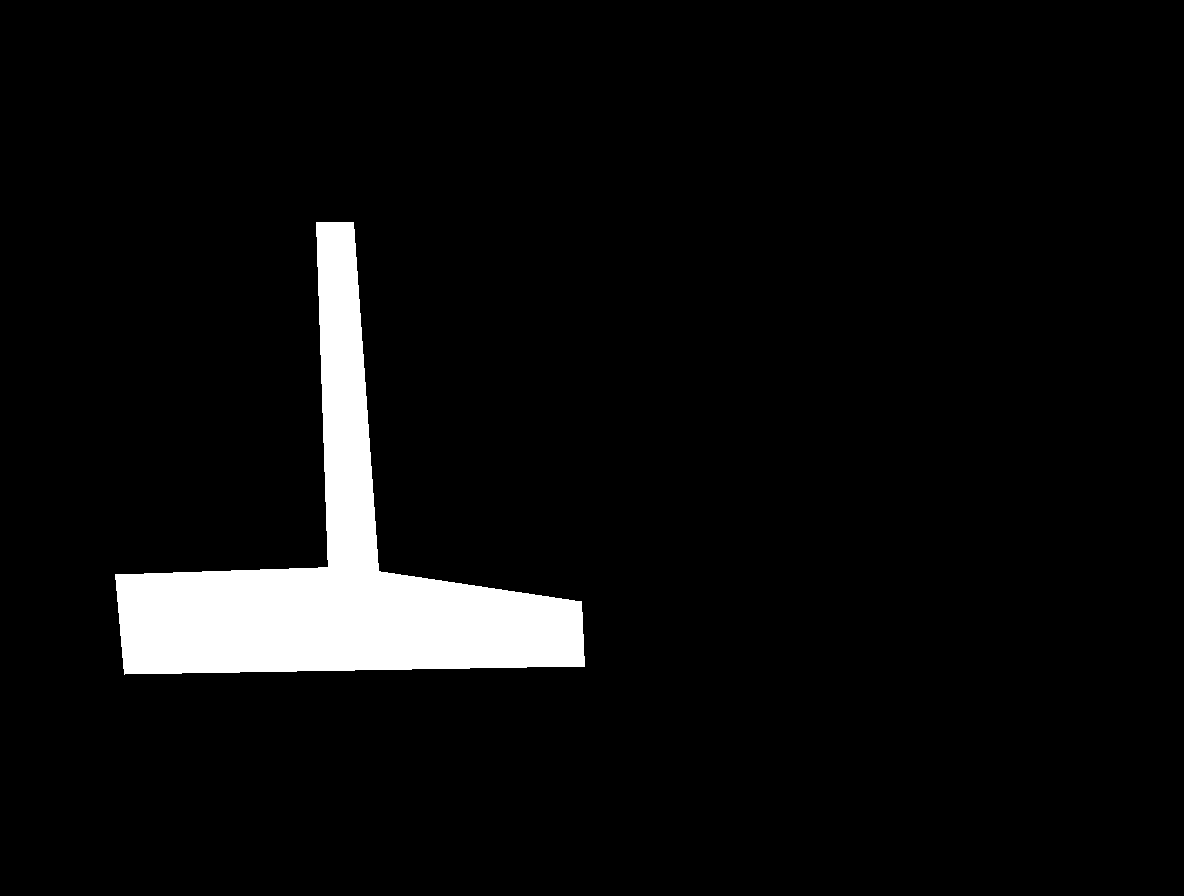
The first case combines a woman and violin reference with an empty theatre, asking for matching perspective, lantern light and contact shadows. The second supplies a flood-damaged chair scene and a mask to direct the repair while preserving the workshop. Read the complete prompt and compare every input, including the mask, with the corresponding output.

Prompt

Use image 1 only as the identity, clothing, body, violin and bow reference for the adult woman, and image 2 only as the exact theatre environment reference. Place the same woman from image 1 standing naturally on the empty central foreground stage in image 2, with her entire body inside the frame. Preserve her oval face, short dark curls, bronze round spectacles, freckles, forest-green wool jacket, ivory shirt, charcoal trousers and brown boots. Preserve the reddish-brown violin and bow in her relaxed hands at her sides; she is pausing just before beginning an intimate unamplified performance during the blackout. Keep the theatre's burgundy seats, balcony, blue curtain, scuffed wooden floor, high side windows and battery lantern on its stool in their original layout. Match her scale and perspective to the stage. Relight her and the instrument with the existing warm lantern from frame right and cool high-window ambient light, with physically believable contact shadows on the floor. One woman only; no audience, no new objects, no extra instruments. A quiet documentary film still about continuing to play when the lights go out. No text, brands, promotional layout or watermark.

Primary source image
Theatre environment reference
Generated result · Qwen Image 2.1

Prompt

Repair only the damaged oak chair inside the white area of the supplied mask. Replace the broken seat plank with a structurally complete oak plank and mend the snapped upper backrest rail so the same chair is whole, stable and usable again. Match the existing oak color, aged wood grain, joinery, perspective and soft window lighting; keep the chair's original design and position. Retain subtle signs of age rather than making it a new manufactured chair. Preserve every pixel in the black mask area: the elderly carpenter, face, blue apron, workbench, tools, window, walls, mud marks and floor outside the chair region must remain unchanged. The image tells the story of the first small repair after the flood. Do not add people, objects, text, logos, brands or watermark.

Primary source image
Repair-region mask
Generated result · Qwen Image 2.1

Creative Use Cases for Qwen Image 2.1

Start with a written scene, source photographs or a mask. Describe the subject, material, wording and selected changes, then choose output size and background. Reviewed results can become scene proposals, illustrated stories, transparent character layers, restoration concepts or edited visual assets for a larger composition.

Narrative scene concepts

Describe people, actions, environment and the words belonging inside the scene. Generate a still, check anatomy and lettering, and use the reviewed image in a storyboard or illustrated narrative.

Transparent character assets

Write the complete character silhouette and material detail, choose transparent PNG or WebP, and inspect the alpha edges. Place the reviewed layer into illustration layouts or composited scenes.

Person and location composition

Provide separate person and destination images, then describe pose, scale and lighting. Inspect the edited result against both sources for a scene proposal or character-placement study.

Masked restoration concepts

Supply one photograph and a mask over the object to repair. Explain the target structure, material and retained surroundings, then review the output as a visual proposal for restoration.

Subject extraction

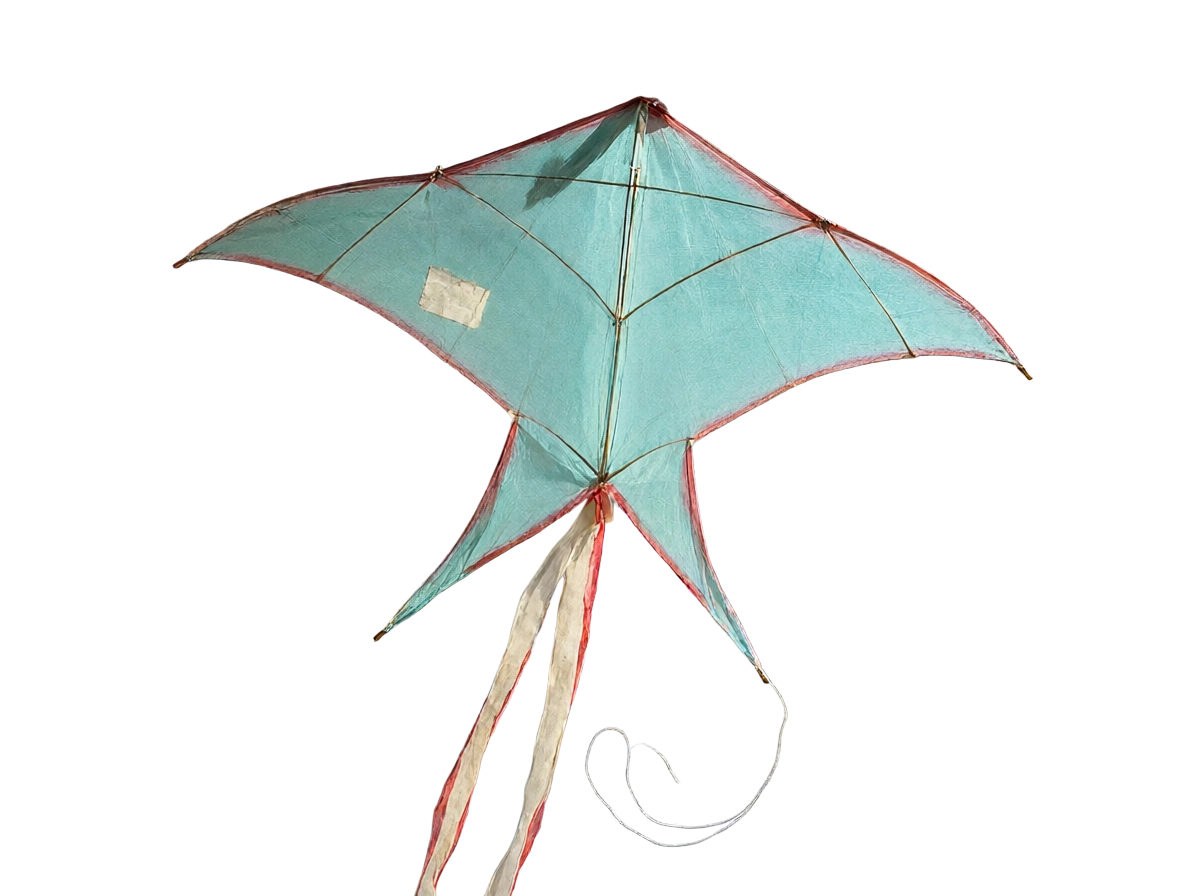
Provide the original image and identify the whole subject, fine strings and translucent details to retain. Generate transparent output and inspect completeness before placing it in a memory book, editorial layout or collage.

Multi-reference visual development

Prepare up to ten sources and explain which image provides each person, object, material or setting. Review the integrated result for consistency before using it in a visual-development proposal.

Qwen Image 2.1 Specifications and API Pricing

Qwen Image 2.1 is billed per image using the selected 1K or 2K tier for text generation and editing. The dynamic table shows current starting rates for both tasks. Select the intended resolution and prepare the complete image or masked-edit request on the task page, then review its estimate before submitting.

ModelProviderWorkflowInput materialOutput specificationStarting rate
Qwen Image 2.1 Text to ImageAlibabaText to ImageText prompt2K$0.03 / image
Qwen Image 2.1 EditAlibabaImage EditingReference images: up to 102K$0.03 / image

How to Use Qwen Image 2.1 on Vidgo

Test your creative brief online, then bring the verified request into your application.

Test online

Generate a result with your intended settings

Write the desired image and identify each reference’s role. For a local repair, add one source and the matching mask. Select the supported output settings, review the estimate and generate. Compare identity, placement, retained surroundings and any transparent edges with the original brief and sources.

Why Use Qwen Image 2.1 on Vidgo

Choose a task, inspect its settings and cost, and follow the result from an online test to an authenticated API request.

Creative testing and task selection

Choose inputs around your creative goal

Choose Text to Image for a written scene or a newly generated transparent subject. Choose Image Editing for one to ten sources, subject extraction or a local change. For masked editing, supply exactly one image and a mask and use an opaque background. Choose 1K or 2K and the output format and background your project needs.

Test your own prompt and images

Open the matching task, enter your brief and supply the required images. Review the generated result against subject appearance, composition and the requested changes before carrying the workflow into a project.

Review the estimate before generation

Choose the intended 1K or 2K output tier and inspect the task’s current per-image estimate. Use that complete amount and your planned number of tests to budget the project.

API integration and result management

Learn from complete recorded examples

Read the actual prompt and inspect its source images and result together. Use those examples to understand how to assign input roles and describe the details to preserve or change in your own request.

Track each generation with its task ID

Retain the task ID returned by the API to query status and retrieve completed file URLs. Use your online generation history to review earlier results and the creative direction you tested.

Follow the documentation for the selected task

Use the documentation linked from each task for its exact model identifier, accepted inputs, authentication and response format. Integrate the same task you tested online so its media and settings match the request.

Qwen Image 2.1 API FAQ

Qwen Image 2.1 is an Alibaba image model with text generation and editing on Vidgo. It supports 1K/2K, one-to-ten-image editing, transparent PNG/WebP and masked editing with one source and an opaque background. This page explains those workflows, output controls, real cases and current prices.

Browse all models