Seedance 1.5 Pro audiovisual video generation

Seedance 1.5 Pro turns a written scene or one to two supplied frames into a 4, 8 or 12-second video with optional generated audio. Describe the subject’s actions, camera direction, dialogue and environmental sounds, then choose 480p, 720p or 1080p output and the aspect ratio for your placement. Use Text to Video to develop a scene from words, or Image to Video to anchor the opening composition and optionally define the final frame. The fixed-lens setting helps you request a stationary viewpoint for a portrait, an object action or a small observed transition.

Seedance 1.5 Pro is developed by ByteDance Seed. Vidgo provides access to the model. Model names and trademarks belong to their respective owners.

Explore Seedance 1.5 Pro Models

Choose Text to Video when your story begins with a written brief. Choose Image to Video when a photograph or illustration already defines the subject, and supply a second image when the final state matters. Both tasks provide duration, resolution, aspect-ratio and generated-audio settings.

Seedance 1.5 Pro Text and Frame-Guided Video Tasks

The text task builds the visual scene from your prompt. The image task uses the first URL as the opening frame and an optional second URL as the final frame; the prompt describes the movement between them and the sounds to generate. Review the original task introductions below and open the task that matches your material.

Model / taskInput and workflow
Seedance 1.5 Pro Text to VideoSeedance 1.5 Pro Text to Video turns written scenes into videos with synchronized audio and cinematic camera movement. It follows your scene, dialogue and action instructions to build cohesive short clips with expressive characters and coordinated sound.
Seedance 1.5 Pro Image to VideoSeedance 1.5 Pro Image to Video animates images with synchronized audio and first-and-last-frame guidance. It uses the opening image to anchor the subject and composition, while your prompt directs the action and camera movement.

Seedance 1.5 Pro Character Dialogue and Plant Frame Transition Examples

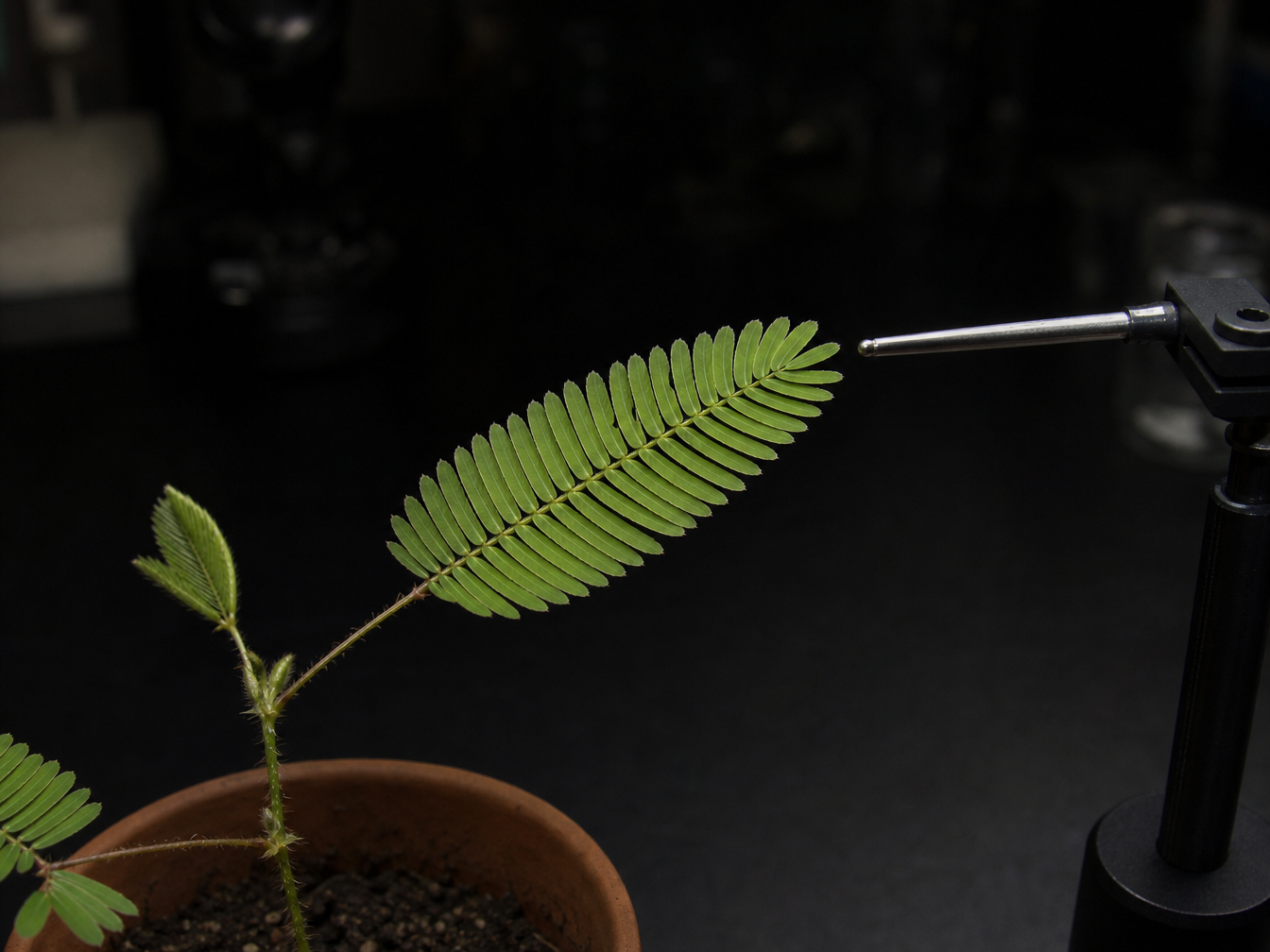
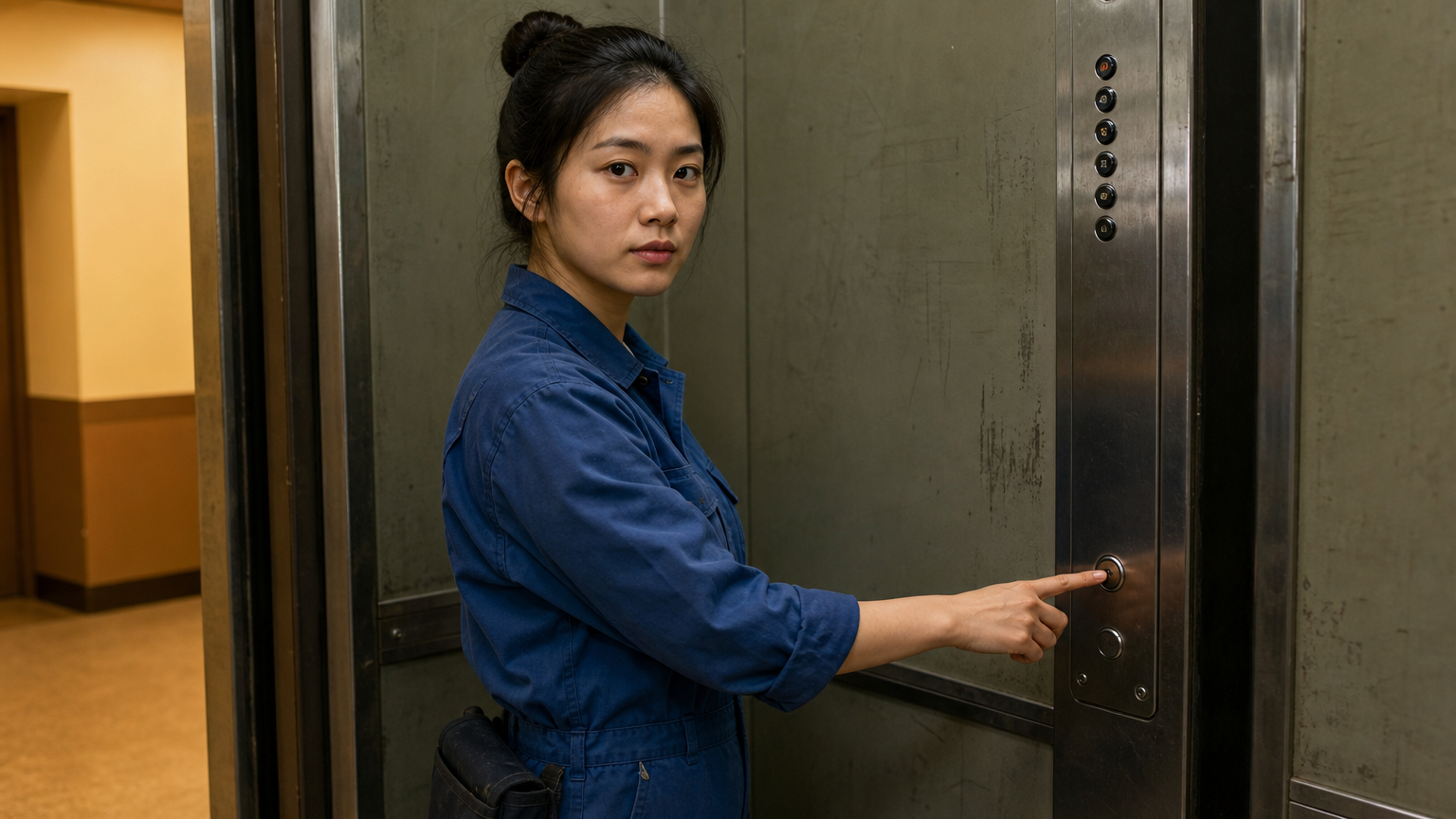
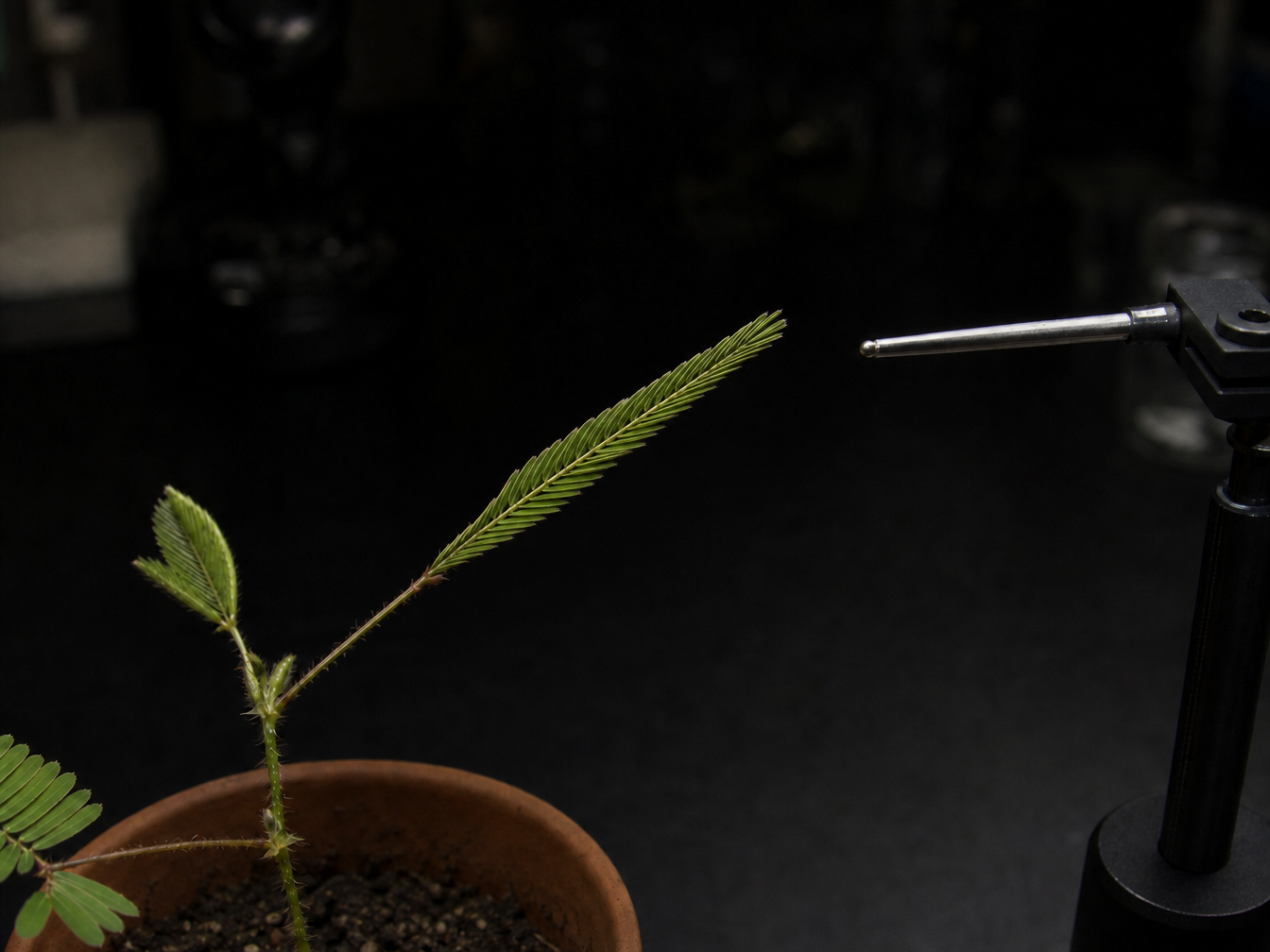
The first record starts from a maintenance worker holding an elevator button and asks for subtle movement, one Mandarin sentence and an elevator chime. The second supplies two botanical images and asks a probe to touch a leaf as its leaflets close. Read the full prompts, compare the source frames with the videos and play the results to review the requested sound and motion.

Prompt

Animate this exact photograph for eight seconds as a restrained realistic film portrait. The young maintenance woman shown in the photo is the ONLY visible person for the entire clip. Keep the ENTIRE elevator and the EMPTY yellow hallway on the left exactly like the photograph, perfectly still from first to last frame. Fixed camera, unchanged crop and lighting. Her finger already touches the round button: she gently depresses it and holds it there throughout. Only her facial expression and head move subtly: she looks just to the left of camera toward an unseen neighbor, smiles kindly, then says ONCE with natural clear female Mandarin speech: 别急,我等你。 Keep her unobstructed face, bun, blue overalls and hand anatomy exactly consistent with the reference. A brief distant footstep sound is heard entirely OFF SCREEN before she speaks; the visible hallway stays completely empty. After her sentence, one soft elevator chime. End holding her warm small smile and the same button position. No one walks through the hallway, no duplicate woman, no new faces or bodies, no reflections of people, no door movement, no camera movement, music, subtitles or logos.

First frame

Prompt

Use the supplied images as the first and last frames of one continuous locked four-second botanical macro observation. Preserve the exact pot, sensitive-plant sprig, black bench, task lighting, probe and framing. The probe advances only a few millimeters, briefly touches the main open compound leaf, then withdraws slightly. The paired tiny leaflets progressively fold inward along their existing central midrib, matching the closed main leaf in the final image. Smooth small local motion, no new branches, no morphing plant, no camera movement or cuts. Subtle short mechanical servo sound for the probe and quiet indoor ventilation; no dramatic plant sound, speech, music, titles or logos.

First frame
Last frame

Creative Use Cases for Seedance 1.5 Pro

Prepare a written shot or suitable first and last frames, describe the action and audio, and choose a duration that gives each event time to unfold. Use the result as a narrative concept, an animation study or a short scene within an application.

Develop a dialogue portrait

Prepare a clear portrait, write one short spoken line and describe the expression and gestures around it. Generate with audio enabled and inspect the face and speech before using the clip in a character concept or story presentation.

Create a scene with environmental sound

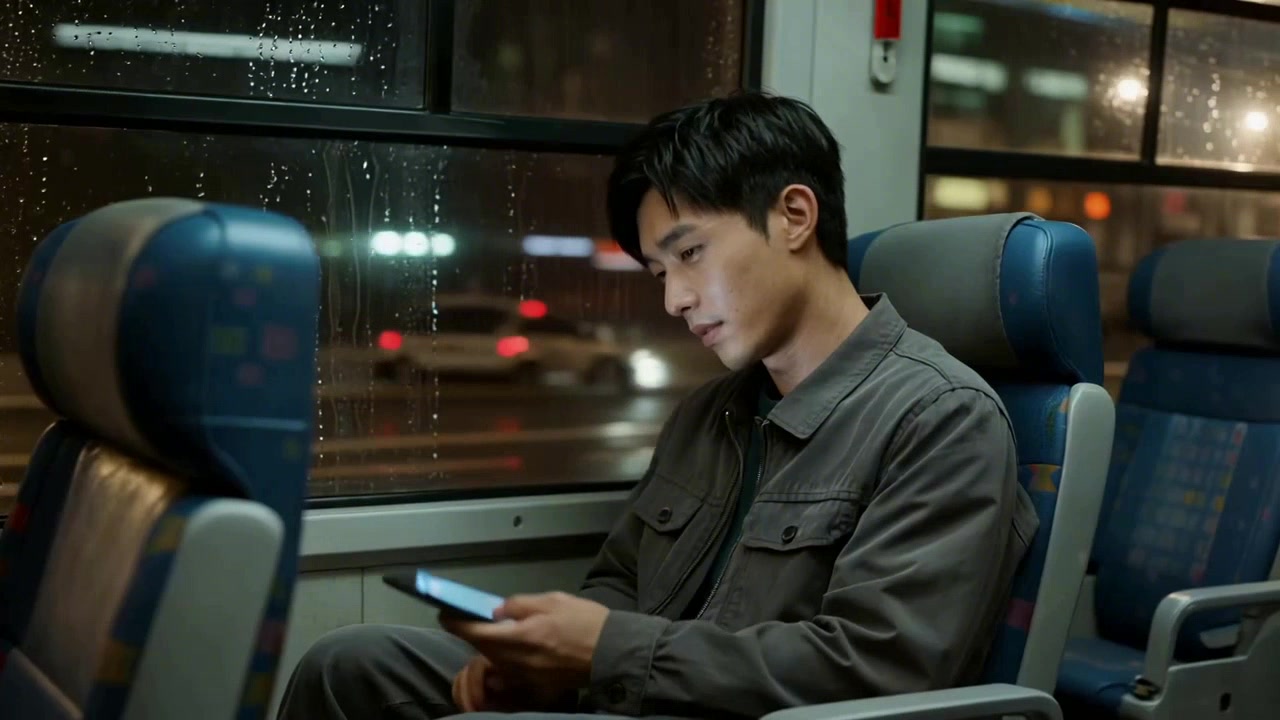
Write a location, visible activity and the sounds associated with it. Use Text to Video to explore rain, transport or indoor atmosphere and review the generated scene as an audiovisual mood study.

Animate a prepared illustration

Upload the illustration as the first frame and describe a short action that fits the composition. Select an aspect ratio and duration for the intended placement, then review the clip for an animation concept or creative presentation.

Explain a small observed change

Prepare first and last images of the same subject and describe the movement between them. Request a fixed viewpoint to make a plant response, small mechanism or object transition easier to examine in a demonstration.

Plan a vertical or widescreen shot

Choose a supported aspect ratio for the target layout, then write the subject placement and camera direction. Generate a 4, 8 or 12-second clip and use the framing study to plan a social video or presentation sequence.

Integrate a tested audiovisual request

Retain the prompt, ordered image URLs, audio choice and output settings from a successful online test. Submit the matching task through the API and retrieve its completed video for the creative workflow in your application.

Seedance 1.5 Pro Specifications and API Pricing

Seedance 1.5 Pro is billed per generated video. The selected duration, resolution and generated-audio option determine the applicable tier; their effect is shown in the task’s estimate. The dynamic table below displays each task’s current lowest available price. Open a task and set the actual 4, 8 or 12-second duration and output options to review the price for that request.

ModelProviderWorkflowMax image inputsMax output resolutionStarting rate
Seedance 1.5 Pro Text to VideoByteDanceText to VideoNot applicable1080p$0.045 / video
Seedance 1.5 Pro Image to VideoByteDanceImage to Video21080p$0.045 / video

How to Use Seedance 1.5 Pro on Vidgo

Test your creative brief online, then bring the verified request into your application.

Test online

Generate a result with your intended settings

Enter the prompt and provide the frame images for Image to Video. Choose 4, 8 or 12 seconds, 480p, 720p or 1080p, an aspect ratio, generated audio and the fixed-lens option. Review the estimate, generate the video and inspect its visual events and sound before refining the prompt.

Why Use Seedance 1.5 Pro on Vidgo

Choose a task, inspect its settings and cost, and follow the result from an online test to an authenticated API request.

Creative testing and task selection

Choose inputs around your creative goal

Choose Text to Video for a written scene, or Image to Video for an opening image and an optional ending image. Prepare the prompt’s action, camera and sound instructions, and order the frame images by their role in the shot.

Test your own prompt and images

Open the matching task, enter your brief and supply the required images. Review the generated result against subject appearance, composition and the requested changes before carrying the workflow into a project.

Review the estimate before generation

Set duration, resolution and generated audio on the task page to review the corresponding per-video estimate. Plan separate tests for a short scene draft and a longer finished shot.

API integration and result management

Learn from complete recorded examples

Read the actual prompt and inspect its source images and result together. Use those examples to understand how to assign input roles and describe the details to preserve or change in your own request.

Track each generation with its task ID

Retain the task ID returned by the API to query status and retrieve completed file URLs. Use your online generation history to review earlier results and the creative direction you tested.

Follow the documentation for the selected task

Use the documentation linked from each task for its exact model identifier, accepted inputs, authentication and response format. Integrate the same task you tested online so its media and settings match the request.

Seedance 1.5 Pro API FAQ

Seedance 1.5 Pro is a ByteDance Seed video model available on Vidgo through text-based and frame-based tasks. It creates 4, 8 or 12-second clips at 480p, 720p or 1080p, with an option to generate audio and controls for aspect ratio and a fixed lens.

Browse all models