Seedream 4 multi-reference image generation

Seedream 4 generates images from text and edits one to ten ordered reference images with 1K, 2K or 4K output. Describe a new composition or assign different images to the person, object, environment and visual style you want to use. Select one of eight aspect ratios and set the requested image count. Text generation accepts one to fifteen outputs; for editing, the number of input images plus requested outputs must total fifteen or fewer. Use these controls to create scene concepts, explanatory graphics, expanded compositions and style-guided revisions.

Seedream 4 is developed by ByteDance Seed. Vidgo provides access to the model. Model names and trademarks belong to their respective owners.
Explore Seedream 4 Models

Choose Text to Image for a written composition or Image Editing for prepared visual references. Set aspect ratio and resolution separately, then choose the requested image count. For an editing batch, reserve room for the reference images within the total of fifteen input and output images.

Seedream 4 Image Generation and Multi-Image Editing Tasks

The text task creates a composition from the prompt. The editing task combines the prompt with one to ten image URLs that can define subjects, objects, locations or style. The table retains the existing model introductions; each task page provides aspect-ratio, resolution and batch-count controls.

Model / taskInput and workflow
Seedream 4 Text to ImageByteDance Seedream 4 text-to-image and image editing with 8 aspect ratios, 1K/2K/4K output, batch generation, and up to 10 reference images.
Seedream 4 EditByteDance Seedream 4 text-to-image and image editing with 8 aspect ratios, 1K/2K/4K output, batch generation, and up to 10 reference images.

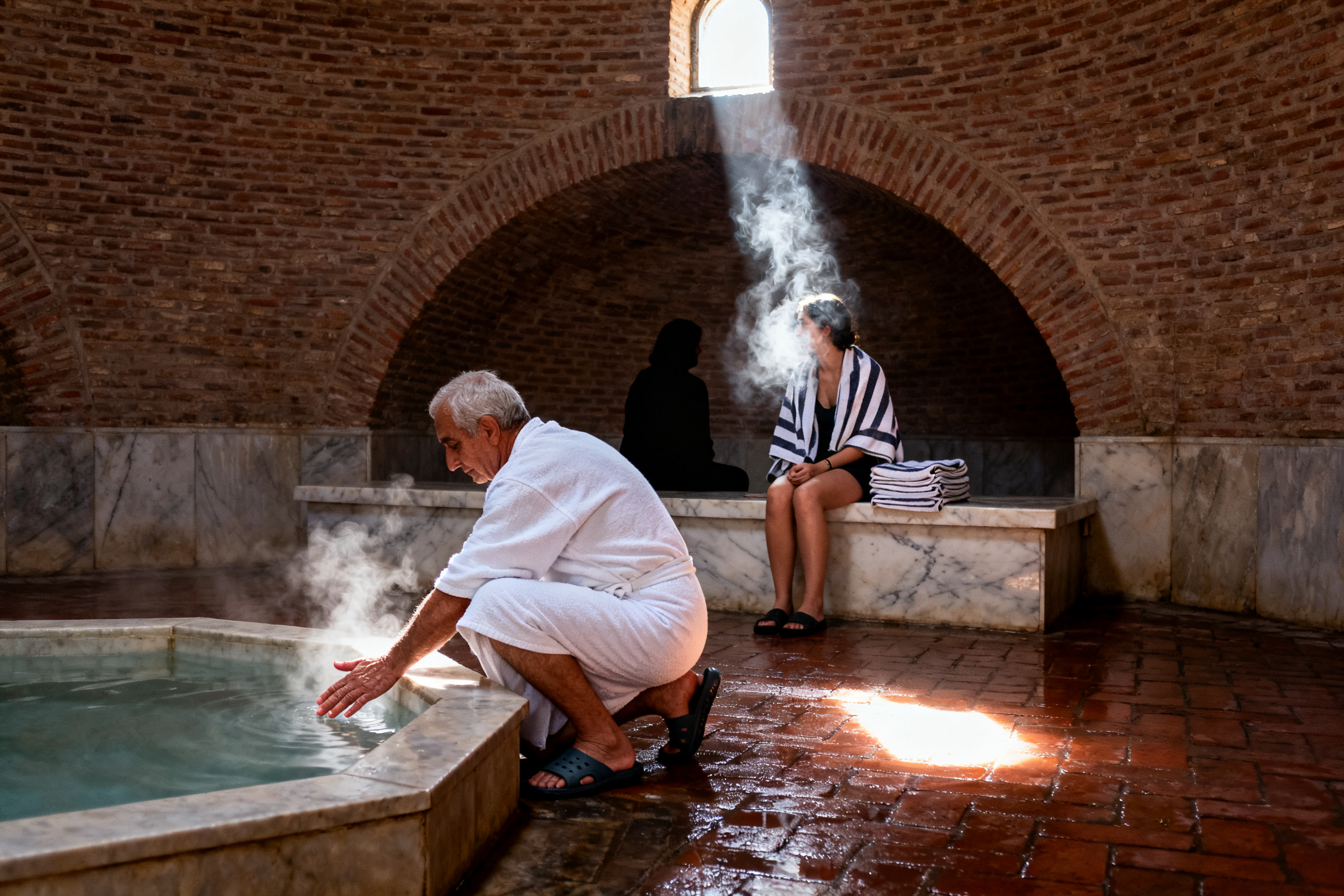
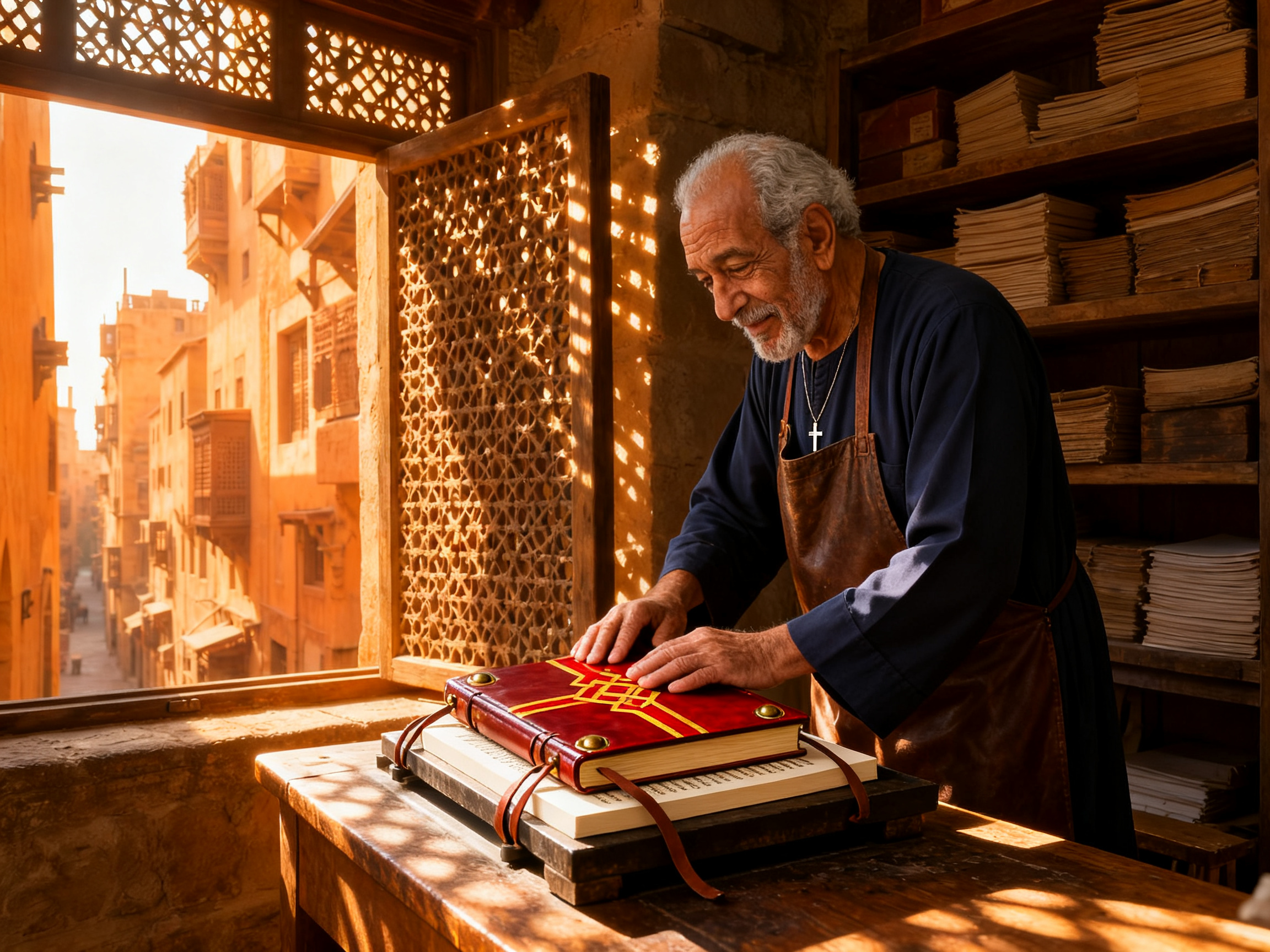
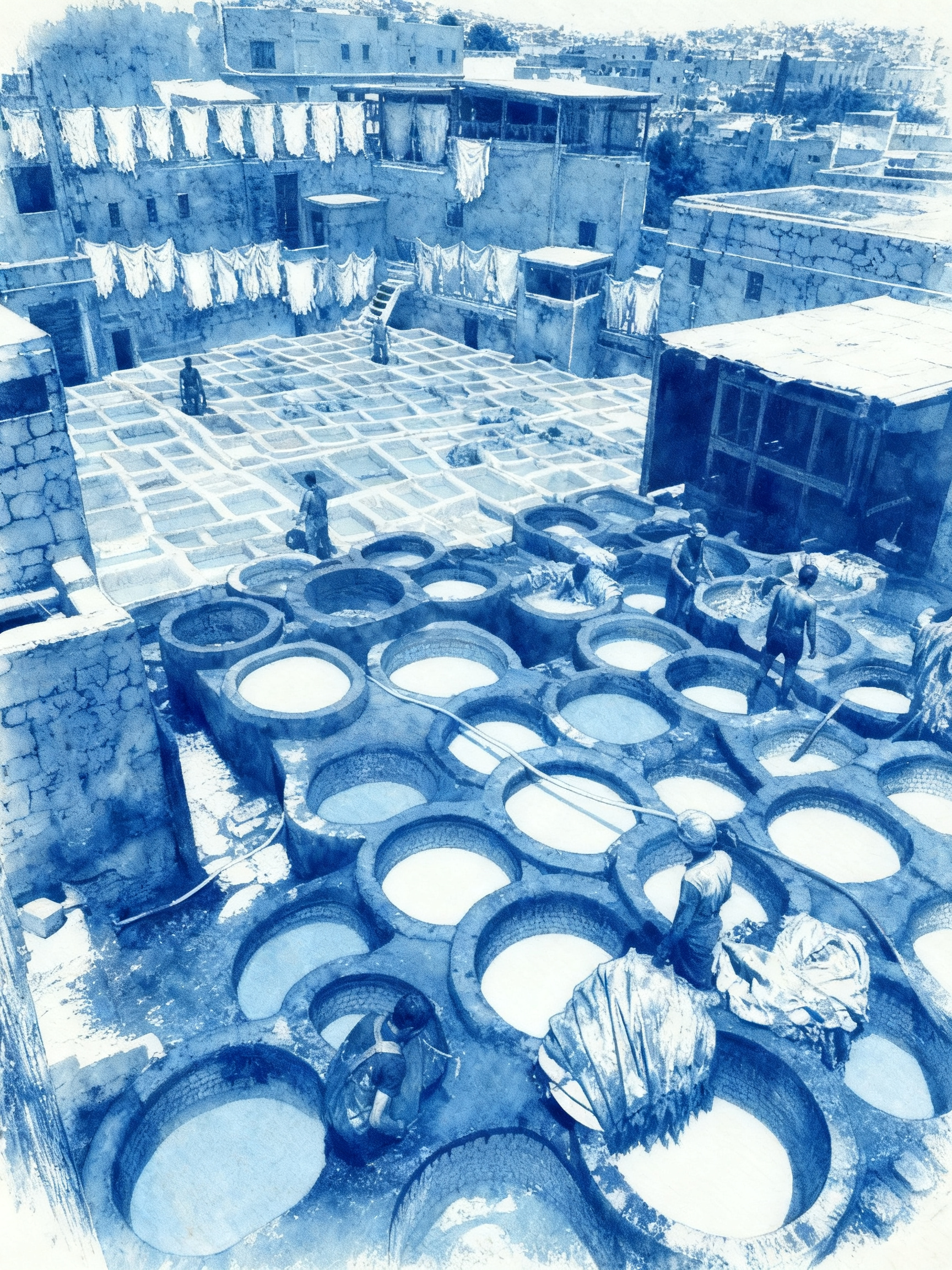
Seedream 4 Bookbinder Scene Composition and Cyanotype Style Examples

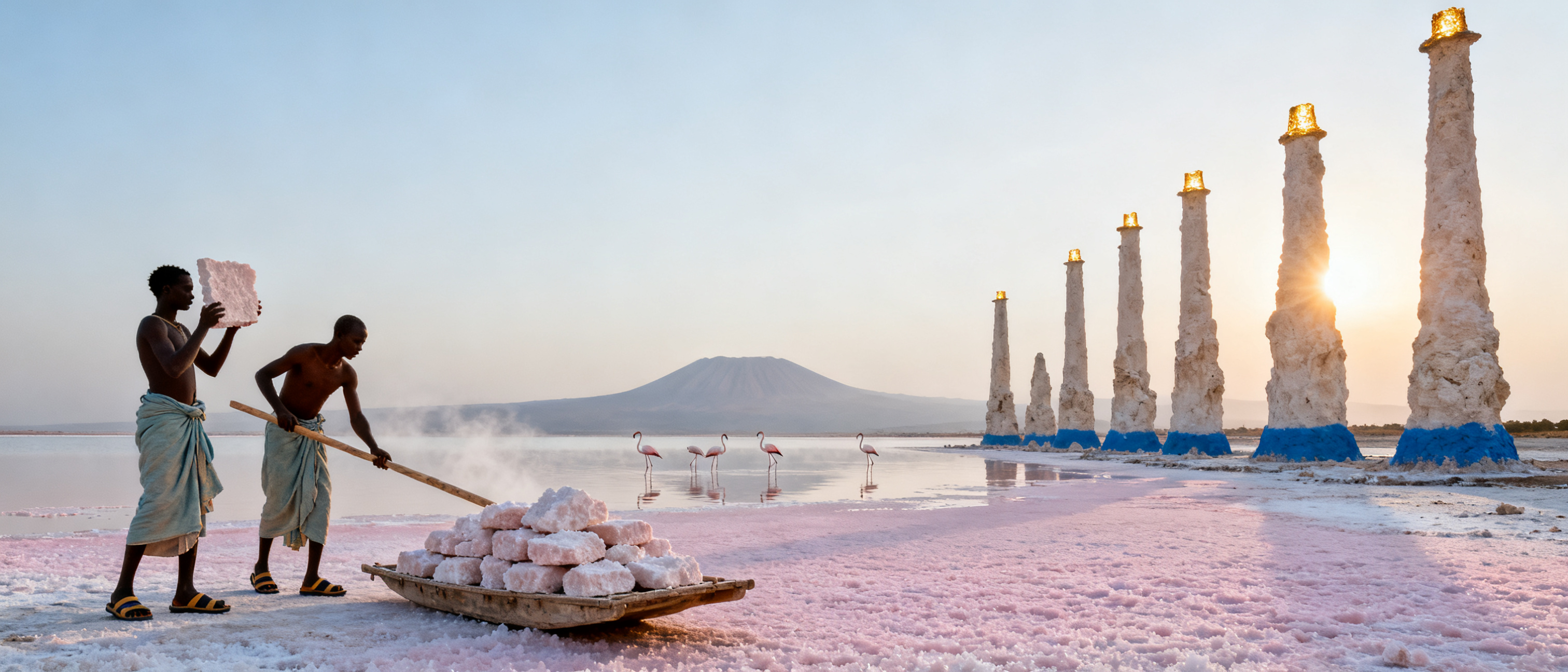
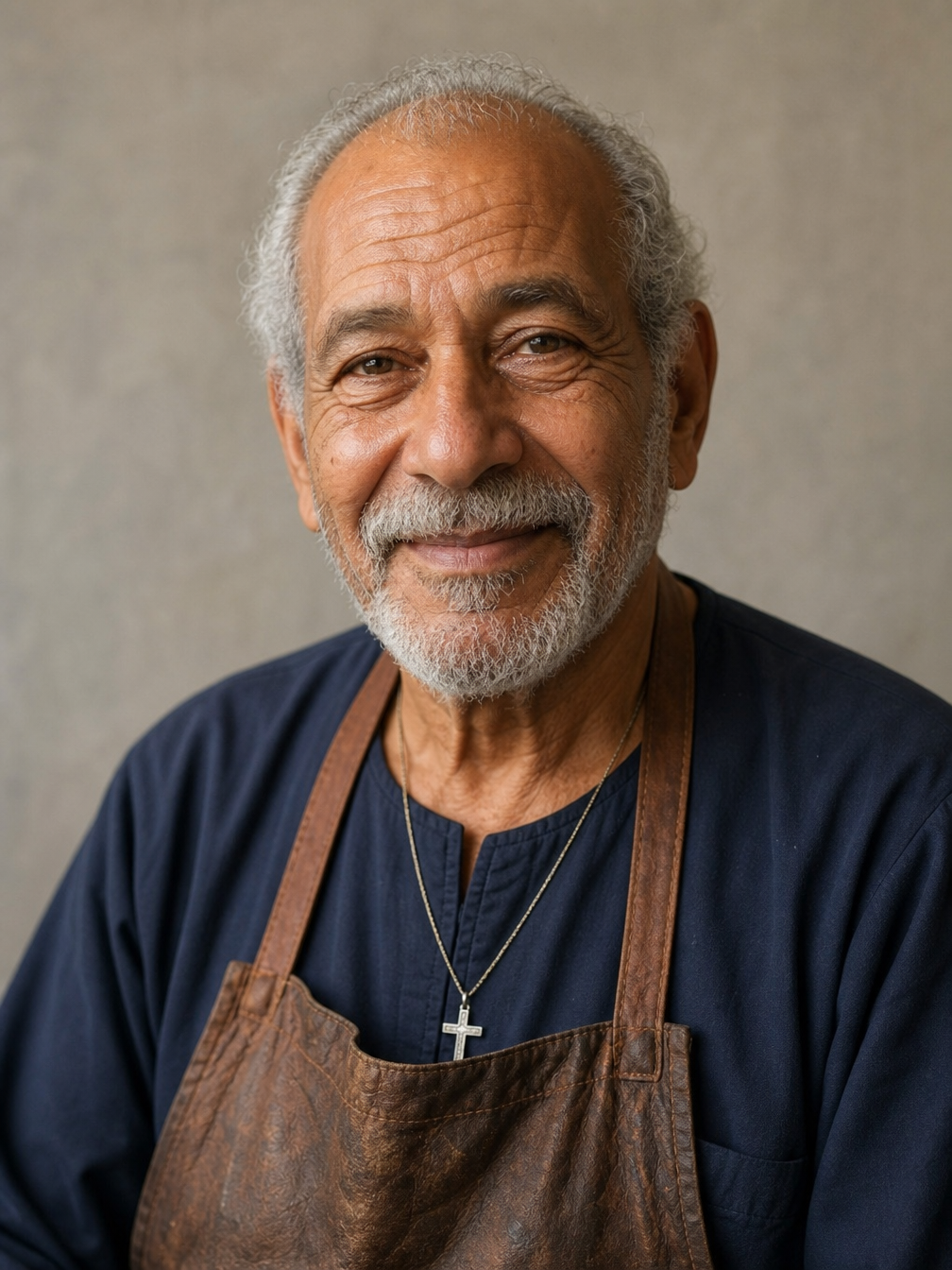
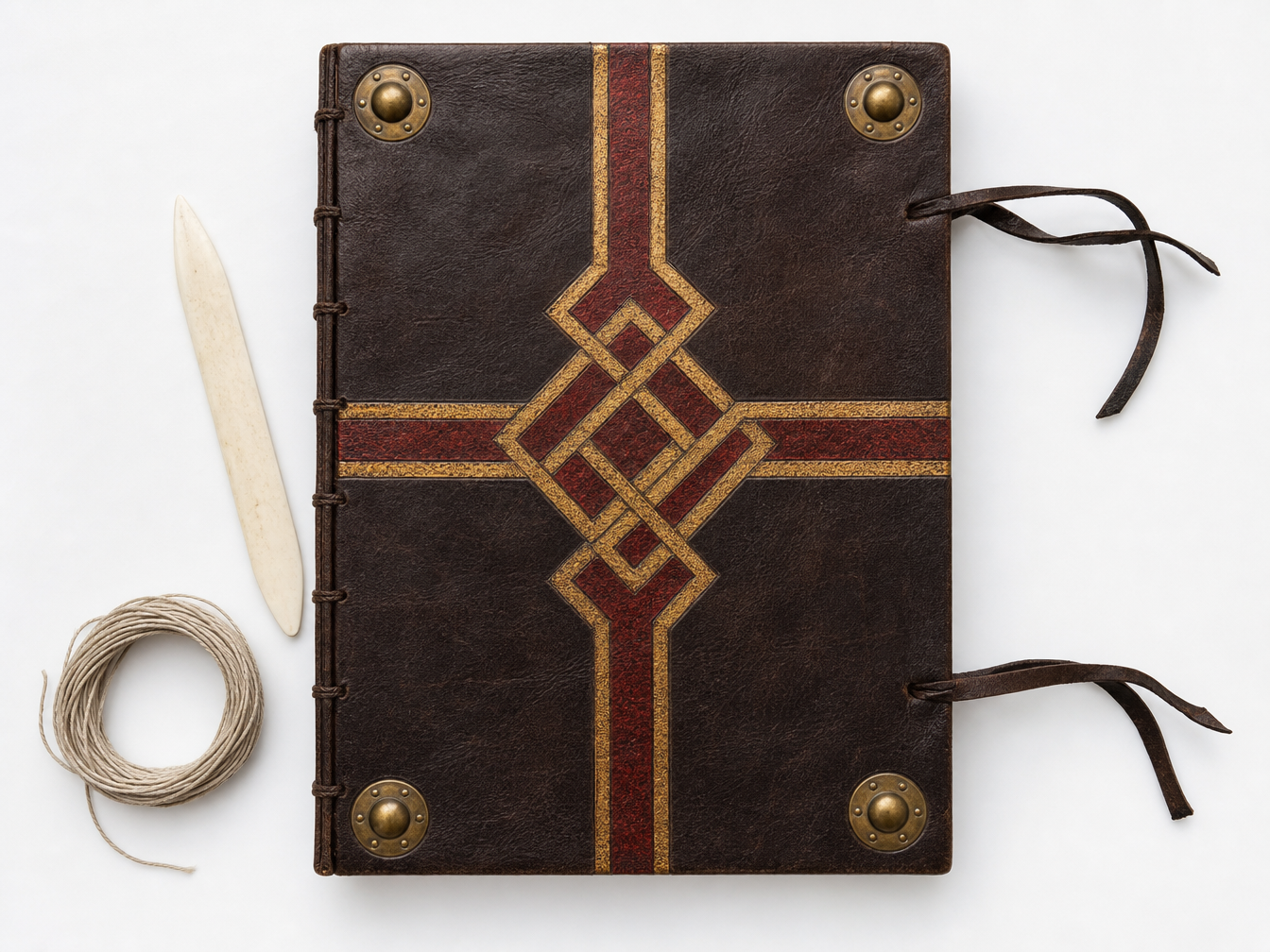
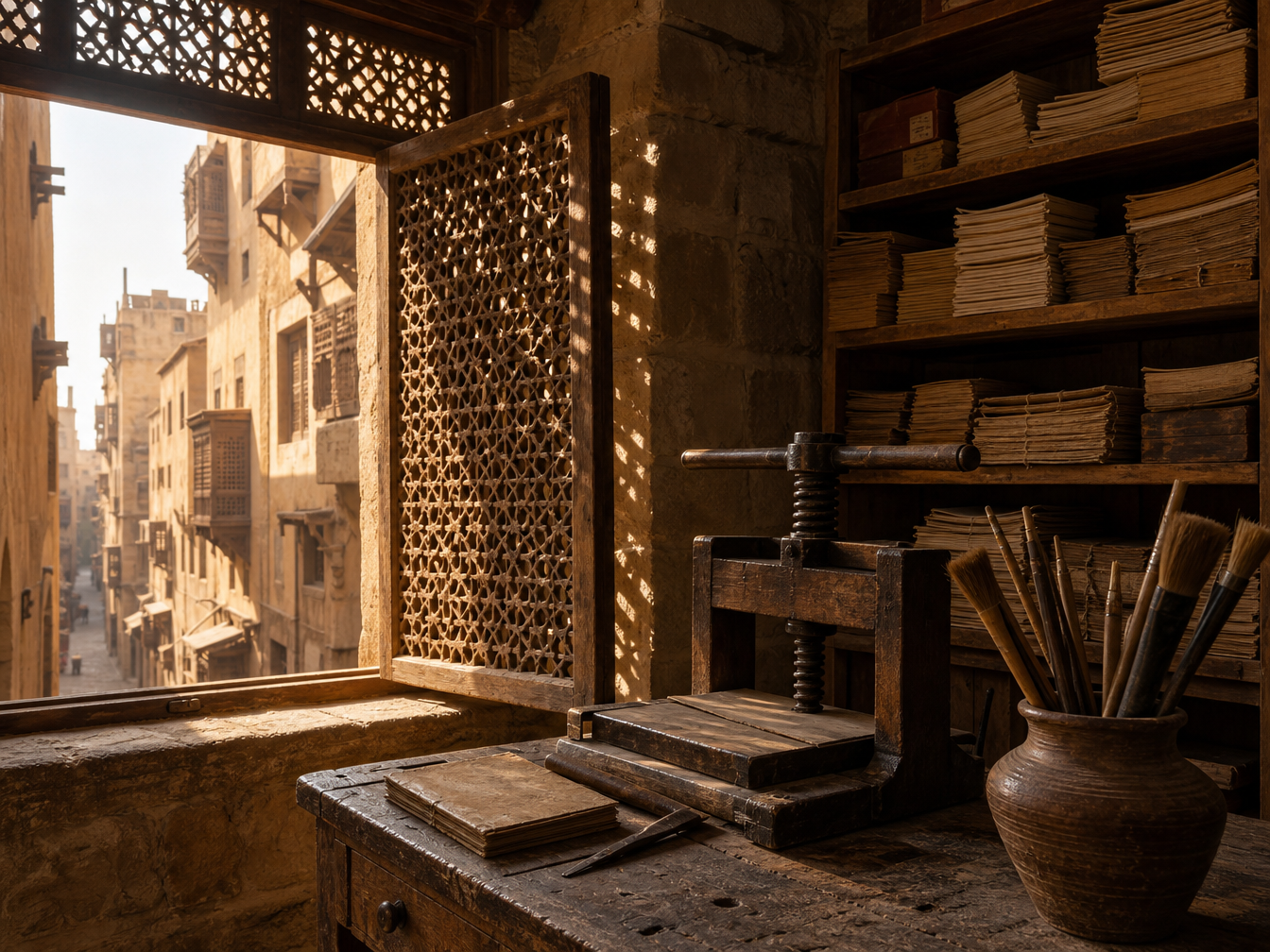
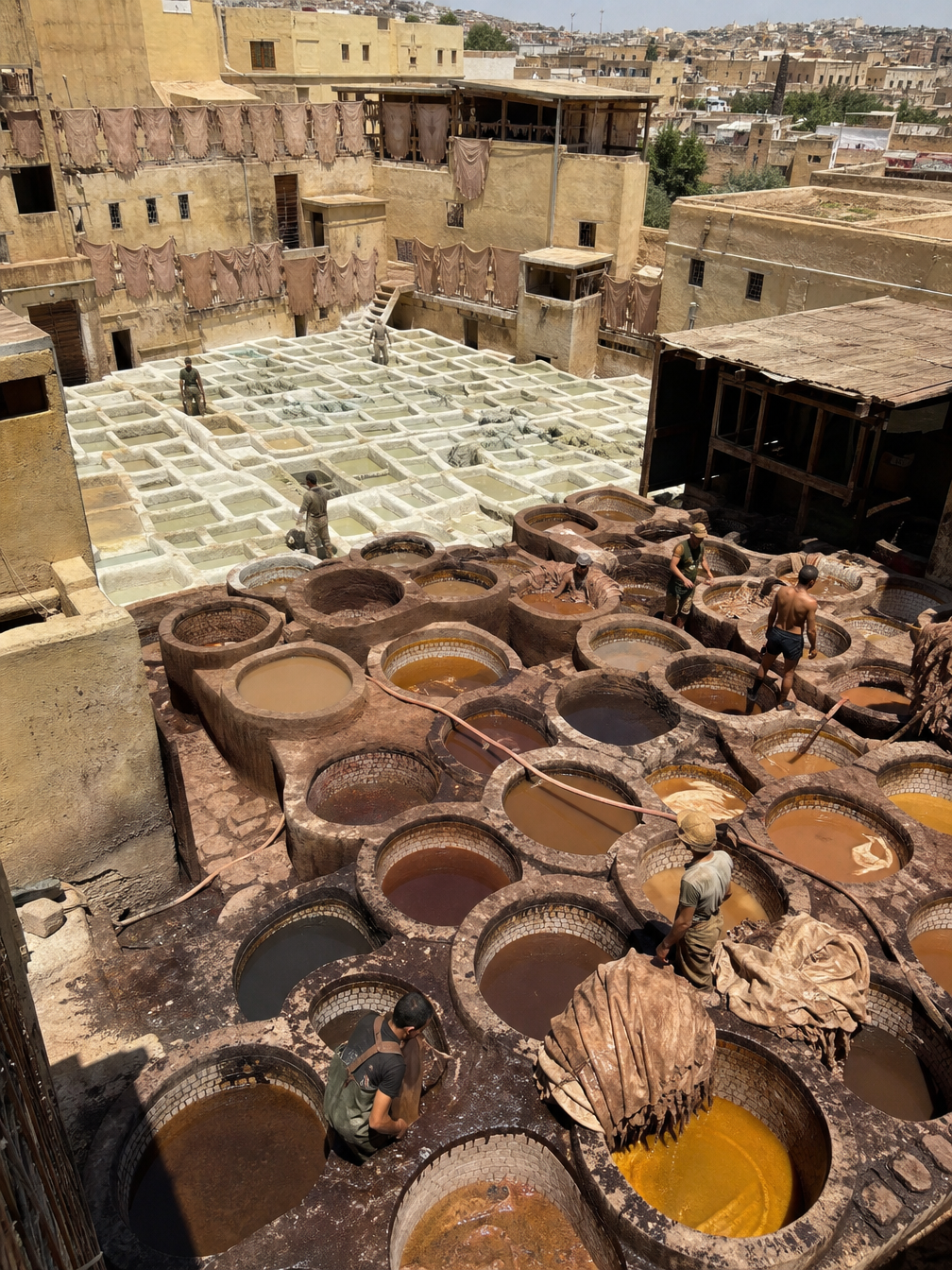
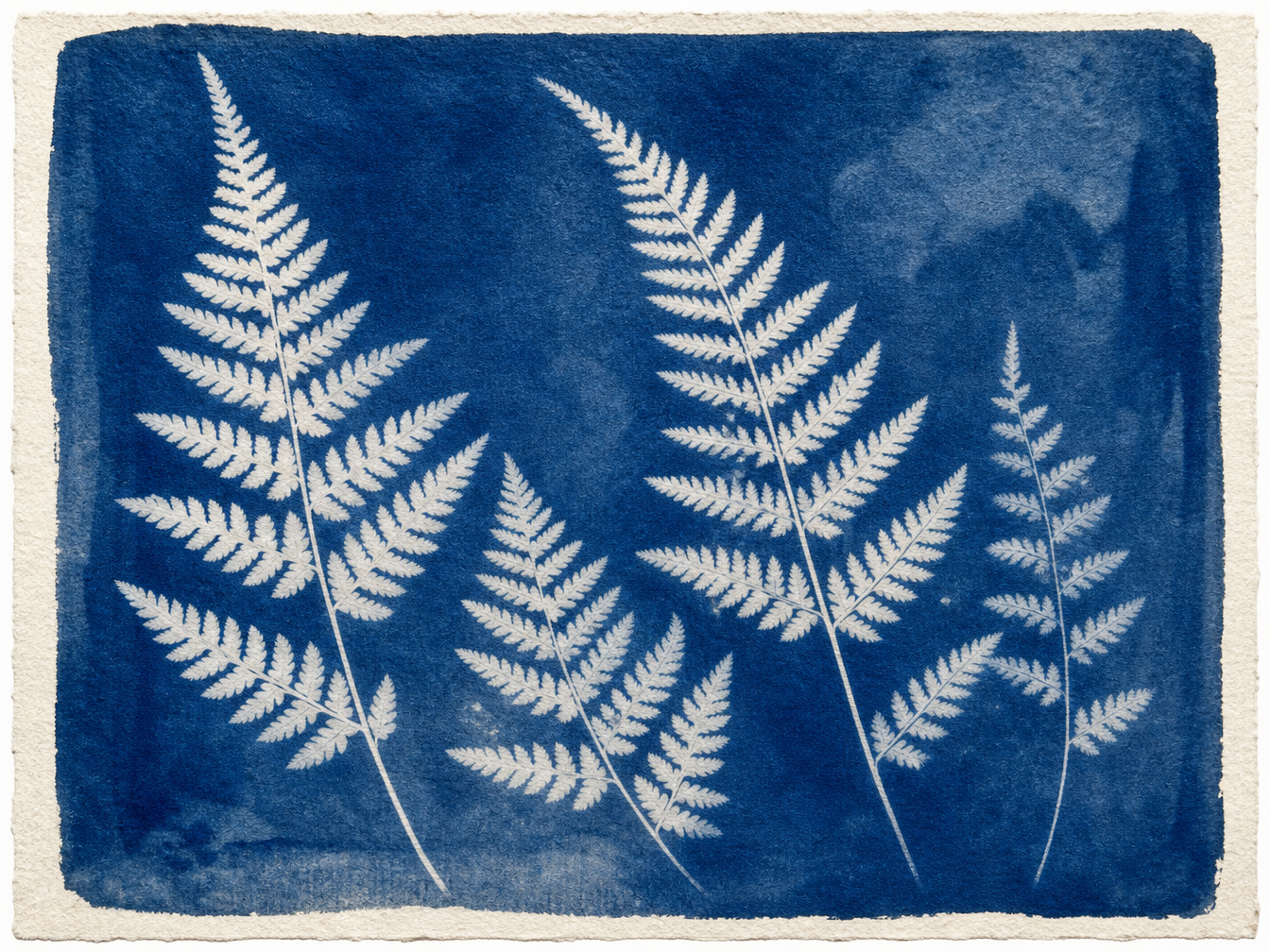
The workshop record uses three references for the elderly bookbinder, the book-cover design and the working environment, then describes the action and shared lighting. The tannery record uses one photograph for the complete scene and a second reference for cyanotype colors and paper texture. Read the complete prompts and compare all source images with the actual outputs for subject continuity, object detail and style transfer.

Prompt

Combine the three reference images into one natural documentary photograph. Use the elderly bookbinder from image 1 with exactly the same face, wrinkles, eyes, grey beard, navy galabeya, brown leather apron and silver cross. Use only the goatskin cover, gold-and-red interlaced cross, brass bosses and leather ties from image 2; do not copy the white table or the isolated still-life setup. Set the scene in the Cairo workshop from image 3 with its mashrabiya window, wooden press, shelves of quires and the ochre street beyond. The man stands in three-quarter view at the table, pressing the finished cover onto a text block in the wooden press. Relight him and the book with the same warm low afternoon sun from the left and matching lattice shadows, consistent scale and perspective, no text, no watermark.

Person or content reference
Object or style reference
Workshop reference
Generated result · Seedream 4

Prompt

Redraw image 1 in the exact visual style of image 2. Image 1 defines all content: keep the same high terrace viewpoint and framing, the honeycomb vats, the tanners in the same positions, the drying skins and the surrounding stone walls. Image 2 defines only the style: a cyanotype on textured watercolor paper with a Prussian-blue ground, white or pale-blue highlights, slightly uneven chemical wash and visible paper fibers. Do not copy any ferns, plants or botanical shapes from image 2. No text, no signature, no watermark.

Person or content reference
Object or style reference
Generated result · Seedream 4

Creative Use Cases for Seedream 4

Prepare a written scene, ordered reference images or a source composition and style sample. Generate documentary concepts, educational diagrams, expanded interiors or print-style reinterpretations. Choose the aspect ratio, resolution and permitted batch count, then inspect the imagery and text before using the results in a presentation, design proposal or application.

Develop a documentary scene concept

Describe the location, people, working activity and light in a text prompt. Generate the scene and inspect the subject relationships and atmosphere before using it as an editorial proposal.

Combine a maker and their work

Prepare the person, crafted object and environment as separate references. Explain the action and shared perspective, then review the combined image for an artisan story or workshop presentation concept.

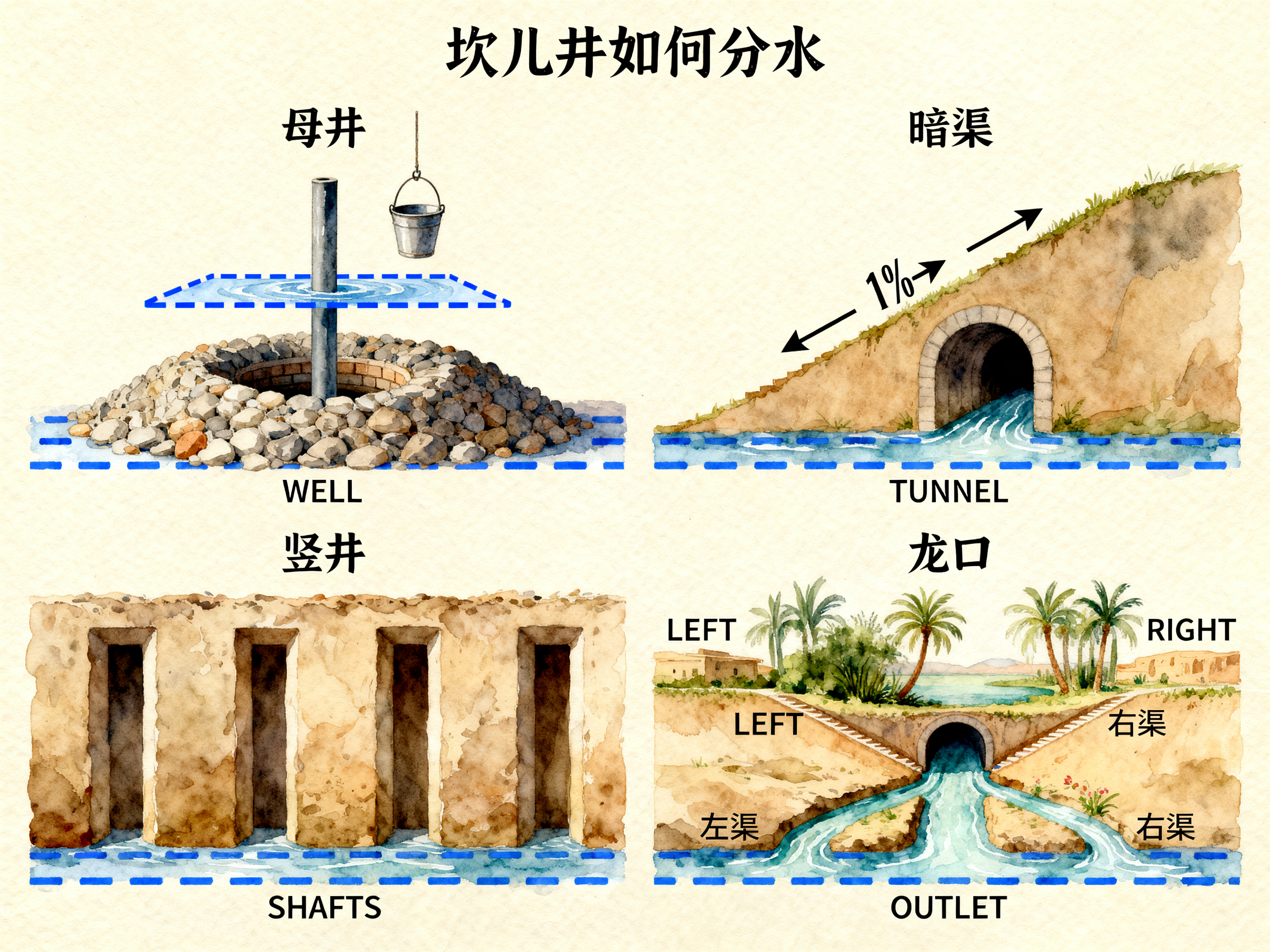
Create an educational system diagram

Write the title, parts, labels and relationships to explain, then select a suitable aspect ratio and resolution. Check text accuracy and the diagram’s factual structure before using the image in teaching material.

Expand an interior composition

Supply an existing image, choose a wider ratio and describe the surrounding space to add. Name the objects and light pattern to preserve, then inspect the expanded result for a location or layout study.

Reinterpret a scene through a print reference

Prepare the content image and a separate style reference. Describe the palette, paper and surface treatment while preserving scene layout, then review the result for an illustration or art-direction board.

Build a bounded batch-generation workflow

Choose the requested output count around your reference count and review the total estimate. Retain the prompt, media URLs, aspect ratio and resolution for the API, then retrieve and inspect all completed images.

Seedream 4 Specifications and API Pricing

Seedream 4 estimates the request using its current image rate multiplied by the requested output count n. The current configuration uses the same rate for 1K, 2K and 4K. The dynamic table shows the current starting rate for one requested image; choose the actual resolution and count on the task page to review the total. For editing, keep input-image count plus n at 15 or fewer.

ModelProviderWorkflowMax image inputsMax output resolutionStarting rate
Seedream 4 Text to ImageByteDanceText to ImageNot applicable4K$0.025 / requested image
Seedream 4 EditByteDanceImage Editing104K$0.025 / requested image

How to Use Seedream 4 on Vidgo

Test your creative brief online, then bring the verified request into your application.

Test online

Generate a result with your intended settings

Enter the prompt, provide one to ten references for editing and select an aspect ratio and 1K, 2K or 4K resolution. Set the requested count from 1 to 15; for editing, ensure input count plus output count is at most 15. Review the estimate, generate and inspect the returned images and text.

Why Use Seedream 4 on Vidgo

Choose a task, inspect its settings and cost, and follow the result from an online test to an authenticated API request.

Creative testing and task selection

Choose inputs around your creative goal

Choose Text to Image when the composition starts with a written brief. Choose Image Editing when photographs, illustrations or other references already define the subject, object, setting or visual style. Explain the role of each input and the result you want to create.

Test your own prompt and images

Open the matching task, enter your brief and supply the required images. Review the generated result against subject appearance, composition and the requested changes before carrying the workflow into a project.

Review the estimate before generation

Choose the resolution and requested count to review the total estimate. For an editing batch, account for the reference images when selecting n so the combined image count stays within 15.

API integration and result management

Learn from complete recorded examples

Read the actual prompt and inspect its source images and result together. Use those examples to understand how to assign input roles and describe the details to preserve or change in your own request.

Track each generation with its task ID

Retain the task ID returned by the API to query status and retrieve completed file URLs. Use your online generation history to review earlier results and the creative direction you tested.

Follow the documentation for the selected task

Use the documentation linked from each task for its exact model identifier, accepted inputs, authentication and response format. Integrate the same task you tested online so its media and settings match the request.

Seedream 4 API FAQ

Seedream 4 is a ByteDance Seed image model for text-to-image generation and reference-guided editing. Vidgo provides eight aspect ratios, 1K/2K/4K resolution and batch-count settings. Editing accepts one to ten references and requires reference count plus requested outputs to total 15 or fewer.

Browse all models