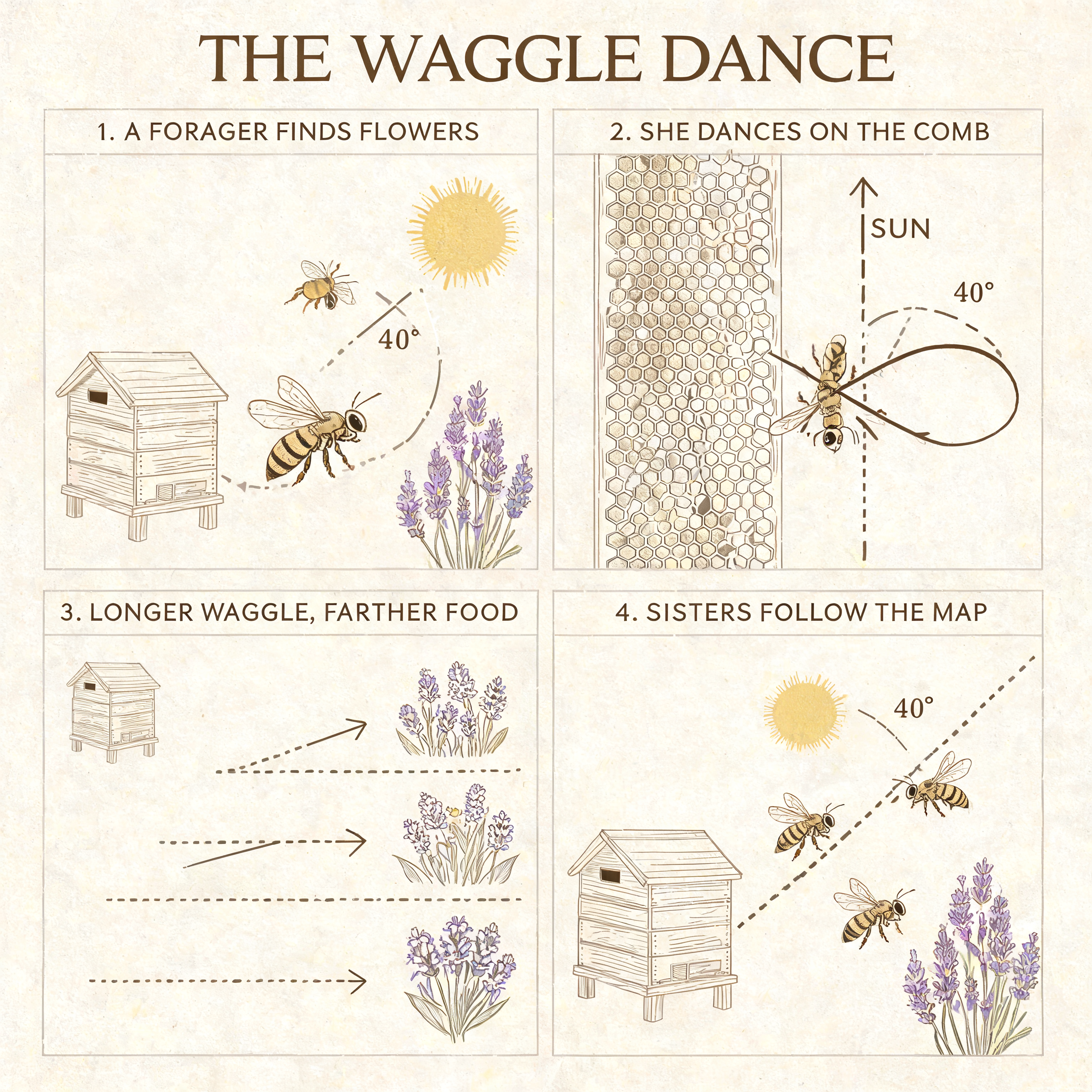
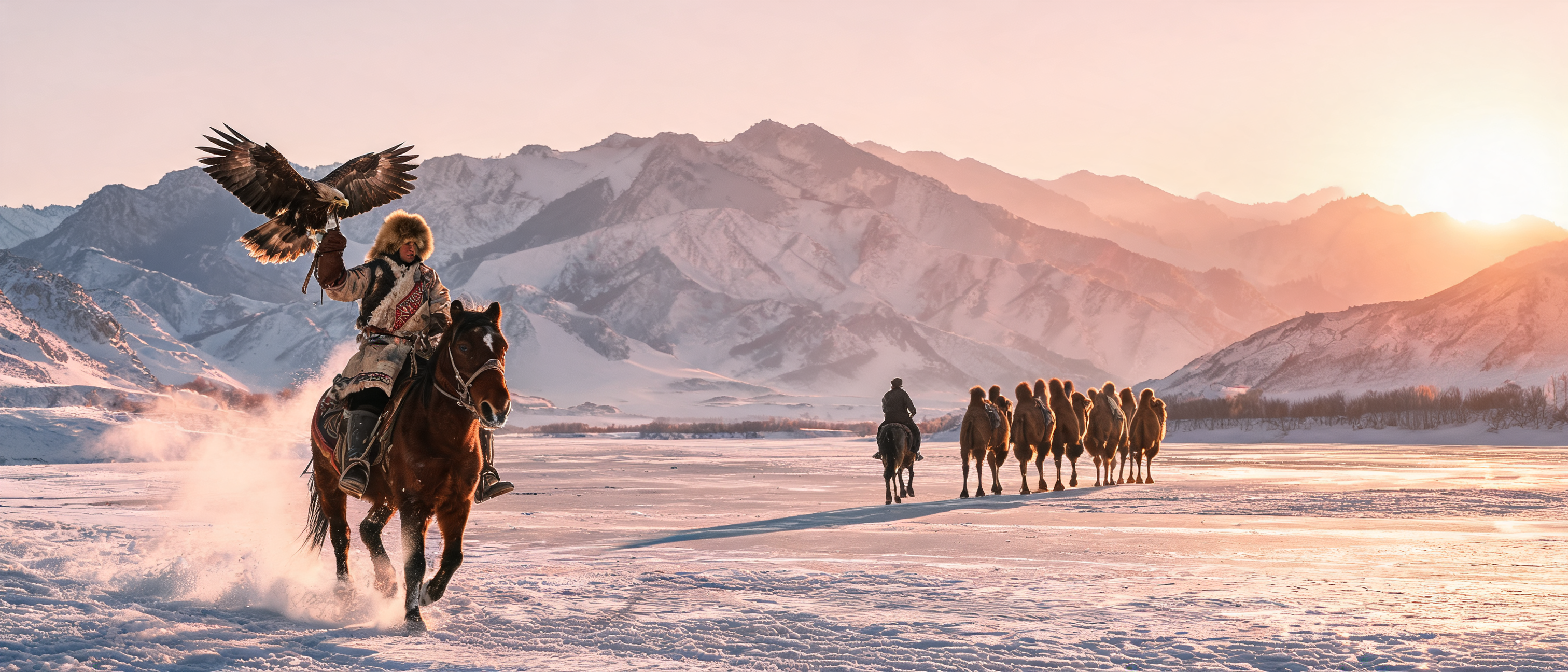
Seedream 5.0 Lite multi-reference image creation

Seedream 5.0 Lite generates images from a written brief and edits one to ten reference images. Assign separate inputs to a person, an object, a location or a visual style, then describe how they should appear together. Choose an aspect-ratio preset, a 2K or 3K size preset, or custom positive integer width and height, and request one to fifteen images with the batch-count setting. Use the text task to develop a new composition and the editing task to combine prepared material, expand a scene or reinterpret it in a referenced style.

Seedream 5.0 Lite is developed by ByteDance Seed. Vidgo provides access to the model. Model names and trademarks belong to their respective owners.
Explore Seedream 5.0 Lite Models

Choose Text to Image for a complete written concept or Image Editing for prepared subjects, objects, scenery and style references. Explain each image’s role by its input order. Set the desired size and number of images on the task page so the output and estimate match the creative test you are planning.

Seedream 5.0 Lite Image Generation and Multi-Image Editing Tasks

Text to Image establishes the scene through your description. Image Editing combines that description with one to ten ordered images, allowing a person, their equipment and the setting to come from different sources. Both tasks accept size and batch-count settings.

Model / taskInput and workflow
Seedream 5.0 Lite Text to ImageByteDance Seedream 5.0 Lite text-to-image and image editing with 2K/3K presets, custom sizes, and up to 10 reference images.
Seedream 5.0 Lite EditByteDance Seedream 5.0 Lite text-to-image and image editing with 2K/3K presets, custom sizes, and up to 10 reference images.

Seedream 5.0 Lite Multi-Image Courtyard Composition and Printmaking Style Examples

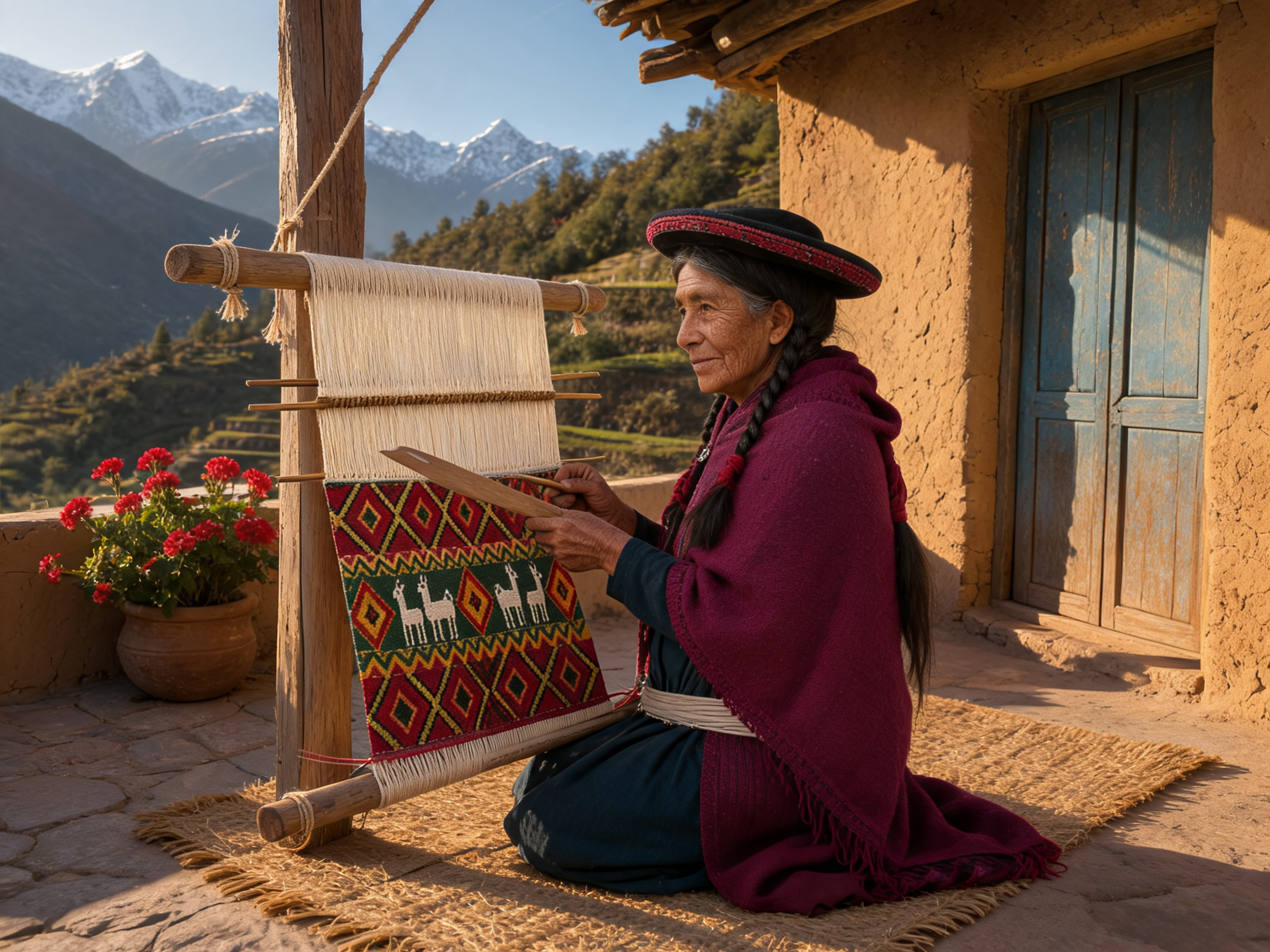
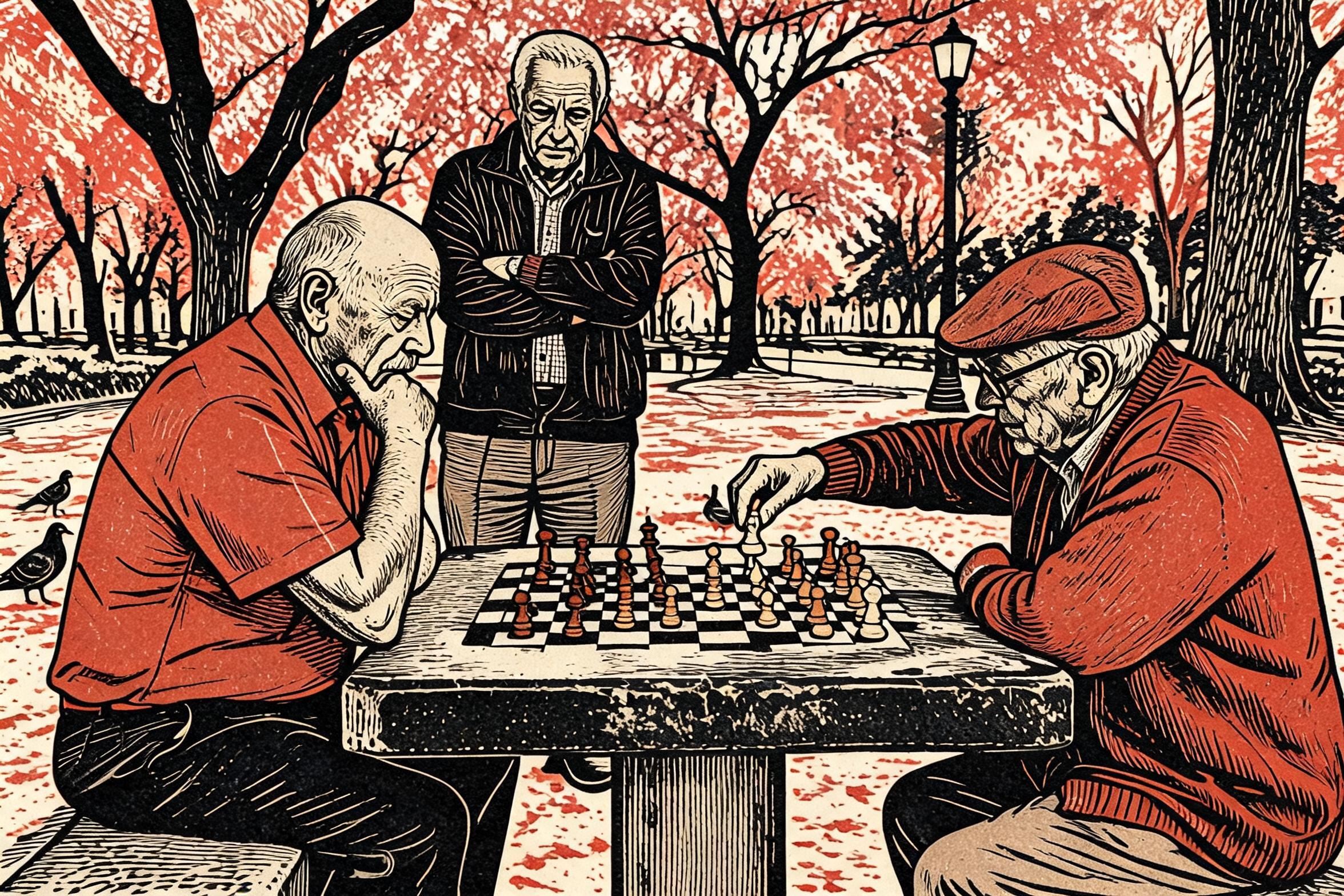
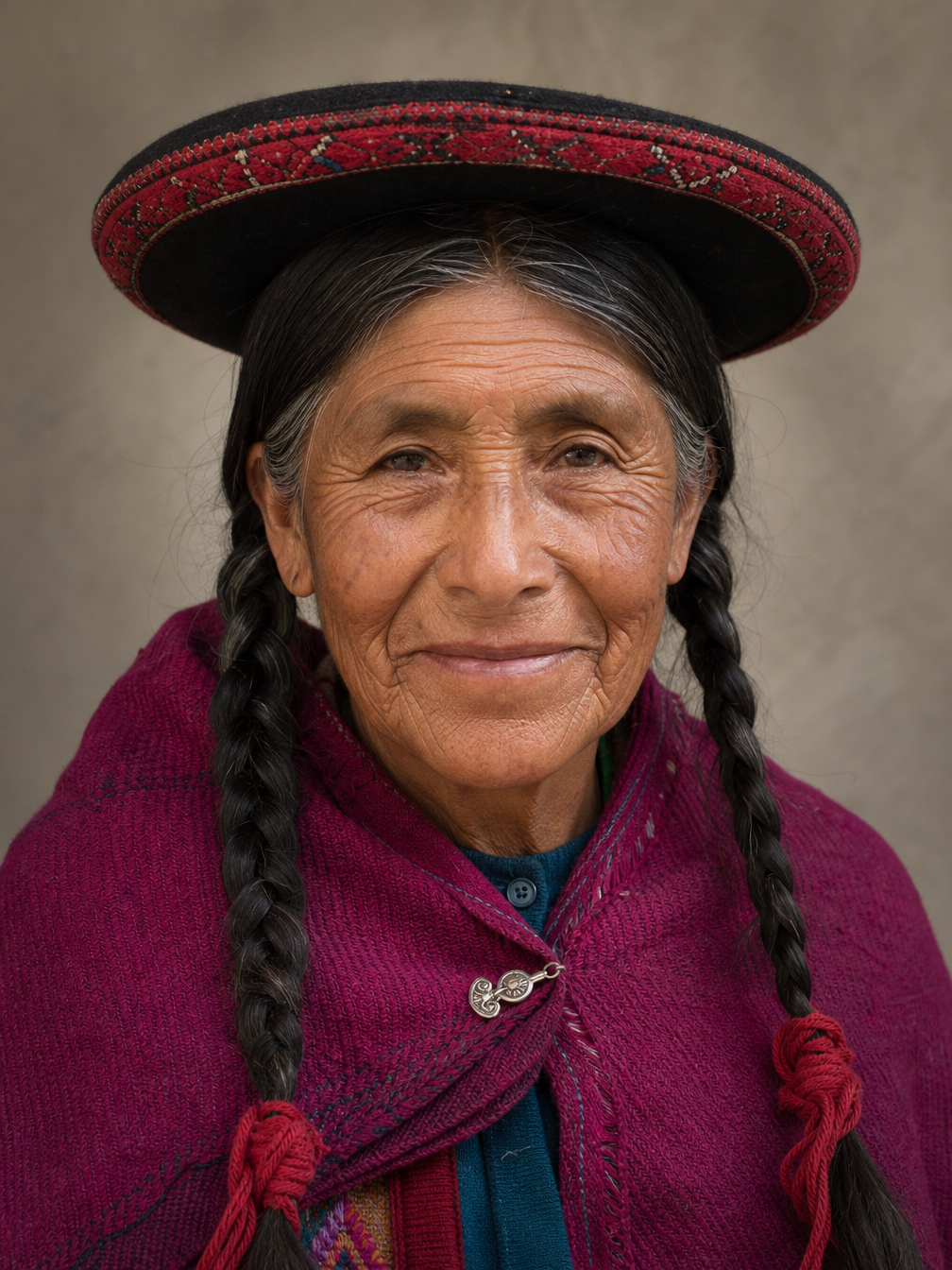
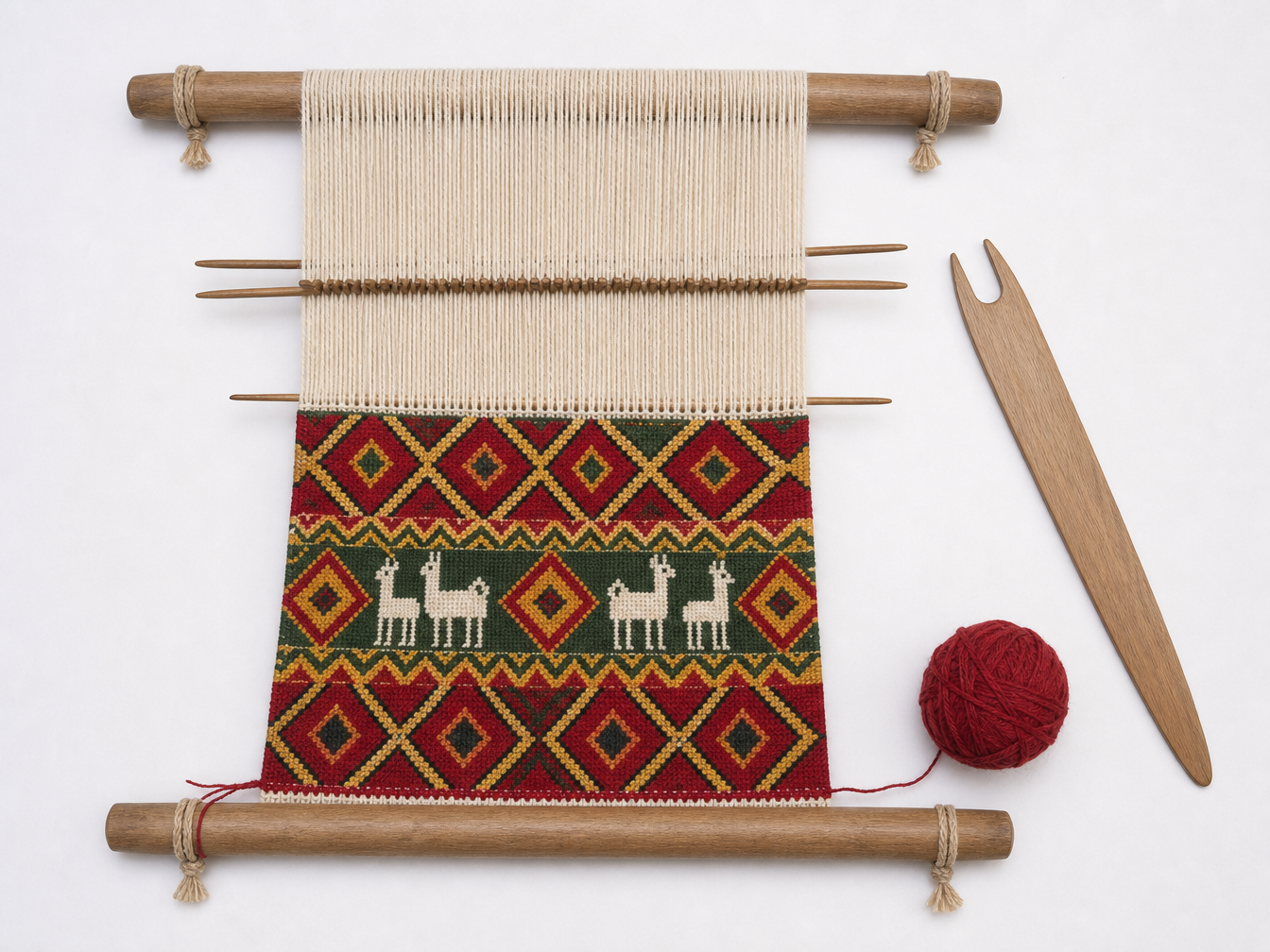
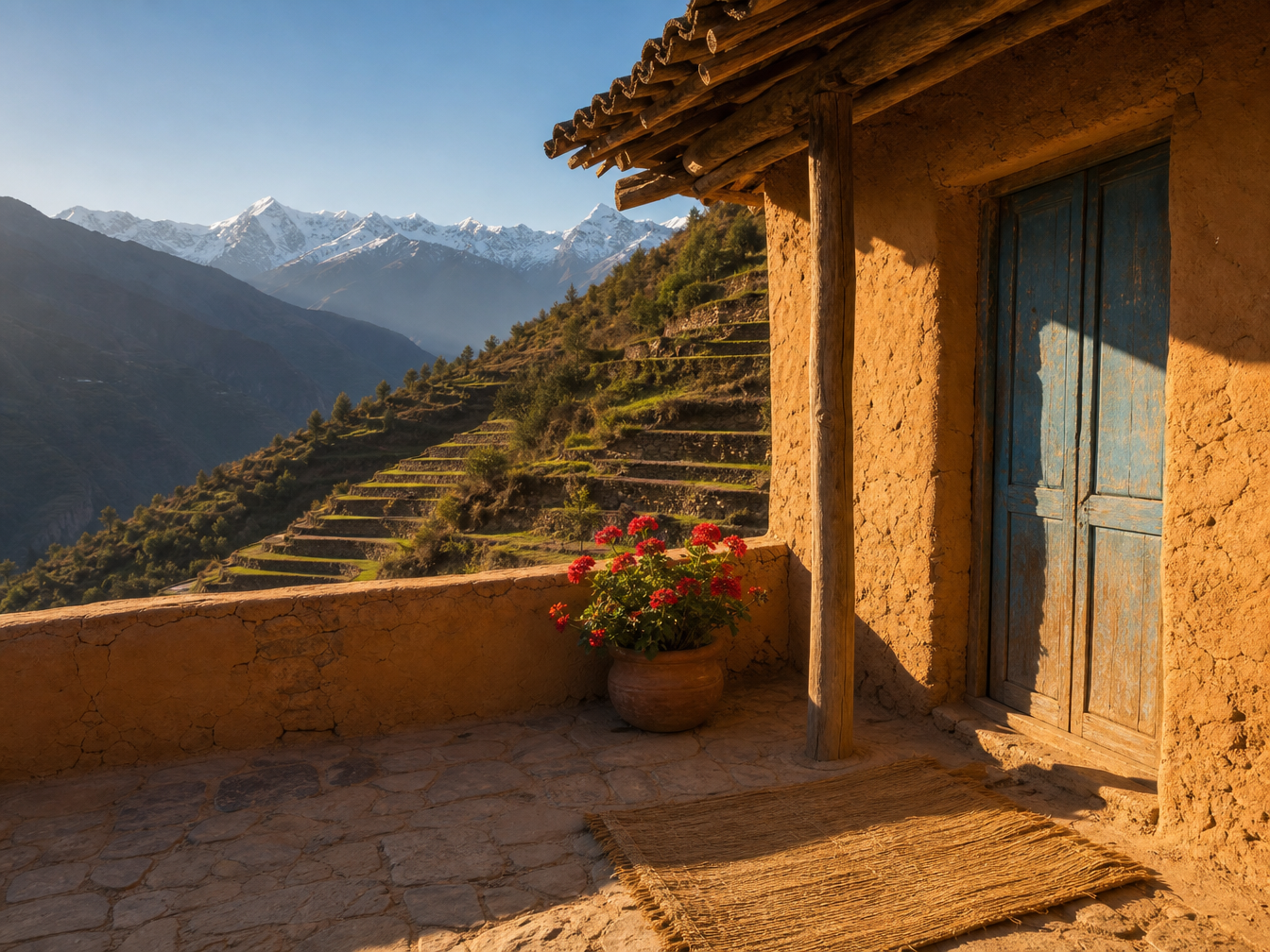
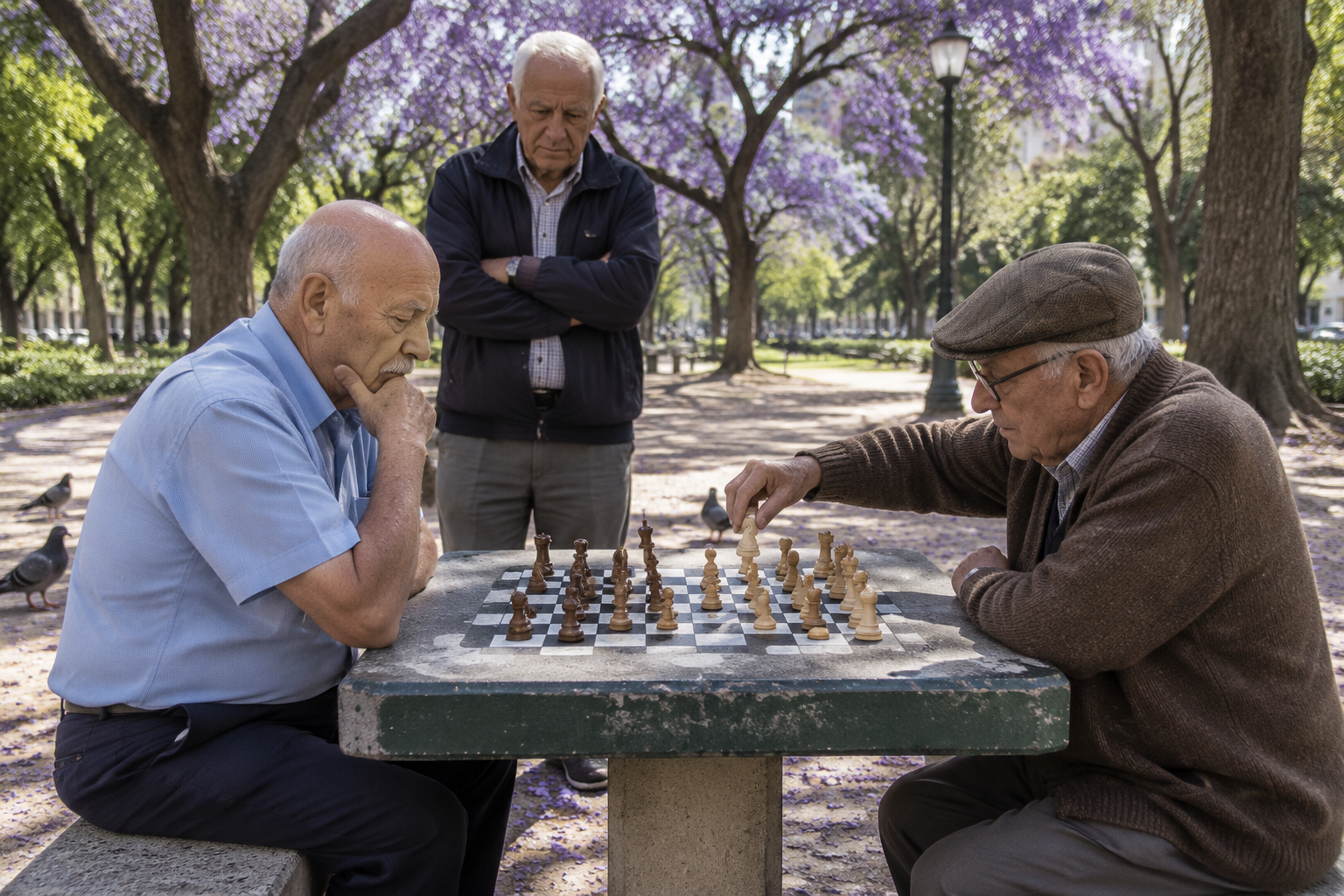
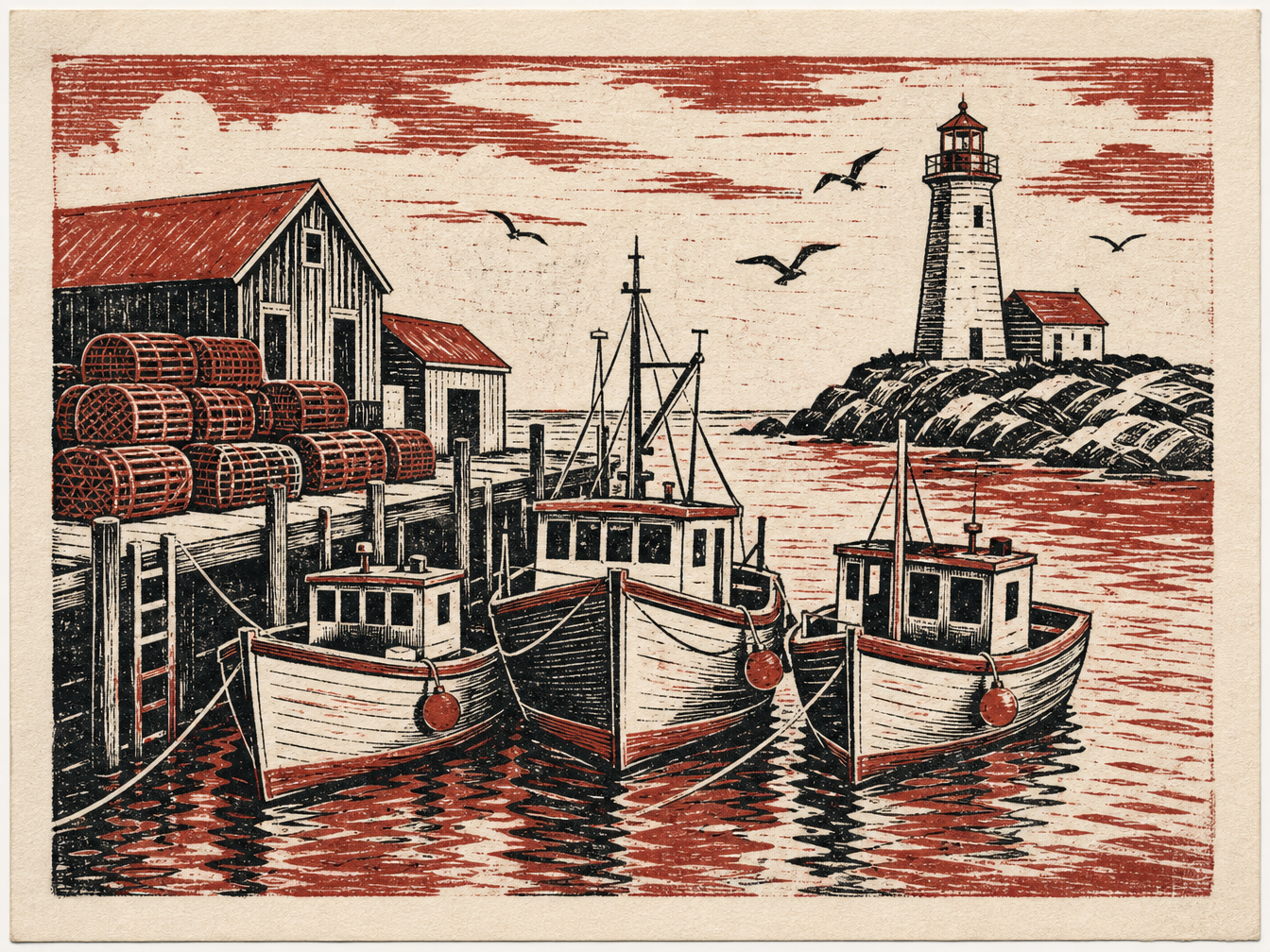
The courtyard record takes the woman, loom and location from three different images and describes how she should work within the combined scene. The chess record uses one photograph for all content and a second image only for the linocut style. All source images, complete prompts and actual outputs are retained so you can inspect identity, tool placement, lighting and the relationship between content and style.

Prompt

Combine the three reference images into one natural documentary photograph. Use the elderly woman from image 1 with exactly the same face, wrinkles, eyes, braids tied with red yarn, black montera hat with the red band and magenta shawl with the silver pin. Use the backstrap loom and half-finished textile from image 2, keeping the same red, deep green and golden yellow diamond and zigzag pattern with the small white llama figures. Set the scene in the adobe courtyard from image 3 with its ochre walls, blue door, clay pot of geraniums and the terraces and snowy peaks beyond the low wall. The woman kneels on the straw mat in three-quarter view; the far end bar of the loom is tied to the wooden post, the near bar is attached to a strap around her waist, and her hands pass the weaving sword through the warp threads. Relight her and the loom with the same warm low afternoon sun from the left and matching long shadows, consistent scale and perspective, no text, no watermark.

Person or content reference
Tool or style reference
Courtyard reference
Generated result · Seedream 5.0 Lite

Prompt

Redraw image 1 in the exact visual style of image 2. Image 1 defines all content: keep the same composition and framing, the two elderly players with their facial features, poses and clothing, the standing onlooker with folded arms, the chess table with the pieces in the same positions, the jacaranda trees and the three pigeons. Image 2 defines only the style: a two-color linocut relief print on off-white textured paper with bold carved black lines, visible gouge marks, parallel hatching for shading, flat rust-red ink for the shirts, the cardigan and the jacaranda blossoms, slightly uneven ink coverage and visible paper grain. Do not copy any boats, harbor, lighthouse or seagulls from image 2. No text, no signature, no watermark.

Person or content reference
Tool or style reference
Generated result · Seedream 5.0 Lite

Creative Use Cases for Seedream 5.0 Lite

Create explanatory illustrations, combine people and equipment in a new setting, expand a landscape or apply a referenced print style. Prepare the source material, identify the elements to retain and choose the size and requested image count. Review text, anatomy and spatial relationships before using the result in educational material, an editorial concept or an application.

Create an illustrated explanation

Prepare the topic, title, labels and diagram sequence, then generate the image with the intended size preset. Check factual relationships and rendered text before using it as an educational concept.

Reconstruct a working scene from references

Prepare a person, their tool and a suitable location as separate images. Explain posture, equipment placement and shared illumination, then review the combined image for a documentary scene proposal.

Turn a photograph into a print-style study

Provide a content photograph and a print reference, identify their distinct roles and describe the line work, ink colors and paper texture. Review the redraw for an illustration or visual treatment board.

Expand a landscape for a wide layout

Upload the source scene and select a wider aspect ratio. Describe the surroundings to add and the elements to retain, then inspect the expanded composition for a presentation or editorial layout.

Request a batch for creative review

Prepare a complete prompt and output size, set the requested count from 1 to 15 and review the total estimate. Inspect each returned image and retain the results that fit the project’s visual direction.

Integrate a multi-reference image workflow

Test the ordered references, prompt, size and count online, then carry those inputs into the matching API task. Track the returned task ID and retrieve the completed image URLs for your application.

Seedream 5.0 Lite Specifications and API Pricing

Seedream 5.0 Lite calculates the request estimate from its current image rate multiplied by the requested count n. The current configuration uses the same rate across supported size options. The dynamic table shows the current starting rate for one requested image; set the actual size and count on the task page to review the total before submission.

ModelProviderWorkflowMax image inputsResolution presetsStarting rate
Seedream 5.0 Lite Text to ImageByteDanceText to ImageNot applicable2K / 3K$0.025 / requested image
Seedream 5.0 Lite EditByteDanceImage Editing102K / 3K$0.025 / requested image

How to Use Seedream 5.0 Lite on Vidgo

Test your creative brief online, then bring the verified request into your application.

Test online

Generate a result with your intended settings

Enter the prompt and provide one to ten ordered references for editing. Choose an aspect-ratio or 2K/3K preset, or enter custom positive integer dimensions, then set n from 1 to 15. Review the estimate, generate and inspect every returned image for content, style and the requested changes.

Why Use Seedream 5.0 Lite on Vidgo

Choose a task, inspect its settings and cost, and follow the result from an online test to an authenticated API request.

Creative testing and task selection

Choose inputs around your creative goal

Choose Text to Image when the composition starts with a written brief. Choose Image Editing when photographs, illustrations or other references already define the subject, object, setting or visual style. Explain the role of each input and the result you want to create.

Test your own prompt and images

Open the matching task, enter your brief and supply the required images. Review the generated result against subject appearance, composition and the requested changes before carrying the workflow into a project.

Review the estimate before generation

Set the size and n on the task page to review the complete estimate. A batch requests multiple images and its estimate scales with that count, helping you budget exploratory and selected-size tests separately.

API integration and result management

Learn from complete recorded examples

Read the actual prompt and inspect its source images and result together. Use those examples to understand how to assign input roles and describe the details to preserve or change in your own request.

Track each generation with its task ID

Retain the task ID returned by the API to query status and retrieve completed file URLs. Use your online generation history to review earlier results and the creative direction you tested.

Follow the documentation for the selected task

Use the documentation linked from each task for its exact model identifier, accepted inputs, authentication and response format. Integrate the same task you tested online so its media and settings match the request.

Seedream 5.0 Lite API FAQ

Seedream 5.0 Lite is a ByteDance Seed image model available through text generation and reference-image editing on Vidgo. It supports one to ten editing references, size presets including 2K and 3K, custom dimensions and requests for one to fifteen images. The prompt defines the composition, the role of each input and the visual treatment to create.

Browse all models