Kling O3 Image generation and editing up to 4K

Kling O3 Image creates new images from text and edits prepared visuals with one to ten reference images. Describe the subject, scene, materials and lighting for a new composition, or assign the existing person, object and setting to their respective references before describing the change. Use the prompt to guide a local replacement or a complete style transformation, then choose 1K, 2K or 4K, the aspect ratio, JPEG, PNG or WebP format and one to nine requested images. These controls support character concepts, composed photographs, interior studies and illustrative treatments with a current estimate for the selected output.

Kling O3 Image is developed by Kuaishou. Vidgo provides access to the model. Model names and trademarks belong to their respective owners.
Explore Kling O3 Image Models

Choose Text to Image when words should establish the whole composition. Choose Image Editing when an existing person, setting or visual structure should guide the result. Identify what each reference contributes and what should change, then select the output resolution, format, framing and image count.

Kling O3 Image Image Generation and Reference Editing Tasks

A text request describes the subject and scene to create. An editing request supplies one to ten image_urls and explains which appearance, composition and details to retain or modify. Optional elements can provide frontal and additional reference images for a described subject. Prepare those sources around a clear creative goal and follow the selected task’s documented fields.

Model / taskInput and workflow
Kling O3 Image Text to ImageGenerate native high-resolution images up to 4K from text prompts with Kling O3 Image. Features photorealistic detail rendering, element consistency locking, and flexible aspect ratios.
Kling O3 Image EditEdit and blend images with Kling O3 Image using up to 10 reference images and text prompts. Features multi-reference synthesis, mask-free local edits, and native 4K output.

Kling O3 Image Skateboarder Composition and Paper Art Style Examples

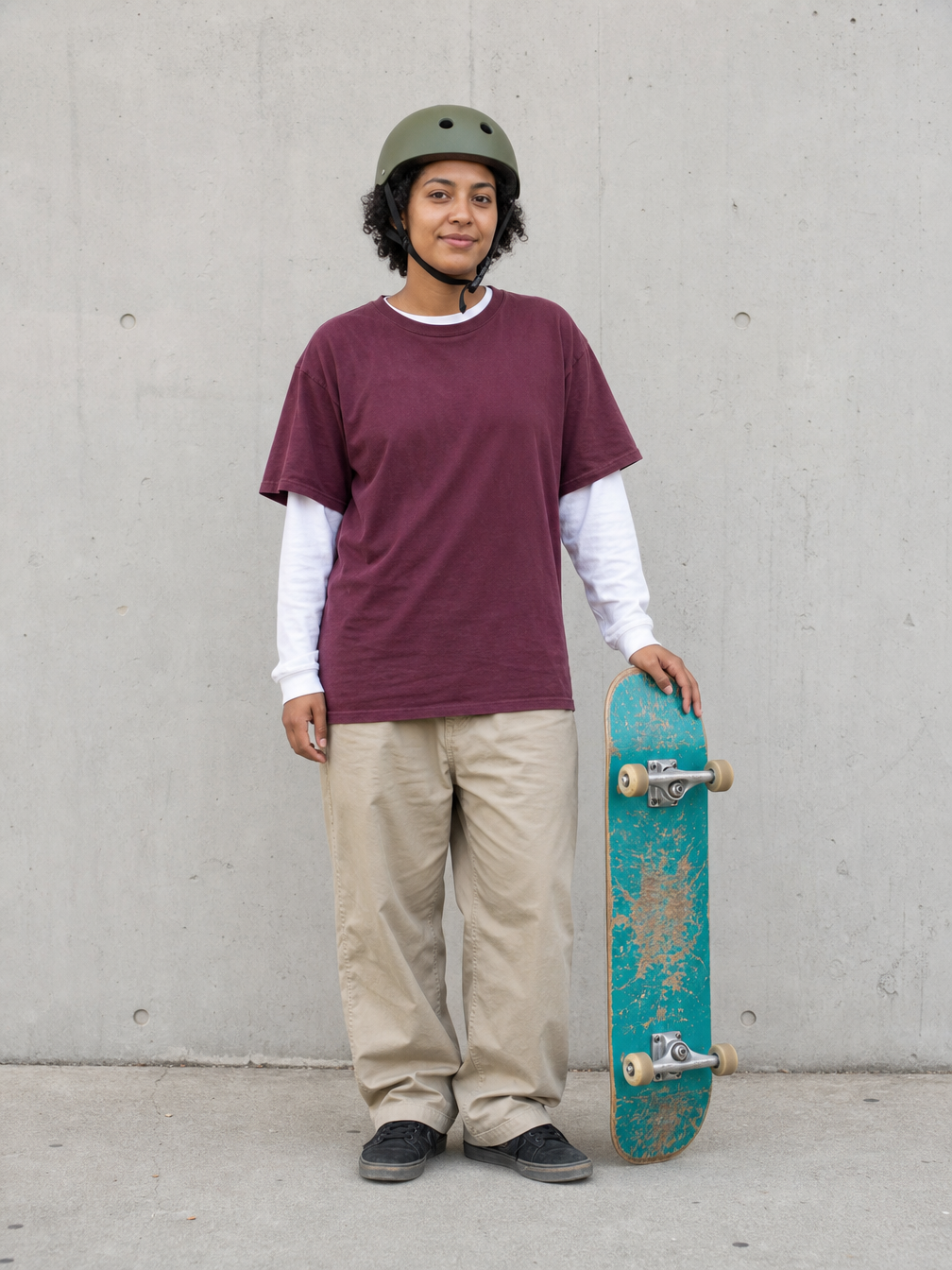
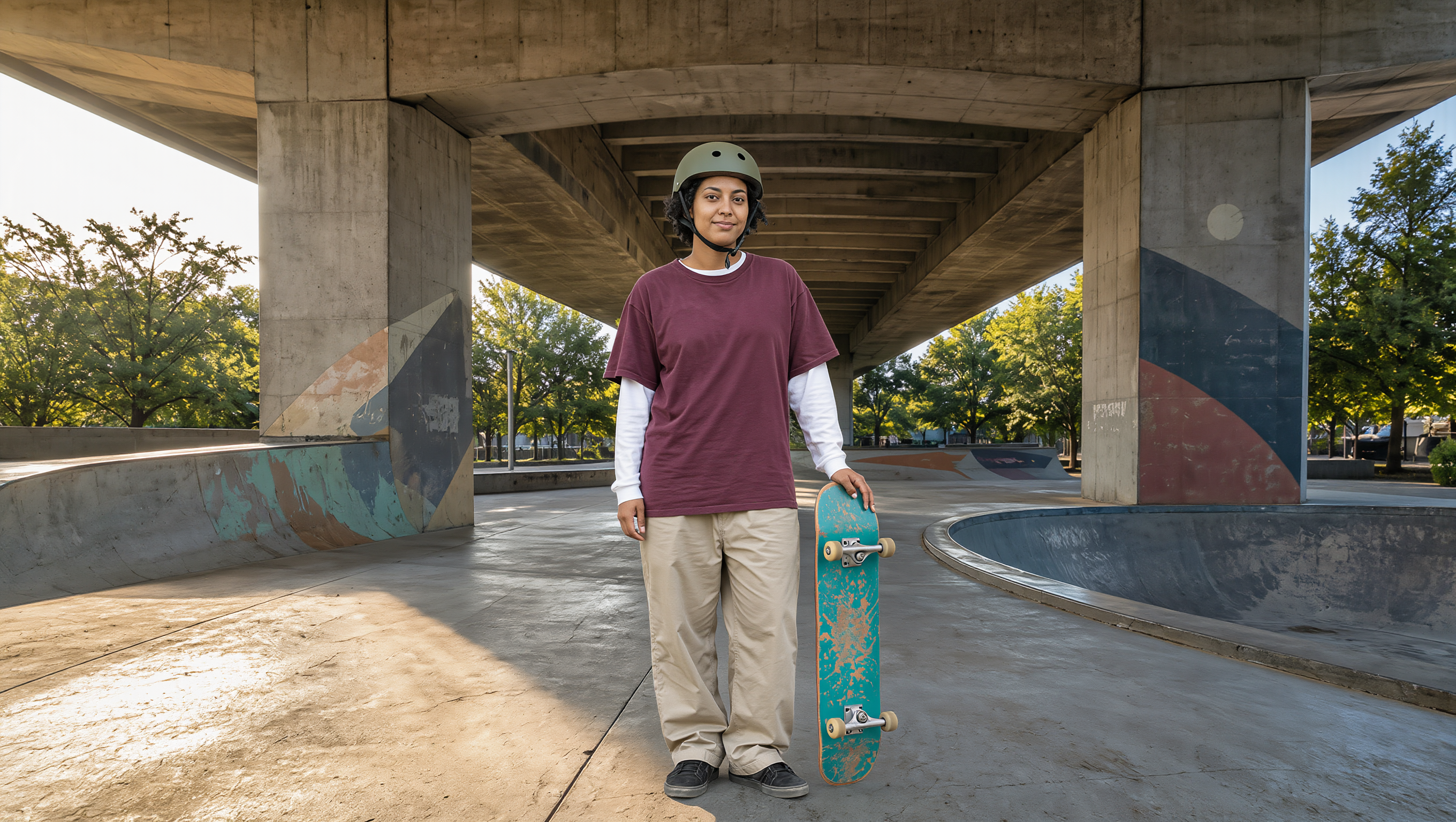
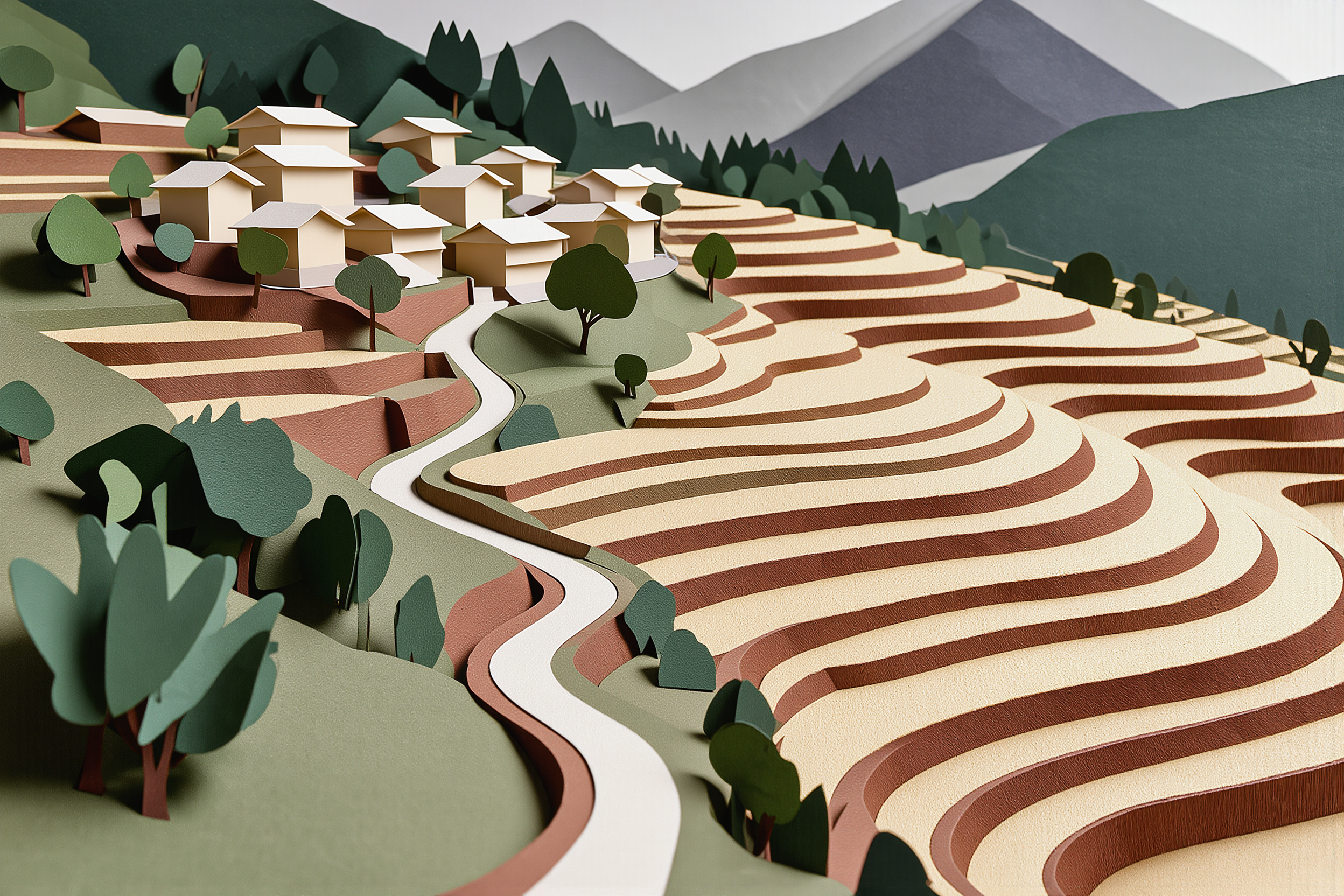
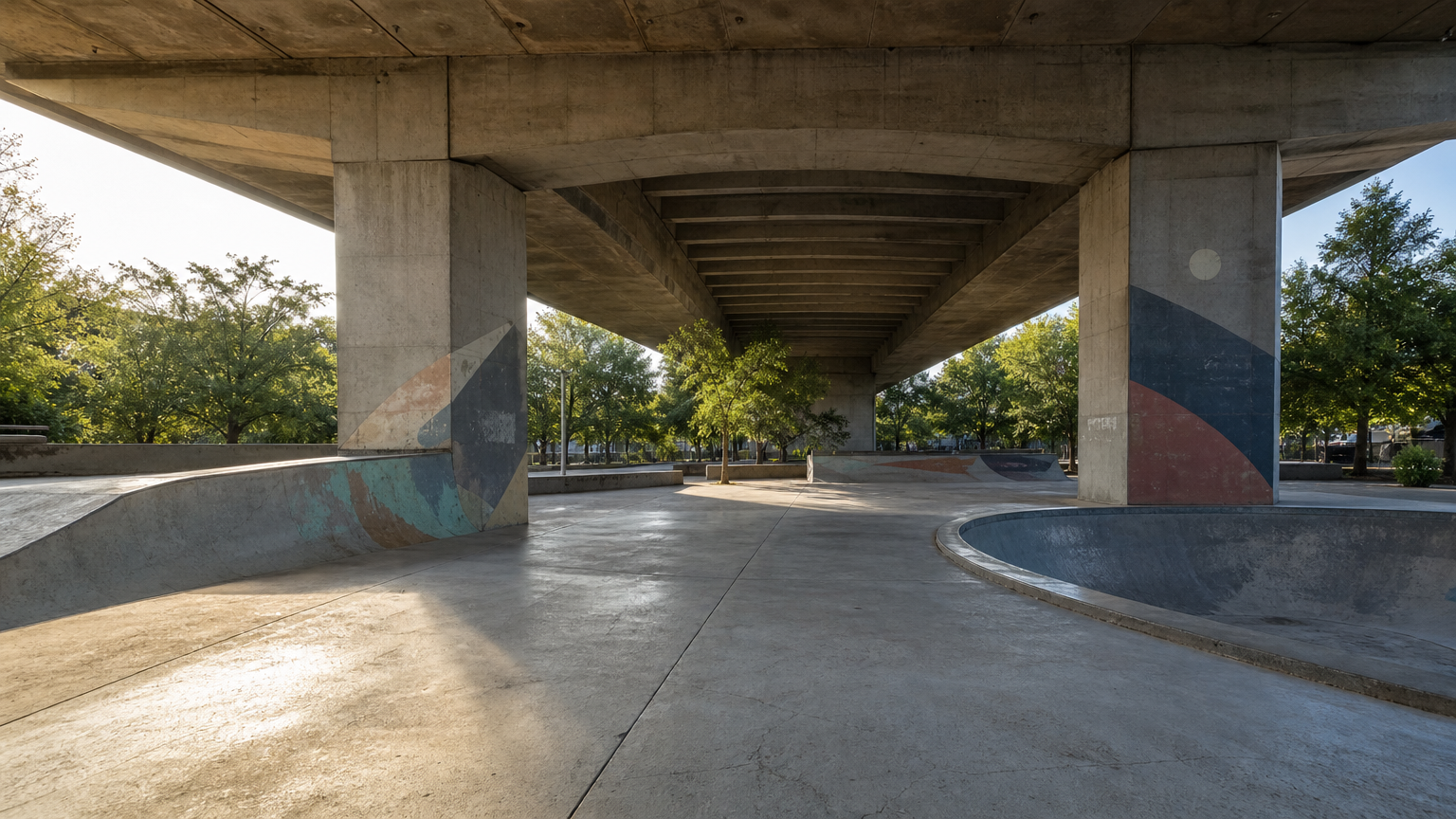
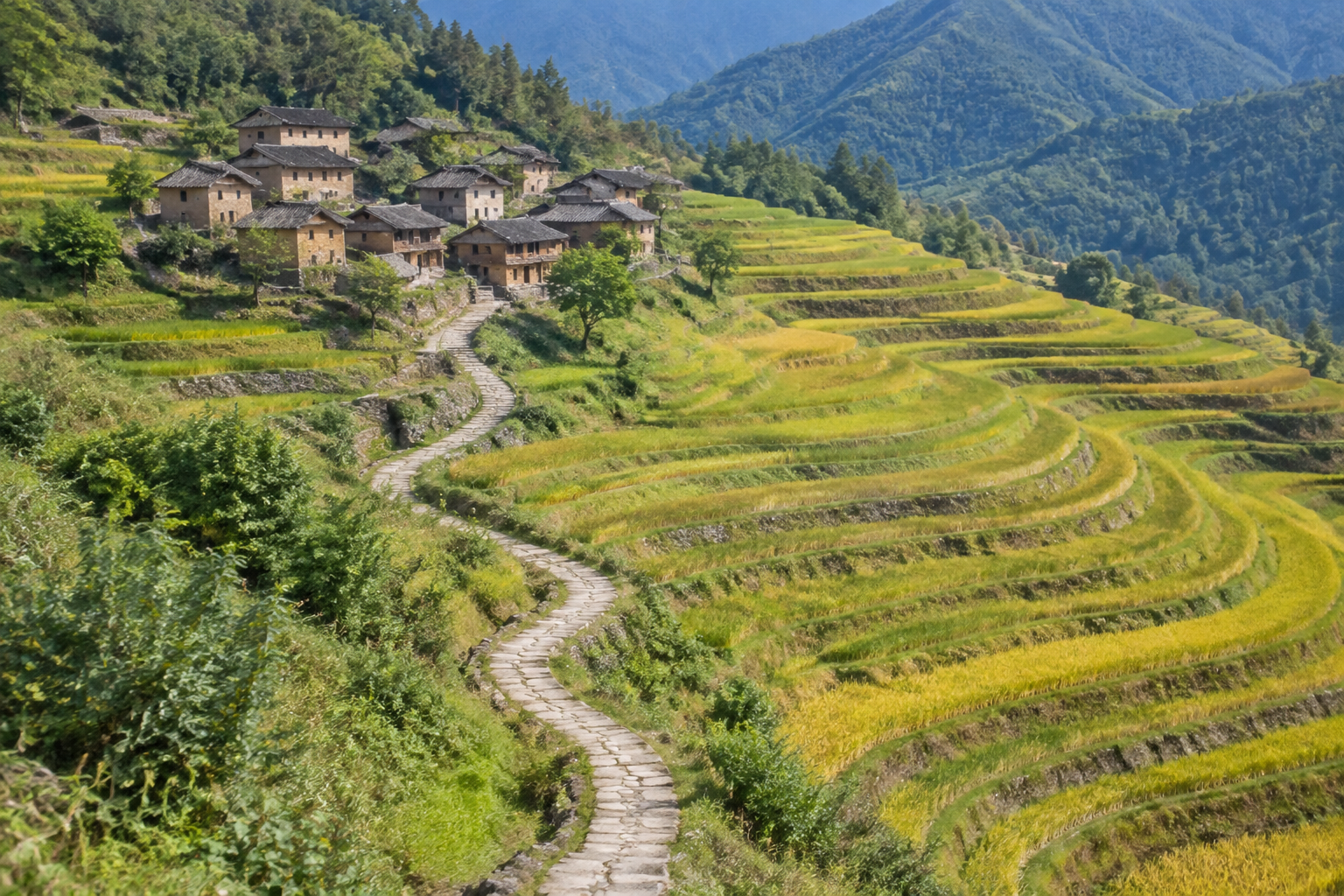
The first record uses the woman and skateboard from image 1 with the park layout from image 2. Its prompt specifies full-body placement, scale, light and contact shadows. The second starts with a mountain-village photograph and asks for handmade layered paper while retaining the houses, path, terraces and distant hills. Read the full prompts and compare the sources with each actual result to inspect retained details and the requested changes.

Prompt

Use image 1 as the exact reference for the woman and her skateboard, and image 2 as the environment and composition to preserve. Place the woman naturally on the flat central foreground apron of the skatepark in image 2, slightly left of center, full body visible. Keep her recognizable face, short curls, olive helmet, burgundy T-shirt over white sleeves, beige trousers, black shoes and the turquoise skateboard with cream wheels. She stands casually with both feet firmly on the ground, holding her skateboard vertically on the same side and with the same hand as in image 1; do not invent an action trick. Match the camera height, adult scale and late-afternoon light entering from the left in image 2; add realistic contact shadows beneath both shoes and the board. Preserve the bridge columns, right-hand bowl, left bank, distant trees and the overall park layout. Documentary sports photograph, natural skin and fabric. Exactly one person and one skateboard. No additional people, animals, text, brands, advertising or watermark.

Person and skateboard reference
Park environment reference
Generated result · Kling O3 Image

Prompt

Transform this mountain village photograph into a meticulous handmade layered-paper artwork while preserving the original scene layout and camera framing. Keep the same cluster of tiled-roof houses in the upper left, the S-shaped path from the bottom center to the village, the sweeping terraces on the right, and the distant hills along the top. Construct every terrace level from a distinct stacked sheet with crisp cut edges, visible paper thickness and soft cast shadows between layers. Render the houses as tiny folded-paper buildings and trees as simple carefully cut silhouettes. Use warm ivory, muted forest green, ochre and dusty blue cardstock with subtle fiber texture. Directional studio light from upper left reveals the relief without flattening the recognizable topography. No new buildings or roads, no people, animals, writing, labels, border, frame, logos or watermark.

Village source photograph
Generated result · Kling O3 Image

Creative Use Cases for Kling O3 Image

Use text to develop an original character or scene, combine prepared subjects and environments, replace selected interior objects or translate a photograph into a new art material. State the sources, intended change and details to preserve, then choose the resolution, framing, format and count for character proposals, visual presentations, interior concepts or illustration studies.

Develop a character and its environment

Write the character’s materials, body structure, pose and interaction with nearby objects. Generate the scene and inspect perspective and contact for a story or character proposal.

Place a prepared person in a new setting

Prepare separate person and environment images, identify their roles and describe placement, scale and light. Review the composed image for a scene presentation or photographic concept.

Explore a localized interior arrangement

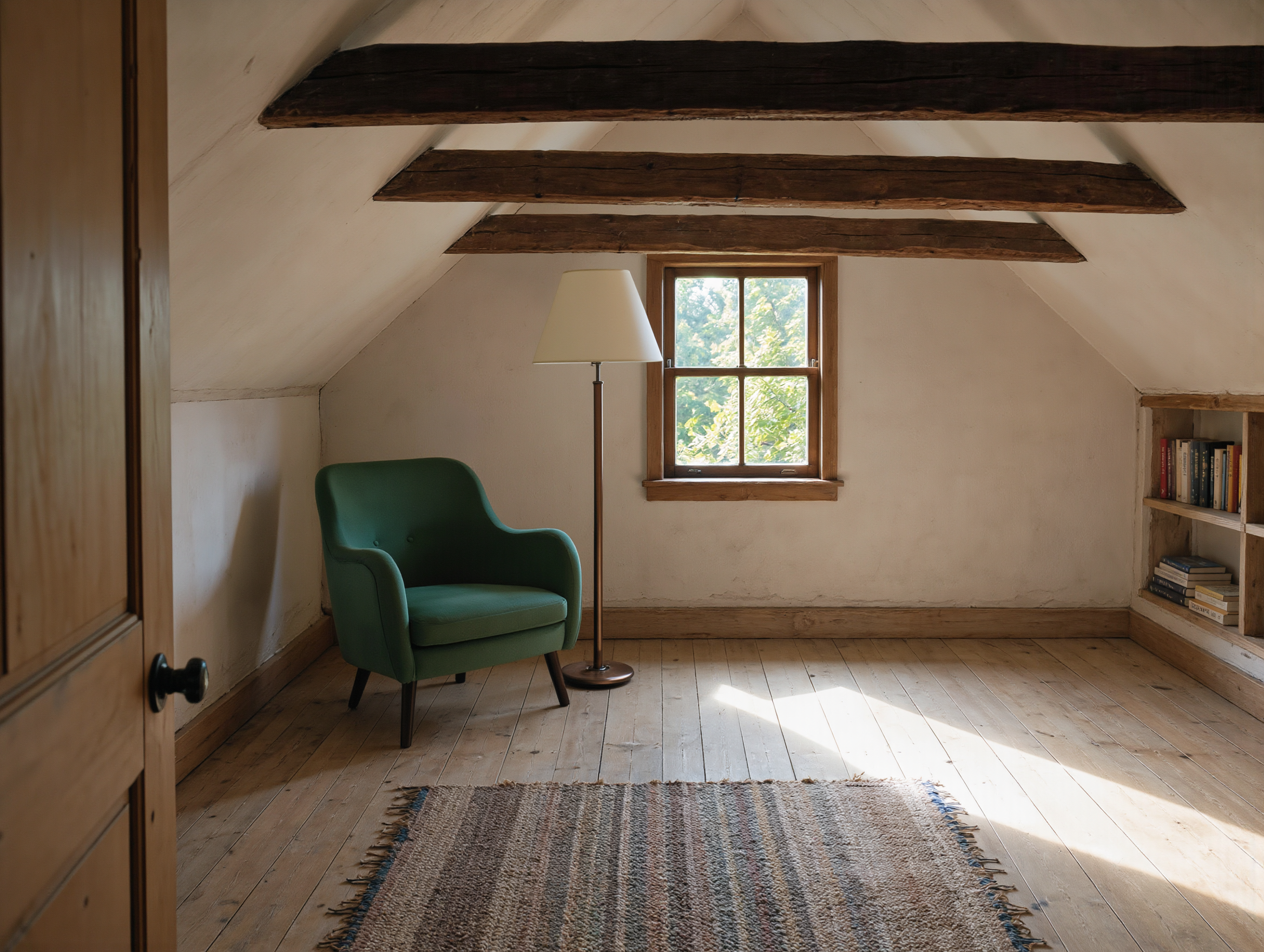
Provide the room photograph and name the furniture or objects to replace. Describe dimensions and floor contact while preserving the architecture, then inspect the result for an interior concept.

Restyle a landscape with a tactile medium

Supply a landscape image, retain the original layout and describe paper layers, paint, print texture or another intended medium. Review the material and composition for an illustration study.

Prepare a chosen output size and format

Choose 1K, 2K or 4K and the aspect ratio suited to the intended placement. Select JPEG, PNG or WebP and one to nine images, then inspect the files before using them in a presentation or project.

Integrate a tested image workflow

Retain the task identifier, prompt, source URLs and output settings. Submit the authenticated request, track its task ID and retrieve the image files for your application.

Kling O3 Image Specifications and API Pricing

Kling O3 Image is billed per image, with a shared current tier for 1K and 2K and a separate 4K tier. The requested image count affects the complete estimate. The dynamic table shows each task’s current starting price; select the resolution and one to nine requested images on the task page to review the full cost before submission.

ModelProviderWorkflowInput materialOutput specificationStarting rate
Kling O3 Image Text to ImageKlingText to ImageText prompt4K$0.0175 / image
Kling O3 Image EditKlingImage Editing1–10 reference images4K$0.0175 / image

How to Use Kling O3 Image on Vidgo

Test your creative brief online, then bring the verified request into your application.

Test online

Generate a result with your intended settings

Enter the prompt, supply reference images for editing and select 1K, 2K or 4K, the framing, format and one to nine outputs. Review the estimate, generate the images and compare the results with subject appearance, scene layout and the requested material or local changes.

Why Use Kling O3 Image on Vidgo

Choose a task, inspect its settings and cost, and follow the result from an online test to an authenticated API request.

Creative testing and task selection

Choose inputs around your creative goal

Choose Text to Image for a new written composition or Image Editing for one to ten prepared references. Describe each source’s role, the intended change and details to preserve, then choose resolution, aspect ratio, output format and image count.

Test your own prompt and images

Open the matching task, enter your brief and supply the required images. Review the generated result against subject appearance, composition and the requested changes before carrying the workflow into a project.

Review the estimate before generation

Select the resolution and requested image count on the task page to review the full estimate. Compare the current 1K/2K and 4K tiers and include the planned number of tests when budgeting a composition or editing workflow.

API integration and result management

Learn from complete recorded examples

Read the actual prompt and inspect its source images and result together. Use those examples to understand how to assign input roles and describe the details to preserve or change in your own request.

Track each generation with its task ID

Retain the task ID returned by the API to query status and retrieve completed file URLs. Use your online generation history to review earlier results and the creative direction you tested.

Follow the documentation for the selected task

Use the documentation linked from each task for its exact model identifier, accepted inputs, authentication and response format. Integrate the same task you tested online so its media and settings match the request.

Kling O3 Image API FAQ

Kling O3 Image is a Kuaishou image model available on Vidgo through Text to Image and Image Editing. It creates images from written scenes or edits one to ten references, with 1K, 2K and 4K output, configurable framing and formats, and one to nine requested images.

Browse all models