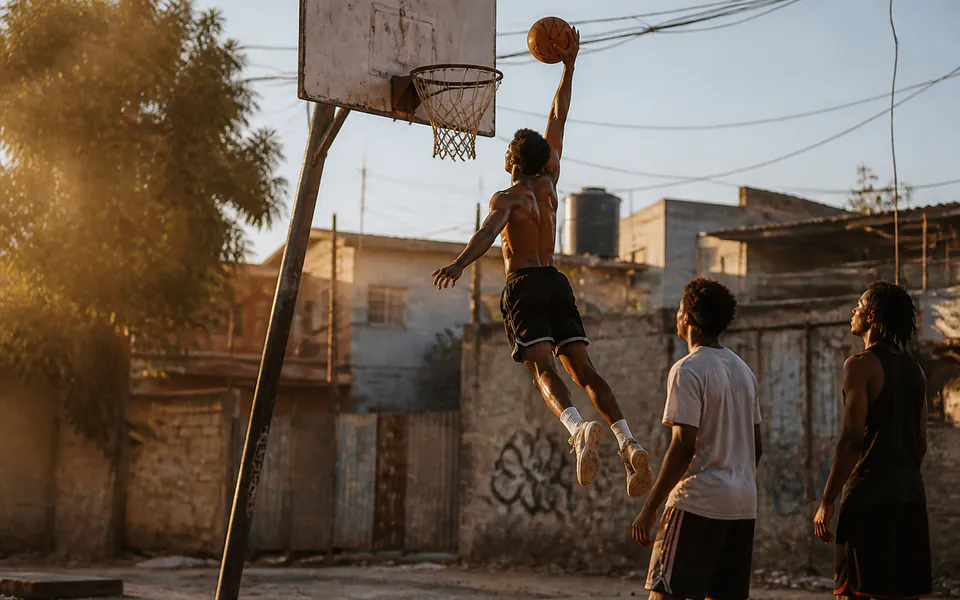
Kling 3.0 video generation and motion control

Kling 3.0 provides text-to-video and image-to-video generation in Standard 720p, Pro 1080p and 4K, together with Standard and Pro Motion Control. Direct a 3–15-second scene through a single prompt, or enable multi_shots and sound to assign a prompt and duration to each shot. Image generation can use starting and ending frames and additional subject references according to the selected task. For a demonstrated action, supply one character image and one motion video to Motion Control, then choose the orientation and review its reference-duration-based cost.

Kling 3.0 is developed by Kuaishou. Vidgo provides access to the model. Model names and trademarks belong to their respective owners.
Explore Kling 3.0 Models

Choose Standard, Pro or 4K Text to Video for a written scene, or the corresponding Image to Video task for prepared frames. Set the sound and 3–15-second timing around the intended shot or sequence. Choose Standard 720p or Pro 1080p Motion Control when a reference video supplies the movement, then prepare the character image and the reference clip required by that workflow.

Text to VideoKling

Kling 3.0 4K Text to Video

Kling 3.0 4K Text to Video turns written scene directions into 4K video with native audio and shot-by-shot timing. Shape camera movement and scene progression with individual prompts, choosing a single take or a sequence of shots.

Image to VideoKling

Kling 3.0 4K Image to Video

Kling 3.0 4K Image to Video turns a starting image into 4K video with native audio and shot-by-shot timing. Guide the opening composition with your image and develop the action through prompts and element references.

Motion ControlKling

Kling 3.0 std Motion Control

Kling 3.0 Motion Control is a reference-driven motion transfer model that combines one character image and one source video with transparent per-second pricing.

Motion ControlKling

Kling 3.0 pro Motion Control

Kling 3.0 Motion Control is a reference-driven motion transfer model that combines one character image and one source video with transparent per-second pricing.

Text to VideoKling

Kling 3.0 Standard Text to Video

Kling 3.0 Standard Text to Video turns written scene directions into 720p video with native audio and shot-by-shot timing. Shape camera movement and scene progression with individual prompts, choosing a single take or a sequence of shots.

Image to VideoKling

Kling 3.0 Standard Image to Video

Kling 3.0 Standard Image to Video turns a starting image into 720p video with native audio and shot-by-shot timing. Guide the opening composition with your image and develop the action through prompts and element references.

Text to VideoKling

Kling 3.0 Pro Text to Video

Kling 3.0 Pro Text to Video turns written scene directions into 1080p video with native audio and shot-by-shot timing. Shape camera movement and scene progression with individual prompts, choosing a single take or a sequence of shots.

Image to VideoKling

Kling 3.0 Pro Image to Video

Kling 3.0 Pro Image to Video turns a starting image into 1080p video with native audio and shot-by-shot timing. Guide the opening composition with your image and develop the action through prompts and element references.

Kling 3.0 Video Generation and Motion Control Tasks

Text generation builds the scene from words, while image generation starts with prepared frames and can receive task-specific kling_elements references. A single-shot request uses prompt; a multi-shot request uses ordered multi_prompt entries with sound enabled and matching total duration. Motion Control instead combines one character image with one reference video and follows the detected reference duration. Use the corresponding task fields for each of those input methods.

Model / taskInput and workflow
Kling 3.0 4K Text to VideoKling 3.0 4K Text to Video turns written scene directions into 4K video with native audio and shot-by-shot timing. Shape camera movement and scene progression with individual prompts, choosing a single take or a sequence of shots.
Kling 3.0 4K Image to VideoKling 3.0 4K Image to Video turns a starting image into 4K video with native audio and shot-by-shot timing. Guide the opening composition with your image and develop the action through prompts and element references.
Kling 3.0 std Motion ControlKling 3.0 Motion Control is a reference-driven motion transfer model that combines one character image and one source video with transparent per-second pricing.
Kling 3.0 pro Motion ControlKling 3.0 Motion Control is a reference-driven motion transfer model that combines one character image and one source video with transparent per-second pricing.
Kling 3.0 Standard Text to VideoKling 3.0 Standard Text to Video turns written scene directions into 720p video with native audio and shot-by-shot timing. Shape camera movement and scene progression with individual prompts, choosing a single take or a sequence of shots.
Kling 3.0 Standard Image to VideoKling 3.0 Standard Image to Video turns a starting image into 720p video with native audio and shot-by-shot timing. Guide the opening composition with your image and develop the action through prompts and element references.
Kling 3.0 Pro Text to VideoKling 3.0 Pro Text to Video turns written scene directions into 1080p video with native audio and shot-by-shot timing. Shape camera movement and scene progression with individual prompts, choosing a single take or a sequence of shots.
Kling 3.0 Pro Image to VideoKling 3.0 Pro Image to Video turns a starting image into 1080p video with native audio and shot-by-shot timing. Guide the opening composition with your image and develop the action through prompts and element references.

Kling 3.0 Paper Plane Frame Transition and Weather Station Storyboard Examples

The first record supplies the opening and ending images of a paper glider and requests one continuous 3-second movement through a miniature canyon with sound disabled. The second uses a 1-second anemometer shot followed by a 2-second meteorologist shot saying “Storm’s passed.”, with multi_shots and sound enabled. Read the complete prompts and shot durations, then compare each actual output with its own visual endpoints or scene sequence.

Prompt

A single ivory folded-paper glider gently rises along a short smooth arc from the supplied first frame to the supplied final frame in three seconds. Maintain precisely one glider and unchanged folded geometry, canyon layers, camera position and soft lighting. Controlled miniature stop-motion feel, no wobbling wings, no strings, no cuts or additional objects.

Starting frame
Ending frame

Prompt

Shot 1 · 1 s Mountain weather station after a shower, cool dawn light. Close-up of raindrops clinging to the metal cups of a slowly turning anemometer, misty mountain ridge in the background. Quiet water drips and light wind. Realistic documentary cinematography, no text. Shot 2 · 2 s Cut to a medium close shot beside the same mountain weather station in the same cool dawn light. One adult woman meteorologist wearing a navy rain jacket lowers her pencil and says clearly in a quiet natural voice, 'Storm’s passed.' Her lips match the two words. Misty ridge behind her, light breeze, no music or subtitles. Keep her face stable, one calm action.

Creative Use Cases for Kling 3.0

Prepare a written scene for text generation, frames and subject references for image generation, or a character image and demonstration video for Motion Control. Define the action, camera and sound, then choose the corresponding output tier and timing. Inspect the result for storyboards, character presentations, mechanical or material studies, dialogue concepts and API-driven video workflows.

Develop an atmospheric shot from text

Describe the environment, small physical changes and camera, then choose the video tier and duration. Review the generated scene for a storyboard or visual direction study.

Connect two prepared visual states

Prepare compatible first and last frames, describe the continuous action and choose the image task. Review the transition against structure, subject position and the intended final frame.

Retain a subject with named references

Provide a starting frame and the selected task’s subject-reference fields, then identify the character and equipment in the prompt. Inspect the result for a character or action concept built around those sources.

Plan a sequence with dialogue and shot timing

Enable multi_shots and sound, write a prompt and 1–12-second duration for each shot, and make the total equal the 3–15-second request duration. Review the scene order, speech and action for a narrative proposal.

Transfer a dance, walk or demonstration

Prepare one clear character image and a motion video that fits the chosen orientation’s duration range. Select Standard or Pro Motion Control and inspect identity, limb movement and continuity before using the result in a presentation.

Integrate the tested video request

Retain the exact task identifier, source URLs, prompt or shot list and task-specific settings. Submit the authenticated API request and track its task ID to retrieve the completed video.

Kling 3.0 Specifications and API Pricing

Kling 3.0 scene generation is billed per second using the selected Standard, Pro or 4K task, video duration and sound tier. Motion Control uses its Standard or Pro per-second rate with the detected reference-video duration and rounds the calculated credits upward. The dynamic table shows the current lowest rate for each task. Open the chosen workflow and use your actual duration, sound setting or reference clip to review the complete estimate.

ModelProviderWorkflowInput materialOutput specificationStarting rate
Kling 3.0 4K Text to VideoKlingText to VideoText prompt4K$0.25 / second
Kling 3.0 4K Image to VideoKlingImage to VideoFrames and subject references4K$0.25 / second
Kling 3.0 std Motion ControlKlingMotion ControlCharacter image + motion video720p$0.045 / second
Kling 3.0 pro Motion ControlKlingMotion ControlCharacter image + motion video1080p$0.075 / second
Kling 3.0 Standard Text to VideoKlingText to VideoText prompt720p$0.135 / second
Kling 3.0 Standard Image to VideoKlingImage to VideoFrames and subject references720p$0.135 / second
Kling 3.0 Pro Text to VideoKlingText to VideoText prompt1080p$0.195 / second
Kling 3.0 Pro Image to VideoKlingImage to VideoFrames and subject references1080p$0.195 / second

How to Use Kling 3.0 on Vidgo

Test your creative brief online, then bring the verified request into your application.

Test online

Generate a result with your intended settings

Open the matching task and provide its text and media. For generation, select a 3–15-second duration, sound and the prompt method; check shot totals when using multi_shots. For Motion Control, supply the image and video, select orientation and review the detected duration. Check the estimate, generate and inspect movement, appearance and sound where enabled.

Why Use Kling 3.0 on Vidgo

Choose a task, inspect its settings and cost, and follow the result from an online test to an authenticated API request.

Creative testing and task selection

Choose inputs around your creative goal

Choose Standard, Pro or 4K text generation for a written scene, or image generation for prepared frames and subject references. Use a single prompt or a timed shot list with sound enabled. Choose Motion Control for one character image and one demonstrated action video, then select the tier and orientation.

Test your own prompt and images

Open the matching task, enter your brief and supply the required images. Review the generated result against subject appearance, composition and the requested changes before carrying the workflow into a project.

Review the estimate before generation

For scene generation, compare the selected task’s current sound tier and complete video duration. For Motion Control, review the detected reference duration and Standard or Pro rate. Include the planned number of tests when budgeting the full workflow.

API integration and result management

Learn from complete recorded examples

Read the actual prompt and inspect its source images and result together. Use those examples to understand how to assign input roles and describe the details to preserve or change in your own request.

Track each generation with its task ID

Retain the task ID returned by the API to query status and retrieve completed file URLs. Use your online generation history to review earlier results and the creative direction you tested.

Follow the documentation for the selected task

Use the documentation linked from each task for its exact model identifier, accepted inputs, authentication and response format. Integrate the same task you tested online so its media and settings match the request.

Kling 3.0 API FAQ

Kling 3.0 is a Kuaishou video family with Standard 720p, Pro 1080p and 4K text and image generation, plus Standard and Pro Motion Control on Vidgo. Scene generation supports 3–15 seconds, optional sound and timed multi-shot direction. Motion Control transfers a reference video’s action to a character image and uses that reference for duration and cost.

Browse all models