Seedance 2.5 Flash video generation up to 30 seconds

Seedance 2.5 Flash turns scene descriptions, first and last frames, or image, video and audio references into 4–30 second videos with synchronized audio. It is the lower-cost tier of Seedance 2.5, with 480p and 720p output at about a third less per second. On Vidgo, use separate tasks for a new scene, a transition between supplied frames or a sequence guided by up to 10 images, 5 videos and 5 audio clips, then set the duration, framing and generated-audio option for the finished clip.

Seedance 2.5 Flash is developed by ByteDance Seed. Vidgo provides access to the model. Model names and trademarks belong to their respective owners.

Explore Seedance 2.5 Flash Models

Choose Text to Video to describe a new scene, Image to Video to animate a first frame or connect it to a last frame, or Reference to Video to guide a sequence with images, videos and audio. Start with the material you already have and the result you want, then open the matching task to configure the clip.

Seedance 2.5 Flash Text, Frame and Multimodal Reference Tasks

A written scene brief is enough for Text to Video. Image to Video uses one or two ordered images to set the first frame and an optional last frame, and the framing follows the first image. Reference to Video gives images, videos and audio separate roles, so you can describe who appears, how an action unfolds and what the scene sounds like. Each task keeps its own input fields and output controls.

Model / taskInput and workflow
Seedance 2.5 Flash Text to VideoGenerate a 4–30 second video with synchronized audio from a text prompt, at 480p or 720p.
Seedance 2.5 Flash Image to VideoAnimate a first frame, or a first and last frame, into a 4–30 second video at 480p or 720p.
Seedance 2.5 Flash Reference to VideoGuide a 4–30 second video with up to 10 images, 5 videos and 5 audio clips at 480p or 720p.

Seedance 2.5 Flash Frame Animation and Multimodal Reference Examples

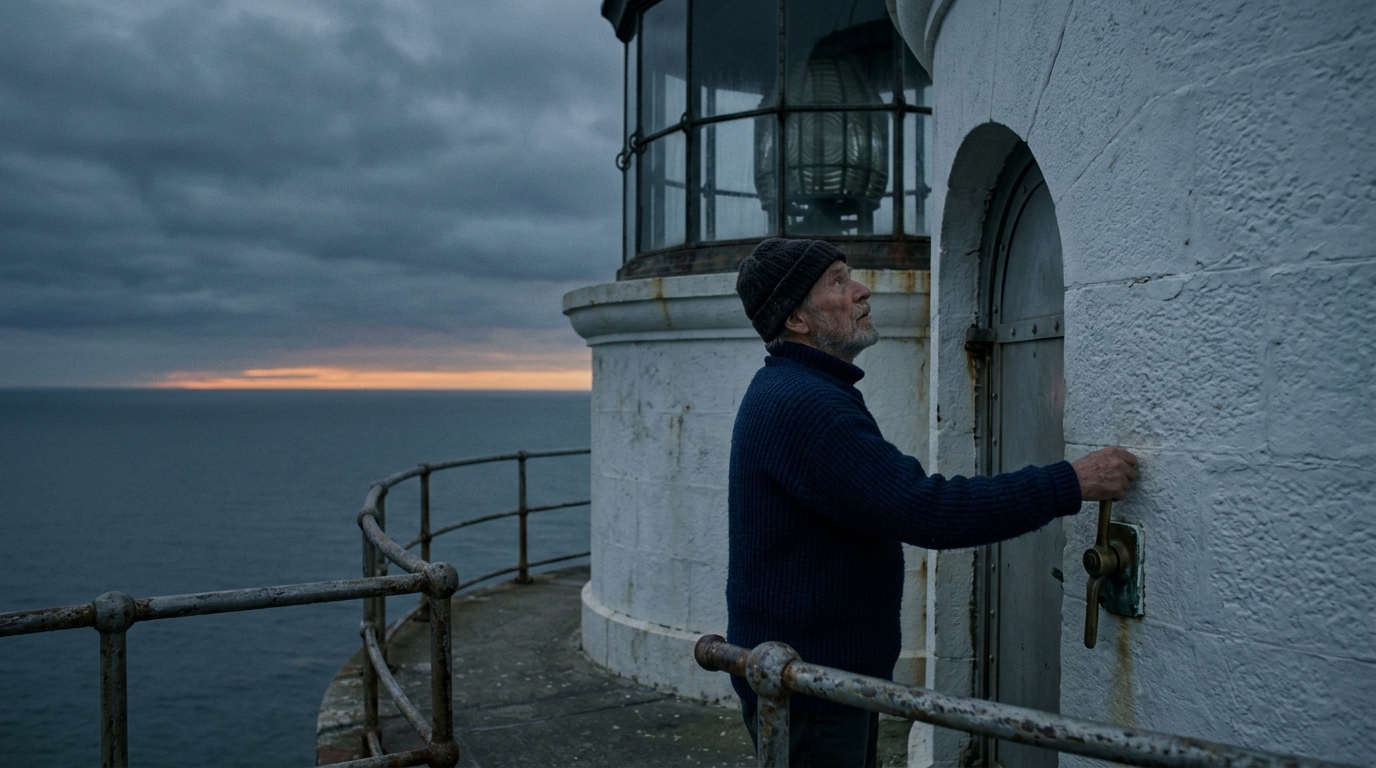
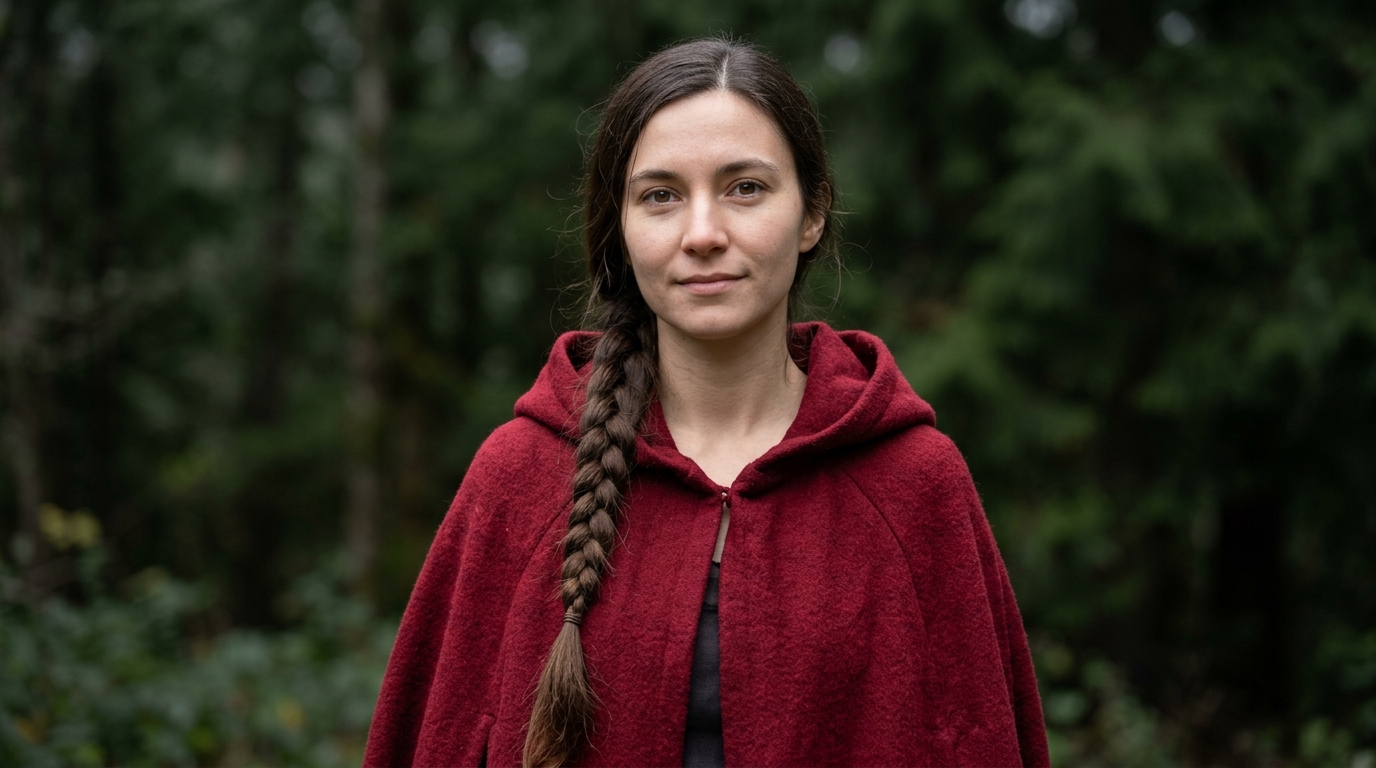
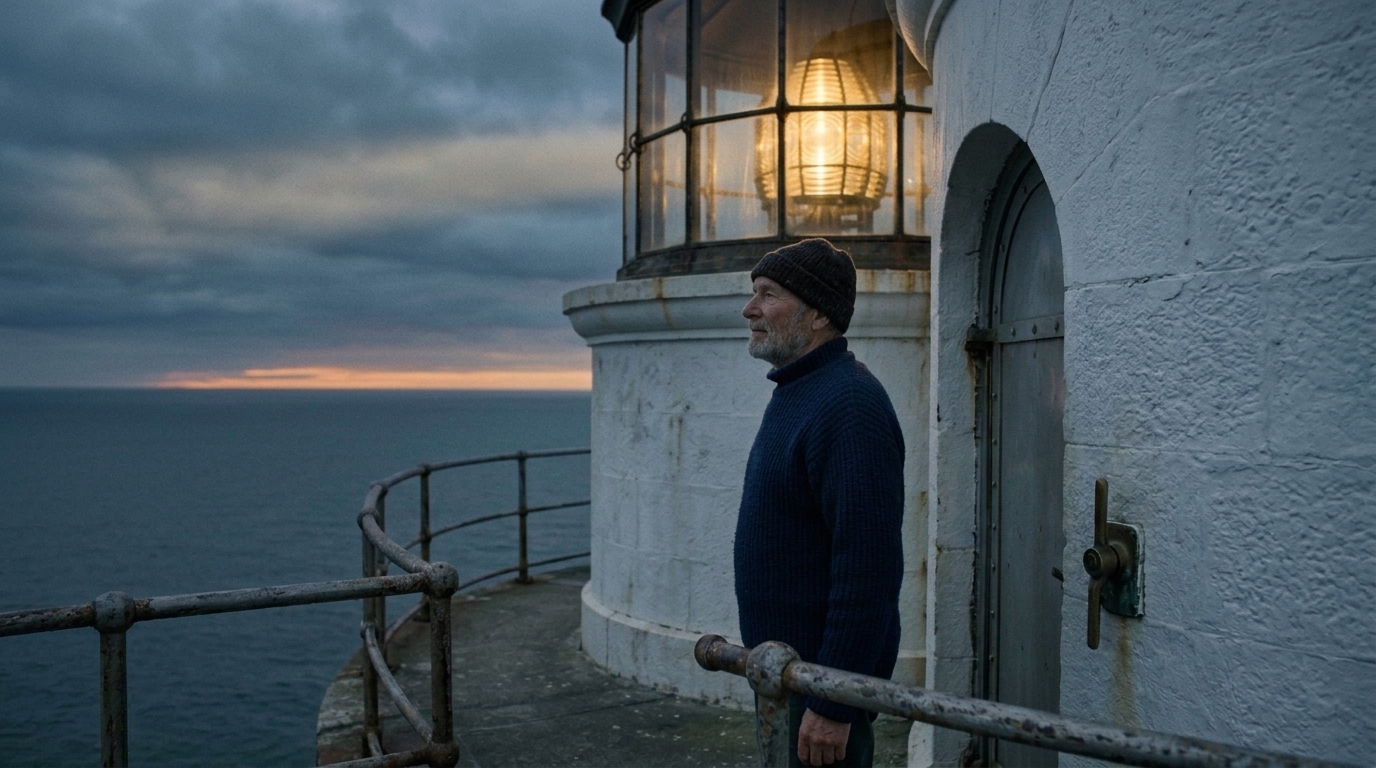
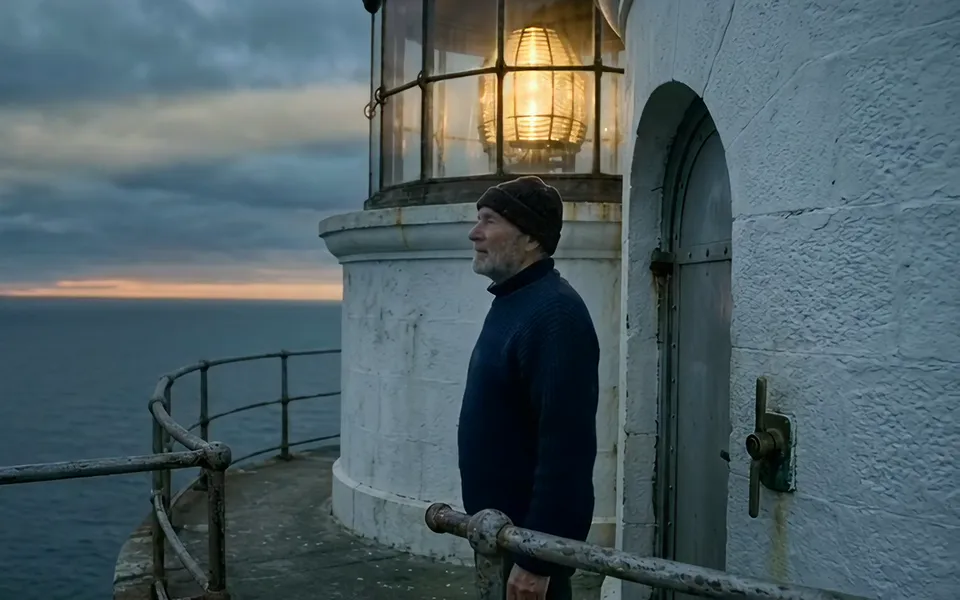
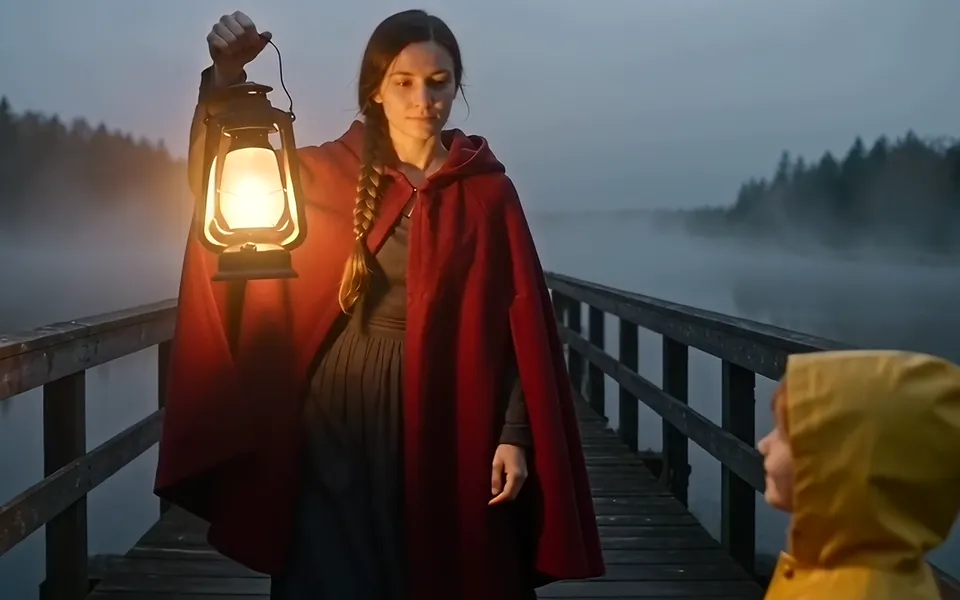
The first recorded task connects two images of a lighthouse keeper through the moment he lights the lamp: a pull on the brass lever, the lantern warming to gold and a turn toward the sea. The second combines a young woman's appearance, a lantern-raising walk and footstep audio to create a new scene on a misty footbridge, where a child steps into her light. Read the actual prompts and review every input alongside the generated videos to see how each request assigns identity, movement, camera direction and sound.

Prompt

Begin exactly from Image 1 and finish exactly on Image 2. In one continuous five-second shot at dusk, the lighthouse keeper pulls down the brass lever beside the arched door; the great glass lantern above warms from dark to a deep amber and then to full gold as a soft beam begins to reach across the clouds. He lets go of the lever, lowers his hand, and turns his head to look out over the calm sea with a quiet, satisfied breath. Use one slow, steady push-in. Keep the same face, grey beard, dark knit cap, navy wool sweater, white stone lighthouse, iron railing and sea throughout. Synchronized audio: a heavy brass lever clunk, a low rising hum as the lamp warms, steady sea wind, and distant waves.

First frame
Last frame

Prompt

Use @Image1 for the young woman's face, long dark braid, and crimson hooded wool cloak. Use @Video1 only for the motion and timing of raising the lantern to shoulder height, pausing for one beat, and then walking steadily forward. Use @Audio1 for the rhythm of the footsteps and the quiet night ambience. One continuous five-second shot at dusk on an old wooden footbridge over a misty river. The camera stays at her chest height and slowly backs away as she walks toward it, so her face and the lantern stay in frame. The young woman raises a glowing paper lantern and its warm light spreads across the mist; she walks steadily along the planks, and as she nears the camera a small child in a yellow raincoat steps in from the right foreground into the lantern light and looks up at her with a shy smile, and she lowers the lantern to light the child's way. Keep her identity and cloak consistent throughout. Synchronized audio: footsteps on wooden planks following the reference rhythm, soft river water, and distant crickets.

Character reference image
Sound reference audio

Creative Use Cases for Seedance 2.5 Flash

Prepare a scene description, storyboard frames or selected references before choosing a task. Give the character, movement, camera and sound a clear purpose, then set the clip's duration and resolution for the project that will use the result.

Draft a written scene as a short shot

Prepare a description of the person or object, setting, action and camera movement, then use Text to Video to create a short sequence. Describe environmental sound when you enable audio. Review the shot as a scene study, storyboard idea or short narrative concept before developing the next one.

Animate a prepared character image

Start with an image that establishes the character, clothing, composition and lighting. Describe a gesture, expression or body movement and generate a clip with Image to Video. Use it to explore character introductions, animated portraits or a moving title card.

Connect two storyboard frames

Prepare a first frame and a last frame with the intended subject and scene. Upload them in order, describe the action in between and choose the duration. Review how the character and camera move between the two states when planning a sequence or a pitch.

Transfer an action into a new scene

Prepare a character image and a video that demonstrates the movement you want. Use Reference to Video, explain which reference supplies identity and which supplies motion, and describe the new location and event. Inspect the result as an action study for a different setting.

Build a scene around sound references

Combine a visual reference with audio that supplies rhythm, timing or atmosphere. Explain how the sound relates to the action and describe the audio to generate for the final clip. Use the result to explore a short audiovisual scene, a musical moment or an atmosphere study.

Produce social and review clips at volume

Choose a duration, resolution and framing for a vertical post, a widescreen presentation or a review cut. Iterate at 480p to settle timing and composition, then render the chosen version at 720p. Save each result with its prompt so the team can compare versions.

Seedance 2.5 Flash Specifications and API Pricing

Text to Video, Image to Video and reference requests with images or audio are billed by output duration and resolution: 18.5 credits per second at 480p and 41 credits per second at 720p. A request that includes reference video uses 11.5 or 25.5 credits per billing second, counting the output duration plus each reference clip's whole seconds. The table shows the lowest available rate for each task; open the task page with your settings and references to see the complete estimate before submitting.

ModelProviderWorkflowMax image inputsMax output resolutionStarting rate
Seedance 2.5 Flash Text to VideoByteDanceText to VideoNot applicable720p$0.0925 / output second
Seedance 2.5 Flash Image to VideoByteDanceImage to Video2720p$0.0925 / output second
Seedance 2.5 Flash Reference to VideoByteDanceReference to Video10720p$0.0575 / billing second

How to Use Seedance 2.5 Flash on Vidgo

Test a scene with your own source material, then bring the same prompt and settings into your application.

Test online

Generate a clip from your own scene brief

Enter the prompt, upload the required material and set duration, resolution and generated audio. For Image to Video, place the first frame first and the optional last frame second. Review the clip's action, camera movement, appearance and sound, then refine the instructions for the result you want.

Why Use Seedance 2.5 Flash on Vidgo

Vidgo connects workflow selection, online testing, cost review and task documentation. Compare real inputs with video results, establish the settings for your scene and use the same task when preparing the API integration.

Creative testing and workflow selection

Choose from the source material you have

Review the three tasks together and choose a written brief, supplied frames or multimodal references as the basis of your video. Each card opens the corresponding task with its own input controls.

Review motion and sound in actual results

Play the recorded examples and inspect the supplied frames, character reference, motion clip and audio. Use what you observe to make your own prompt explicit about action, appearance and timing.

Check the estimate for your configuration

Each task shows the price for the selected duration and resolution before you run it, including the reference-video rate when a video is attached, so a draft at 480p and a final at 720p are easy to plan.

API integration and result management

Follow the selected task's documentation

Open the documentation for the same task you tested and review its model value, input fields and response format before writing the request.

Track each asynchronous video request

Keep the task ID returned at submission, query its status until it finishes and read the video URL from the result, or provide a callback URL for the completion notification.

Revisit your online creative tests

Use account history to reopen earlier generations with their prompts and outputs, then move the settings that worked into your application.

Seedance 2.5 Flash API FAQ

Seedance 2.5 Flash is the lower-cost tier of ByteDance Seed's Seedance 2.5 video generation model. It creates 4–30 second clips with synchronized audio from written scene descriptions, supplied first and last frames, or image, video and audio references at 480p or 720p. Vidgo provides separate Text to Video, Image to Video and Reference to Video tasks, so you can choose the workflow around your source material.

Explore More Model Families

Browse all models