Shoot for print at native 8K
Set resolution to 8K in the Kling Image 4.0 API for 8192×8192 at 1:1. The reindeer herder example keeps frost on the fur hat, the woven trim of the tunic and the cracked leather of the lasso sharp in close crops.
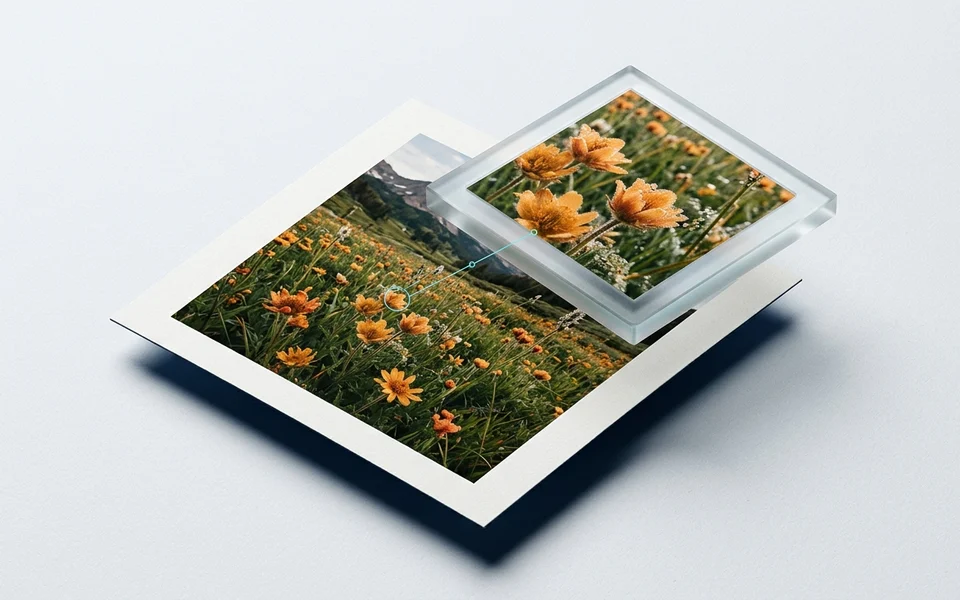
Kling Image 4.0 is Kling AI's image model for native 8K pictures, coherent image sets and full-page designs. The Kling Image 4.0 API covers three tasks: Text to Image creates 2K, 4K or 8K images and sets of up to 10 matching frames from a prompt; Edit combines up to 10 reference images and multi-angle elements; Long Image designs a complete webpage or ecommerce detail page as one tall image. Each task shows its price before you run it.
Kling Image 4.0 is developed by Kuaishou. Vidgo provides access to the model. Model names and trademarks belong to their respective owners.Choose Text to Image when the prompt sets the whole scene, Edit when existing photos, products or characters must carry into the result, and Long Image when you need a full page from hero to footer. Then pick the resolution, aspect ratio and image count, or the page type and length.

Generate 2K, 4K or native 8K images from text with Kling Image 4.0, including multilingual on-image text and image sets of up to 10 matching frames.
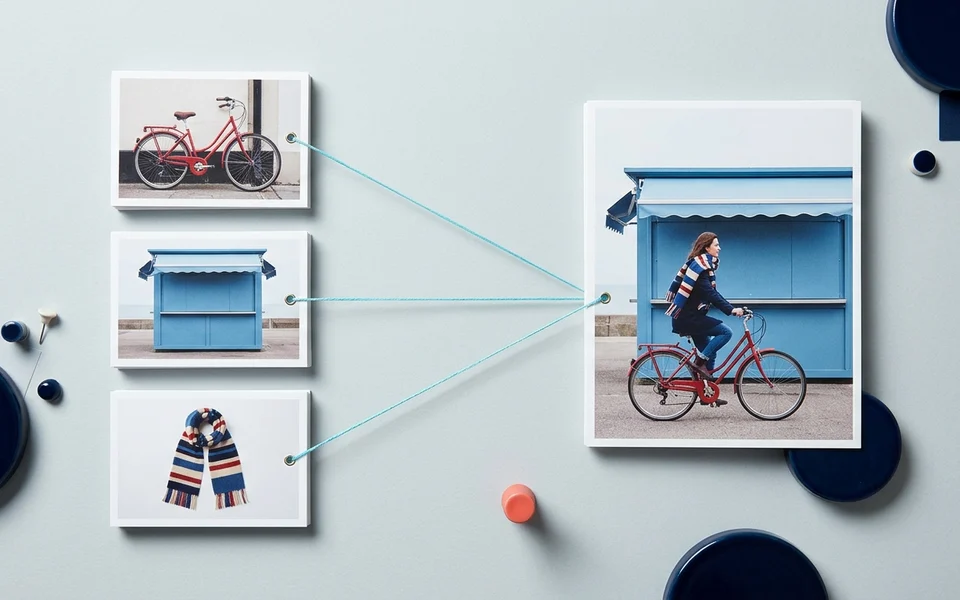
Edit and combine up to 10 reference images and multi-angle elements with Kling Image 4.0, keeping products and characters recognizable at up to native 8K.
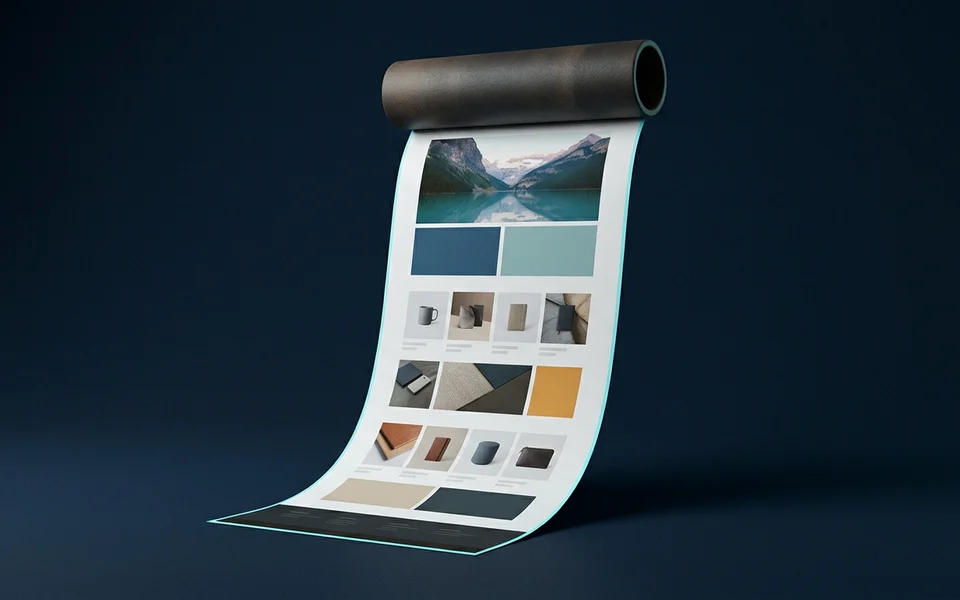
Design a full webpage or ecommerce product detail page as one tall image with Kling Image 4.0 Long Image, from 1–3 product photos or style and subject references.
A text request describes the image or image set to create. An edit request adds 1–10 image_urls and up to 7 kling_elements and names them as @Image1 and @Element1. A long image request picks webpage or ecommerce, with product photos or style and subject references.
| Model / task | Input and workflow |
|---|---|
| Kling Image 4.0 Text to Image | Generate 2K, 4K or native 8K images from text with Kling Image 4.0, including multilingual on-image text and image sets of up to 10 matching frames. |
| Kling Image 4.0 Edit | Edit and combine up to 10 reference images and multi-angle elements with Kling Image 4.0, keeping products and characters recognizable at up to native 8K. |
| Kling Image 4.0 Long Image | Design a full webpage or ecommerce product detail page as one tall image with Kling Image 4.0 Long Image, from 1–3 product photos or style and subject references. |
The examples below come from the Kling Image 4.0 API on Vidgo: an 8K documentary portrait, a bilingual chalkboard menu, a ceramic watering can placed into a rooftop garden from two views, and a canal street turned from midday to a rainy evening.
Set resolution to 8K in the Kling Image 4.0 API for 8192×8192 at 1:1. The reindeer herder example keeps frost on the fur hat, the woven trim of the tunic and the cracked leather of the lasso sharp in close crops.
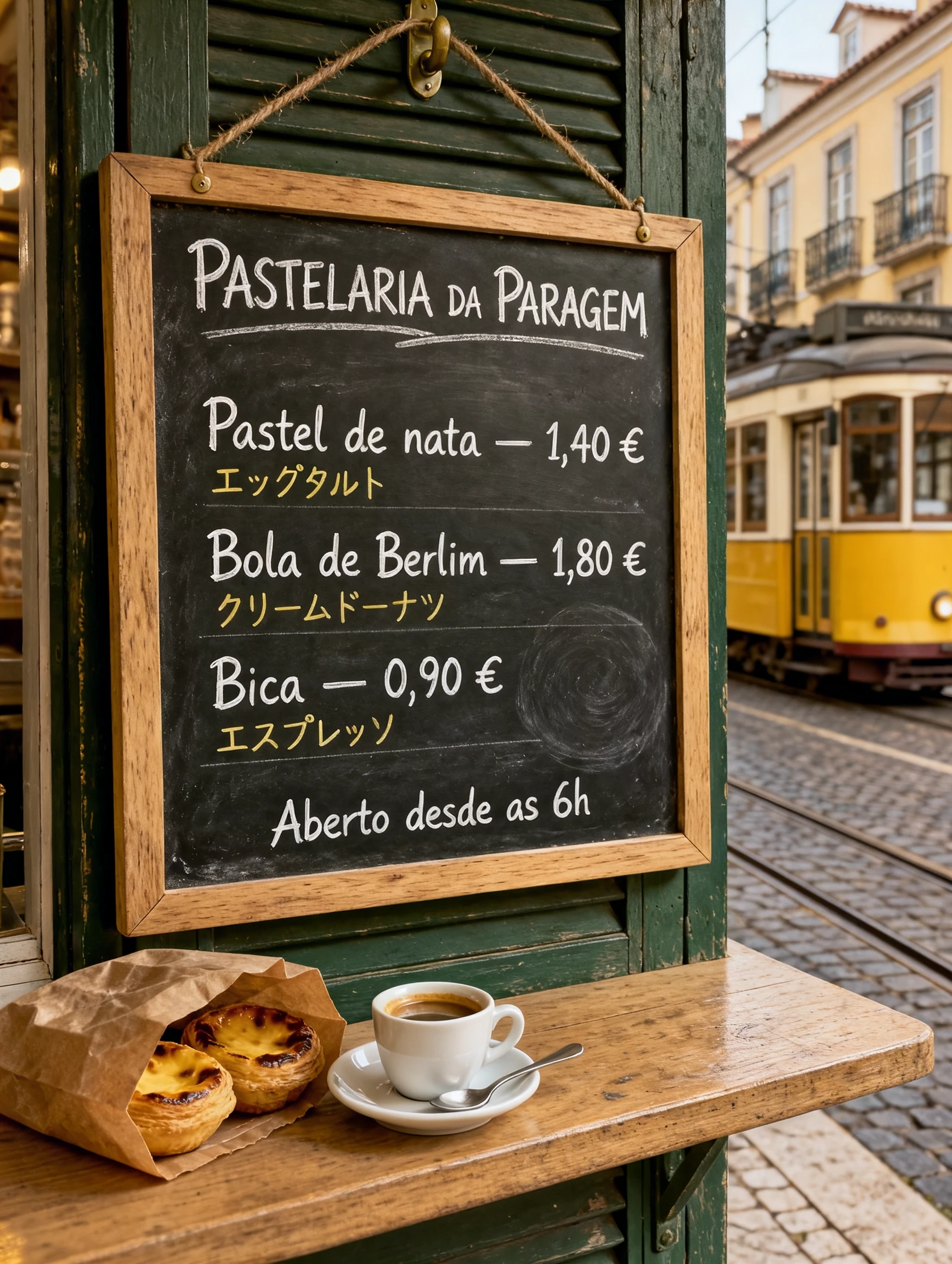
Quote every line you want on the image. The Lisbon kiosk menu renders a Portuguese title, prices and Japanese translations under each item in one chalkboard.
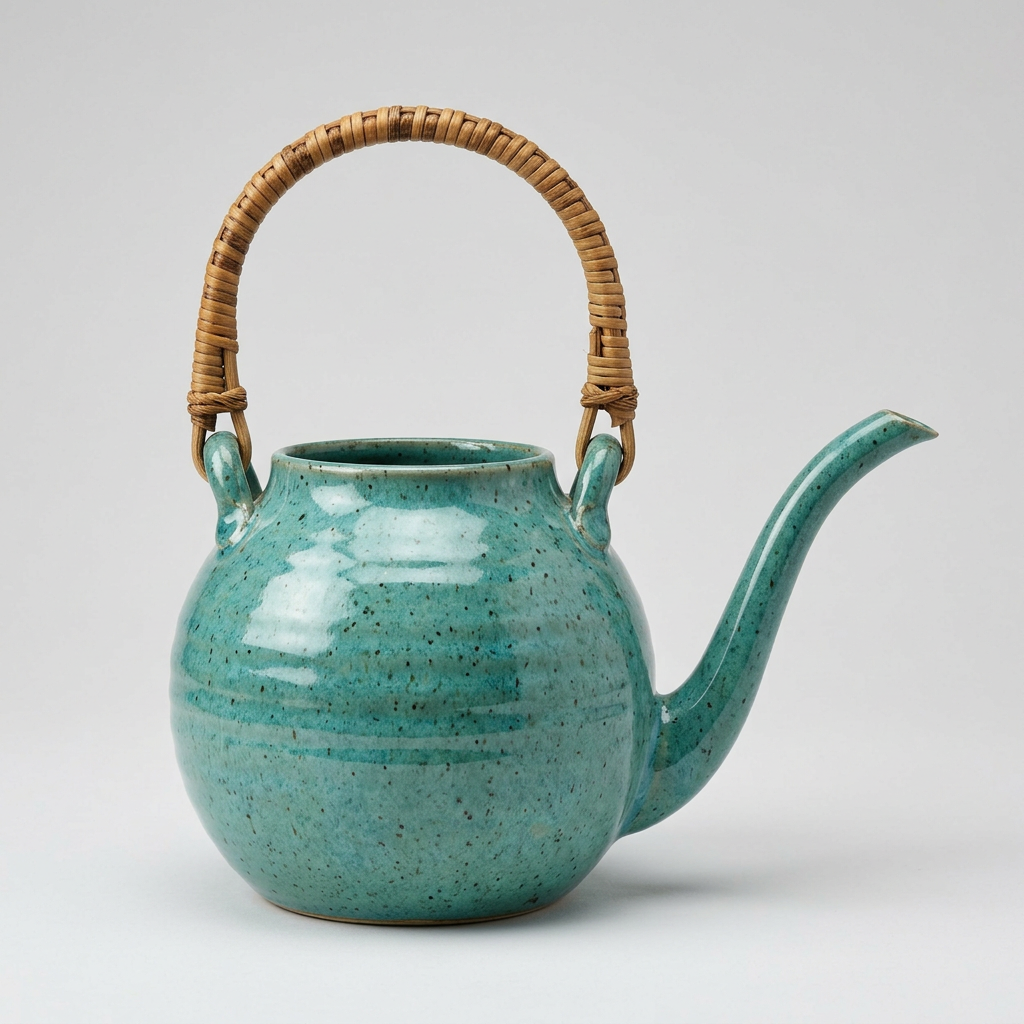
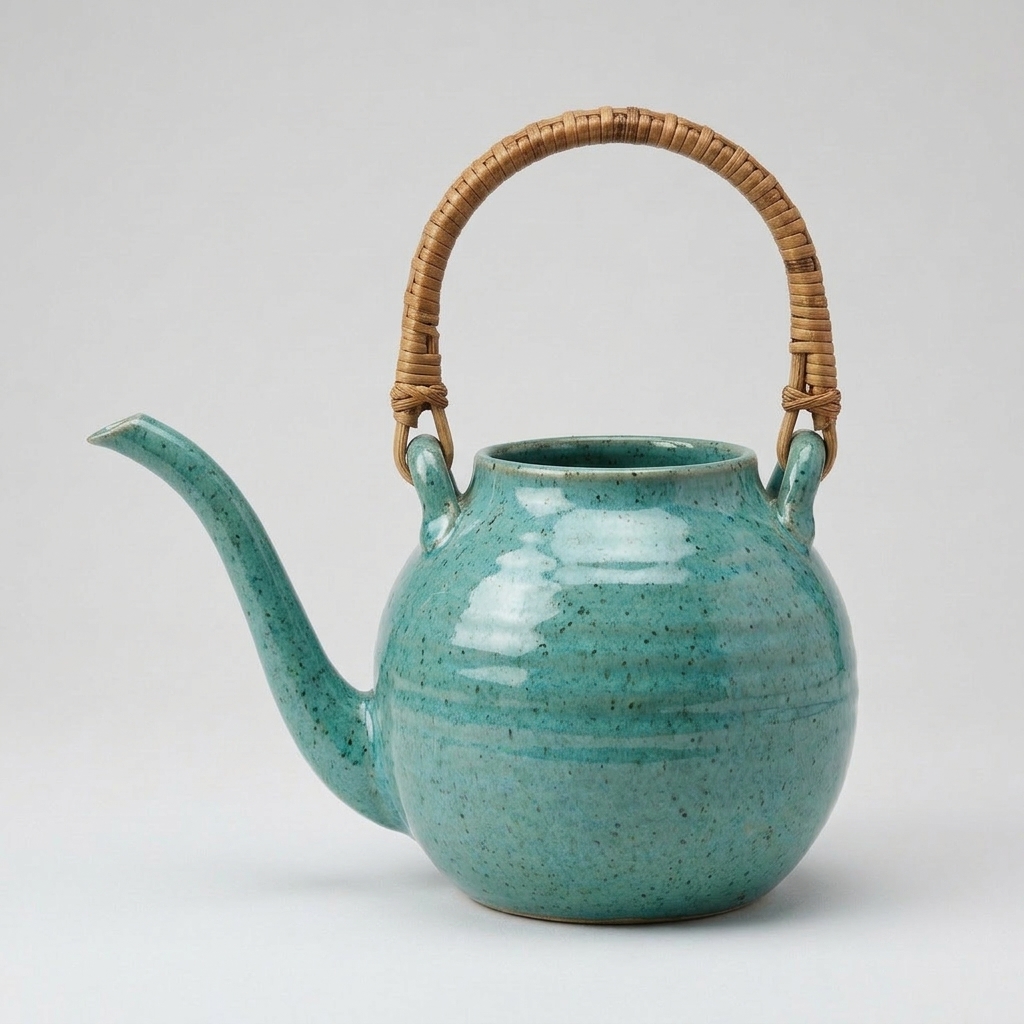
Add an element with a frontal view and another angle so the model knows the full shape. The turquoise watering can keeps its speckled glaze, rattan handle and long spout in the garden scene.
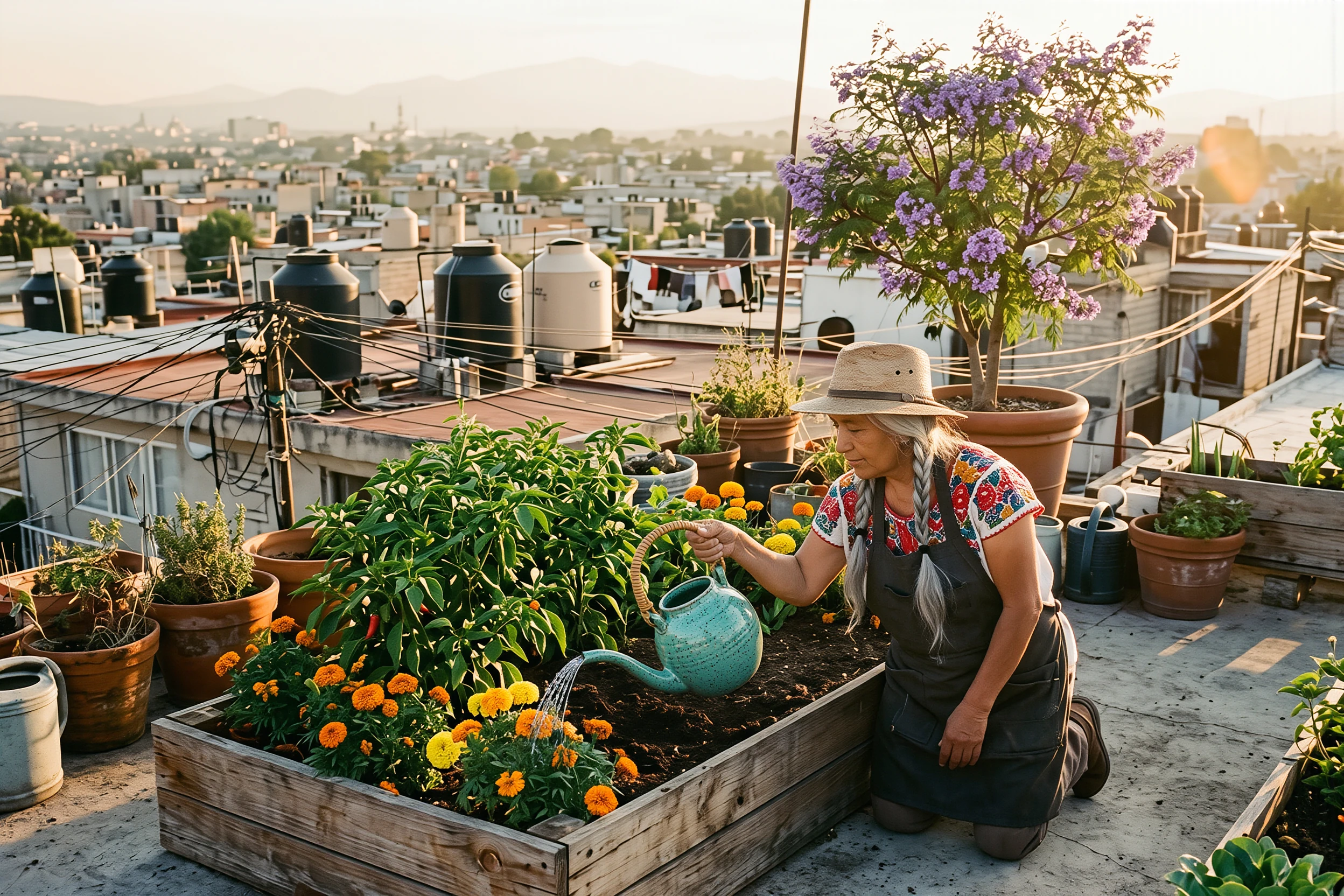
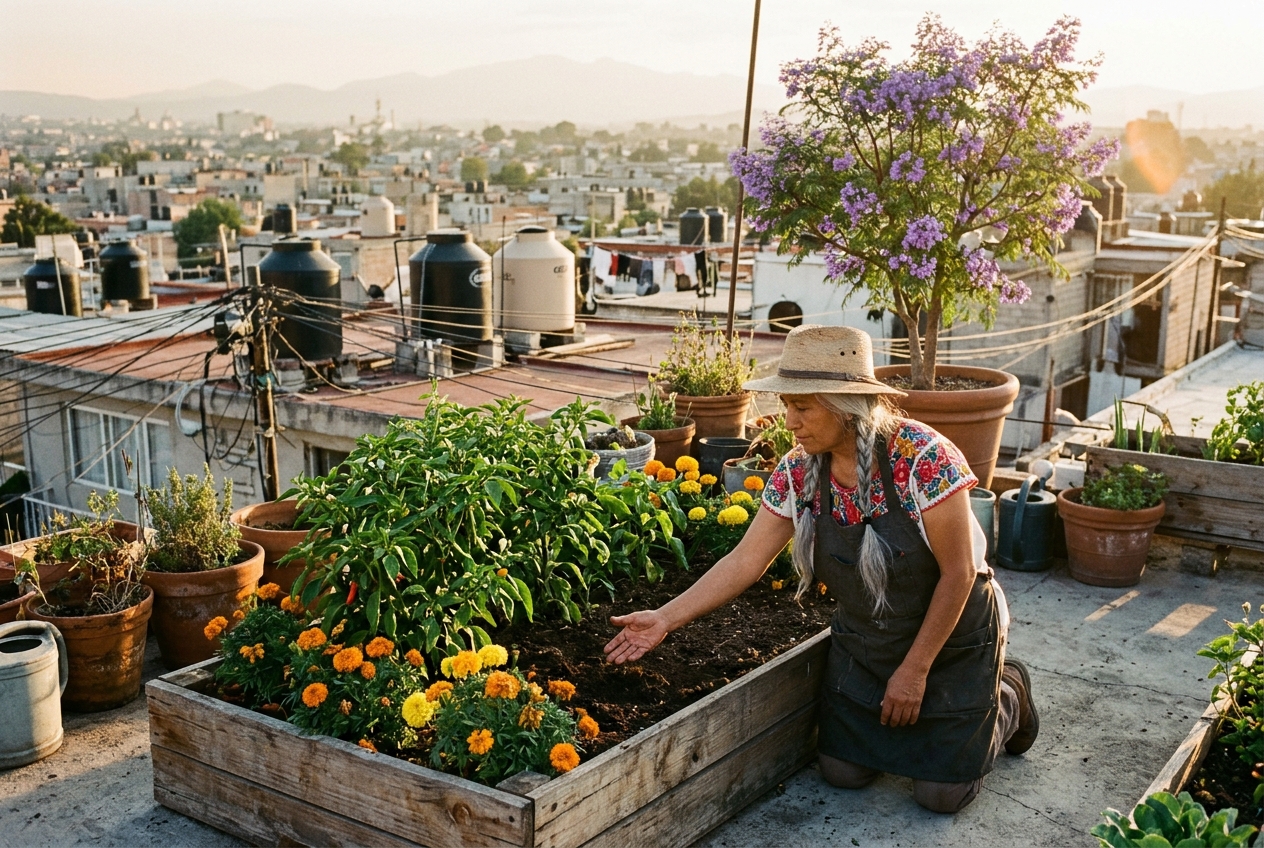
Name the scene as @Image1 and the object as @Element1, then say what stays: the gardener's face, braid, hat, plants and skyline all hold while she pours.
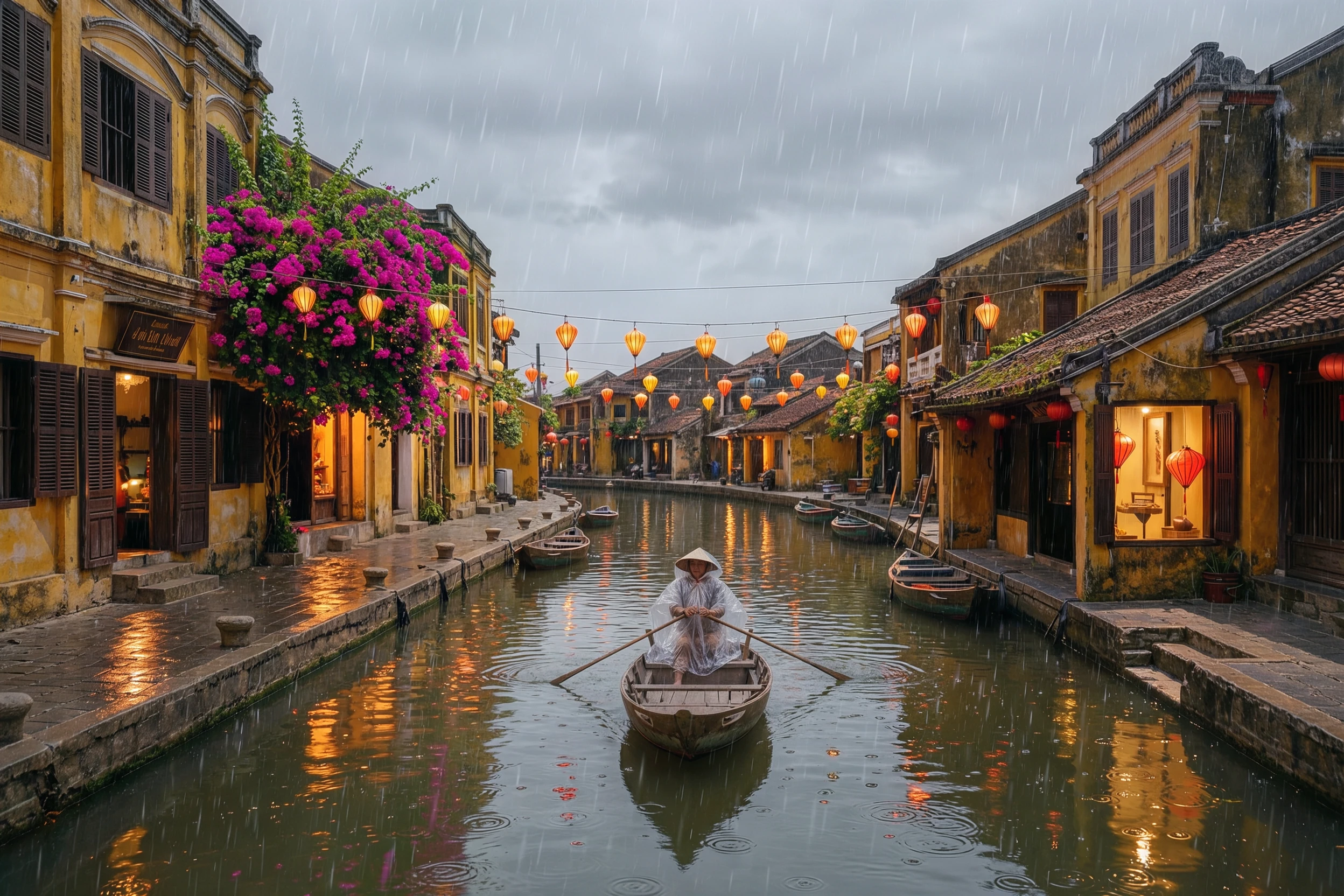
Ask for a rainy evening and list what must remain. The Hoi An canal keeps its shophouses, bougainvillea and boat while lanterns light up and rain dimples the water.
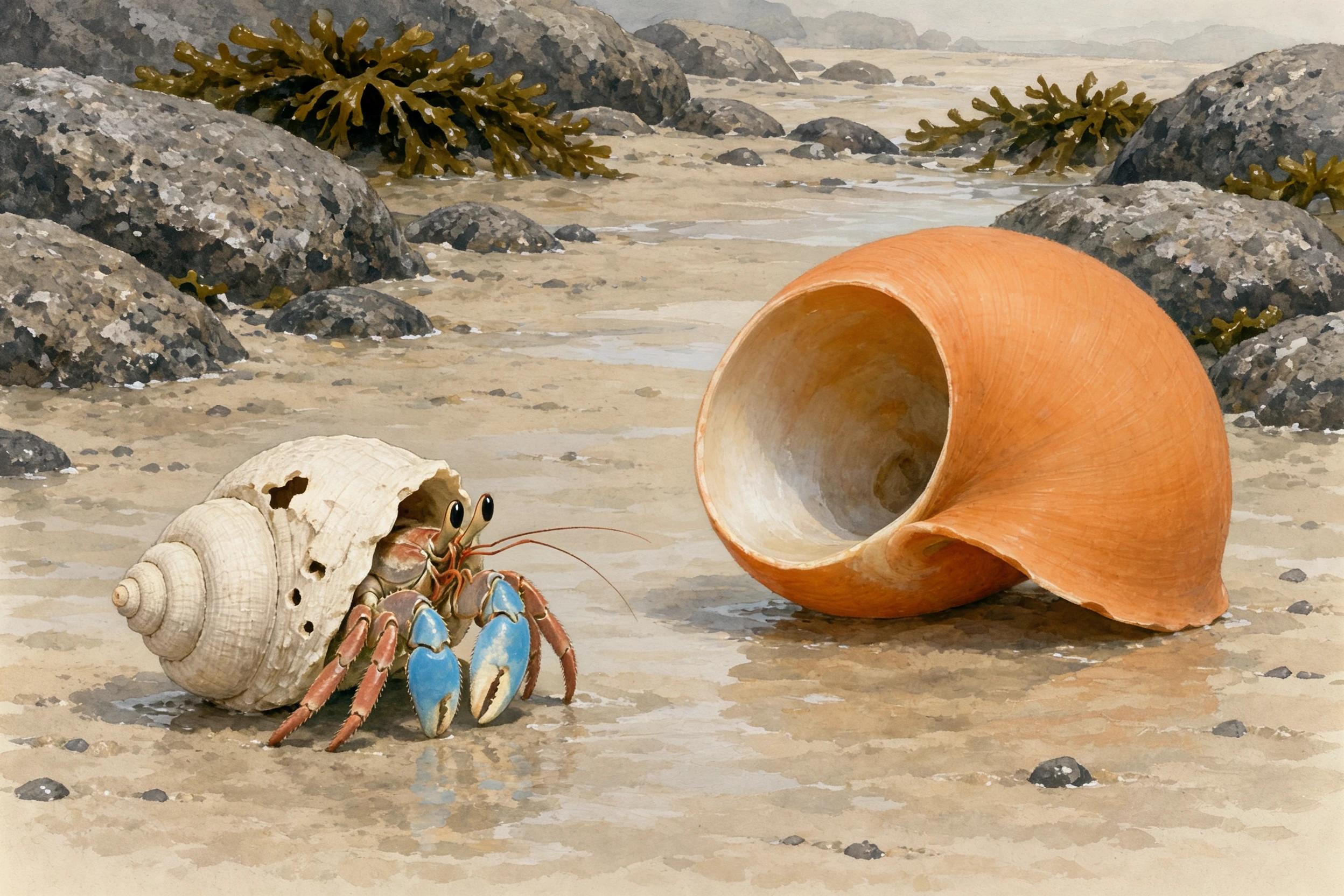
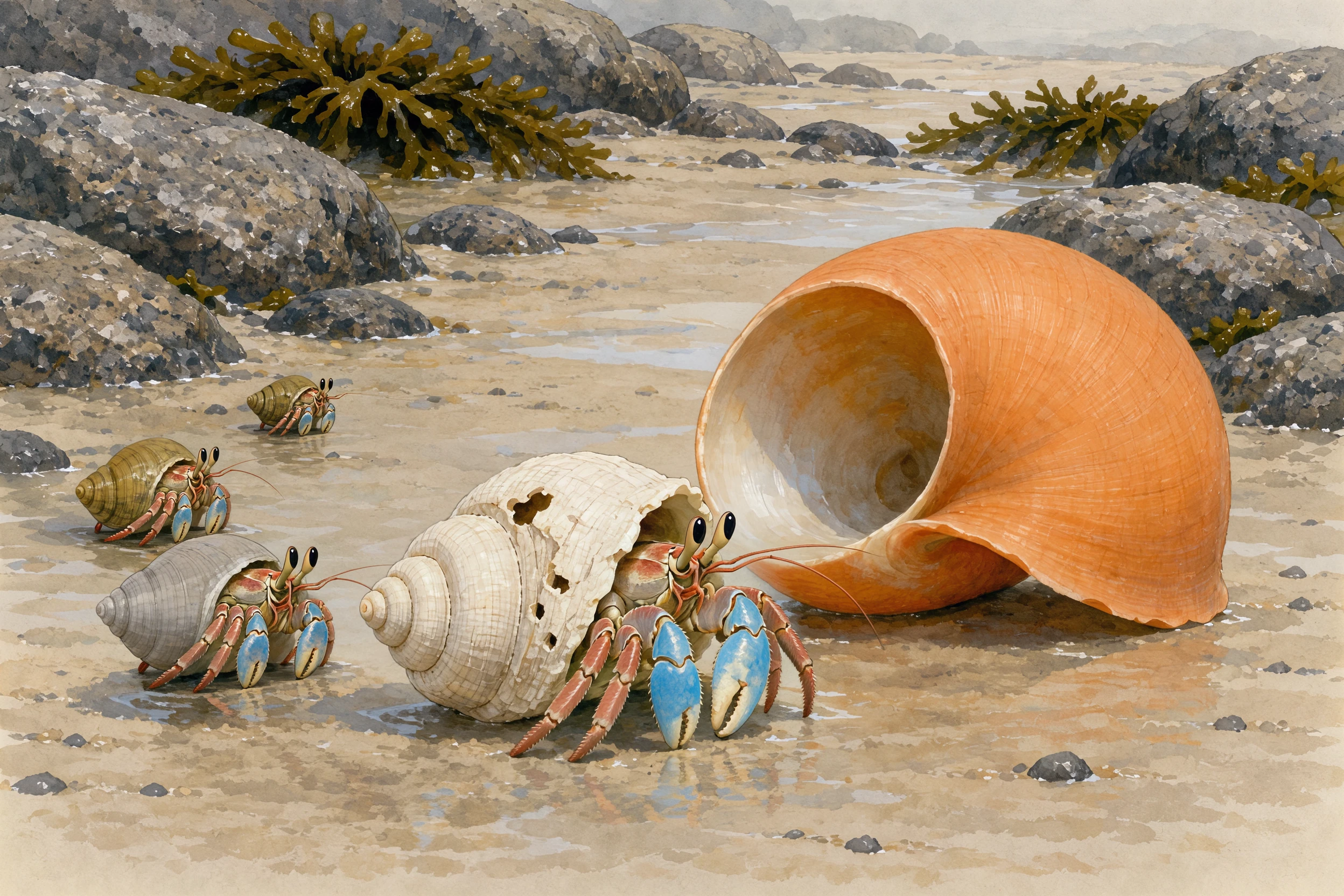
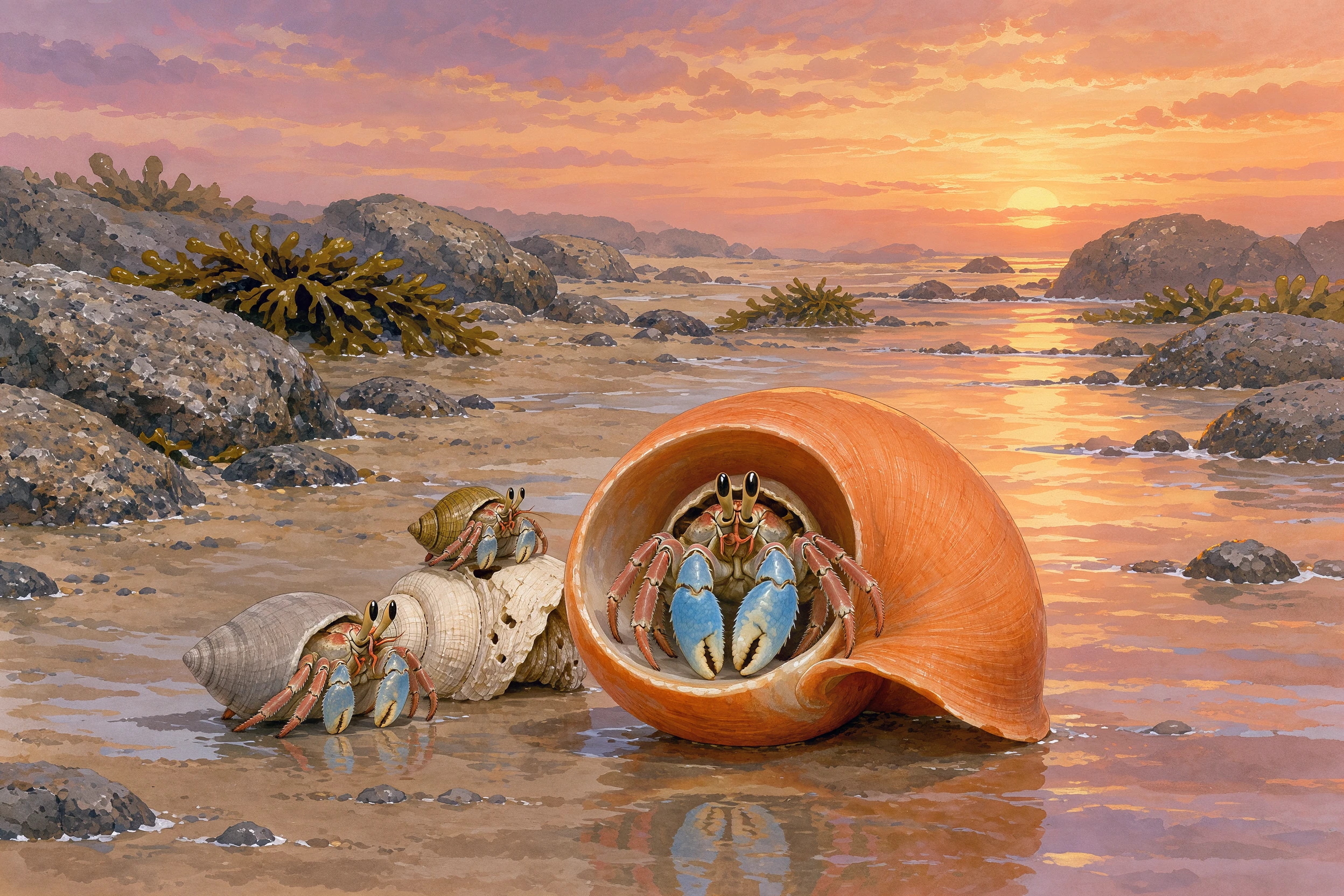
The first example gives the rooftop garden as @Image1 and the watering can as @Element1 from two angles, then asks for the gardener to pour from it while her face, clothes and the skyline stay in place. The second asks for a three-panel story with the same hermit crab in every panel. Read each prompt next to the result.
@Image1 shows a woman kneeling beside a raised bed in a rooftop garden. Place the ceramic watering can from @Element1 in her right hand, tilted so a thin stream of water pours from its long spout onto the orange marigolds. Keep her face, braided silver hair, straw hat, clothes and pose unchanged, keep the chili plants, the jacaranda tree, the water tanks and the city skyline exactly where they are, and keep the warm golden-hour light.
A three-panel picture story in soft gouache illustration style, same small hermit crab with a chipped white spiral shell and one blue-tipped claw in every panel, same rocky tide pool on a Galician beach. Panel 1: at low tide the crab looks up at a large empty orange whelk shell lying on wet sand. Panel 2: the crab climbs out of its old shell while two smaller crabs line up behind it, each eyeing the next shell. Panel 3: at sunset the crab sits proudly in the orange shell while the smaller crabs move into the shells left behind. Consistent colours, consistent character design, wide framing.
Use the Kling Image 4.0 API for print-ready 8K images, posters and menus with exact text, storyboards that follow one character, product placement in real scenes, weather and season edits, and complete website or product detail page designs.
Generate covers, posters and gallery prints at native 8K for deep crops and big displays.
Render up to 2,000 characters of quoted text in English, Japanese, Korean, Spanish, Portuguese or Chinese.
Turn on enable_sequential in the Kling Image 4.0 API for 2–10 frames that keep one character and style across a story.
Give a product as an element from 2–4 angles and place it into lifestyle or campaign scenes.
Restyle a photo's time of day, weather or season while its layout and subjects stay.
Design a full website or a short, medium or long ecommerce page as one tall image.
Text to Image and Edit are billed per image: 13 credits at 2K, 19 at 4K and 32 at 8K, plus 1 credit per reference image or element once per task. Long Image has one price per page, from 47 credits for a short 1K product page to 173 for a long 2K page.
| Model | Provider | Workflow | Input material | Output specification | Starting rate |
|---|---|---|---|---|---|
| Kling Image 4.0 Text to Image | Kling | Text to Image | Text prompt | 8K | $0.065 / image |
| Kling Image 4.0 Edit | Kling | Image Editing | 1–10 reference images and up to 7 elements | 8K | $0.065 / image |
| Kling Image 4.0 Long Image | Kling | Long Image | Prompt with product, style or subject images | 2K | $0.235 / page |
Test your prompt and references online, then send the same request from your application.
Enter the prompt, add references, choose resolution, ratio and count or the page type, check the price and run.
Pick a task, see its price, test it in the playground and move the same request into your code.
Text to Image, Edit and Long Image in the Kling Image 4.0 API share one API key and one request format.
Run your brief in the playground and compare the result with what you asked for before you integrate.
Each task shows its cost from resolution, image count, references or page type.
Every example lists its full prompt, inputs and result, so you can reuse the structure.
Keep the task_id to query status, or receive the finished task at your callback_url.
Use the documented model ID and fields for the task you tested so the request matches.
Kling Image 4.0 is Kling AI's image model, released on November 17, 2026. The Kling Image 4.0 API on Vidgo offers Text to Image at 2K, 4K or native 8K with image sets of up to 10, Edit with up to 10 references and 7 multi-angle elements, and Long Image for complete webpages and ecommerce detail pages.
Explore model introductions, API guides and platform comparisons to plan inputs, integration and costs.